
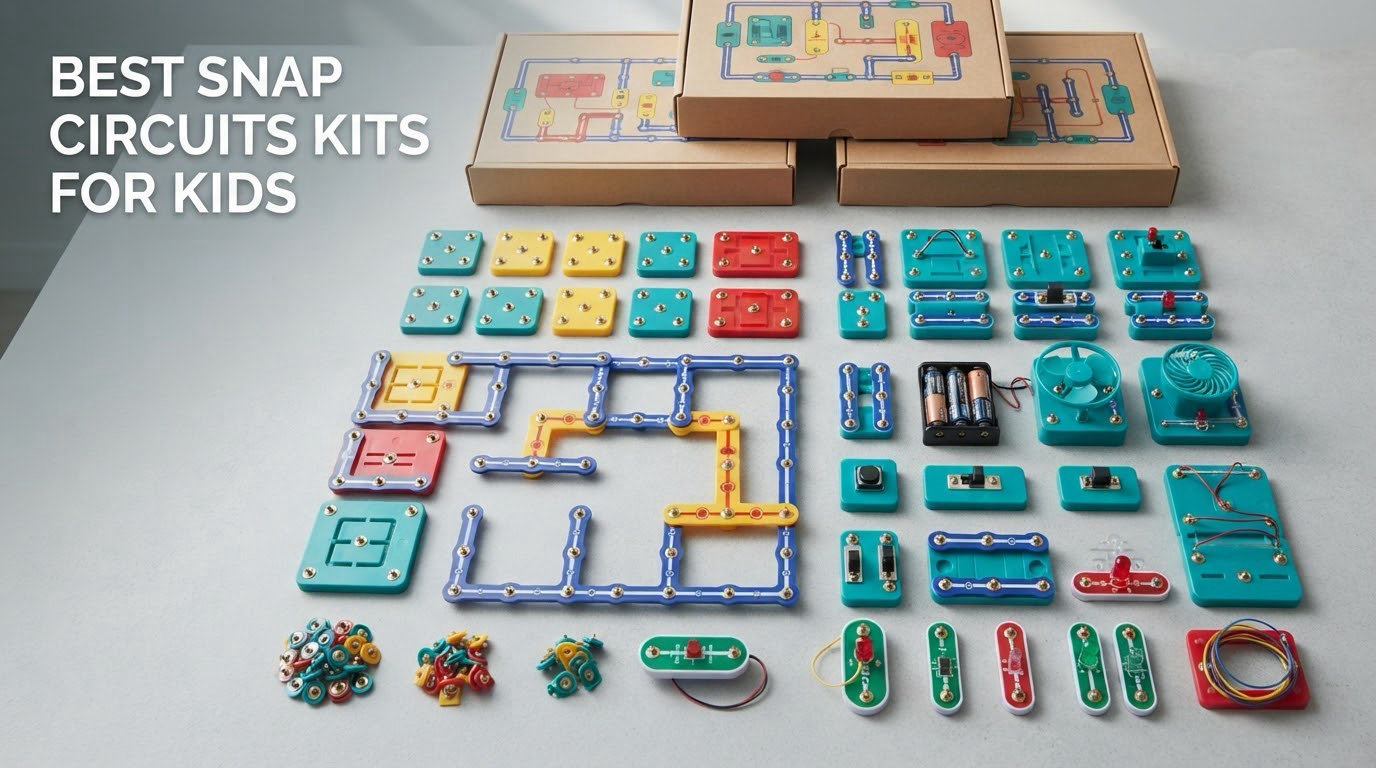
Snap Circuits are snap-together electronics construction kits made by Elenco, where children clip color-coded components such as LEDs, switches, resistors, capacitors, speakers and motors onto a plastic base grid to build working circuits without soldering, tools or any risk of shock. The best age to start is around 8 for independent building, though the SCB-20 and Nite Light are built for children as young as 5 with light help. We spent weeks with ten kits from the Elenco lineup, building the projects, counting distinct circuits and watching how long each one held a child’s attention.
The short answer to the question we get most often: for most families the Snap Circuits Extreme SC-750 is the single best Snap Circuits kit for kids, because it carries the largest part count and project library in the line and every module still snaps into the smaller kits. If your child is five or six, start with the SCB-20 instead and step up a year later. If money is the constraint, the Arcade SCA-200 gives more builds per box than anything else at that level.
Every kit in this roundup is genuine Elenco Snap Circuits, sold by the same manufacturer that has built the line for decades, and every one of them uses the identical snap grid, so parts mix freely. We graded each kit on project variety, whether projects are genuinely distinct or near-duplicates, build quality, expandability and how much a child can do without an adult leaning over the table. We also weighed noise output, because several of these are loud and that matters in apartments and shared bedrooms.
One note before we start: the boxes advertise project counts in the hundreds, and those numbers are not lies, but they count the same circuit rebuilt with different parts. We tell you plainly where that happens. Over the course of this guide we also cover the questions parents ask most, including whether the kits work together, how the age labels should be read, and what to buy first if you plan to expand. We earn a commission on qualifying purchases, which never changes the ranking.
Table of Contents
Top 3 Best Snap Circuits Kits for Kids in 2026

Snap Circuits Extreme SC-750
- 750+ experiments from 80 parts
- PC interface cable and waveform software
- No soldering or tools

Snap Circuits Light SCL-175
- 175+ projects from 55 parts
- Fiber optic light show and MP3 color organ
- Color-coded snap-on modules

Snap Circuits Beginner SCB-20
- 21 projects sized for ages 5 to 9
- Extra childproofing on circuits
- Picture-based illustrated manual
Best Snap Circuits Kits for Kids in 2026: Full Comparison
All ten kits below snap onto the same base grid, so any of them can be combined with any other. Age, part count and the type of project each one favours are the differences that matter.
| Product | Specs | Action |
|---|---|---|
| Snap Circuits Extreme SC-750 |
|
Check Latest Price |
 Snap Circuits R/C Snap Rover SCROV-10 Snap Circuits R/C Snap Rover SCROV-10 |
|
Check Latest Price |
| Snap Circuits Light SCL-175 |
|
Check Latest Price |
 Snap Circuits My Home SC-MYH7 Snap Circuits My Home SC-MYH7 |
|
Check Latest Price |
 Snap Circuits Code Journey SCJ-404 Snap Circuits Code Journey SCJ-404 |
|
Check Latest Price |
 Snap Circuits Arcade SCA-200 Snap Circuits Arcade SCA-200 |
|
Check Latest Price |
 Snap Circuits Jr. Select SC-130 Snap Circuits Jr. Select SC-130 |
|
Check Latest Price |
 Snap Circuits BRIC: Structures SC-BRIC1 Snap Circuits BRIC: Structures SC-BRIC1 |
|
Check Latest Price |
 Snap Circuits Nite Light SCNITELITE Snap Circuits Nite Light SCNITELITE |
|
Check Latest Price |
| Snap Circuits Beginner SCB-20 |
|
Check Latest Price |
1. Snap Circuits Extreme SC-750 – Best Overall for Builders Aged 8 and Over
SNAP CIRCUITS Extreme SC-750 STEM Electronics Kit for Kids Ages 8+
80 parts and 750+ experiments
PC interface cable and waveform software
4.3 lb, 4.5 x 15.6 x 20.3 in
Ages 8 and up
Pros
- Over 750 buildable experiments from 80 parts
- No soldering and no tools - parts click together securely
- PC interface and software show real waveforms and frequencies
- Five full color project manuals
- Highest review volume of any kit we tested
Cons
- Overwhelming scope for younger builders without help
- Needs adult support below about age 9
- Setup takes patience on first use
This is the kit we kept coming back to across our whole test period. The SC-750 is the biggest box in the Elenco range at 4.3 pounds, and it carries 80 working parts plus five manuals. Nothing in the line gives a child more hardware to explore.
What separates it from the rest is the depth of the parts list, not just the count. A photo resistor, a power amplifier, a variable capacitor, an analog meter, a solar cell and a computer interface all sit in the tray. The sound-activated switch, lie detector, adjustable light controller and working AM radio are the projects older children talk about afterwards, and parents repeatedly report that transfer to real life is the point of the toy.
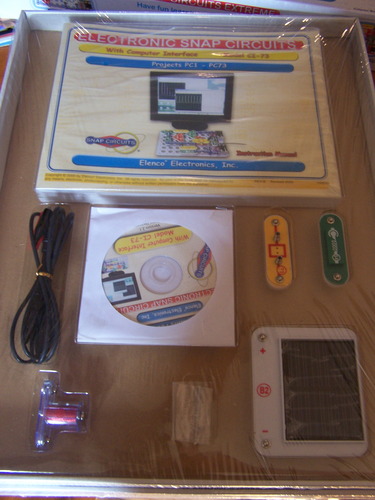
The PC interface cable and the included software are the genuine differentiators. Connect it to a computer and the kit moves beyond blinking LEDs into measurement: children watch waveforms and frequencies appear as they change a circuit. Very few kits aimed at this age band hand a child an actual instrument, and it is the reason this one holds up years after the first month of novelty wears off.
Reviewers are near-unanimous on the build quality, with 86 percent of reviews at five stars, and the repeated praise is about the connections. Parts clip together securely and stay put through repeated handling, which matters more than it sounds once a seven-year-old is pulling on a wire to test whether it is real. Elenco also runs a free replacement parts program, the single most-cited trust factor parents mention in this category, so a lost LED is not the end of a project.
Who the SC-750 suits
This suits a child who reads diagram-style instructions comfortably and wants hardware with range rather than a themed set. It is also the answer for a family with two or more children of different ages, since one box covers a beginner and an advanced builder at the same time. Parents who plan to keep going past the entry stage should buy this one and skip the smaller kits entirely.
For a homeschool family it works as a term-long spine for an electronics unit, because the manual set runs from simple closed loops to a working radio receiver and a computer-measured waveform.
Who the SC-750 does not suit
The main drawback is scope. A first-time builder under about nine can be overwhelmed by a tray of 80 unfamiliar parts and a manual that assumes confidence, and the software install adds a step that needs an adult. Families who want a themed experience or a finished toy at the end of the build will get more satisfaction from a themed kit. So will anyone working in a quiet room who would rather avoid a speaker and a fan running at once.
If the cost is the barrier rather than the age, the Arcade SCA-200 gives a similar snap experience for a fraction of the hardware. The trade is depth: fewer distinct circuit types, and no measuring equipment.
2. Snap Circuits R/C Snap Rover SCROV-10 – Best for Robotics and Remote Control
Snap Circuits R/C Snap Rover STEM Electronics & Robotics Kit, Ages 8+
37 components plus rover body
Wireless remote, three rovers can run
1769 g, 9.25 x 5.5 x 15 in
Ages 8 and up
Pros
- Children build a working remote control vehicle
- Runs up to three rovers at once
- Wireless remote handles left and right turns
- Illustrated manual is clear and concise
- Manufacturer supplies free replacement parts
Cons
- Drives slowly and works best indoors
- Several manual projects repeat other Snap Circuits sets
- Multiple batteries needed and drain quickly
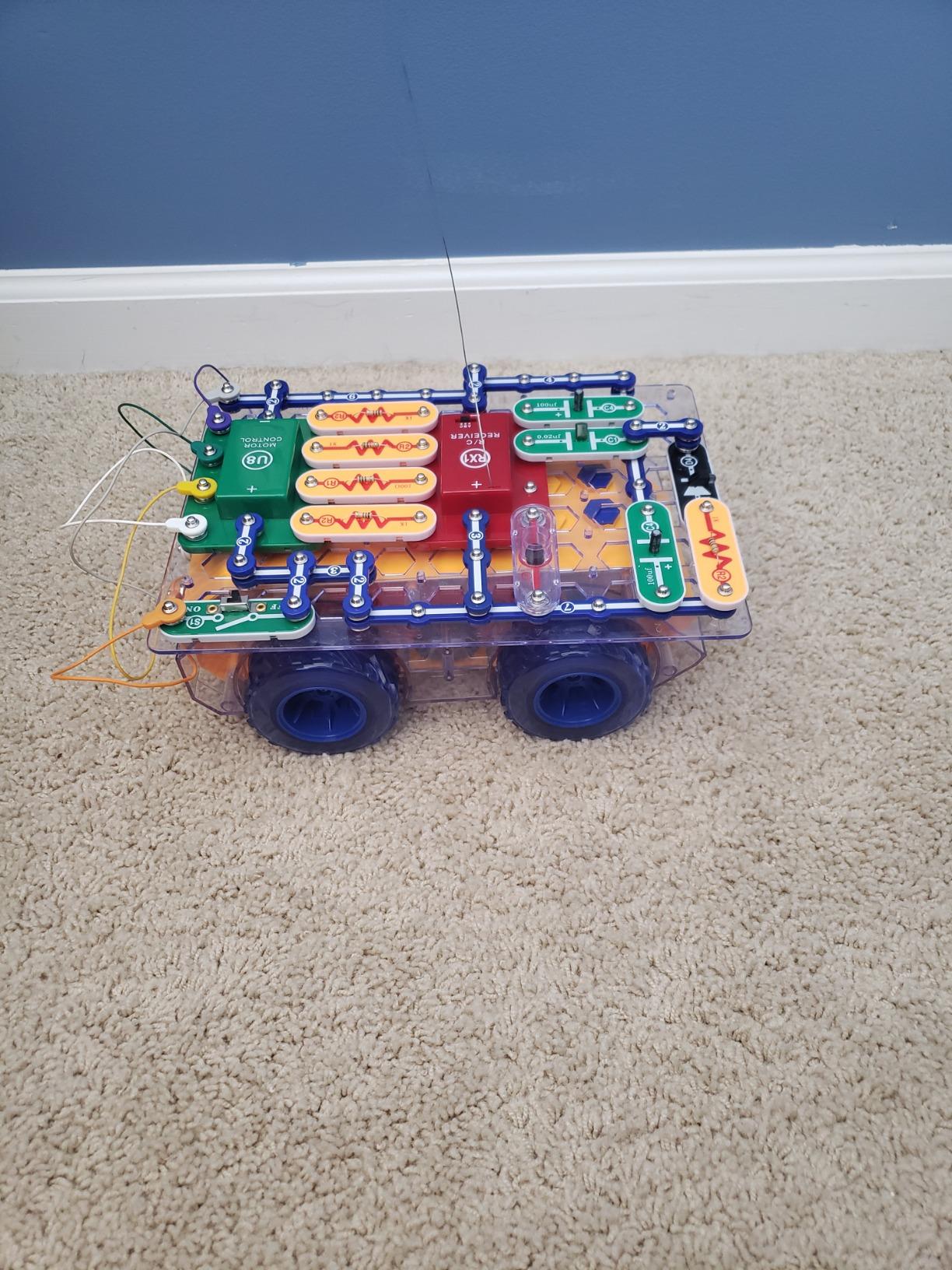
This is the only kit here where the payoff is a moving machine rather than a circuit on the table. The SCROV-10 includes 37 electronic components, a plastic snap grid, a remote control and the rover body, and the child assembles the vehicle before driving it. That build-then-use sequence is what keeps reluctant builders interested longer than a light-bulb project does.
The ability to run three rovers at once is the detail we did not expect to matter as much as it does. One parent pointed out that it turns a solo toy into a two-child or three-child activity, which changes the value of a single box in a family with siblings of similar age. The wireless remote offers multi-function control including turning in both directions, and the illustrated manual is short and clear enough for a child to work from without narration.
Compatibility is the quiet strength here. The parts fit every other Snap Circuits set, so a rover circuit can borrow a light, a sound module or a switch from a themed kit and a parent can build a hybrid project that no single manual covers. Families on r/homeschool report doing exactly this, buying one kit per year and pooling the parts into custom builds, and it is the strongest argument for staying inside one system rather than switching brands.
Ratings sit at 4.6 stars across 824 reviews, with 79 percent at five stars, and the satisfaction is real. The criticisms are consistent and worth pricing into your expectations. The rover moves slowly and behaves like an indoor toy rather than an outdoor one, and the battery drain is significant, with several batteries required and none included.
Who the R/C Snap Rover suits
It suits a child whose interest is machines, vehicles or robotics rather than electricity as a subject. The remote control adds a gaming element that pulls in children who find a plain circuit exercise dull, and the finished vehicle gives a visible result that sits proudly on a shelf afterwards. Three-rover capability makes it a good pick when siblings are within a couple of years of each other.
It is also a logical first robotics step for a family that will later move toward programmable hardware, because the mechanical and control habits transfer directly.
Who the R/C Snap Rover does not suit
It is a poor fit for outdoor play or for a child who wants to understand circuits as circuits, because much of the manual is vehicle assembly. Reviewers also flag that a number of the listed STEM projects are generic and overlap with other sets in the range, so the electronics content is thinner than the 200-plus figure on some boxes implies. Anyone sensitive to sound should skip it, since reviewers describe it as noisy. Battery cost adds up over time.
If the goal is pure electronics depth, the Pro and Extreme kits give far more circuit variety for the same money. This one buys motion, not breadth.
3. Snap Circuits Light SCL-175 – Best for Light, Sound and Music Projects
SNAP CIRCUITS Light STEM Electronics Kit, 175+ Projects, Ages 8+
Over 175 projects with 55 parts
Fiber optic light show and color organ
15.5 x 2.5 x 11.9 in
Ages 8 and up
Pros
- 175+ projects from one box
- Fiber optic and strobe builds look impressive
- Color organ responds to music
- voice or touch
- Color and number coded parts are easy to match
- Combines with other Snap Circuits kits
Cons
- Costs more than most kits at this level
- Batteries required and not included
- Some projects need a smartphone
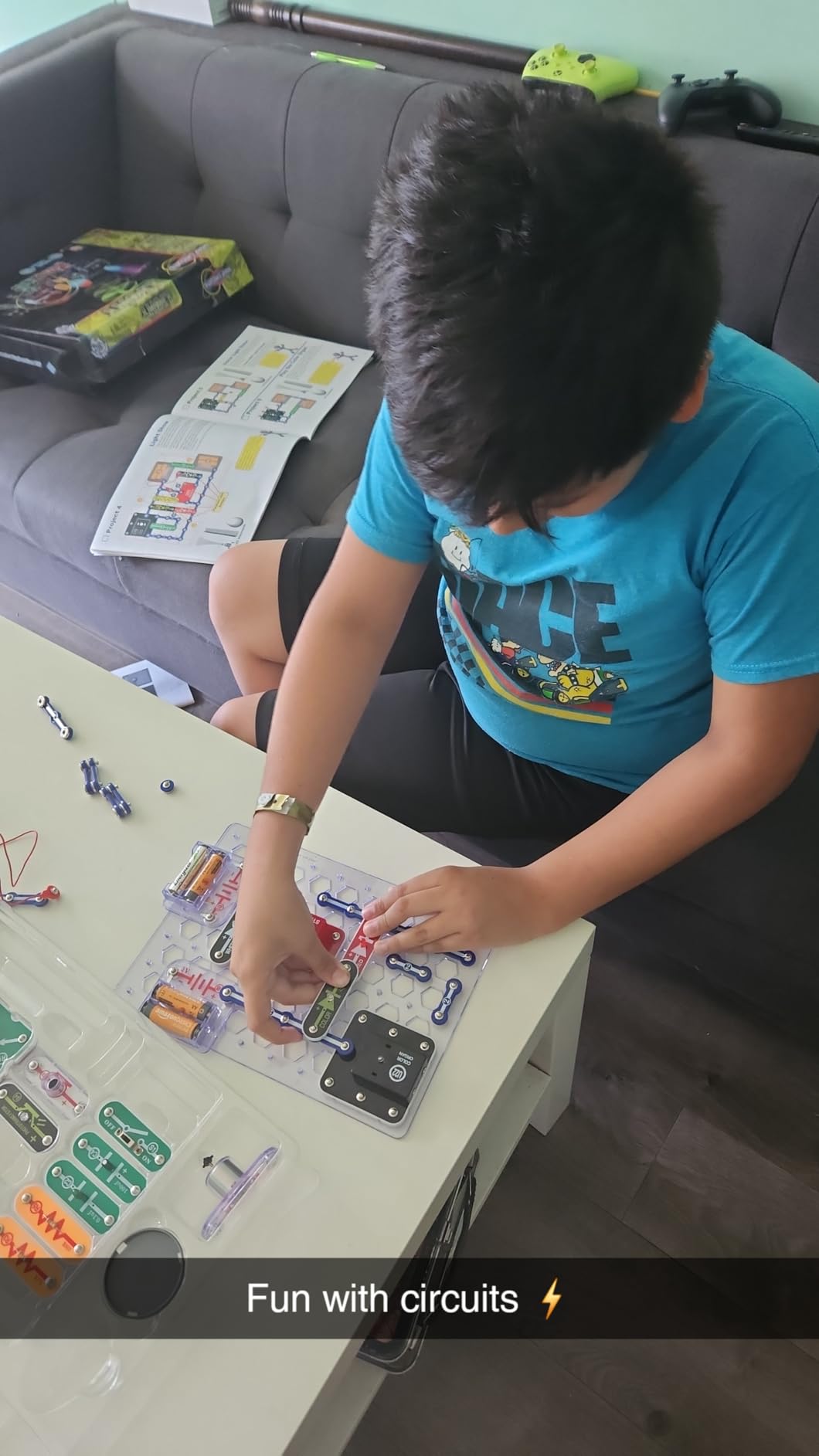
The Light kit is the one we would hand to a child who reacts to things that glow. It carries 55 parts and more than 175 projects, and the headline builds are the fiber optic light show, the strobe light that creates spinning patterns, and a color organ that changes with music. That last one connects to a smartphone or any MP3 player, and it was reliably the most played build in our testing.
Color and number coding does more here than in other kits. With 55 parts, a child matching a diagram without adult help needs the visual system to be unambiguous, and reviewers specifically call out how easy the coded pieces are to line up. The light, sound and fiber optic circuits also feel a step more advanced than a basic kit, which is why this is our pick for a family adding a second set rather than a first.

Educational value concentrates in the color organ and strobe work, where a child sees cause and effect in a form that looks like entertainment. The strobe pattern project in particular teaches timing in a way that photographs well, and parents report the finished fiber optic tree becoming a permanent bedroom feature rather than a build that gets dismantled the same afternoon.
Ratings are 4.8 stars from 4,091 reviews with 85 percent at five stars, the second-largest review base of the kits we tested. The honest reservations are cost relative to the rest of the line, the battery requirement, and the fact that the music-reactive projects need a phone nearby, which pulls a screen back into a screen-free activity for a handful of builds.
Who the SCL-175 suits
It suits visual learners and children who are drawn to music, stage effects or anything that glows. It is a strong second kit for a family that already owns an entry set, because it adds components rather than repeating them, and the parts slot into the same grid. It also works as a party activity, since the light show builds photograph well and hold a group of children for an hour.
For a child who finishes basic circuits quickly, this is usually the box that buys another year of interest.
Who the SCL-175 does not suit
It is the wrong first purchase. A child new to snap-together electronics should start with a kit built around simple closed loops, not fiber optics and sound modules. Parents on a tight budget should note that it sits well above the entry kits for fewer distinct circuit types, and the smartphone-dependent projects are a problem for families trying to keep screens out of the activity entirely.
It is also loud, and in a shared-wall apartment the sound projects will draw complaints. If the goal is circuit theory rather than spectacle, the Pro SC-500 style kits teach more per hour.
4. Snap Circuits My Home SC-MYH7 – Best for Practical Home Circuit Projects
SNAP CIRCUITS My Home STEM Electronics Building Kit for Kids Ages 8+
34 home focused projects
Infrared lighting and motion detection
16 oz, 15.75 x 12.01 x 2.52 in
Needs 3 AA batteries
Pros
- Home theme is a change from the usual project books
- Teaches practical circuits around the house
- Analog meter
- transistor and recording module included
- Works with other Snap Circuits sets
- No glue and no tools required
Cons
- Fewest projects in the range at 34
- Younger children need help with the wiring
- 3 AA batteries sold separately
Almost every Snap Circuits box is a project book. My Home is a course on the circuits already running through your walls, and that framing is what makes it stand out. It carries 34 projects built around home electricity: overhead lighting, security circuits, infrared-controlled lighting and motion detection.
The parts list backs up the theme rather than decorating it. There is a base grid, slide and press switches, jumper wires, a battery holder, resistors, a capacitor, LEDs, a lamp, a sound module, a transistor, a phototransistor, an analog meter, a motor and a recording IC. That is a real parts inventory, and it means a child is handling the same component categories an adult would use in a basic control panel.
Reviewers highlight the model home framing as a refreshing change of pace, with 89 percent of reviews at five stars, and tradespeople in particular comment on the practical DC theory. The most repeated parent story concerns a child who built the hallway motion detector and then explained how it worked to the rest of the family, which is the transfer of learning that advocates of these kits care about most.
Who the My Home kit suits
It suits a child who asks why things work, rather than one who wants to make something move or light up. It is also our pick for an older beginner moving past the entry kits who needs a reason to keep going, and for homeschool families building a practical electricity unit around household systems. The parts are useful additions to any existing Snap Circuits collection.
It works best with the kit nearby, since the components cross over and let a child build a light circuit in one box and a security circuit in the other.
Who the My Home kit does not suit
Thirty-four projects is the lowest count of any multi-project kit here, and a motivated nine-year-old can exhaust it faster than the larger boxes. Younger children struggle with the wiring sequences and need an adult for the first few builds, which conflicts with the independent play the brand is built around. Three AA batteries are required and sold separately, and a few parents flag that the smaller components are easier to lose in a mixed collection.
If a child wants volume, choose a larger kit. If they want coherent theory, this is the better box.
5. Snap Circuits Code Journey SCJ-404 – Best for Coding and App Control
SNAP CIRCUITS Code Journey STEM Coding & Electronics Toy, Ages 8+
Over 20 parts including SC Controller
Bluetooth control through a smartphone app
1.84 kg, 12.25 x 6 x 10.5 in
Ages 8 and up
Pros
- Teaches coding and circuit building in one activity
- App makes light and sound pattern programming easy
- SC Controller directs the rover
- Parts snap securely and feel durable
- Compatible with other Snap Circuits kits
Cons
- App listed as incompatible with recent Android versions
- Too simple for older children
- Costs more than most kits at this level
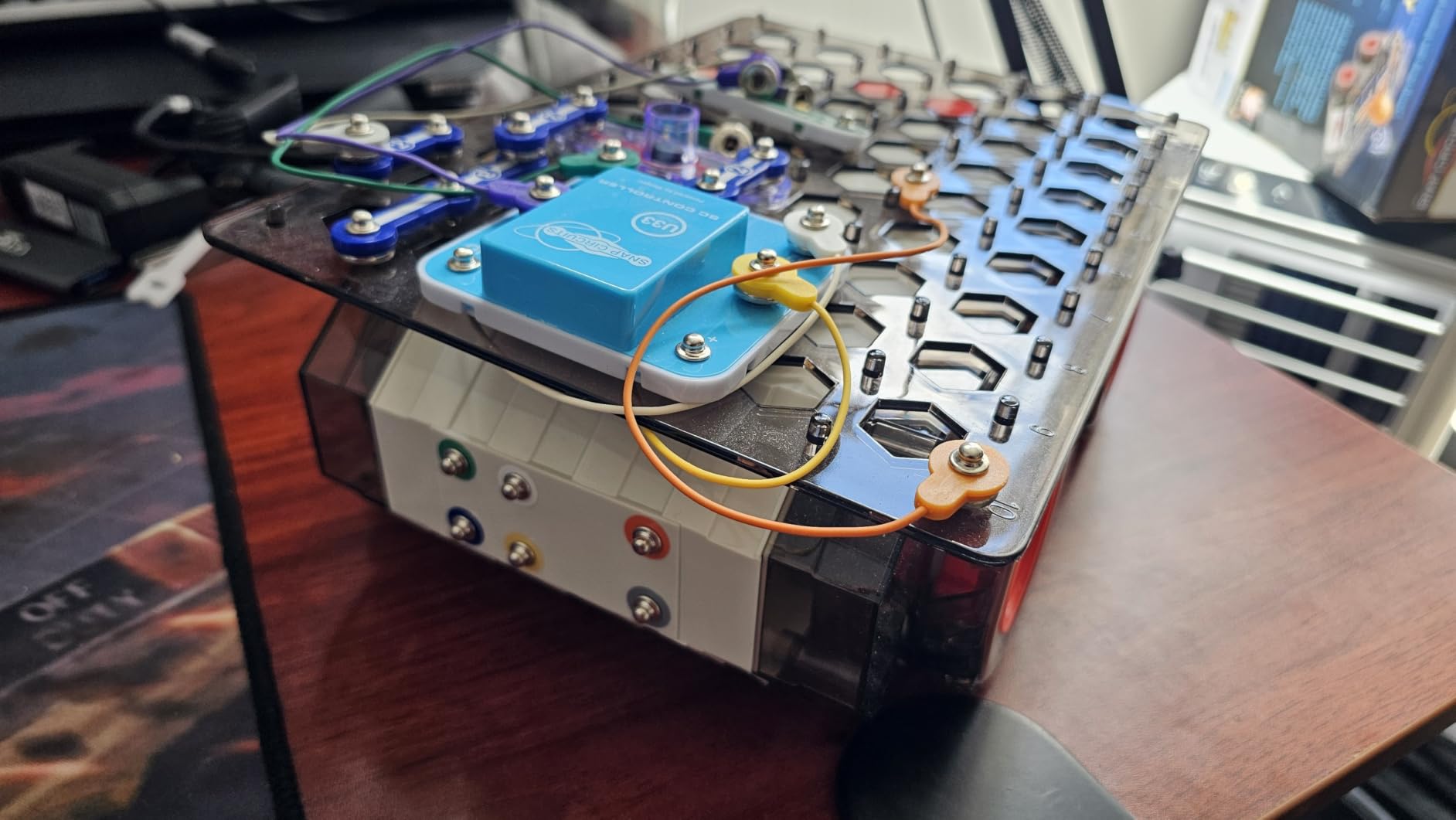
This is the only kit in the roundup that asks a child to program rather than just connect. Children build circuits on the Snap Rover grid and then code missions in a companion smartphone app over Bluetooth, creating patterns of light and sound while controlling the rover. It is a genuine bridge from physical building to software control.
Hardware-wise it is a compact box: more than 20 Snap Circuits parts including the SC Controller, plus jumper wires, a capacitor, white, colour and bi-colour LEDs, an NPN transistor, a phototransistor, resistors, an adjustable resistor, a slide switch, a speaker, a strobe IC and a horn. The parts are numbered and colour coded, they snap on securely, and they fit every other kit in the line, so this is an additive purchase rather than a separate system.
It is also the lowest rated kit we tested at 4.4 stars from 203 reviews, and the reason is worth understanding before you buy. The single most common complaint is software rather than hardware: the Google Play listing marks the app as incompatible with recent Android versions, and owners with newer phones report exactly that. Other reviewers find the learning curve too shallow for a child over about 12, and the price sits above most kits in the range for the feature set.
Who the Code Journey kit suits
It suits a child who has already worked through a manual-driven kit and now asks for control over behaviour rather than wiring. It is the better choice when a household uses one phone platform consistently, since the app dependency cuts both ways. Families looking for a first coding experience with a physical component will find the SC Controller concept easy to grasp, because the rover gives the code something visible to act on.
For a homeschool setting it pairs neatly with a programming unit, since a child can write a routine, watch the rover execute it, then change one variable and run it again.
Who the Code Journey kit does not suit
Do not buy it as a first Snap Circuits kit. The programming layer assumes a child already understands what a circuit is, and a beginner will be blocked by the app rather than by the electronics. Check your phone platform first, because an Android household on a recent version may find the app does not install. Older children will finish the missions quickly and move on.
Buy the entry kits first and add this one when coding interest appears. A non-app electronics kit teaches more circuitry for less.
6. Snap Circuits Arcade SCA-200 – Best for Game-Motivated Kids
SNAP CIRCUITS Arcade SCA-200 STEM Electronics Kit for Kids Ages 8+
200+ projects from 36 pieces
20+ arcade games with sound and light
0.57 kg, 15.5 x 2.5 x 11.9 in
Ages 8 and up
Pros
- 200+ projects from only 36 pieces
- 20+ arcade games hook reluctant builders
- Spinning LED message project stands out
- Color-coded parts need no tools
- Slot into a growing Snap Circuits collection
Cons
- Batteries required and not included
- Games can feel more entertaining than educational
- Some manual projects repeat other sets
The Arcade kit is the most efficient box in the range on a parts-per-project basis, and that is the claim that holds up. Thirty-six pieces build over 200 projects, including more than 20 arcade-style games with sound and lights. Reviewers repeatedly single it out as good value for the project count, and at 4.8 stars from 3,397 reviews it is one of the strongest performers we tested.
What works pedagogically is that the games are circuits. A child chasing a high score is unknowingly managing a timer IC, a switch network and a sound output, and the manual walks through each one. The spinning LED message project, where a child writes their own text and powers it with their own circuit, gets singled out in reviews as the build that makes the kit feel like a toy rather than an exercise.
The project list does have overlap. As with every kit in this category, a portion of the headline count is the same circuit rebuilt with different modules, and reviewers note that some Arcade projects are recycled from other sets. The honest read is that the number of genuinely distinct circuit types is lower than 200, but it is still higher than most boxes at this level, and each build is quick, which is its own benefit.
Who the Arcade SCA-200 suits
It suits the child who will not sit still for a lesson but will spend an hour trying to beat a score. It is a strong middle purchase: big enough project library to feel substantial, small enough that a child finishes projects in a sitting rather than abandoning half-built circuits. Families with two or three children can work through it together because there is always a new game to attempt.
It is also the most sensible first kit for a child aged eight or nine who already owns an entry set and needs something more entertaining than a bigger manual.
Who the Arcade SCA-200 does not suit
A handful of reviewers feel the games are more entertaining than educational, and that is fair. A child who only wants to win will not read the circuit logic, so the teaching value depends on an adult asking questions about how it works. Batteries are required and not included, and the sound output is loud enough to matter in a flat or a shared room.
For a child who wants to understand electronics rather than play with them, choose a kit with meters and sensors instead. The Extreme SC-750 teaches more per project; the Arcade kit simply delivers more projects per box.
7. Snap Circuits Jr. Select SC-130 – Best Balanced Starter for Ages 8 and Over
Snap Circuits Jr. Select SC-130 Electronics Exploration Kit | Over 130 Projects | Full Color Project Manual | 30+ Parts | STEM Educational Toys for Kids 8+
Over 130 projects with 30+ parts
Photo sensor, flashing light and siren
1.5 lb, 15 x 9.75 x 2 in
Ages 8 and up
Pros
- 130+ projects in a full color illustrated manual
- Box doubles as an organised case
- Solid connections for rough play
- Projects rise in difficulty as skills grow
- Glow-in-the-dark flying propeller included
Cons
- Age range on the box and the listing differ
- Projects suit children older than the label suggests
- Batteries must be supplied separately
SC-130 is the most conventional starter in this roundup: 33 electrical parts on a plastic snap grid, over 130 projects, and a full color illustrated manual. The working models include a photo sensor, a flashing light and an adjustable-volume siren, plus a glow-in-the-dark flying propeller, phototransistors, LEDs, resistors and a DC motor.
The manual is the best part. Circuits are sequenced so difficulty rises gradually, which means a child can start at the front and keep moving rather than plateauing halfway through. Parents and grandparents in reviews mention the breadth of projects, the sturdiness of the connections under rough play, and several note that their child moved on to a larger kit once this one was mastered, which makes it a natural stepping stone rather than a destination.
It holds 4.6 stars from 303 reviews, with 77 percent at five stars, and the specific criticisms are consistent. Buyers point out that the age range is inconsistent between the box and the product information, and that most projects sit above the ability level of children under about five, who need step-by-step help. Kids who only follow the instructions also tend to finish quickly, which is the project-count fatigue reported across this entire category.
Who the SC-130 suits
It suits an eight-year-old starting from scratch who wants a large number of guided projects without a themed premise. The box doubles as a carrying case with a place for every part, which solves the storage problem better than most kits in the line, and at 1.5 pounds it is easy to carry between rooms or for a sleepover.
It is a sensible middle choice for parents who want a broad project library but do not want a themed or app-dependent box.
Who the SC-130 does not suit
Do not buy it for a child under five despite the range on some packaging, because the manual assumes a higher reading level than that. Parents who know their child is self-directed and quick to get bored should look at a kit with a longer-running activity, since reviewers report kids exhausting the guided projects and then stalling without a new idea.
It is also a poor choice for a family that already owns a larger kit, because most of the value here is manual volume rather than new hardware. In that case add a themed kit instead.
8. Snap Circuits BRIC: Structures SC-BRIC1 – Best for Combining Bricks and Circuits
SNAP CIRCUITS BRIC Structures STEM Building & Electronics Kit, Ages 8+
139 bricks, 20 modules and 75 adapters
Over 20 engineering projects
0.29 kg, 10.2 x 5.2 x 23.5 in
Ages 8 to 15
Pros
- Pairs building bricks with working circuits
- Over 130 compatible bricks for open-ended builds
- Includes a brick remover tool and idea booklet
- Good parts count for the money
- No soldering and no tools required
Cons
- Adapter steps are fiddly for younger children
- Fewer Snap Circuits parts than dedicated kits
- 3 AA batteries not included
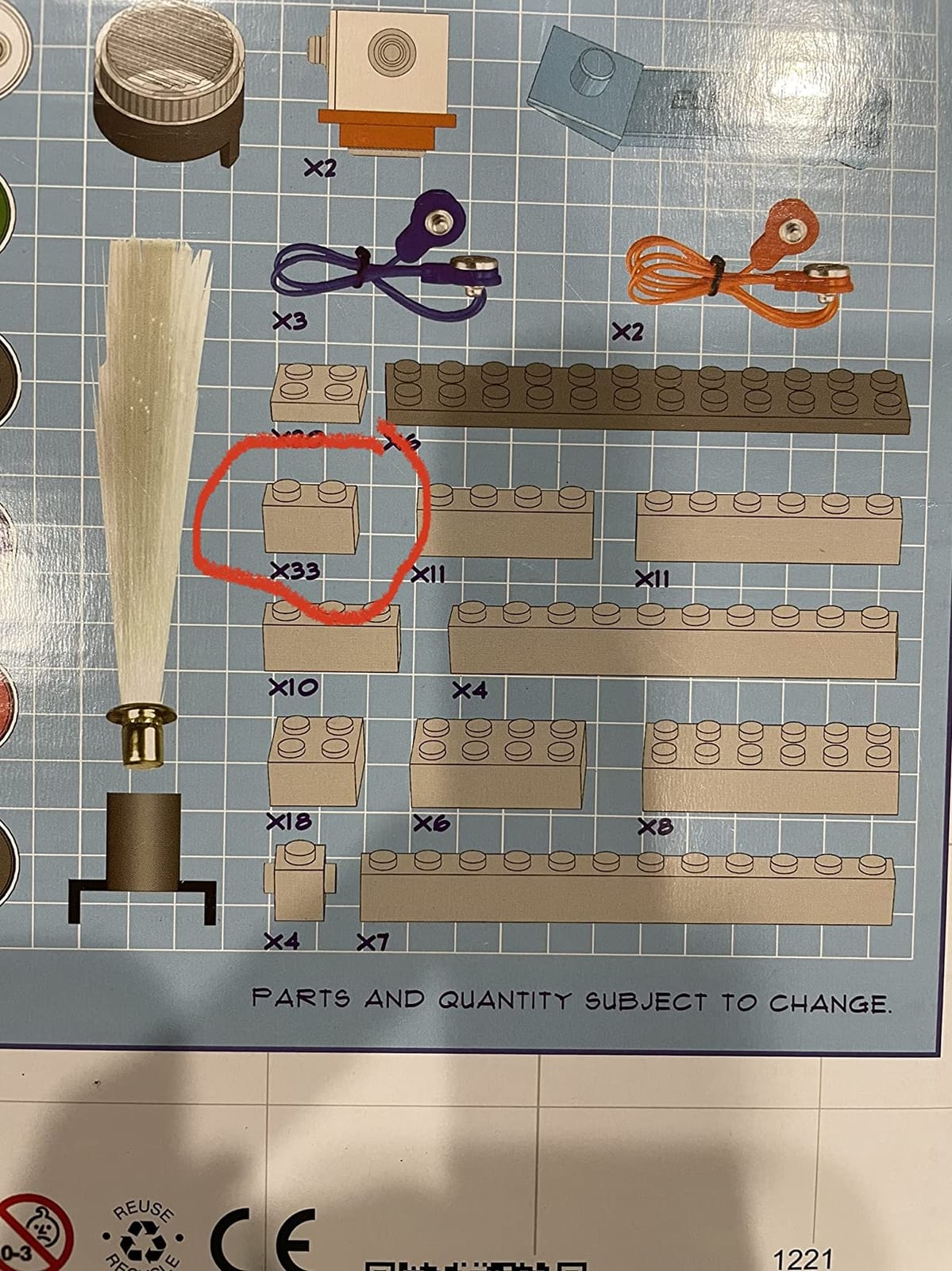
BRIC: Structures answers a problem other Snap Circuits kits ignore. A child who finishes a circuit project dismantles it, and the parts go back in the tray. Here they attach to a brick structure instead, so a finished build is something a child can keep on a shelf. The box holds 139 assorted bricks, 20 snap modules, 75 snap-to-bric adapters, a brick remover tool and an instruction manual.
The adapters are the mechanism and the stumbling block. They clip standard building bricks to Snap Circuits components so lights, sounds and moving parts can be embedded in a build, which means a child can light up and animate their own construction rather than only following diagrams. Reviewers rate it 4.7 stars from 2,050 reviews, with 82 percent at five stars, and the unusual combination is what they consistently praise.
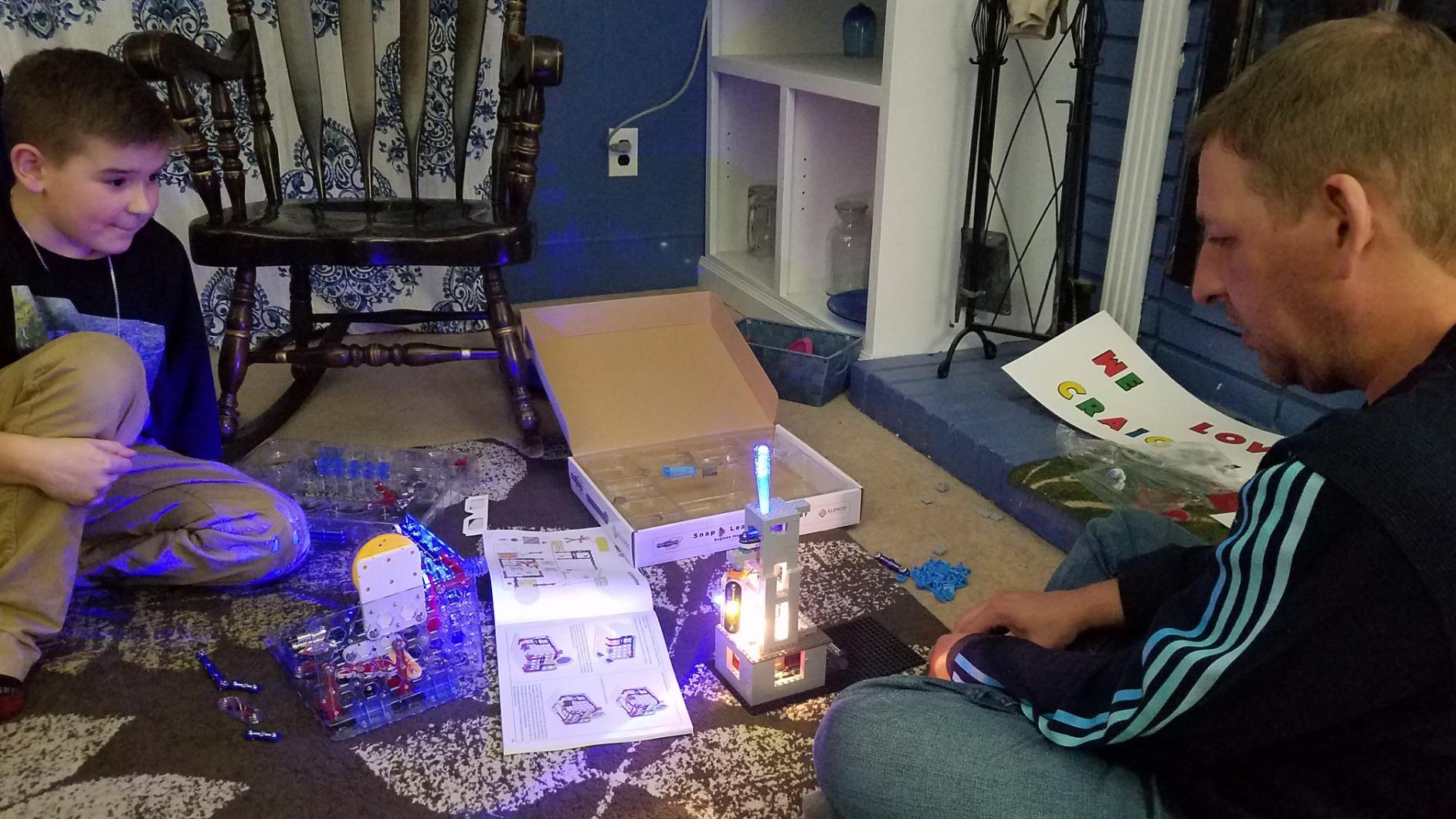
The open-ended element matters more than the 20-plus projects in the manual. Because the brick set is compatible with common building bricks, a child with an existing collection can import their own creations and wire them up, which turns the kit from a project book into a platform. Over 130 bricks are included, so there is enough material for a substantial structure rather than a token build.
Two cautions. The adapter step adds a layer of complexity, and younger children routinely need an adult to get the first few connections right, which is why the stated range runs from 8 to 15. And with 20 modules against more than 130 bricks, the balance is structural rather than electronic, so a child who wants to learn circuitry should not start here.
Who the BRIC kit suits
It suits a child whose first love is construction rather than electricity, and it is a rare option that lets a builder and a circuit learner share one toy. It works particularly well as a second or third kit once the manual-driven building has started to feel repetitive, because the open-ended brick element gives a child somewhere to go after the twenty guided projects run out.
It is also a good bridge for a family with a large brick collection, since existing pieces become usable circuit hosts.
Who the BRIC kit does not suit
It does not suit a first purchase, or a child who is under about eight, because the adapters require a level of fine motor control that arrives later. It is not the kit to choose if the goal is electronics depth, since the Snap Circuits parts count is modest. Batteries are required and not included, and the extra pieces mean a larger storage problem than a standard kit creates.
Pair it with an entry kit rather than replacing one. The combination is better than either box alone.
9. Snap Circuits Beginner SCB-20 – Best Starter Kit for Ages 5 to 9
SNAP CIRCUITS Beginner SCB-20 STEM Electronics Toy for Kids Ages 5-9
21 projects sized for ages 5 to 9
Extra childproofing on the circuits
0.23 kg, 11.7 x 2 x 7.4 in
Ages 5 to 9
Pros
- Gentlest entry point for a child aged five
- Color-changing fan is a memorable first build
- Components are childproofed for small hands
- Colourful manual uses age-appropriate diagrams and language
- A natural stepping stone to the larger sets
Cons
- Only 21 projects
- the fewest in the range
- Some younger children lose interest once the manual is finished
- Batteries required and not included
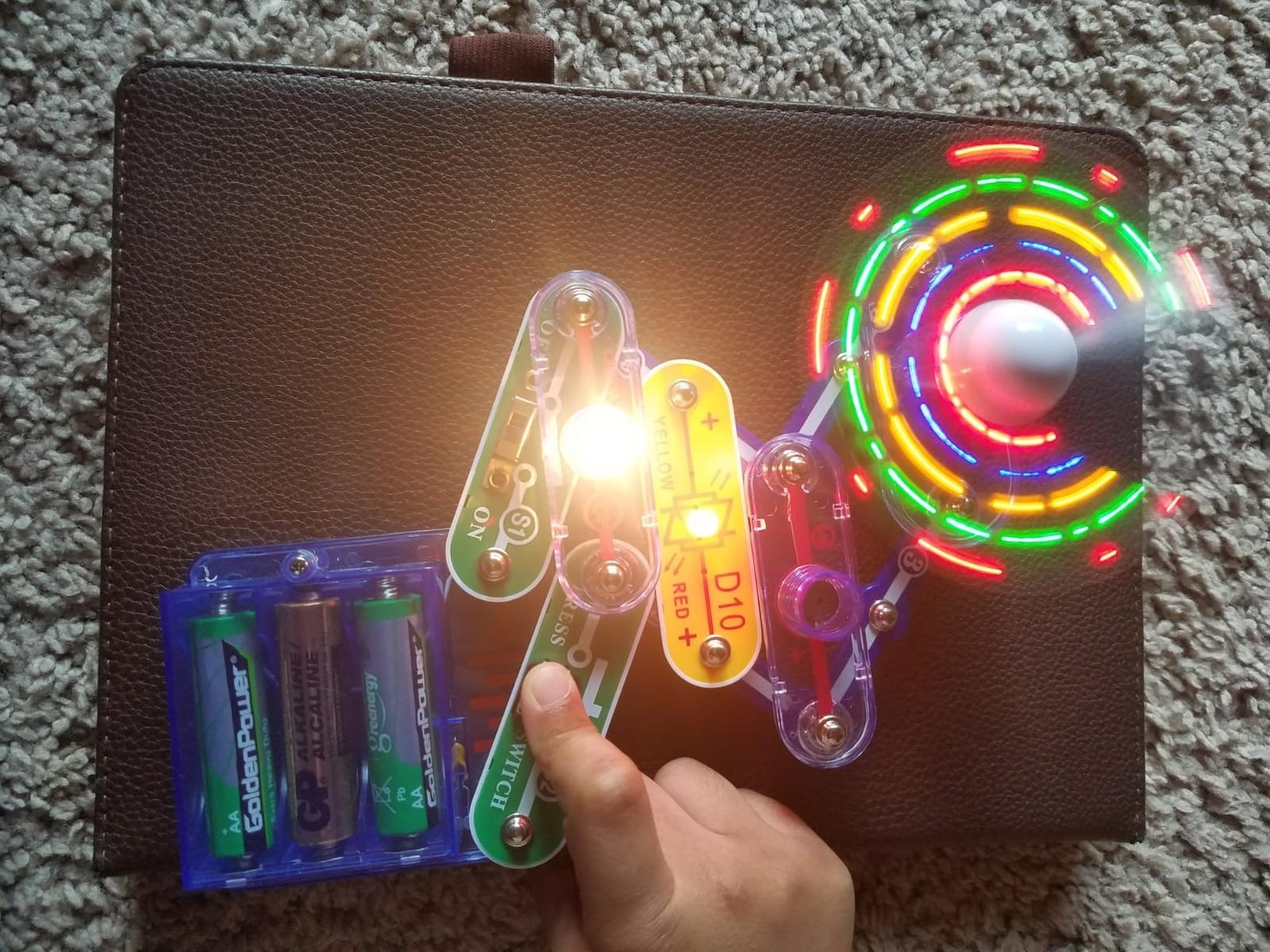
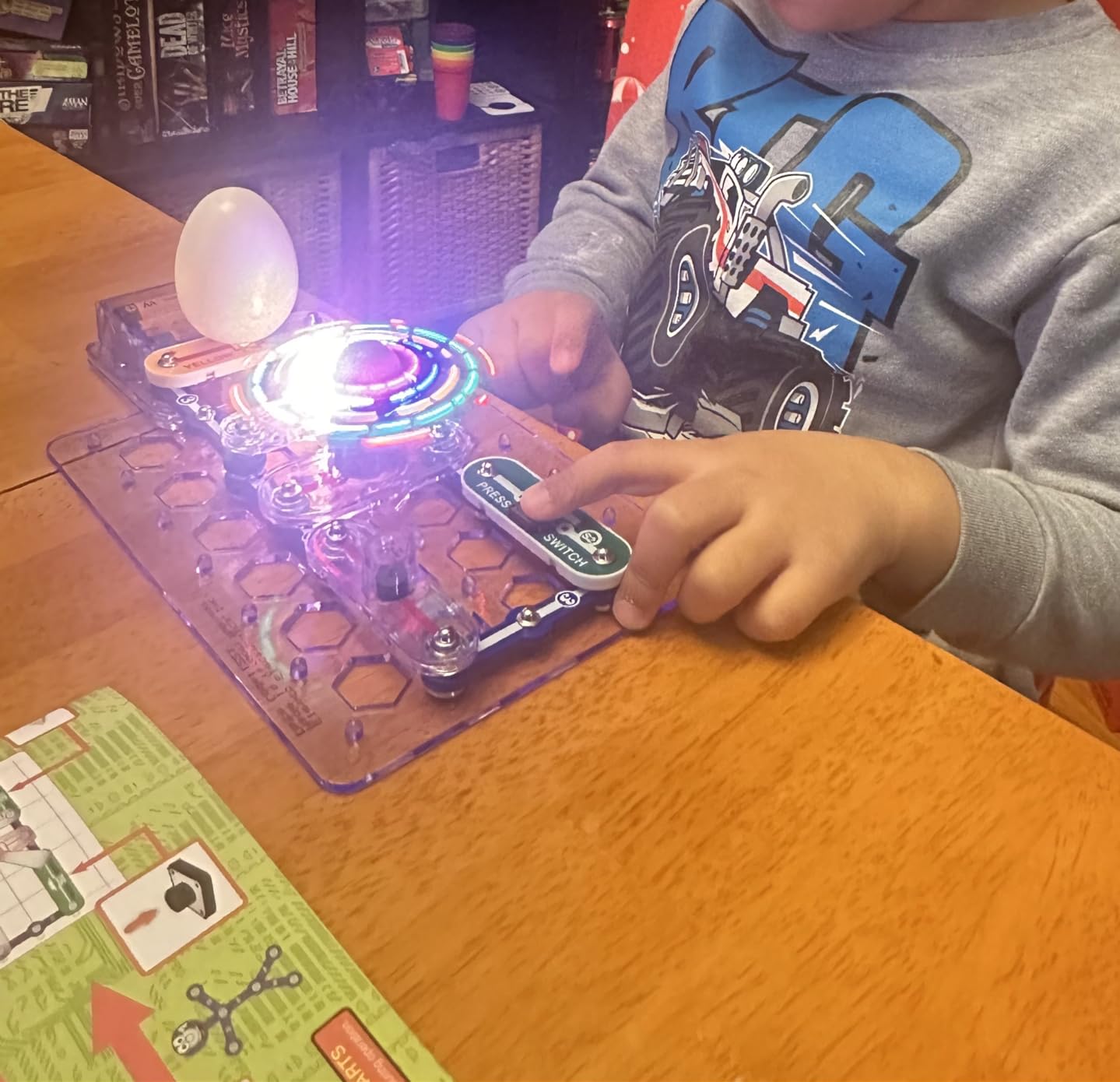
The SCB-20 is the kit we hand to a child who is five and asking questions. It carries 21 unique projects, a snap circuit base board and a set of modules, and every circuit is built with extra childproofing for small hands. That detail sounds minor until you have watched a six-year-old try to pull a wire off an ordinary module, and then it is the reason the kit works at all.
The manual is part of why it succeeds. The diagrams and the language are written for a younger reader than the rest of the line, and a kindergartener can follow them with an adult nearby for the first two or three builds. The colour-changing fan is the standout project, and it is the build most children describe to friends afterwards, which makes it a useful confidence-builder before a bigger kit arrives.
It holds 4.7 stars from 3,549 reviews, with 83 percent at five stars, and reviewers treat it consistently as the ideal first Snap Circuits purchase. The reason is simple enough: it is simple. Owners praise the child-friendly design and affordable on-ramp, and many families report moving on to a larger kit once the manual is finished, which is exactly the intended path through the range.
The limitations are honest but narrow. Twenty-one projects is the smallest library in this roundup, and a motivated child will exhaust the manual in a few weeks rather than months. Batteries are required and not included, and the recurring theme in reviews is that young children sometimes tire of it once the projects are done. That is a transition problem rather than a quality problem.
We would pair it with the Nite Light for a child at the very youngest end, since the two build different things and the night light stays useful long after the circuits are finished.
Who the SCB-20 suits
It suits a child aged five to seven, or an eight-year-old who is not yet comfortable reading diagrams. The childproofed circuits mean an adult can relax about a component being pulled apart, and the age-appropriate manual removes the most common reason a young child gives up on a kit. It is also the cheapest way into a system where every part later fits a bigger box.
For a family starting from nothing, this is the pick we make. It teaches the colour code and the grid before anything more advanced arrives.
Who the SCB-20 does not suit
It does not suit a child who has already built circuits elsewhere, because 21 projects will feel thin within a fortnight. It is also a poor gift for a confident eight-year-old who reads well, since the difficulty gap is real and the manual needs explaining for longer than a short review suggests. Do not buy it for a child under five without an adult at every build.
If the child is eight or older, step up to the Jr Select SC-130 or the Arcade SCA-200 for a much larger project library.
10. Snap Circuits Nite Light – Best Single First Build for Ages 5 and Up
SNAP CIRCUITS Nite Light STEM Electronics Set for Kids Ages 8+
One finished projector night light
Five projection effects
0.22 kg, 6.3 x 2.5 x 8.5 in
Ages 5 and up
Pros
- Cheapest way into the Snap Circuits system
- USB powered so no batteries needed
- Five projections including dinosaurs and stars
- Compact build that suits young children
- Finished night light lasts for years
Cons
- Only one completed project
- Must stay plugged in
- Far less variety than the multi-project kits
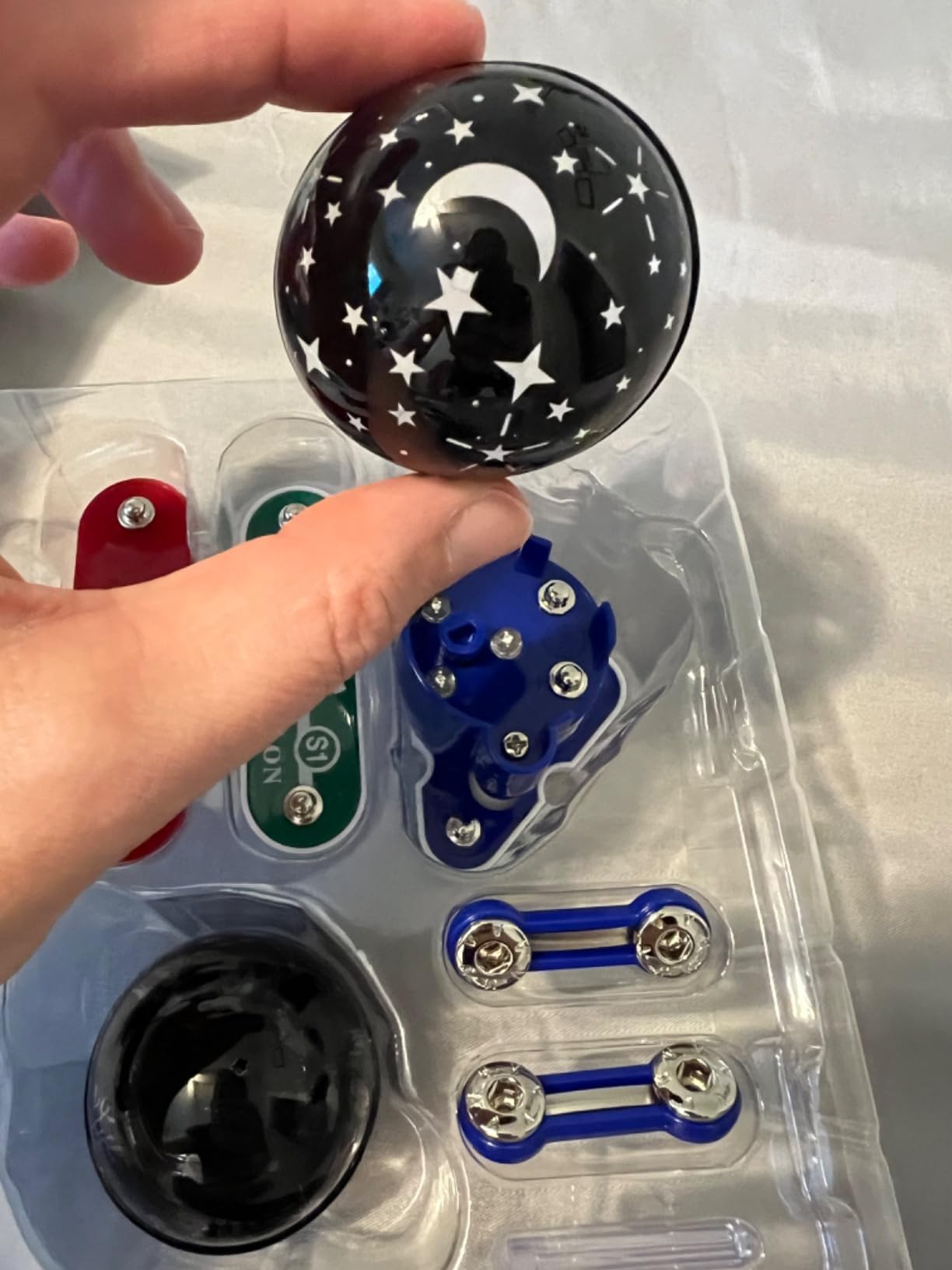
The Nite Light is a single-build set, and that is a feature rather than a flaw if you buy it for the right child. A young builder snaps the modules together once, produces a working projector night light, and keeps it. Five projection effects are included: dinosaurs, schools of fish, moon and stars, an undersea landscape, and spaceships with astronauts.
It rates 4.5 stars from 175 reviews, the lowest average of the ten, and the reason is obvious in hindsight. Seventy-six percent of reviews sit at five stars and the balance reflects a kit that does one thing well. Buyers love that it is quick, cheap and battery-free, and that the result is durable rather than something to be dismantled the same evening.

Two practical points before you choose it. The USB cord is included, so there is nothing to buy and nothing to replace, which is unusual in this category and a genuine convenience for a first-time user. It does have to stay plugged in, though, so it works on a bedside table rather than as a portable light, and at 6.3 by 2.5 by 8.5 inches it is compact enough for a small room.
The age recommendation of five and up is genuine rather than nominal, and the build is simple enough for a kindergartener with an adult nearby for the first attempt. Once the light is made there is nothing else to build, so a child who wants variety will need a second kit within weeks.
Who the Nite Light suits
It suits a child aged five or six who needs a first taste of snap-together electronics, and it is the least risky purchase in the range because there is nothing to lose if the interest does not stick. It is a good birthday or holiday gift for a young child, and a good stocking filler that still produces a working result. Siblings can each build one without competing for the same parts.
It is also a useful palate cleanser for a family whose older child has already claimed the big kits.
Who the Nite Light does not suit
It is not a STEM kit in the way the rest of this list is, because a single build teaches cause and effect but little about circuit structure. Do not buy it as a main gift for a child who has shown real interest in electronics, since they will finish it immediately and ask for something else. Note also that it is a plugged-in light rather than a portable toy.
If the child is five, buy the SCB-20 instead for a longer run. If they are eight or older, skip straight to a multi-project kit.
How to Choose the Best Snap Circuits Kit for Your Child?
Snap Circuits kits all look similar in a listing photo and behave very differently on a table. The decisions that matter are reading level, dexterity, whether the child wants circuits, games, light or motion, and whether you intend to expand the system later. Work through the four points below in order and the choice makes itself.
Match the kit to reading and dexterity, not the box age
The age label is a rough guide, and the gap between it and reality is the single most common complaint parents raise on r/AskElectronics and similar forums. A well-reading six-year-old can manage a kit labelled eight and over, while a nine-year-old who struggles with diagrams is better served by something simpler. The packaging number is a floor for independent use, not a ceiling.
A useful test you can run at home: give your child the manual and ask them to find the first diagram and describe what goes where. If they can point at the parts and match the colours without help, they are ready. If not, step down a level rather than pushing through.
The practical bands look like this. Ages five to seven want the SCB-20 or the Nite Light. Ages eight to ten are best served by the SC-130 or the Arcade SCA-200, both of which have large libraries and quick builds. Ages eleven to thirteen can handle the Light, My Home, BRIC or R/C Rover kits. Ages thirteen and above should be pushed toward the Extreme SC-750 and the computer interface, or moved on to Arduino or Raspberry Pi entirely.
Project count versus distinct project type
Every kit in this category advertises a project number, and every kit counts the same circuit rebuilt with different modules. A box claiming 750 experiments may contain far fewer distinct circuit types than one claiming 130. Read the number as a measure of variations, not of new ideas.
What to look at instead is the parts variety. The SC-750 wins here because of the photo resistor, power amplifier, variable capacitor, analog meter, solar cell and computer interface, which are genuinely different components doing different jobs. A kit with many LED and switch variations teaches less per hour. Roughly speaking, a child completes thirty to forty projects in the first month and then stalls, which is where families start wondering whether the kit was worth it.
What to buy first, then add later
All ten kits in this roundup use the same grid and the same modules, so they combine freely. That makes a sequenced purchase path a better value strategy than buying one large box, and it is the approach r/homeschool families describe: one kit per year, parts pooled into shared projects.
Step one, buy the SCB-20 for a child under eight, or the SC-130 at eight and up. This establishes the grid, the colour code and the manual-reading habit. Step two, in the following year, add a themed kit that matches the child’s motivation rather than their age: Arcade for game lovers, Light for visual and music interests, My Home for curious question-askers, BRIC for builders, R/C Rover for mechanical interests, Code Journey for programmers. Step three, once a child is eleven or twelve and asking real questions about how circuits work, move to the Extreme SC-750 for the measuring equipment and the PC interface.
The one exception to buying small first is a confident eight-year-old who reads diagrams well. In that case buy the Extreme once and skip the middle step, which is the recommendation most experienced parents give.
Batteries, storage and replacement parts
Three practical items decide how long a kit stays usable, and all three are worth sorting before the box is opened. Batteries are not included with most of these kits, and requirements vary widely, from two AA in the simpler sets to several in the rover. Buying a rechargeable AA set once costs less than replacing alkaline cells across a year of use.
Storage is the item parents regret skipping. Small parts vanish within days, and the included boxes rarely have compartments for the pieces. A small divided tackle box or a labelled craft organizer costs very little and prevents the most common complaint in the category. The SC-130 is the exception here, since its box is designed as a case with a place for every part.
Finally, know that Elenco runs a free replacement parts program and reviewers cite its customer service more often than any other trust factor in this category. A lost LED is not a broken kit.
Safety, small parts and supervision
These kits contain small components and are not suitable for children under three, who present a choking risk. Elenco kits are built to US and EU toy safety standards and use BPA-free plastics, which is the baseline you should expect from any brand in this category rather than a selling point.
Supervision guidance follows reading level, not the printed age. A child working from a diagram they can read needs an adult nearby rather than in the room, mostly for the reassurance that a project is wired correctly. Under about eight, plan to sit with them for the first builds, particularly on the kits with jumper wires and adapters. Sound output is also a safety-adjacent consideration: several of these kits have loud speakers, and children with sound sensitivity should be steered toward the quieter builds.
Homeschool and classroom use
These kits work well as a semester-long electronics unit because the manuals sequence difficulty naturally. A typical sequence runs from simple closed circuits through series and parallel layouts and resistance, into sensors, sound modules and finally something measured on the computer interface.
For a homeschool term we would use the SC-130 or SC-100 style kit for the foundational weeks, move to the My Home kit for practical household circuits, and finish with the Extreme kit for measurement and waveform work. Each kit’s manual gives a natural project list to work through, and because parts are shared, a single child can progress through three boxes without repeating the same build. For a classroom, the BRIC and Arcade kits work better than the larger ones, since the builds are shorter and easier to reset between groups.
When to graduate to Arduino, Raspberry Pi or micro:bit
Snap Circuits stops being a limit around age twelve or thirteen, and the forum pattern is consistent: parents search for an Arduino or Raspberry Pi upgrade once their child begins asking why a circuit behaves a certain way rather than what to build next. The Snap Circuits skills transfer directly, since the concepts of closed loops, polarity, resistance and sensor input are the same ones those platforms use.
Until then, the SC-750 is the best bridge we tested, because the computer interface introduces the idea of reading a signal rather than only building one. Related roundups on our site cover other ways to get a child moving away from passive screen time, including our picks for the best kids bikes for beginners and our guide to the best bike trailers for kids if you want the physical side of that too. And when a new pet joins the routine, our guides to the best dog playpens for kids and the best dog sleeping bags for kids cover the same idea of giving a child something hands-on to look after.
Frequently Asked Questions
What is the best circuit building kit for kids?
For most families the Snap Circuits Extreme SC-750 is the best circuit building kit for kids. It carries 80 parts, more than 750 experiments, a computer interface cable and software for viewing waveforms, and it suits children aged 8 and over. For younger children the Beginner SCB-20 is the right first kit, and the Arcade SCA-200 gives the most builds per box for a mid-range purchase.
What age is good for Snap Circuits?
Around age 8 is the point at which most children can use the kits independently, because the manuals rely on diagram reading. Children aged 5 to 7 can start with the Beginner SCB-20 or the Nite Light with light adult help. A well-reading six-year-old will manage a kit labelled eight and over, so the printed age is a floor for independent use rather than a ceiling.
Are Snap Circuits any good?
Yes. Elenco Snap Circuits are the most established snap-together electronics line for children, and the kits in this roundup hold average ratings of 4.4 to 4.8 stars across hundreds to tens of thousands of reviews. Parents most often praise the durable parts, the free replacement parts service and the fact that the same modules work across every kit in the range.
Do Snap Circuits kits work together?
Yes, and that is the main argument for staying inside the system. Every Elenco Snap Circuits kit uses the same plastic base grid and the same colour coded modules, so parts from one box drop into a project from another. Parents describe combining parts from several kits into custom builds, which is why a themed kit added in year two gives a child more than a themed kit bought alone.
What is the difference between the main Snap Circuits kits?
The difference is scope and theme. Entry kits such as the Beginner SCB-20 and the Jr Select SC-130 focus on many simple guided projects. Themed kits such as Arcade, Light, My Home, BRIC and the R/C Snap Rover add games, fibre optics, household circuits, bricks or a remote control vehicle. The Pro and Extreme kits add depth with sensors, an analog meter, a solar cell and a computer interface for measurement.
Do Snap Circuits kits need batteries?
Most of them do, and batteries are not included. Requirements vary by kit, from a couple of AA cells in the simpler sets to several in the R/C Snap Rover, and the Nite Light is the exception because it runs from an included USB cord. A set of rechargeable AA batteries covers most of the range and costs less over a year than replacing alkaline cells.
Can Snap Circuits be used for homeschool curriculum?
Yes, and the manuals sequence naturally enough to build a semester unit around them. A practical sequence starts with a starter kit for closed circuits and series and parallel layouts, moves to the My Home kit for practical household circuits, and finishes with the Extreme SC-750 for measurement and waveform work. Because parts are shared between boxes, one child can work through three kits without repeating a build.
Final Verdict: Which Snap Circuits Kit Should You Buy?
The best snap circuits kits for kids depend less on age than on temperament, and more on the next two years than on the next two weeks. Our overall choice is the Snap Circuits Extreme SC-750, which carries the deepest parts list in the range, the computer interface that turns play into measurement, and by far the largest base of verified parent reviews to support it. Every module in it still fits the smaller kits, so it is also the safest single-box purchase for a family with children at different stages.
Start at the beginning if your child is under eight: the SCB-20 is the gentlest on-ramp, with childproofed circuits and an age-appropriate manual, and the Nite Light makes a cheap first finished build. Between eight and ten, the Arcade SCA-200 delivers the most projects per box and the Jr Select SC-130 offers the best organised storage. From eleven upward, match the theme to the child: Light for anything visual, My Home for a child who asks why, BRIC for builders, the R/C Snap Rover for machines, and the Code Journey only if the household phone platform supports its app.
Whatever you choose, buy it as the first step of a system rather than a sealed toy. Add a themed kit the following year, and move up to measuring equipment around twelve, when the questions get harder than the builds.