
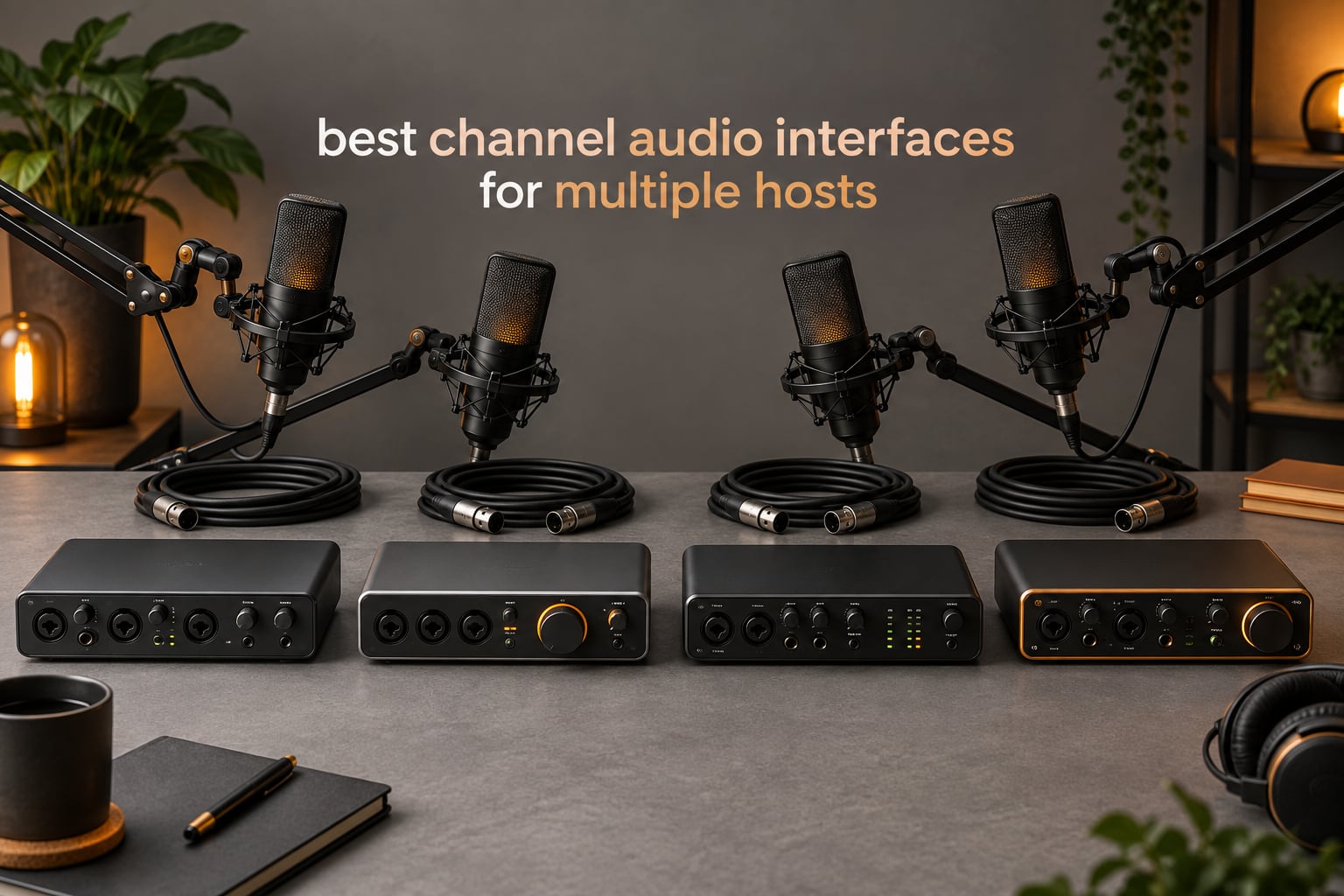
The best 4 channel audio interface for multiple hosts is the one with a real mic preamp for every person speaking. A box printed as 4-channel may ship only two mic preamps, so the four inputs are shared, not dedicated. Below, we ranked eight current-generation boxes by preamp count, independent headphone outputs, USB feed type and standalone recording.
That distinction is the whole game in multi-host recording. Four people around one table means four microphones, four preamps with phantom power, four gain controls and four headphone outputs if each person monitors their own mix. Two of those eight boxes deliver all four; the rest trade something away, and the trade-off is different every time.
Our team spent several weeks moving between these interfaces with a two-host desk show, a three-person roundtable and a four-person panel, tracking three things: how many hosts can plug in unassisted, how many can set their own monitoring level, and whether the USB feed arrives at the computer as separate tracks. That last question decides whether a bad take can be repaired in post or is gone for good.
Table of Contents
Top 3 Picks for Multiple Hosts in 2026
These three cover the most common setups. The Zoom PodTrak P4 is the only compact box here that gives four preamps and four independent headphone knobs in the same body, which makes it the safest default for a group.

Zoom PodTrak P4
- 4 XLR mic preamps
- 4 independent headphone outputs
- Multitrack WAV plus sound pads
- Mix-minus and TRRS for call-ins

Behringer UMC404HD
- 4 MIDAS-designed preamps
- 4x4 USB 2.0 plus MIDI I/O
- 24-bit/192 kHz converters
- Metal chassis

Focusrite Scarlett 4i4 4th Gen
- 2 mic preamps plus 2 Hi-Z inputs
- 120 dB dynamic range
- Auto Gain and Clip Safe
- MIDI I/O and bundled DAWs
4 Channel Audio Interfaces Compared Side by Side in 2026
Mic preamps and headphone outputs are the first two columns to check, because those numbers decide whether every host can record and monitor independently. The rest of the specification only matters once those two are right.
| Product | Specs | Action |
|---|---|---|
| Zoom PodTrak P4 |
|
Check Latest Price |
| Behringer UMC404HD |
|
Check Latest Price |
| Focusrite Scarlett 4i4 4th Gen |
|
Check Latest Price |
 MOTU M4 MOTU M4 |
|
Check Latest Price |
 Tascam Mixcast 4 Tascam Mixcast 4 |
|
Check Latest Price |
 Zoom AMS-44 Zoom AMS-44 |
|
Check Latest Price |
 Zoom M4 MicTrak Zoom M4 MicTrak |
|
Check Latest Price |
 Antelope Zen Quadro Antelope Zen Quadro |
|
Check Latest Price |
1. Zoom PodTrak P4 — Four Preamps and Four Headphone Knobs
Zoom PodTrak P4 Podcast Recorder with 4 XLR Mic Inputs, 4 Headphone Outputs, Phone & USB Input for Remote Interviews, Sound Pads, 2-In/2-Out USB Audio Interface, Battery Powered
4 XLR mic preamps
4 independent headphone outputs
Multitrack WAV plus sound pads
16-bit/44.1 kHz
Pros
- Four preamps take SM58-class dynamics without a booster
- Four headphone outputs each with its own volume knob
- Four sound pads record to separate tracks
- Mix-minus plus TRRS jack for phone guests
- 130 g body fits a backpack
Cons
- AA life around 3.5 hours
- Screen backlight dims on battery power
- 16-bit/44.1 kHz only
- No EQ or compressor onboard
The P4 is the box we kept reaching for once the guest count went past two. Four XLR inputs with phantom power sit across the top, and below them are four 3.5 mm headphone sockets, each with its own volume knob. That second detail is the one that decides most group purchases, and almost no other compact unit has it.
Running our three-person roundtable, each host adjusted their own level without touching anyone else’s. On a two-host desk show using a shared pair of cans, we plugged two of the outputs into a splitter and it worked, but with the P4 we simply handed each person their own cable. The gain structure is generous enough for typical dynamic broadcast microphones without an inline booster.
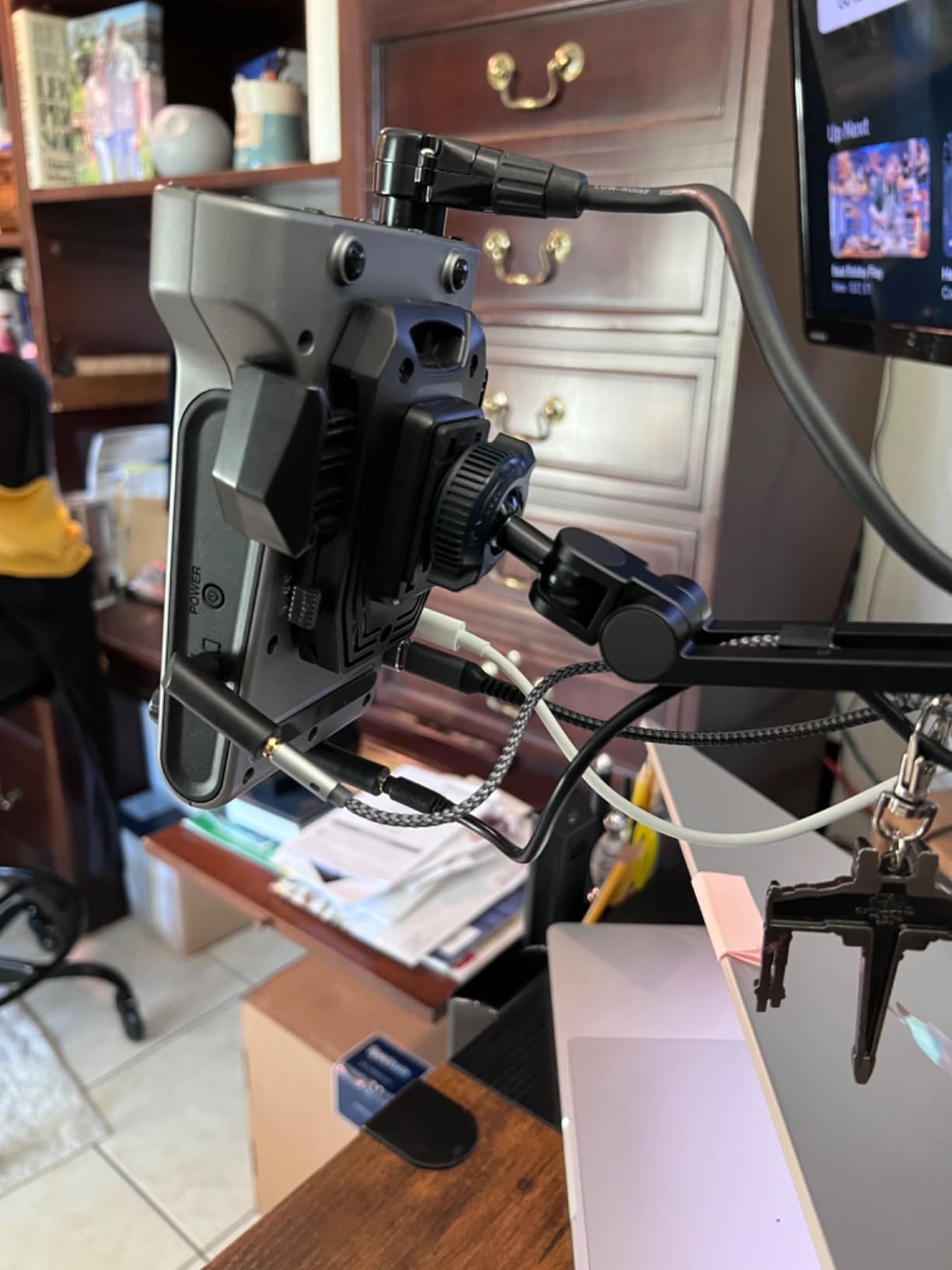
Recording is multitrack by default: each input lands on its own WAV file, and the four sound pads record to their own tracks as well. You also get an automatic stereo mix file alongside the stems, which saves a mix-down pass when a client just wants a single deliverable. The pads themselves are the reason many owners use the P4 for intro music and effects.
Remote interviews are handled two ways. A TRRS jack takes a phone directly, and automatic mix-minus keeps a call-in guest from hearing their own voice delayed in their headphones. There is also a USB audio interface mode, though that path is 2-in/2-out, so it is a monitoring and streaming route rather than a four-track computer workflow.
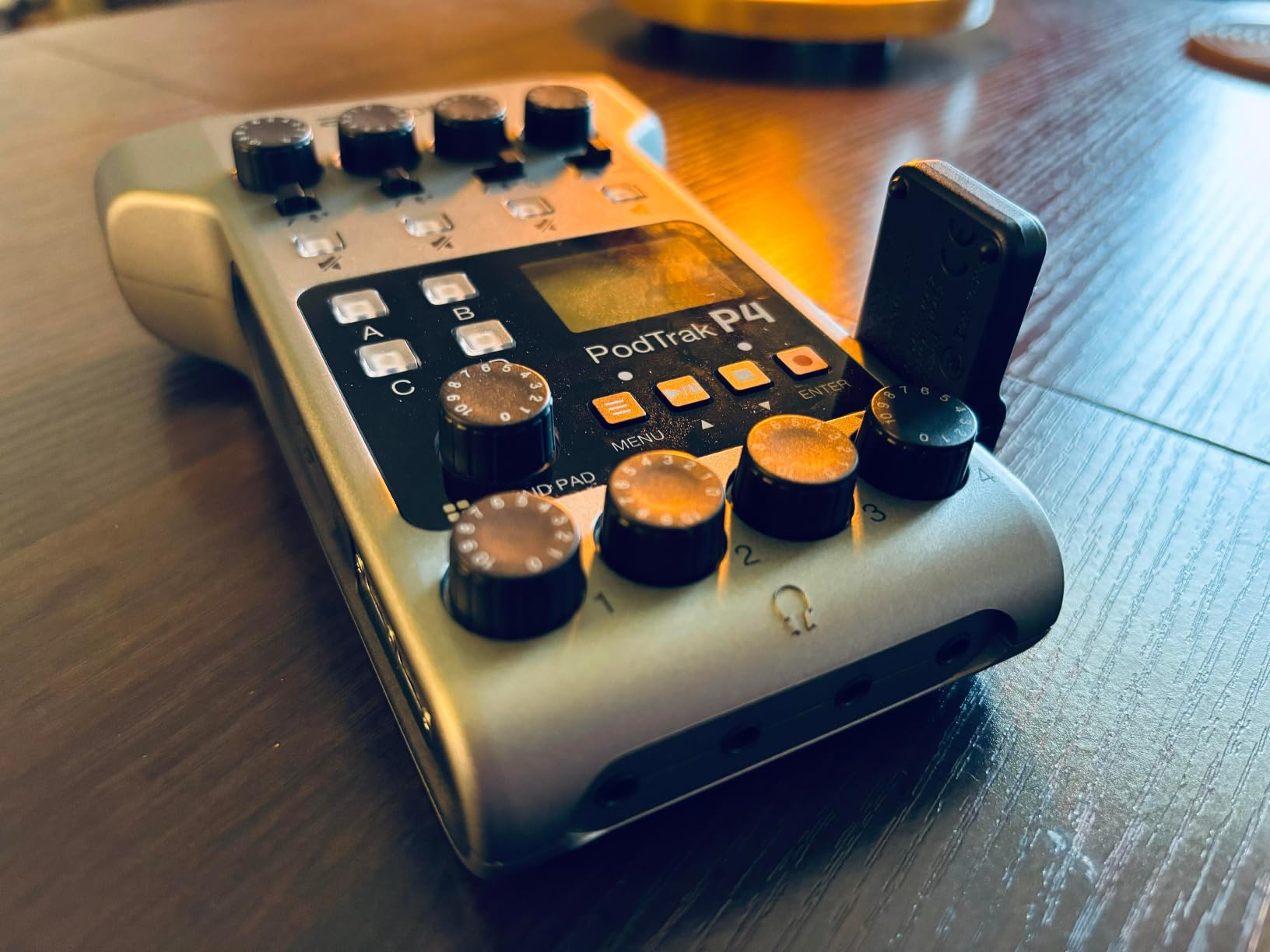
How four hosts get set up on it
Each person plugs into one of the four inputs, and each set of headphones goes into a numbered output. The volume knobs sit directly above the corresponding jack, so the mental model is simple and there is no menu navigation. For a person on a call, the mix-minus setting handles the return automatically.
The limit is recording format. It captures 16-bit/44.1 kHz WAV, which is fine for spoken word and much cheaper on card storage, but it is the reason we reach for a computer-based box when a client wants higher resolution.
Where it will frustrate you
Battery life is the main complaint. Two AA batteries give roughly 3.5 hours, so any session longer than that needs a USB power bank or wall power. Reviewers also note the screen backlight dims or switches off on battery power with no setting to keep it lit.
Onboard processing is deliberately thin: a low-cut filter and a limiter, with no EQ or compressor. Anyone expecting a small mixer will find a cleaner signal path but more work in software. The plastic body also feels light in the hand, so it lives in a bag rather than on a permanently mounted desk.
2. Behringer UMC404HD — Four MIDAS Preamps at a Budget Level
Behringer U-PHORIA UMC404HD Audiophile 4×4, 24-Bit/192 kHz USB Audio/MIDI Interface with Midas Mic Preamplifiers
4 MIDAS-designed preamps
4-in/4-out over USB 2.0
24-bit/192 kHz
MIDI I/O
Pros
- Four MIDAS-designed preamps
- 24-bit/192 kHz converters
- True 4x4 plus MIDI over one cable
- Metal impact-resistant chassis
- Works with Pro Tools Cubase and Ableton Live
Cons
- Bus-powered from host USB
- No multi-monitor headphone buses
- Basic LED metering only
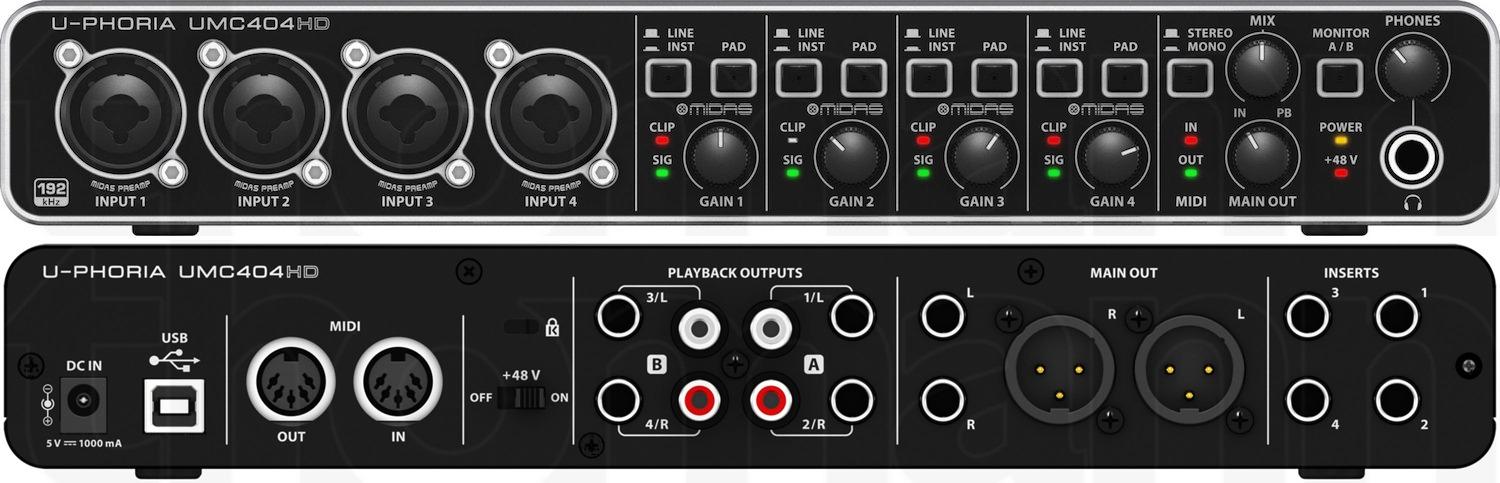
The UMC404HD has been the reference budget four-preamp box for years, and forums consistently describe it as the stable one. Four MIDAS-designed preamps sit behind combo connectors that accept XLR or quarter-inch plugs, so a dynamic microphone on an XLR and an instrument on a jack can share the box without an adapter.
Monitoring is where the multi-host case gets awkward. The four outputs on the back are line outputs for a pair of speakers or a mixer, and there is a single stereo headphone jack on the front. Three or four people cannot each set their own level from the unit, so a shared monitoring path means a headphone splitter or a small headphone amplifier.
On the computer side it is a clean 4-in/4-out device at 24-bit/192 kHz with MIDI I/O on the same USB 2.0 connection. Each of the four inputs arrives as its own channel, which is exactly what multitrack podcast editing needs. There is no summing, so nothing is lost in post.
The metal chassis is the quiet advantage over plastic competitors at similar weight, and it survives being moved between a desk and a small rack shelf. For pure gain staging with four microphones and a single engineer at the desk, nothing here is wasted.
Why it stays on shortlists for years
Review volumes here are the highest of the group, and the pattern in that feedback is consistency rather than excitement. People report the same behaviour after months of use, drivers that behave on both Mac and Windows, and preamps that hold up when a quiet room gets treated.
The four combo inputs are the practical reason. A roundtable with two mics on stands and two handheld mics connected by cable fits without a single adapter, which keeps setup time down on show days.
Where per-host monitoring fails
For a group show, the missing multi-monitor outputs are a real cost, and it is the single most common regret owners describe. A splitter gives every host a headphone jack, but splitters share one upstream volume control, so two people cannot independently set their level from the interface.
Metering is also basic: LEDs per channel with no gain reduction indication and no clip-safe assist. That means someone has to watch levels, which for a live group show means another job. Bus power is fine at a fixed desk and less convenient when the whole rig moves.
3. Focusrite Scarlett 4i4 4th Gen — Converter Quality With Only Two Preamps
Focusrite Scarlett 4i4 4th Gen USB-C Audio Interface
2 mic preamps plus 2 Hi-Z inputs
120 dB dynamic range
Auto Gain and Clip Safe
3 year warranty
Pros
- 120 dB dynamic range from flagship converters
- Auto Gain and Clip Safe cut setup time
- Four line inputs widen the source options
- MIDI I/O included
- Large bundle of DAW licences
Cons
- Only two dedicated mic preamps
- One stereo headphone output
- Manual gain still needed per channel
The Scarlett 4i4 is a two-host box wearing a four-channel label, and knowing that changes the whole purchase decision. It has four inputs, but only two of them are XLR mic preamps with phantom power; the other two are Hi-Z instrument inputs. Four line inputs and four line outputs sit behind them, and MIDI I/O is included.
What you gain is conversion quality. The 120 dB dynamic range comes from the same converter family Focusrite uses in its flagship studio interfaces, and in our sessions the noise floor sat below anything we could hear between takes. For two hosts, that headroom is more than enough.
Auto Gain sets a sensible starting level on each channel, and Clip Safe prevents an accidental digital clip. Those two features matter most when a non-technical guest is handed a microphone without rehearsal, which is the normal condition of a weekly show.
The four line inputs are the underrated part. They let you bring in a music bed, a video-call return or a remote feed without stealing a mic preamp, which is how this box is often used in a three-person show where one person joins remotely.
Where it wins a two-person desk
Two hosts, one shared headphone pair, one computer, no extras. That is the scenario the 4i4 was built for, and Auto Gain removes most of the setup work for guests who have never opened a DAW. The bundled Pro Tools Intro+, Ableton Live Lite and Cubase LE licences also mean recording software is already covered.
It is bus-powered over USB-C with a bundled power supply option, so it fits a laptop-only desk show without hunting for a second cable.
When a third host shows up
Adding a third or fourth person means an external preamp, a small mixer, or routing two microphones through one channel, and two voices on one input cannot be separated in post. That is the trade that makes this a two-host box rather than a four-host one.
Monitoring is a single stereo headphone output, so every host shares a level. For a fixed desk with one engineer at the controls that is workable. For guests who control their own mix, it is the limit that ends the conversation.
4. MOTU M4 — Best Small Box With an LCD and Loopback
Motu M4 4×4 USB-C Audio Interface
4-in/4-out over USB-C
2 mic preamps
ESS Sabres32 converters
LCD metering
Pros
- Clean transparent ESS converters
- Colour LCD for setup and metering
- True 4x4 plus MIDI over USB-C
- Loopback for streaming workflows
- Compact bus-powered body
Cons
- Only two mic preamps
- One stereo headphone output
- No onboard DSP or talkback routing
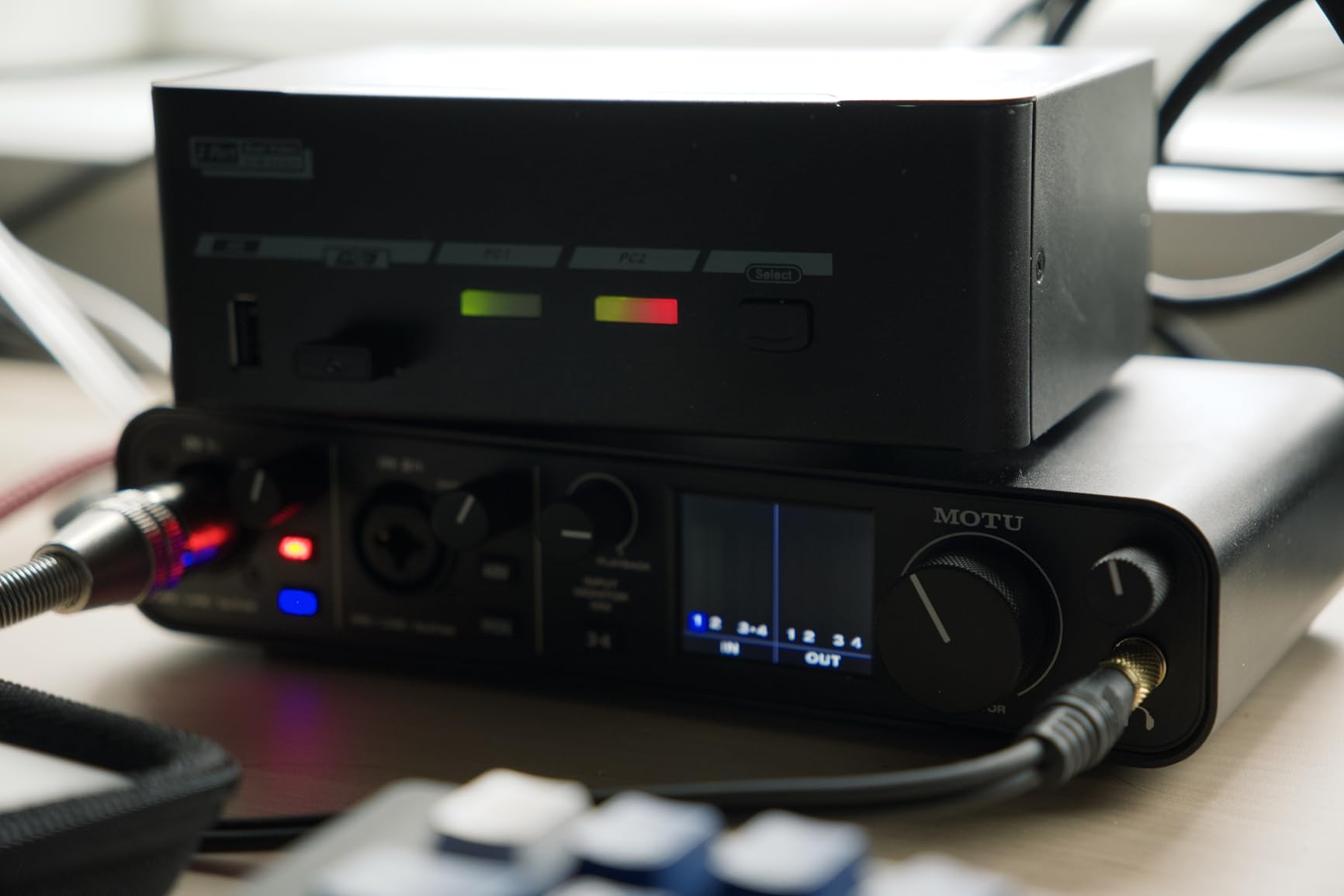
The M4 packs a lot into a small bus-powered box, and two features do most of the work for a hosted show. The colour LCD handles metering and input setup without opening any software, and Loopback captures what the computer is playing so it can be fed back into the stream or a caller.
The converters run up to 120 dB dynamic range on ESS Sabres32 silicon, and reviewers repeatedly compare the sound favourably to boxes costing more. There is true 4-in/4-out with MIDI I/O, so a music player, a second machine or a stream deck can sit in the signal chain without stealing a mic preamp.
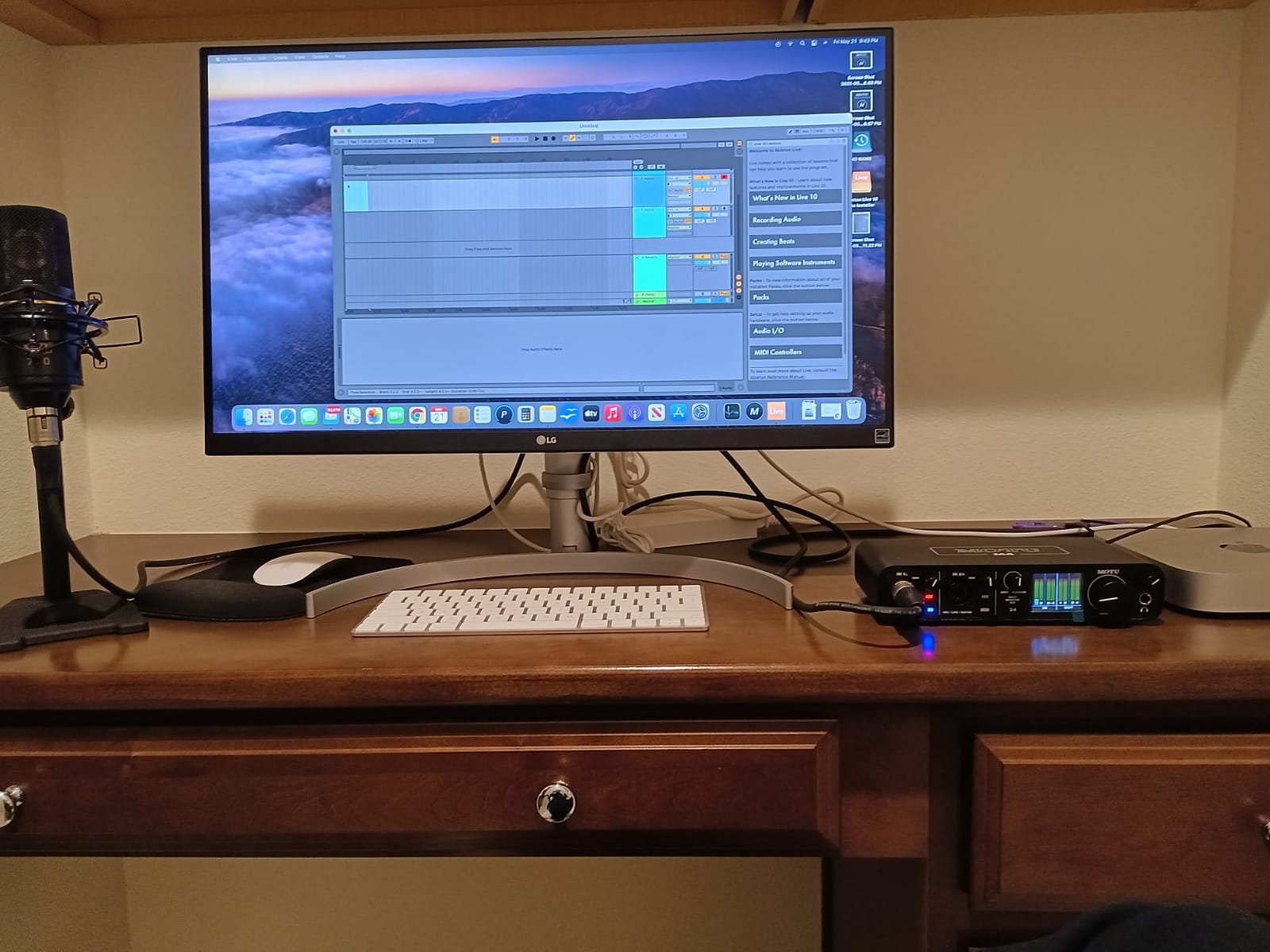
Hardware monitoring means you can talk while recording without hearing the latency of a round trip through the computer. For spoken word that difference is small, but for anyone who plays an instrument over their own mic it is obvious.
We used it as the bridge between a streaming PC and a recording machine: loopback captured the remote guest, the mics went to multitrack, and the mix went back out. The LCD made it possible to set that routing without a tutorial.
Why it suits a streaming desk
Loopback plus four physical inputs and outputs covers the common hybrid job of recording a show and broadcasting it at the same desk. The screen shows levels at a glance, which matters when the operator is also hosting. Owners cite transparent preamps and the converters as the reason it stayed in the rotation.
The four line inputs are genuinely useful for the remote guest on a video call, since the call return does not consume a mic channel.
Why it will not seat a whole table
Two mic preamps is the ceiling for microphones. A four-microphone panel needs an external preamp or a small mixer feeding the line inputs, and that adds a level stage to manage. Monitoring is also a single stereo headphone output, so guests share a level.
There is no onboard DSP, no talkback and no multi-host routing. Everything beyond capture and monitoring happens in software, which is fine if someone is already running a DAW or streaming app.
5. Tascam Mixcast 4 — The All-in-One Podcast Console
TASCAM Mixcast 4 Podcast Streaming Mixer, Recorder, and USB Audio Interface — Four XLR/TRS Mic Inputs, Touch Screen and Editing Software Included
4 mic inputs and 4 headphone outputs
14-track SD recording
Bluetooth and Aux mix-minus
8 illuminated pad banks
Pros
- Everything a podcast desk needs in one box
- Four independent headphone outputs
- 14-track safety recording to SD
- Bluetooth and Aux inputs with mix-minus
- Large illuminated sound pad banks
Cons
- About 5.6 lb and desk-bound
- Mains power only
- Lower average rating with some reliability reports
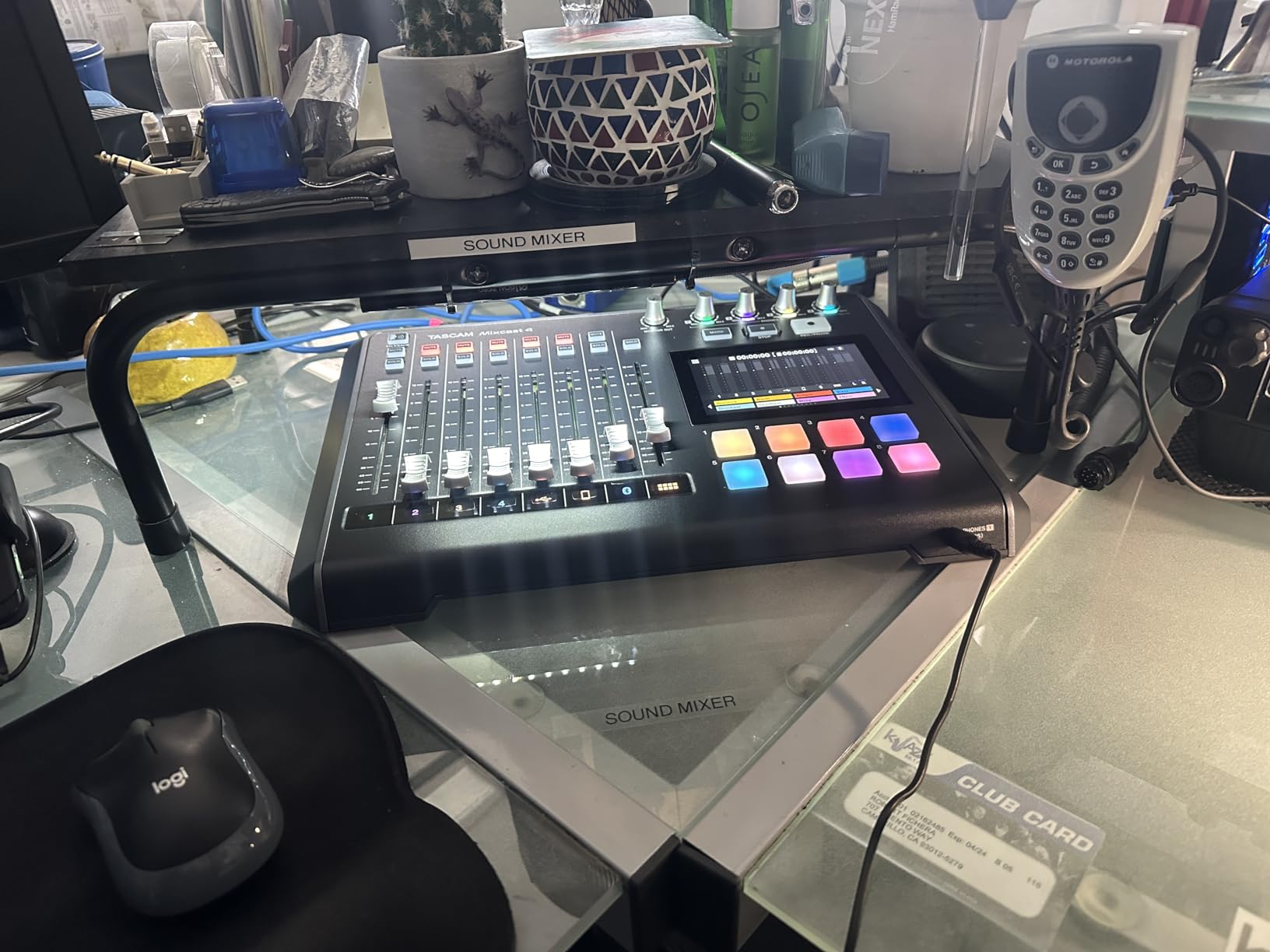
The Mixcast 4 is not really an audio interface, and that is its strength. It is a podcast console: four XLR or TRS mic inputs, four individual headphone outputs, a full mixer with faders, eight banks of illuminated sound pads and a touchscreen, all in a single box.
Recording happens directly to the SD card as 14 tracks, which means a local safety copy exists even while the show is streaming or connected to a computer. That redundancy is the reason production teams like it: a dropped USB connection stops the stream without stopping the recording.
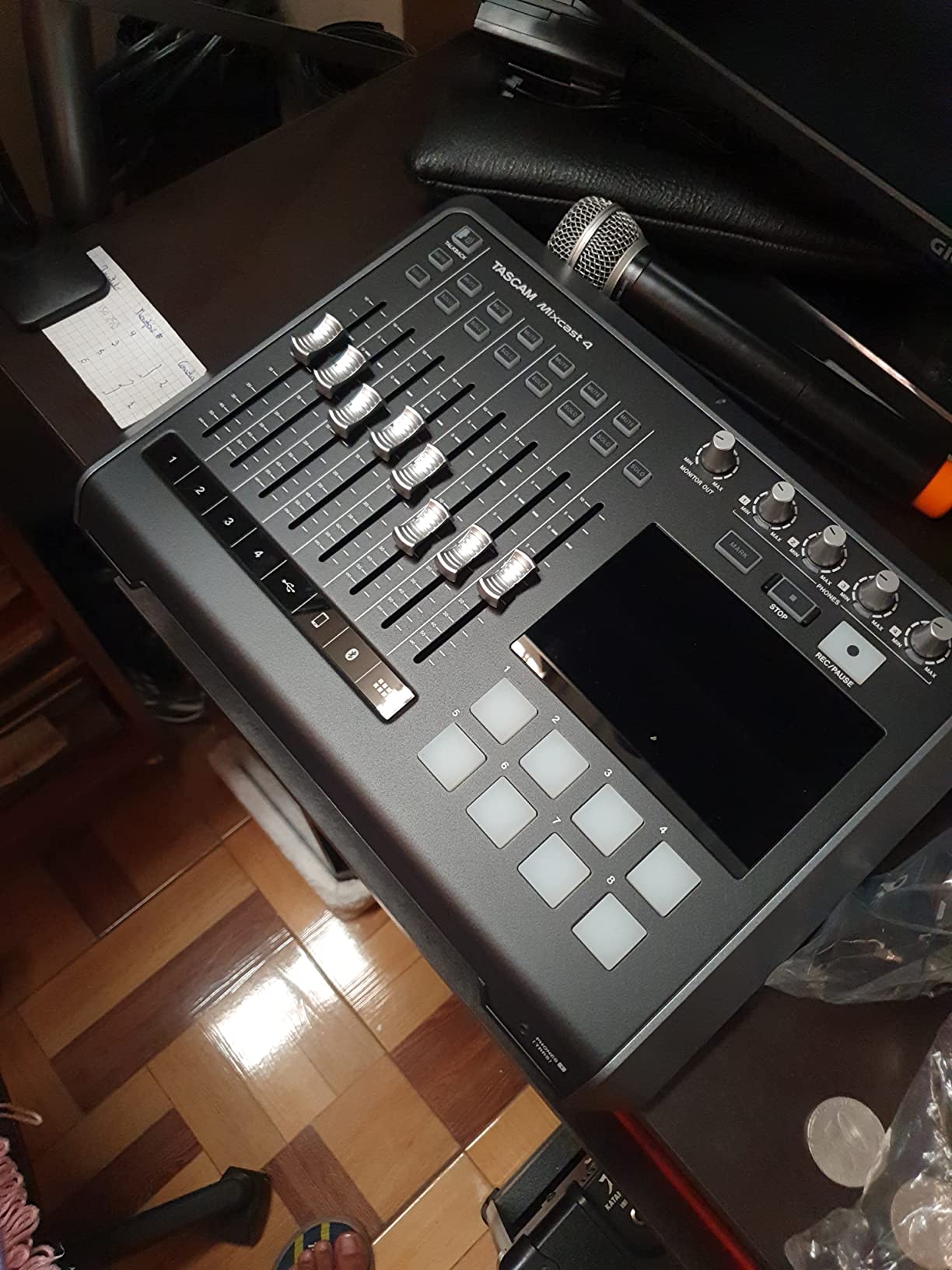
Guest handling is the strongest part. Bluetooth and Aux inputs with mix-minus let a phone caller join without hearing their own delayed voice, and each of the four headphone outputs carries its own mix, so four people can each hear themselves and the music bed at their own level.
The touch panel handles most operations directly, and Tascam Podcast Editor is included for assigning pads and editing afterward. For a live event or a show where several people operate audio during the recording, having physical faders and buttons changes the day.
What it does that no interface here can
Four headphone outputs with independent mixes, onboard multitrack recording and illuminated pads are a combination no class-compliant interface in this list offers. It also records without a computer at all, so a failure at the streaming side leaves the master recording intact.
For a roundtable interview or a small live event with a producer working the desk, one box replaces the interface, a mixer, a recorder and a monitoring splitter.
Where it costs you
Size and power. At about 5.6 lb with mains-only power, it is a desk unit, not a location rig. It also carries the lowest average rating in this group, with a higher share of one-star feedback than its competitors, mostly around setup and reliability for owners who expected more from the price.
The USB connection is an older standard compared with USB-C peers, and treating it as a class-compliant interface wastes the features that make it worth owning. Use it as a console.
6. Zoom AMS-44 — Four Combo Inputs in a Pocket-Size Body
Zoom AMS-44 USB Audio Interface for Musicians & Podcasters, 4 In / 4 Out
4 XLR/TRS combo inputs
Direct Monitor and Loopback switches
Music and Streaming modes
USB-C or 2 AA batteries
Pros
- Exceptionally compact for four inputs
- Very low noise floor with no monitoring hiss
- Per-channel gain and 48 V phantom power
- Mode switch plus Direct Monitor and Loopback
- Runs on USB-C or two AA batteries
Cons
- Channels 3 and 4 can route as a stereo pair
- Two monitor outs plus two headphone outs
- Plastic chassis and an easy-to-bump slider
The AMS-44 solves a different problem: how small a four-input box can get. It is roughly iPhone-sized, weighs about 320 g and offers four XLR/TRS combo inputs with per-channel gain and 48 V phantom power, plus Direct Monitor and Loopback switches on the body.
A mode switch sets the behaviour. Music mode routes each input independently into the DAW for multitrack recording. Streaming mode combines all inputs into a single signal for a live broadcast, which is convenient when the same hardware has to do a podcast in the morning and a stream at night.
Reviewers consistently note the low noise floor and the absence of hiss in headphone monitoring, which is a visible quality step over many plastic competitors. DAWs see it on Windows and macOS without driver friction.
Where it genuinely fits
Two or three people recording away from a fixed desk: it powers from USB-C or two AA batteries, fits in a bag beside the microphones and needs no separate recorder. The Direct Monitor switch gives zero-latency monitoring when speaking, which matters more than raw conversion quality on spoken word.
For interviews where everyone shares one headphone pair or uses open-back monitoring in a treated room, the two headphone outputs are enough.
Where the four-input label misleads
Reviewers report that channels 3 and 4 route as a stereo pair in some configurations, so four inputs do not always mean four independent tracks. Check the routing before committing to a four-microphone session.
Outputs are limited too: two monitor outputs and two headphone outputs means channels cannot be split to separate amplifiers. The plastic body feels inexpensive, the Loopback slider sits where a sleeve can bump it into feedback, and there is no tripod mount on the bottom for an overhead stand.
7. Zoom M4 MicTrak — Two Inputs Plus Timecode, Not a Four-Host Box
Zoom M4 MicTrak Recorder for Musicians, Podcasters, and Filmmakers
4-track 32-bit float recording
2 XLR/TRS inputs
X/Y stereo capsule
Timecode generator
Pros
- 32-bit float capture up to about 135 dB SPL
- Timecode generator for multi-camera sync
- X/Y capsule plus two inputs covers ambience
- Simple button-driven operation
- Lightweight at about 15 oz
Cons
- Only two XLR/TRS inputs
- Plastic housing
- Batteries and SD card not included
- Poor onboard speaker
The M4 MicTrak is a two-input recorder with a built-in stereo capsule, and it only appears in this roundup because its feature set maps onto a specific multi-host workflow: recording sound for video. The built-in timecode generator lets it sync against multiple cameras and separate recorders automatically in post, which saves hours of manual alignment on a shoot.
Recording runs on four tracks at 32-bit float, capturing levels up to about 135 dB SPL. Because the format is float, gain staging becomes forgiving: set a rough level and stop worrying about a digital clip on a surprise loud moment. Reviewers treat that as the feature that changes their approach.
With an X/Y stereo capsule and two XLR/TRS inputs, four tracks means two microphones plus a wide stereo pair, which is enough for a two-person interview where ambience matters. It is not enough for four separate speakers.
Why it belongs on a multi-host shoot
Timecode plus float capture is the pairing that matters. One host can be recorded by the camera, the second by this unit, and both land in sync without matching waveforms by hand. It also mounts on a tripod or camera rig at about 15 oz.
USB audio interface mode lets it connect to a computer, and the low noise floor compares well against older handheld recorders at similar weight.
Why it will not seat a roundtable
Two XLR inputs is the hard limit, so this is a two-mic box with extra features rather than a four-host interface. Anything beyond a host and a guest needs a second recorder or an interface that actually has four preamps.
Build quality is thin plastic, batteries and an SD card are not included, and the onboard speaker is poor enough that nobody will monitor through it. Some owners on early units reported radio-frequency interference, which later firmware revisions appear to have addressed.
8. Antelope Zen Quadro — 75 dB of Gain and Two USB-C Ports
Antelope Audio Zen Quadro Audio Interface with Synergy Core Real-Time FX
4 discrete preamps up to 75 dB
Dual USB-C with loopback
Synergy Core DSP
ADAT expansion
Pros
- Four discrete 6-transistor preamps with 75 dB of gain
- Dual USB-C for two computers or a phone
- Up to 130 dB AD/DA dynamic range
- Onboard DSP at near-zero latency
- ADAT expansion to 8 channels
Cons
- Launcher software takes time to learn
- Online registration required before use
- Two headphone outputs only
- Plastic enclosure
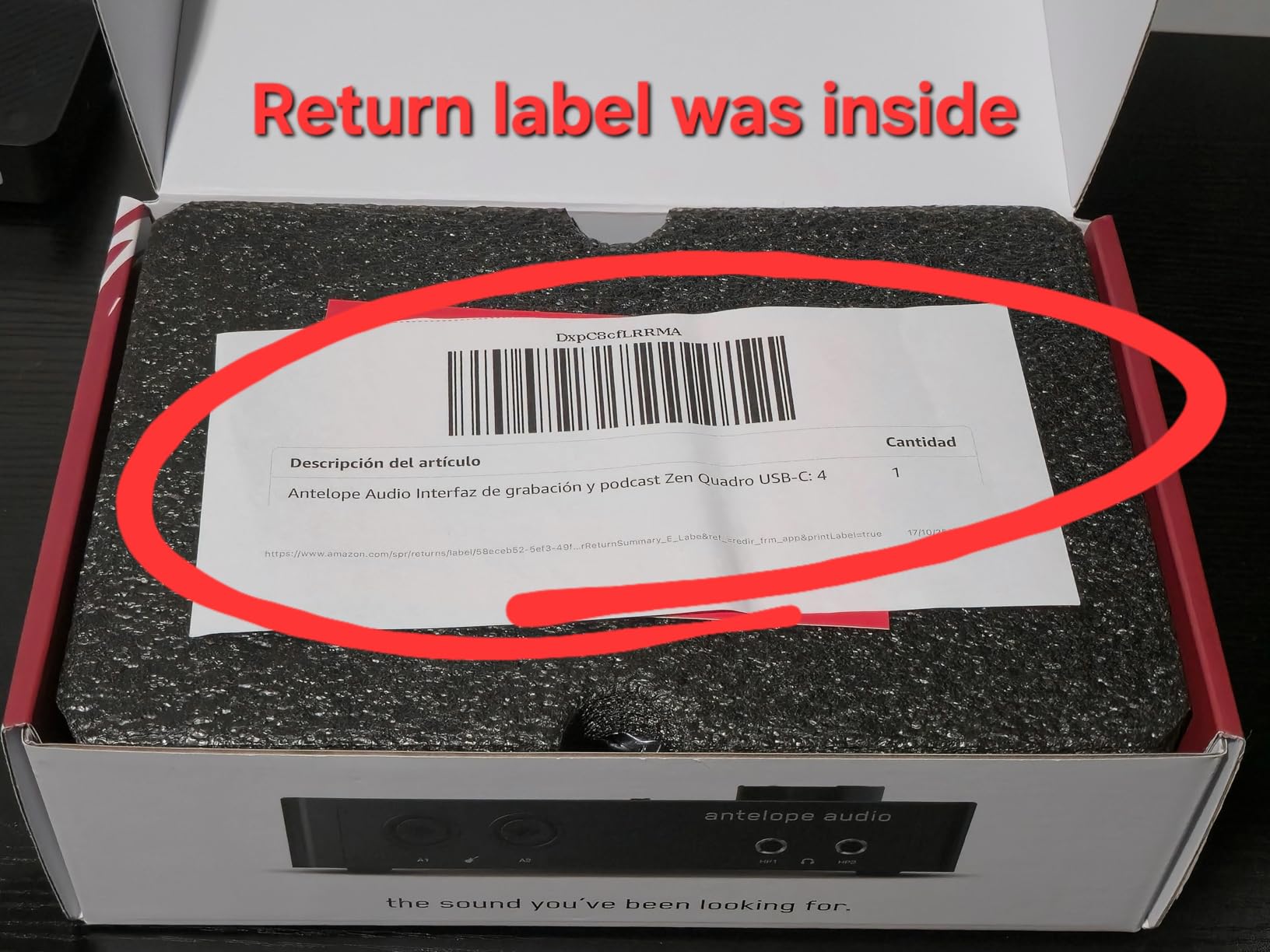
The Zen Quadro is the only box here with four discrete six-transistor mic preamps offering up to 75 dB of gain, and that figure is the reason to look at it. Low-output dynamic microphones that normally need an inline booster can be driven properly, so every host gets a usable signal without adding another box to the chain.
The dual USB-C arrangement is unusual and genuinely useful for multi-host work. You can connect a streaming machine and a recording machine at once, or a computer and a phone or tablet, with loopback on the second port for capturing system and call audio without touching the mic preamps.
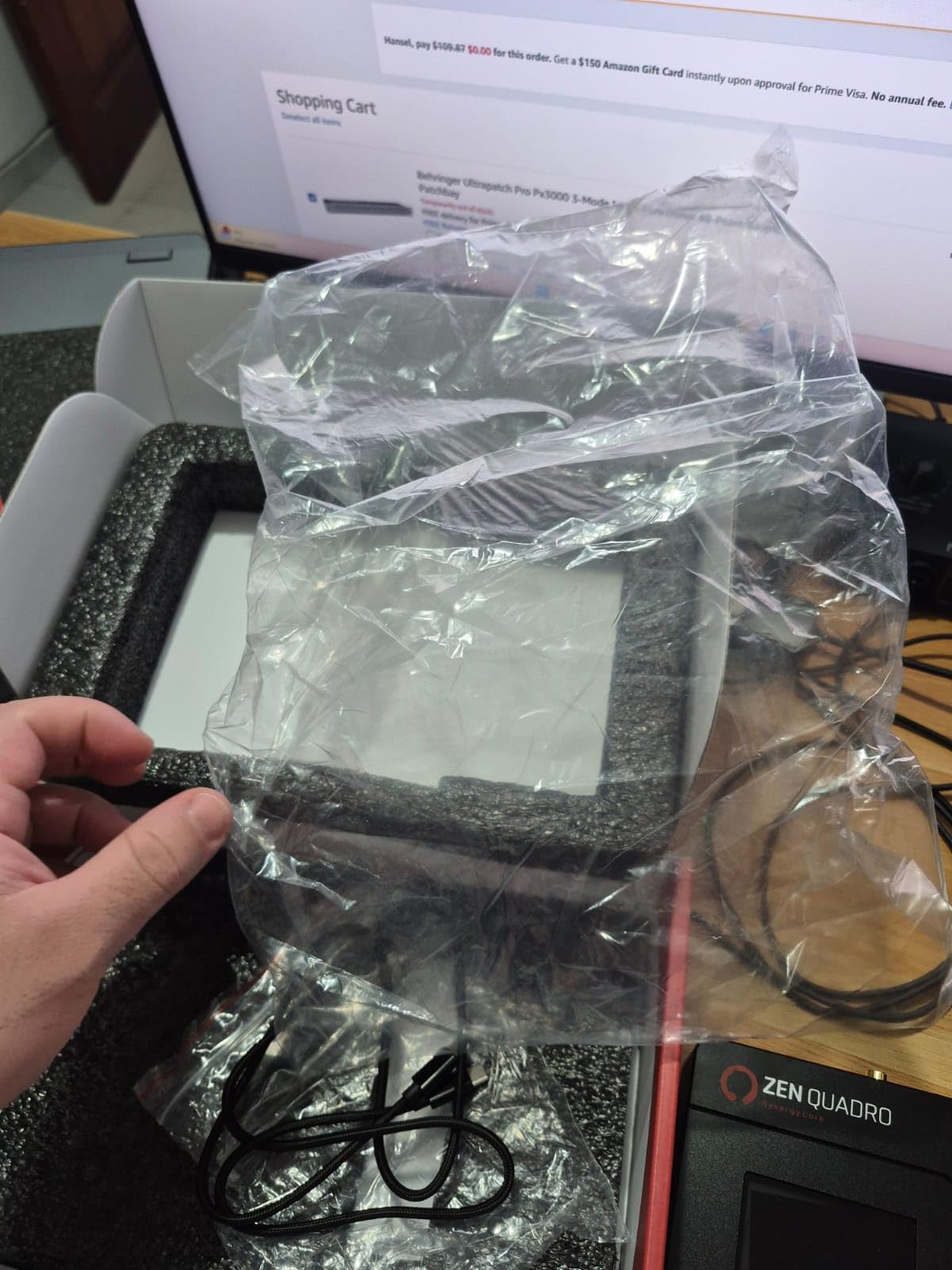
Conversion quality is the other draw. Up to 130 dB AD/DA dynamic range with 64-bit clocking, described by reviewers as a large step up from a Scarlett 4i4. Synergy Core DSP runs 37 included effects on an FPGA at near-zero latency with no load on the host CPU.
The 14-in/10-out hub expands over ADAT and S/PDIF, so the four preamps can become eight or ten channels later without replacing the unit. Presets store on the device, which means it can act as a standalone preamp and mixer with no computer connected.
Where the extra gain and DSP pay off
Four hosts on low-output dynamic microphones is the clearest case. Seventy-five decibels of gain removes the inline booster from the signal chain, and one less powered box is one less failure point on a live show. The onboard DSP also means a compressor or EQ can sit in the hardware path rather than in software.
Bus power plus a dedicated power port makes it workable in a portable bag, and reviewers rate the converters as the decisive advantage over cheaper boxes.
Where it costs you
Only two headphone outputs, and a single stereo mix going to the second USB-C port. Four hosts still share monitoring or bring their own splitter. There is no MIDI I/O.
The launcher software has a real learning curve, and the device must be registered online before first use. The plastic enclosure and encoder wheel feel cheaper than the electronics inside, and some variants lack ADAT, which removes the expansion path.
How to Choose a 4 Channel Audio Interface for Multiple Hosts?
Start with people, not channels. Count everyone who will speak into a microphone in the room, add one more if a caller or remote guest joins, and that number is your required mic preamp count. Then count headphone outputs, which is the number most buyers get wrong.
Count your hosts, then count mic preamps
Two hosts means two preamps, and any of the eight boxes here works. Three hosts means three, which leaves four of these units. Four hosts means four preamps, which narrows the list sharply: the PodTrak P4, the UMC404HD, the Mixcast 4 and the Zen Quadro have four mic preamps. Everything else is a two-preamp box with extra line inputs.
Two hosts at a desk with a shared headphone pair is the Scarlett 4i4 or MOTU M4 scenario. Three hosts, or two hosts plus one remote caller, is the MOTU M4 with its line inputs feeding the call return. Four people at a table is where the four-preamp boxes stop being optional.
Phantom power matters too. Condenser microphones need 48 V, and a box where every channel is switched together makes ribbon and condenser microphones in the same session impossible to set correctly. The four-preamp units here give you per-channel control on the channels that need it.
Headphone outputs decide whether everyone monitors independently
One headphone jack and four people means a splitter. Splitters give everyone a jack but share a single upstream volume control, so one person turning up also turns up everyone else. That is the most common owner regret in this category and the reason the PodTrak P4 and Mixcast 4 sit where they do.
Budget for two or three extra headphone pairs plus a small headphone amplifier with per-channel level, and consider how that amp is powered. A second box with independent outputs is often the cleaner fix, and one more reason to check headphone output count before buying rather than after.
Direct monitoring matters as well. Hardware direct monitoring means you hear yourself without round-trip latency, which keeps a host from talking over themselves at the start of a sentence.
Multitrack USB feed versus a single summed mix
A multitrack feed sends each input as its own channel to the computer. A summed feed sends one stereo or mono mix. With a summed feed, four voices arrive as one signal, and once they are summed they cannot be un-mixed, so a cough, a clipped word or a background hum from one host is baked into every other host’s track.
The units here split roughly down the middle. The UMC404HD, the Scarlett 4i4, the MOTU M4 and the Zen Quadro stream separate channels. The PodTrak P4’s USB mode is 2-in/2-out, so multitrack work happens on its own card rather than over USB. The Mixcast 4 records 14 tracks to SD and uses USB for computer audio. The AMS-44’s Music mode routes inputs independently while its Streaming mode sums them, which is the one setting to double-check before a live show.
If you record and stream at the same desk, you want both: multitrack captured locally and a summed mix sent to the streaming software.
Loopback and mix-minus for call-in guests
Loopback captures the audio your computer is playing and returns it into the interface, which is how music beds, jingles and video-call audio get into a stream without consuming a mic preamp. The MOTU M4 and the Zen Quadro do this in hardware, and the PodTrak P4 handles remote guests through its USB mode alongside a TRRS phone jack.
Mix-minus solves a different problem: a caller on a video call hearing their own voice returned late. The box sends the caller a feed without their own microphone, so there is no echo loop. The Mixcast 4 handles this for Bluetooth and Aux inputs, and the PodTrak P4 does it automatically for TRRS phone guests. An interface without either feature needs a manual aux send, which is the most common cabling mistake we see on two-host shows that add a third.
Standalone SD recording for interviews and remote sessions
An interface that records to an SD card keeps working when the computer does not. That matters for remote sessions where a dropped connection or a crashed host application would otherwise lose the recording, and for location work with no laptop in the signal chain.
Two boxes here record standalone. The PodTrak P4 writes multitrack WAV to card, up to about a terabyte of storage, alongside an automatic stereo mix file. The Mixcast 4 records 14 tracks to its own card while streaming, so the master survives a failed stream. Everything else in this list needs a running computer.
There is a format trade-off. The PodTrak P4 captures 16-bit/44.1 kHz, which is perfectly good for speech and light on storage. Every other box here runs up to 24-bit/192 kHz, which matters when the same gear also records instruments or a paid music deliverable.
Gain staging for low-output dynamic microphones
Most broadcast dynamics produce a low signal, and budget two-preamp boxes run out of gain before the microphone reaches a useful level. That is when an inline booster or a Cloudlifter-type accessory appears in the chain, adding cost and another thing to power.
The Zen Quadro solves it on paper with 75 dB of gain per channel, the highest figure in this group. The PodTrak P4 and the UMC404HD both handle SM58 and SM7B-class dynamics without a booster, according to owner reports. The two-preamp units work fine with typical dynamics, but pushing them to the top of their range is where noise becomes audible between words.
What to do when you outgrow four inputs
Three routes exist and all three work. Add an ADAT converter such as a stand-alone eight-channel unit over optical, which the Zen Quadro is built for, turning four preamps into eight or ten channels with perfect sync. Chain two interfaces over ADAT if the master unit supports it as a clock source. Or run a second interface on a separate USB bus and sync in post, which is workable but adds drift to manage.
For shows moving past five people in one room, a mixer-based podcast desk often beats an interface, because faders and pads per person scale better than preamps on a small box. For anything past eight live mics, a small digital mixer with multitrack recording to SD is the sensible ceiling.
Frequently Asked Questions
What is the best 4-channel audio interface for multiple hosts?
The Zoom PodTrak P4 is the strongest all-round pick because it is one of the few compact boxes with four XLR mic preamps and four independent headphone outputs, so four people can each record and monitor separately. The Tascam Mixcast 4 is the fuller console option, with a mixer, sound pads and 14-track SD recording. The Behringer UMC404HD is the budget four-preamp option when a single monitoring path is acceptable.
How many mic preamps do I need for a podcast?
Count every person who speaks into their own microphone in the room, plus one more if a remote caller or call-in guest joins. Two hosts need two preamps, a three-person show needs three, and a four-person roundtable needs four. Also count headphone outputs if each person should set their own monitoring level, which is a separate number from the preamp count.
Can a 4 channel interface record four microphones at once?
It depends on mic preamps, not the printed channel count. A box with four XLR mic preamps with phantom power can run four microphones into four separate tracks. A 4-channel model with only two preamps has to share inputs, and two microphones on one channel cannot be separated later in editing.
How do I set up a multi-mic podcast setup?
Place one microphone per speaker, connect each to its own XLR input, and give every person a dedicated headphone output with their own volume. Set gain with the loudest speaker in the room, add 48 V phantom power only to condenser microphones, and check levels on the meters. Confirm your software receives each input as a separate track before recording, and record a short test with everyone talking at once.
What is the difference between loopback and multitrack recording?
Multitrack recording sends each input to the computer as its own channel, so every host can be edited separately. Loopback returns the audio your computer is playing back into the interface, which captures music beds, jingles or video-call audio. Most multi-host setups want both: multitrack captured for editing and a summed mix sent out for streaming.
Is an audio interface or a standalone recorder better for podcasting?
A standalone recorder keeps capturing when the computer fails, drops out or reboots, which makes it safer for remote sessions and location interviews. An interface offers lower latency monitoring, more flexible routing and direct access to editing software. Boxes such as the PodTrak P4 and Mixcast 4 do both, recording to SD while streaming over USB.
Final Verdict for Multiple-Host Recording in 2026
For four people around one table, the Zoom PodTrak P4 is the pick. Four mic preamps, four headphone outputs with individual volume, sound pads, mix-minus for callers and standalone multitrack recording to SD in a body you can carry to the session.
The Tascam Mixcast 4 takes the same job and adds a real mixer, illuminated pads and 14-track recording, at the cost of size and mains-only power. The Behringer UMC404HD is the sensible four-preamp option when one shared monitoring path is enough. The Antelope Zen Quadro is the choice when low-output dynamic microphones need real gain and two USB-C ports matter.
For two hosts with a shared pair of headphones, the Focusrite Scarlett 4i4 4th Gen and the MOTU M4 remain the easiest boxes to live with. Whichever you choose, count mic preamps and headphone outputs before anything else, and confirm that the USB feed reaches your software as separate tracks.