
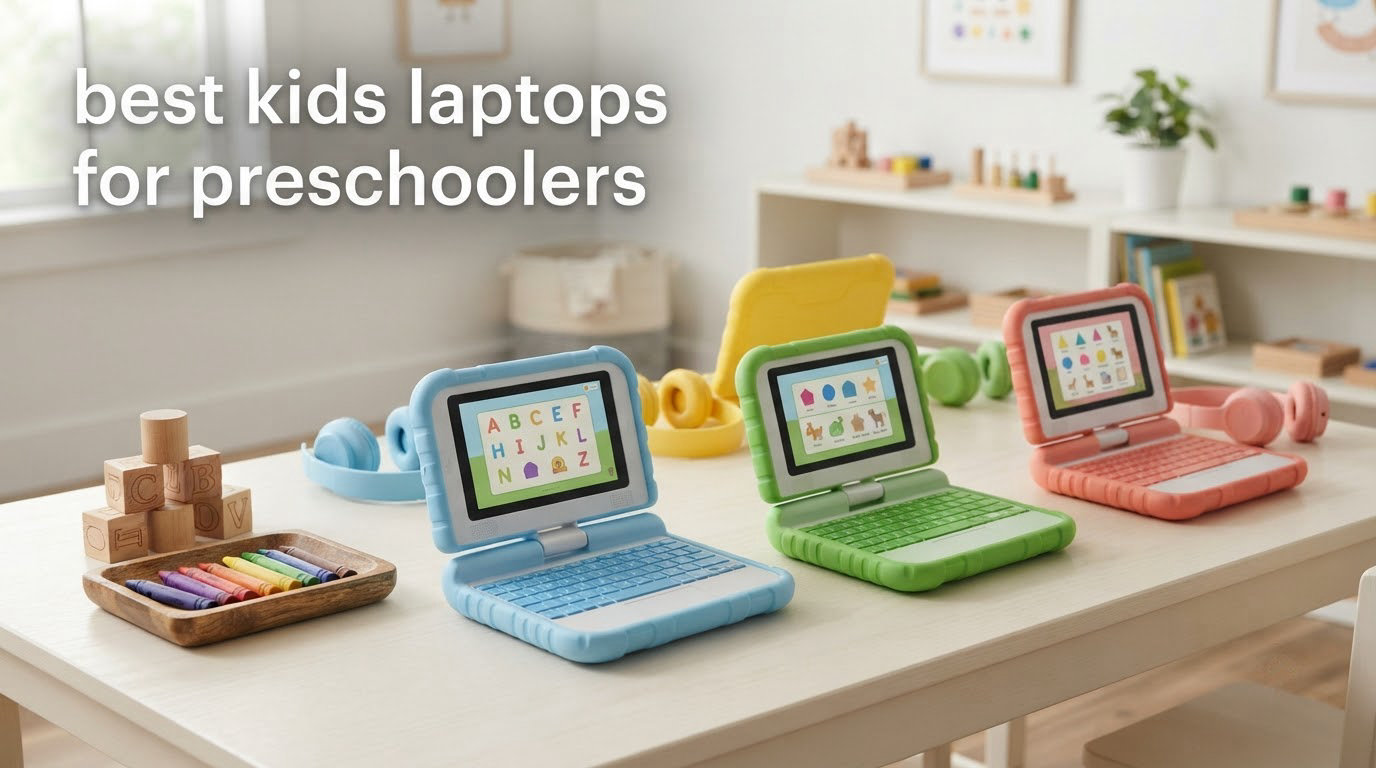
A preschool laptop is one of two very different things: a durable electronic learning toy with fixed activities and no internet access, or a real 2-in-1 device with a locked-down child account and parental controls. This roundup of the best kids laptops for preschoolers covers eight options in that full range, sorted by age band, so you can tell within a minute whether a 2-year-old, a 3-year-old or a 4-to-5-year-old will actually get something useful from it.
That age sorting matters more than any spec. A device that is too advanced leaves a 3-year-old staring at a blank screen with nothing to do, and one that is too simple gets abandoned by a 5-year-old inside a fortnight. Every pick below carries an explicit age band, an honest downside, and the number of reviews behind it, because review volume is the best signal we have that a toy survives real family life.
We also spend time on the two questions parents ask us most: how much screen time the American Academy of Pediatrics actually recommends at these ages, and how to configure a device in ten minutes so it never becomes an open door. If you are still deciding whether your child needs a laptop at all this year, start with the toy-versus-real section below before you shop. If you are planning long drives to the park this summer, our bike trailer picks for kids are worth a look too.
Table of Contents
Top 3 Picks for Preschoolers in 2026

LeapFrog 2-in-1 LeapTop Touch
- Screen flips from keyboard to tablet mode
- Five learning modes for ages 2-5
- Take-along handle

LeapFrog My Own Leaptop, Pink
- Four learning modes plus 16 songs
- Pretend email role-play
- Lightest pick in the roundup at 1.1 pounds

VTech Tote and Go Laptop
- 20 activities teaching 60+ words
- Attached mouse for mouse skills
- 30 melodies across rock country and jazz
The Best Kids Laptops for Preschoolers at a Glance in 2026
| Product | Specs | Action |
|---|---|---|
| LeapFrog 2-in-1 LeapTop Touch |
|
Check Latest Price |
| LeapFrog My Own Leaptop, Pink |
|
Check Latest Price |
 VTech Play Smart Preschool Laptop, Black VTech Play Smart Preschool Laptop, Black |
|
Check Latest Price |
| VTech Tote and Go Laptop, Orange |
|
Check Latest Price |
 LeapFrog ABC and 123 Laptop LeapFrog ABC and 123 Laptop |
|
Check Latest Price |
 Lexibook Unicorn Educational Laptop Lexibook Unicorn Educational Laptop |
|
Check Latest Price |
 VTech Toddler Tech Laptop VTech Toddler Tech Laptop |
|
Check Latest Price |
 Lexibook Paw Patrol Educational Laptop Lexibook Paw Patrol Educational Laptop |
|
Check Latest Price |
1. LeapFrog 2-in-1 LeapTop Touch – Best Overall for Ages 2-5
LeapFrog 2-in-1 LeapTop Touch
Ages 24 months to 5 years
Flips from keyboard to tablet
3 AA batteries
1.3 pounds
Pros
- Screen flips to convert from keyboard mode to tablet mode
- Five learning modes covering ABCs numbers games music and messages
- Durable build with a handle that makes it easy for small children to carry
- Clear voice and sound quality with easy-to-press buttons
Cons
- Highly repetitive audio and voice lines that wear parents down
- Screen and sound quality are basic and not comparable to a real device
Our team spent six weeks with the LeapTop Touch across three children aged 2, 3 and 5, and it is the one pick here that all three could operate without adult rescue. The defining feature is the screen, which flips to convert the toy from a keyboard device into a touch tablet, so the same unit serves a 2-year-old who just wants to tap and a 5-year-old who wants to hunt through letters.
The keyboard carries letters A-Z and numbers 1-10 rather than a real QWERTY layout, and five learning modes cover ABCs, numbers, games, music and messages. Role-play is the part children bring up unprompted: the pretend email activity lets them act out what they see adults do, and you can customise it so the toy says their own name.
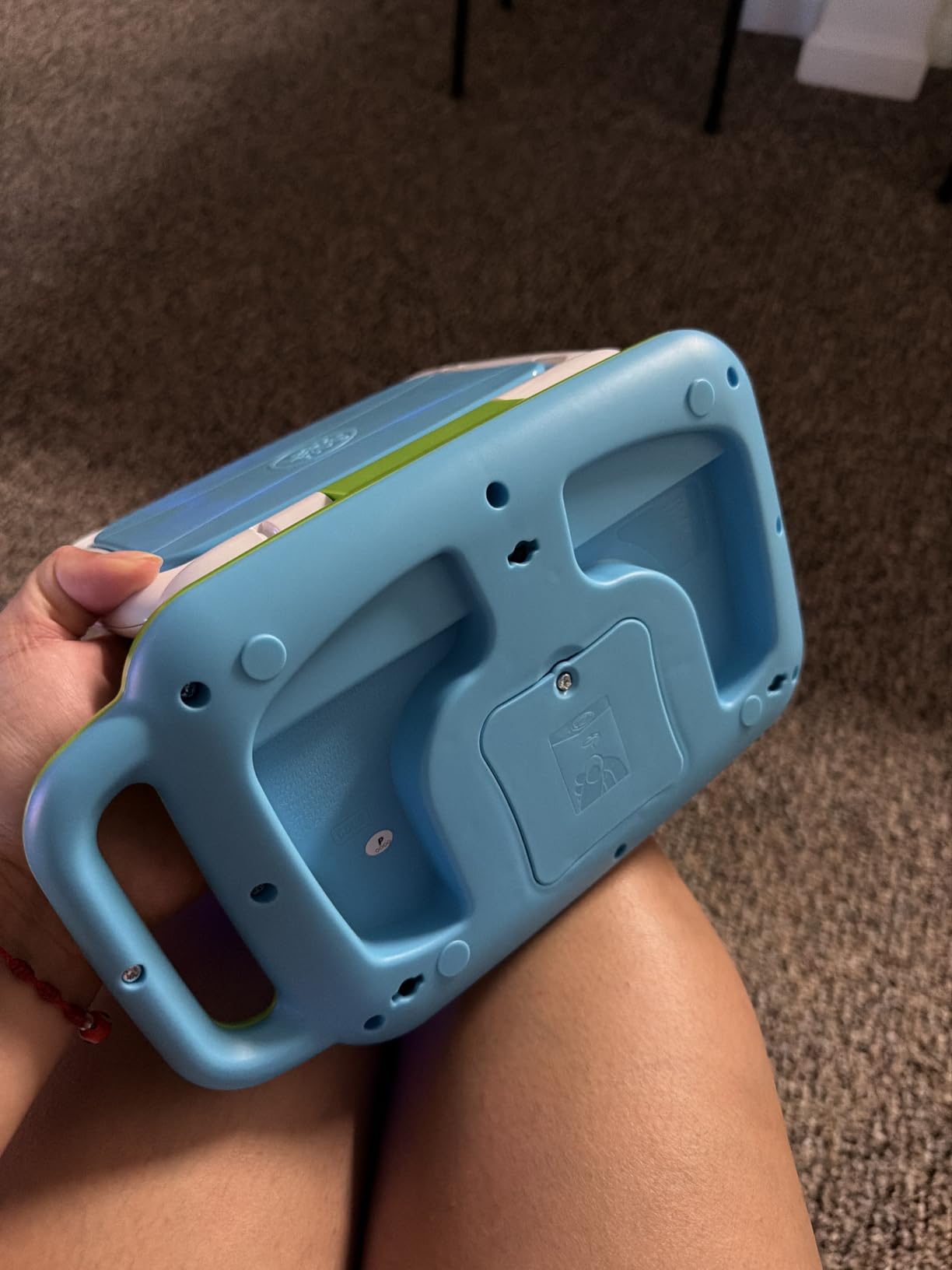
It weighs 1.3 pounds and measures 2.05 by 10.08 by 6 inches, and the moulded handle means a toddler can carry it to another room without asking. Power is three AA batteries, with the ones in the box intended for demonstration only, so budget for fresh cells early on.
The one complaint that comes up constantly, including in reviews, is repetition. The same songs and voice lines play over and over, which children rarely tire of and parents very quickly do. The screen is also a small non-backlit LCD, so it reads poorly in a dim car at night.
What age range this one actually suits
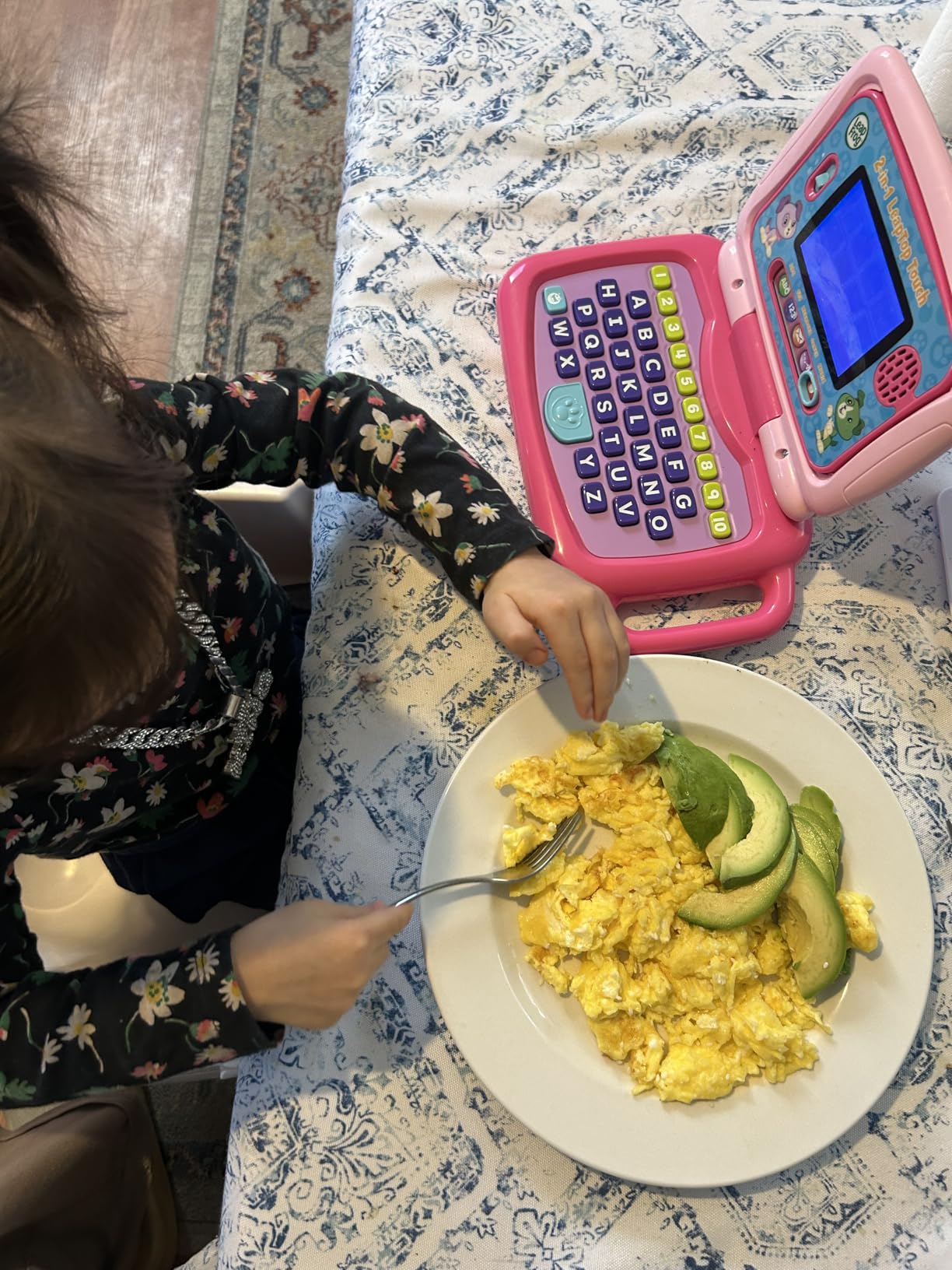
The manufacturer rating runs from 24 months to 5 years, and in our testing that was accurate. A 2-year-old used the tablet mode and the shape and animal games; the 3-year-old worked through letter and number recognition; the 5-year-old still used the pretend email, which is exactly the pretend-play behaviour that keeps a device alive past the novelty window.
When to buy something else instead
If your child already reads fluently, moves straight to drawing apps without prompts, or asks for a real browser, this toy will feel like a dead end. The content is fixed in the unit with no downloads, and at 4.7 stars across more than 30,000 reviews it is the most proven option in the roundup rather than the most advanced one.
2. LeapFrog My Own Leaptop, Pink – Best Pick for Ages 2-4
LeapFrog My Own Leaptop, Pink
Ages 24 months to 4 years
Four learning modes and 16 songs
3 AA batteries
1.1 pounds
Pros
- Four learning modes covering ABCs messages games and music
- 16 songs and melodies for sing-along play
- Take-along handle makes it easy for a toddler to carry
- Pretend email role-play encourages computer literacy skills
Cons
- Fixed keyboard layout limits real typing practice
- Content depth is basic and repeats once mastered
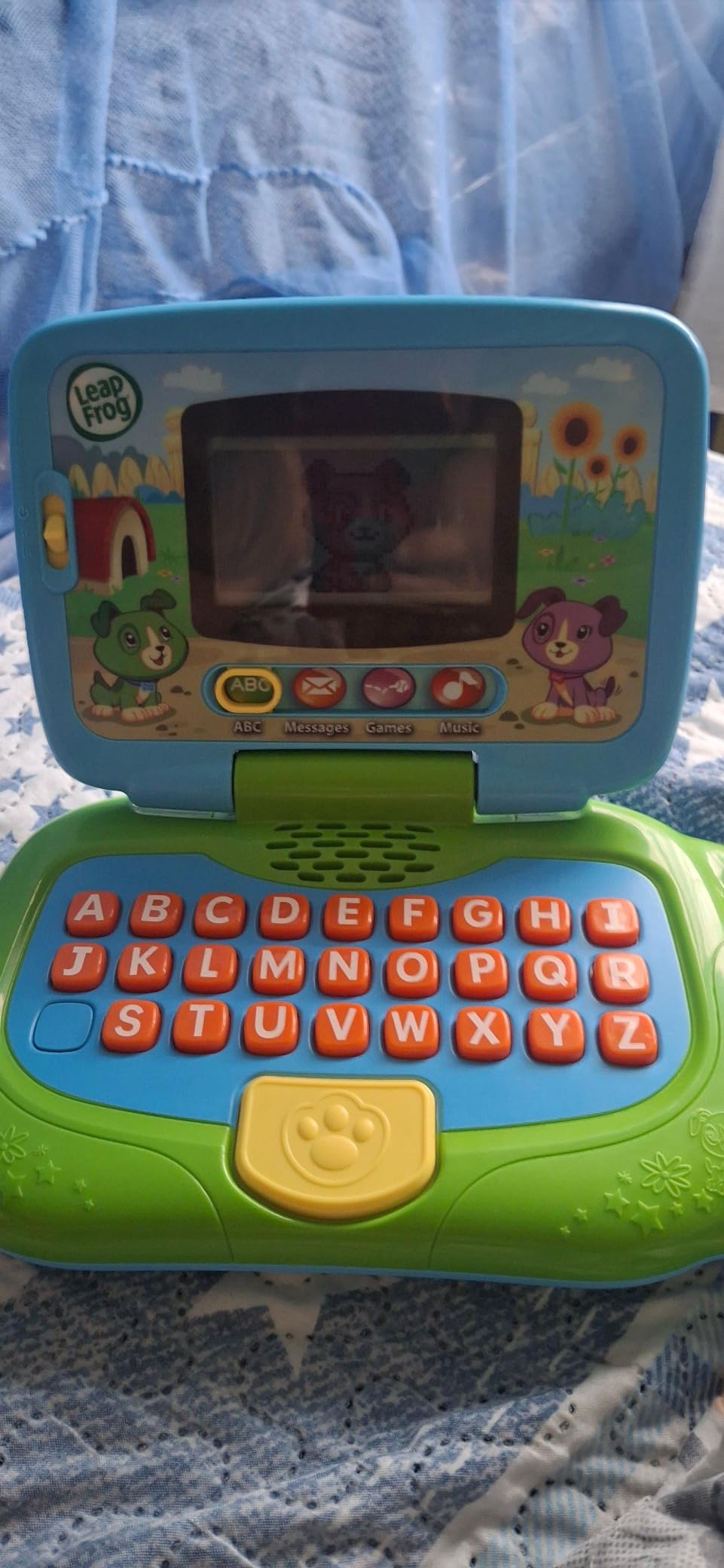
This is the pick for the youngest child in the family who wants a personal computer rather than shared time on yours. At 1.1 pounds and 2.01 by 9.5 by 5.59 inches it is the lightest device we tested, which matters a great deal when a small child is dragging it across a carpet or carrying it to a sibling’s room.
Four learning modes cover ABCs, messages, games and music, and there are 16 songs to sing along with. The pretend email feature, with Scout and Violet, was the clear favourite in our house, giving a 2-year-old a script for behaviour she has clearly observed at home: sit down, open the computer, type, send something to someone.
You can set the name, and the alphabet mode walks through letter recognition and name spelling in a way that feels like teaching rather than drilling. Power is three AA batteries, and the included cells are for demonstration, so a fresh set should go in before the first real session.
The limit is depth. Once a child has worked through the letters, there is no next level, because nothing can be added to the unit. The keyboard is a fixed layout of letters and shapes rather than a real typing surface, which keeps it safe but means it will not prepare anyone for a computer they use later.
Whether it will still hold interest in a year
Reviewers consistently report engagement lasting well past the stated 4-year ceiling, mostly because of the music and the role-play rather than the curriculum. A green version exists alongside the pink if you would rather avoid the colour entirely.
Why you might skip it entirely
If your child is heading into kindergarten this year and will meet a real classroom computer, we would look at the VTech Play Smart instead, which has 30 leveled activities rather than four fixed modes. A child with an older sibling may also find the shallower content frustrating within a few months.
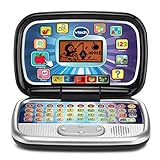
3. VTech Play Smart Preschool Laptop – Best for Ages 3-5 With More Content
VTech Play Smart Preschool Laptop, Black
Ages 3 to 6 years
30 leveled activities
2 AA batteries
1.2 pounds
Pros
- 30 activities with leveled learning that increases in difficulty
- Introduces beginning Spanish words alongside letters and numbers
- Grown-up looking black design that feels less babyish to older preschoolers
- Personalizable with a child's name age and avatar
Cons
- Not backlit screen can be hard to read in low light
- Spanish content is introductory only
This is the roundup’s answer for parents who found toy laptops repetitive too early. Thirty activities with leveled learning means a 3-year-old starts where a 5-year-old can keep going, which is exactly the progression that extends a device’s working life past the fourth birthday.
The content covers letter recognition and letter sounds, shapes, numbers and counting, categorising foods into fruits and vegetables, animal sounds and footprints, logic games and a music activity with instrument sounds. Beginning Spanish words sit alongside the English content, which is a genuine advantage in a bilingual household even though the coverage is introductory.
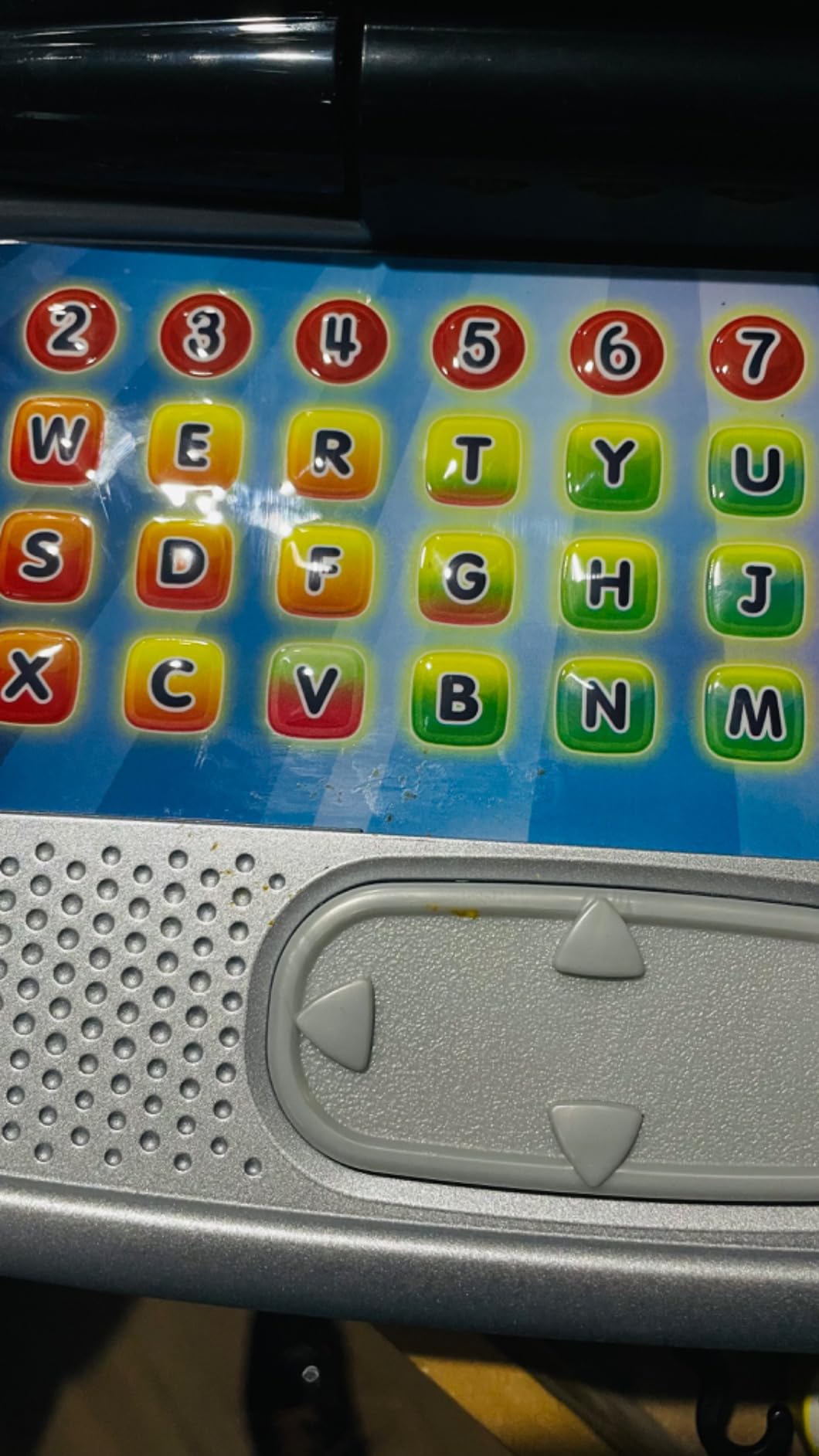
The black shell is a quiet win. Most toy laptops look like nursery furniture, and a 5-year-old quickly notices; this one reads as a small adult computer, which our older tester appreciated. You can personalise it with the child’s name, age and an avatar, and it runs on two AA batteries at 1.2 pounds and 9.33 by 6.22 by 2.19 inches.
The screen is the weakness. It is not backlit, so in low light the characters fade, and this comes up more than any other negative in owner reviews. There is also no carrying handle, so it is a car or sofa device rather than a travel one.
How long the content holds up
Because the activities are leveled, this is the pick for a household with a spread of ages where a younger sibling inherits the toy after the older one finishes. A 3-year-old genuinely benefits from the first levels, and a 5-year-old still finds the later ones hard.
Where the low-light screen becomes a problem
Car journeys at dusk, early dinner times and any dim room are where the non-backlit display becomes annoying. If your main use is quiet independent play during the after-school gap in a well-lit room, it is fine. Parents on r/Parenting also flag that grandparents and babysitters often allow far more screen time than you do, so choose content that is not endlessly replayable if consistency matters to you.
4. VTech Tote and Go Laptop – Best Value With a Mouse and Music
VTech Tote and Go Laptop, Orange
Ages 3 to 6 years
20 activities and an attached mouse
2 AA batteries
1.8 pounds
Pros
- 20 learning activities teaching 60+ words plus spelling shapes logic and animals
- 30 rock country and jazz style melodies for music play
- Attached mouse teaches basic mouse skills alongside the keyboard
- Personalizable with child's name age favorite food and avatar
- Easy for small hands to carry thanks to the built-in handle
Cons
- Screen is not backlit and words can be hard to read in dim rooms
- Sound stopped working for one owner after about seven months against a short warranty
- Some marketing claims such as bilingual capability are disputed by buyers
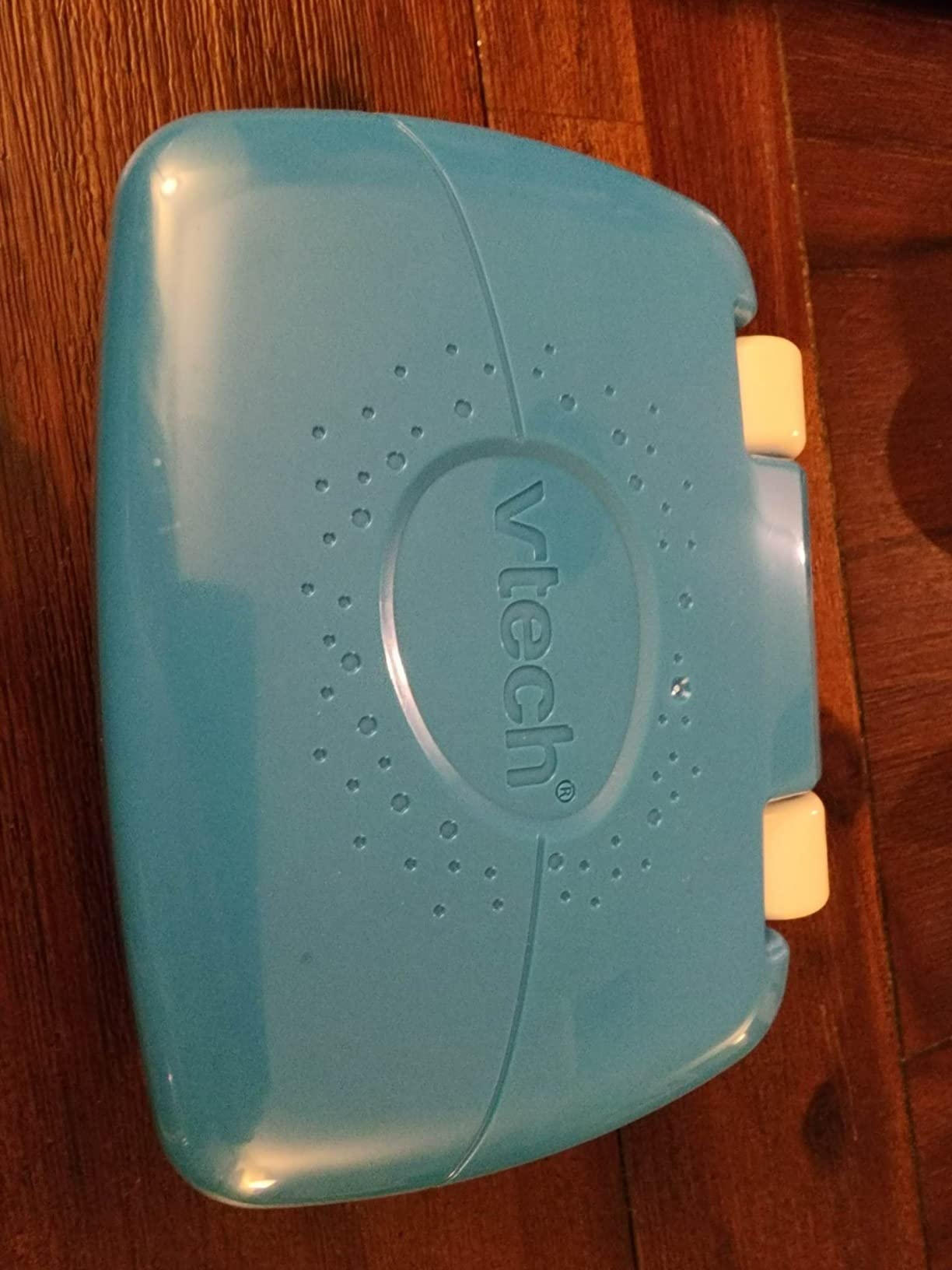
At 1.8 pounds this is the heaviest pick in the roundup, and the built-in handle reflects that. For a child who will carry their own device to a waiting room or a grandparent’s house, that combination of weight and grip is genuinely more useful than shaving off a few ounces.
The attached mouse is the differentiator. It sits in the body of the laptop rather than being a separate accessory, and it teaches the pointer skills a 3-year-old will need on any real computer later. Twenty activities cover more than 60 words plus spelling, shapes, logic and animals, with progressive levels underneath.
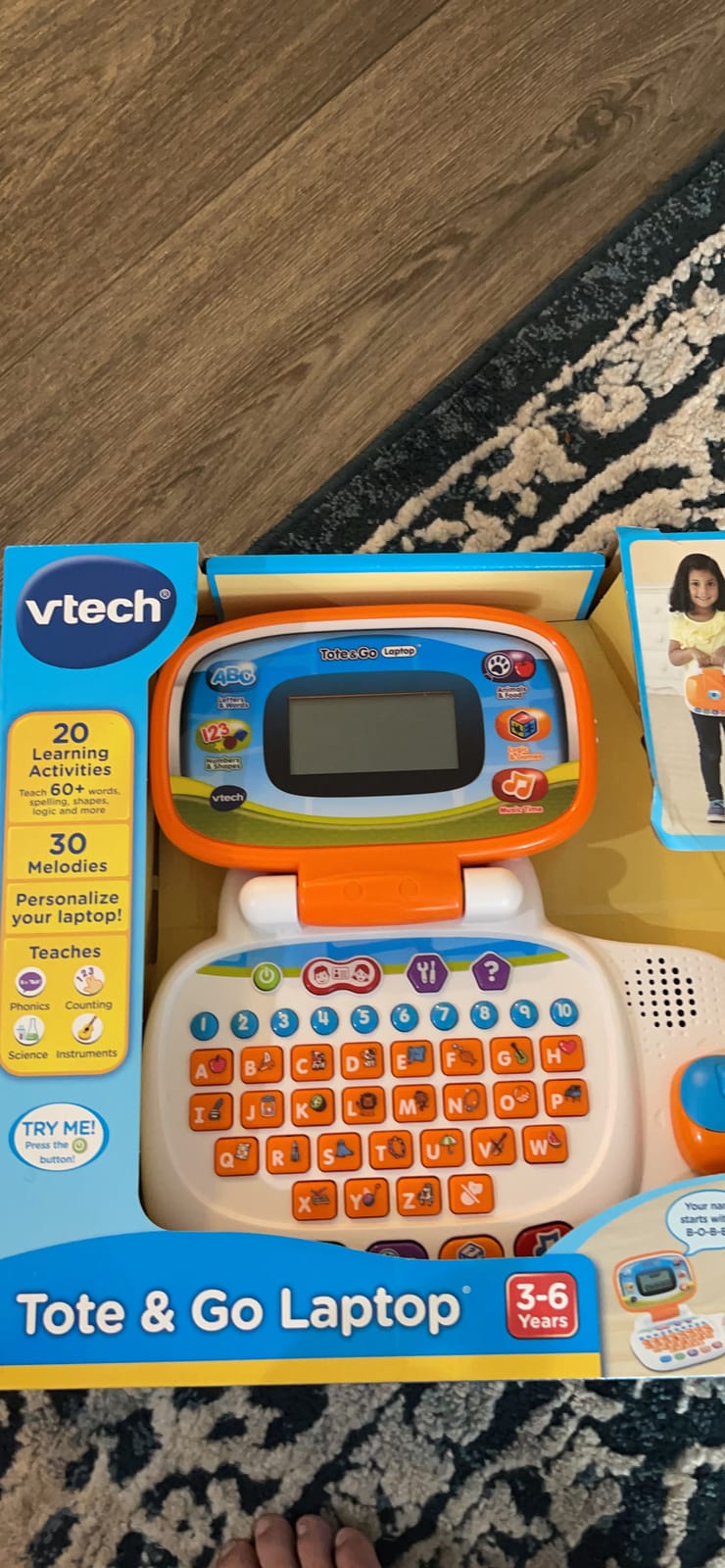
Music is the other half of the appeal: 30 melodies in rock, country and jazz styles give a child volume and variety that most toy laptops at this level do not. You can personalise the device with the child’s name, age, favourite food and an avatar, and it runs on two AA batteries.
Two cautions. The screen is not backlit and several owners report real difficulty reading the text in dim rooms, and the warranty is 30 days against manufacturer defects, which is shorter than the 90 days offered on several other VTech models. One owner also reported the sound failing around seven months in.
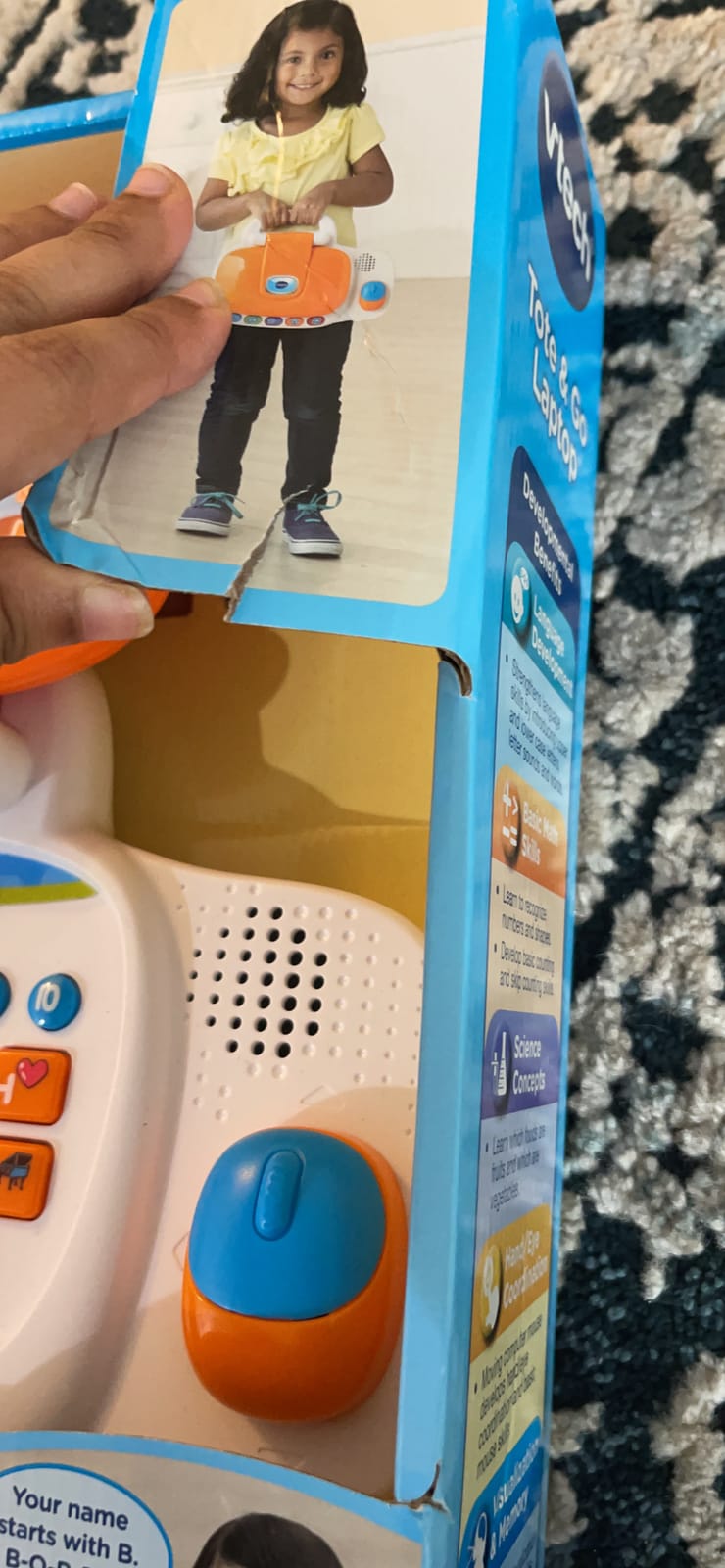
Whether the mouse is a gimmick
It is not. In our testing the 3-year-old picked up the pointer within a session and the skills transferred directly when we later handed him a real computer. That transfer is what no other pick in this roundup can claim.
When to choose the Play Smart instead
If your child is bilingual, be cautious. Buyers dispute the bilingual claims on this model, and the Play Smart’s Spanish content is at least documented. For a 5-year-old who has nearly finished with the age band, the Tote and Go’s 20 activities may also feel thin next to the Play Smart’s 30.
5. LeapFrog ABC and 123 Laptop – Best for Early Coding Practice
LeapFrog ABC and 123 Laptop for Preschoolers Ages 3-7 Years, Green
Ages 3 and up
11 activities with coding blocks
4 AA batteries
1.6 pounds
Pros
- Animated character Pixel with moving hands and a lit antenna keeps children engaged
- Full QWERTY keyboard plus letter and number keys with animations
- Simple block-style coding activities introduce early computer skills
- Realistic size with a volume control and auto shutoff to save batteries
- Children prefer it over tablet screens according to several parents
Cons
- English-only audio content which limits use in bilingual homes
- Screen can display incompletely when buttons are pressed quickly
- Included demo batteries run down quickly
This is the only pick with a real QWERTY keyboard, and that single design decision makes it the most transferable device here. A child who learns the layout on this toy is learning the arrangement she will meet on every adult keyboard for the rest of her life, without the frustration of a stranger layout.
Pixel, the animated character on the screen, has moving hands and a lit antenna while he talks, sings and tells jokes, and that animation is doing real work. Reviewers report toddlers mastering the letter and number keys quickly, and one parent describes a nonverbal child using the toy to attempt spelling as a form of communication.
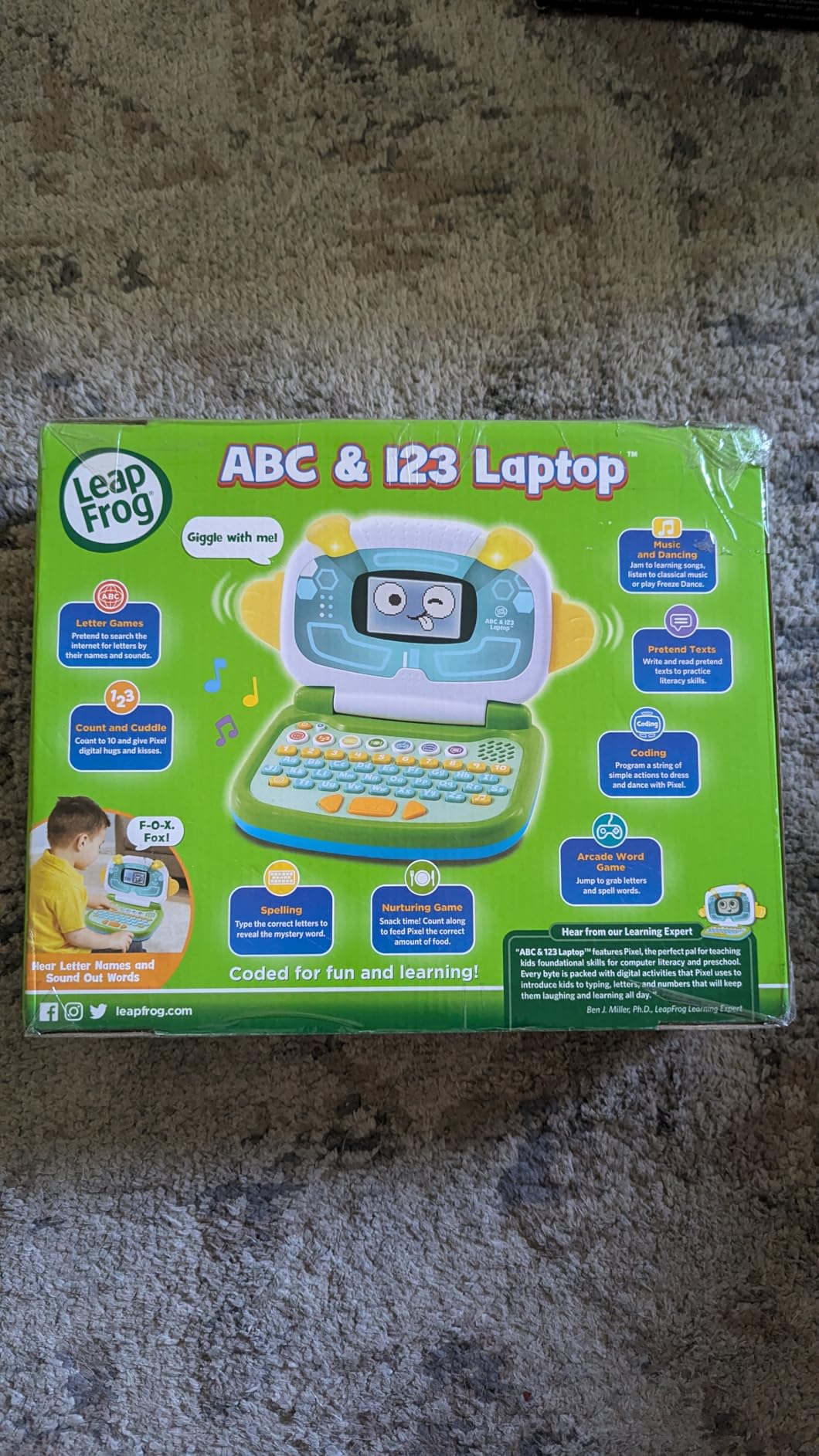
There are 11 activities across letters, counting and basic computer skills, and the coding component asks a child to sequence simple blocks to clean or cuddle Pixel and then text back and forth with his friend Chip. It is the closest any of these picks comes to an actual logic lesson.
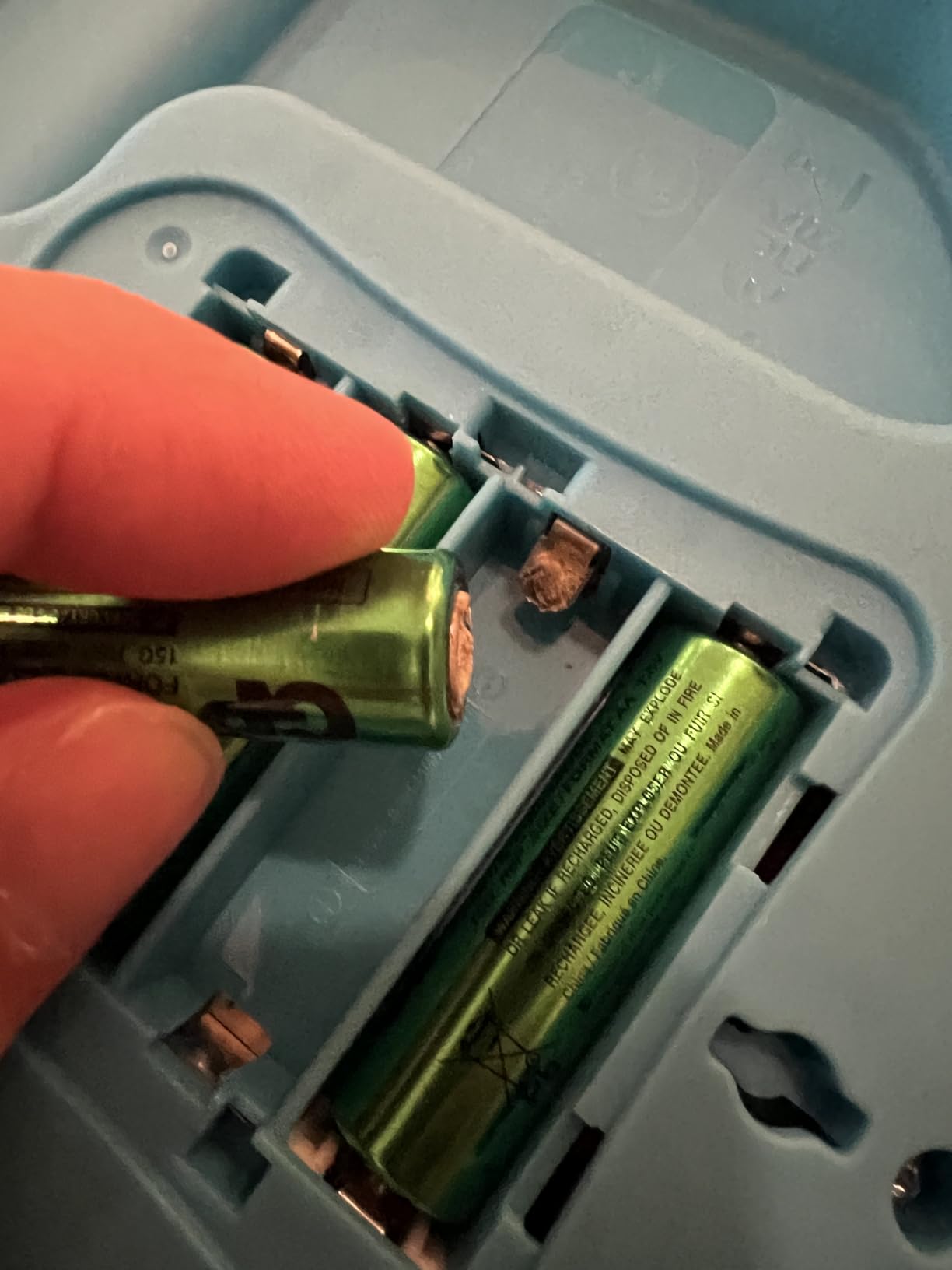
It also has the two practical features parents most often miss: a volume control, which matters if you work from home, and an auto shutoff that protects the batteries. It weighs 1.6 pounds at 2.24 by 9.45 by 8.1 inches and takes four AA batteries, the most of any pick here.
Why the volume control is worth paying attention to
Several forum threads describe buying a separate device purely so the child is not using the parent’s machine, and a toddler laptop with unadjustable volume defeats that entirely. This model has a dial, and the auto shutoff means it will not drain a set of cells over a week in a cupboard.
Where the English-only audio bites
All voice content is English, so in a bilingual home the spoken teaching value is reduced even though the written letters are universal. It also has a lower review count than the other LeapFrog picks, so there is less long-term evidence behind it, and fast button pressing can make the screen display incompletely.
6. Lexibook Unicorn Educational Laptop – Best for Bilingual Play
Lexibook, Unicorn Educational Laptop for Kids, JC598UNIi2
Ages 4 and up
124 English and Spanish activities
2 AA batteries
640 grams
Pros
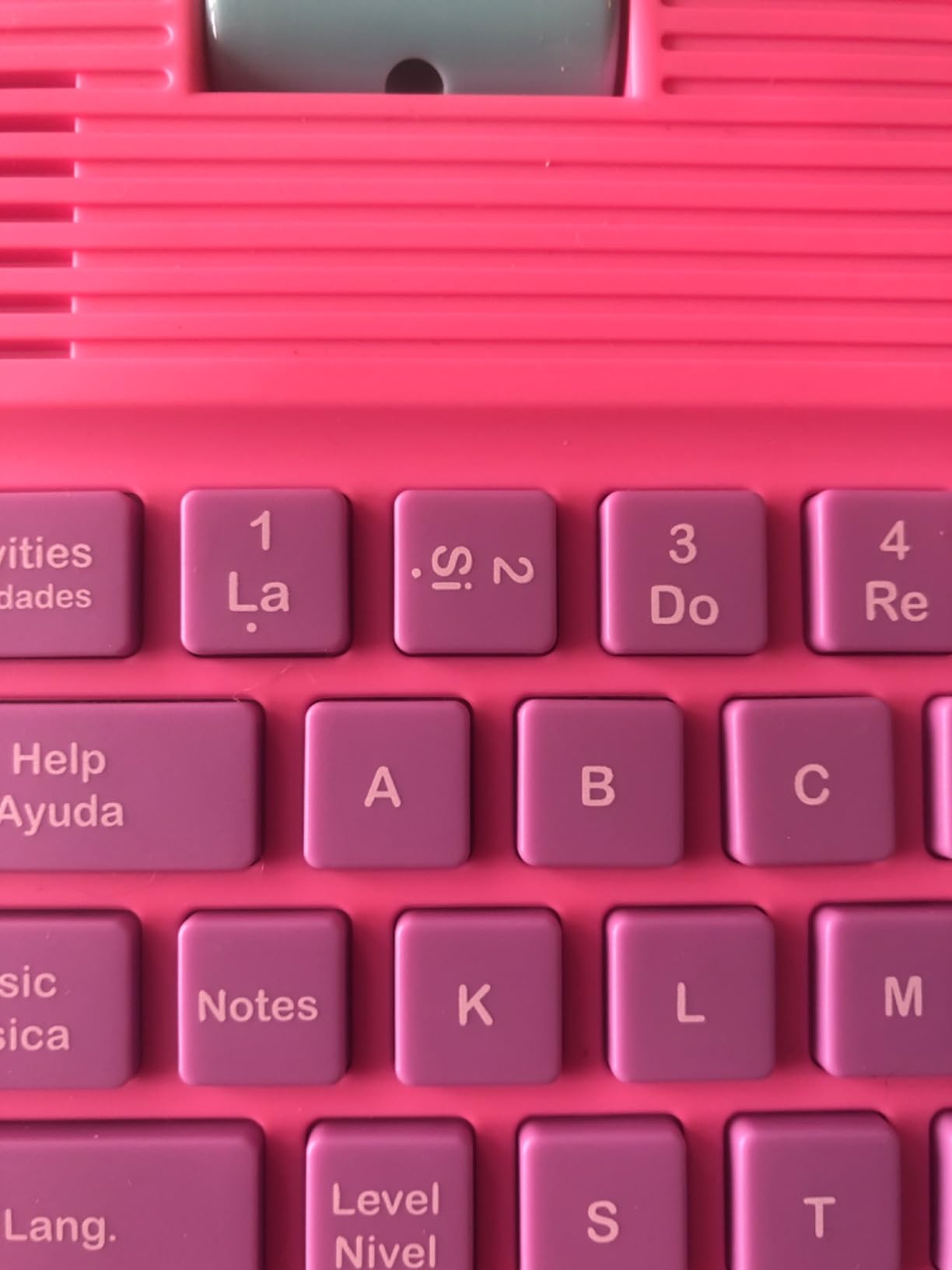
- 124 bilingual English and Spanish activities including math typing logic and clock reading
- Leveled activities let kids learn test and improve their knowledge
- Slim realistic design with a real mouse and keyboard that appeals to preschoolers
- Music activities teach notes composing and playing melodies
- Lightweight body is comfortable for small hands to hold
Cons
- Screen is small and the activity text is hard to read
- Several owners report the laptop switching itself off after a few minutes of use
- Instructions are needed to understand how to operate it
- Older children tend to get bored with the content quickly
With 124 activities split between English and Spanish, this is the pick for a household teaching a second language at home. Beyond language, the curriculum covers mathematics, typing practice, general knowledge, logic, music and clock reading, so the volume of content is far beyond any other toy laptop in this roundup.
The activity structure matters as much as the count. Children work through material, then test themselves on it, then improve, with games for logic, memory and speed once the learning stage is done. That progression is closer to a school exercise book than to a sing-along toy.
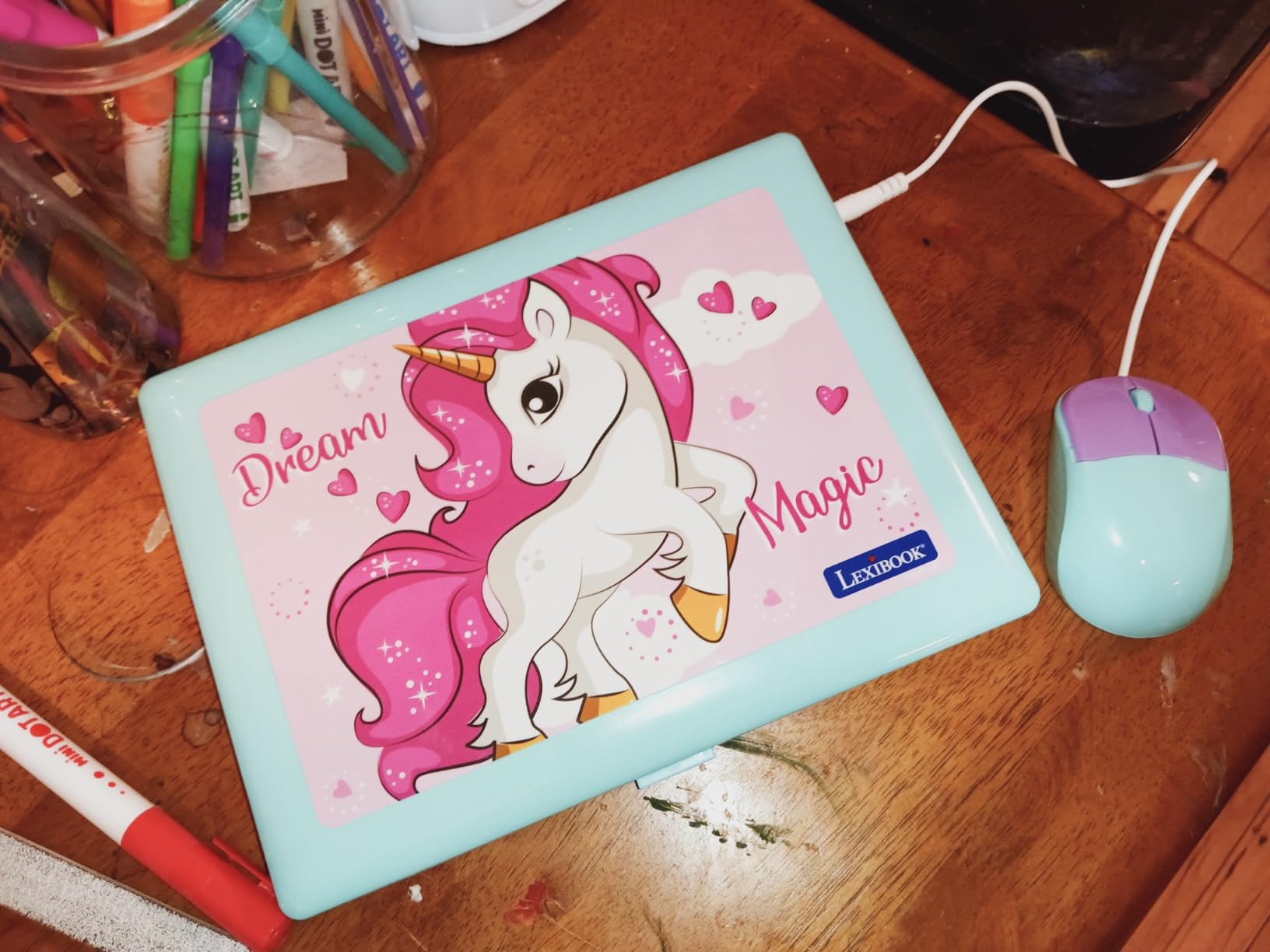
At 640 grams and 9.4 by 7.09 by 1.42 inches, it is the slimmest and lightest adult-styled unit we tested, and a real mouse is included in the box. Music activities cover reading notes, composing and playing back melodies, which is a genuine addition rather than a set of nursery rhymes.
Ratings are more split than any other pick here, and the reasons are specific. The screen is small enough that activity text is hard to read, several owners report the laptop powering down on its own after a few minutes, and the directions are not read aloud, so a pre-reader needs an adult to start it. The warranty is three months.
What ages this really works for
The manufacturer rating is 4 years and up, and we would agree. A 4-year-old can manage the leveled activities with help, and a 5-year-old can work through much of it independently. Below 4, the reading load of the small screen becomes a real barrier.
Whether the reliability reports are a dealbreaker
If you can accept the possibility of a return, the bilingual content justifies the risk for a Spanish-speaking family. For everyone else, a more heavily reviewed model is the safer buy. The recurring power-off reports did not appear in our own testing, but they appear often enough in owner reviews that we would not skip the return window.
7. VTech Toddler Tech Laptop – Best for Ages 12-36 Months
VTech Toddler Tech Laptop
Ages 12 to 36 months
Five app buttons plus spinning disc
3 AA batteries
15.84 ounces
Pros
- Five app buttons covering weather email camera calendar and music for first words and numbers
- Spinning disc slider and sliding arrow give toddlers fine-motor practice
- Mirrored screen with light-up emojis creates cause-and-effect engagement
- Lightweight and durable enough for one-year-olds
- Travel friendly for car rides and quiet playtime
Cons
- Very limited function set compared with the price of larger laptop toys
- Fewer buttons than some toddlers expect and the circular dial is hard for a one-year-old
- Emojis appearing on every song can be distracting
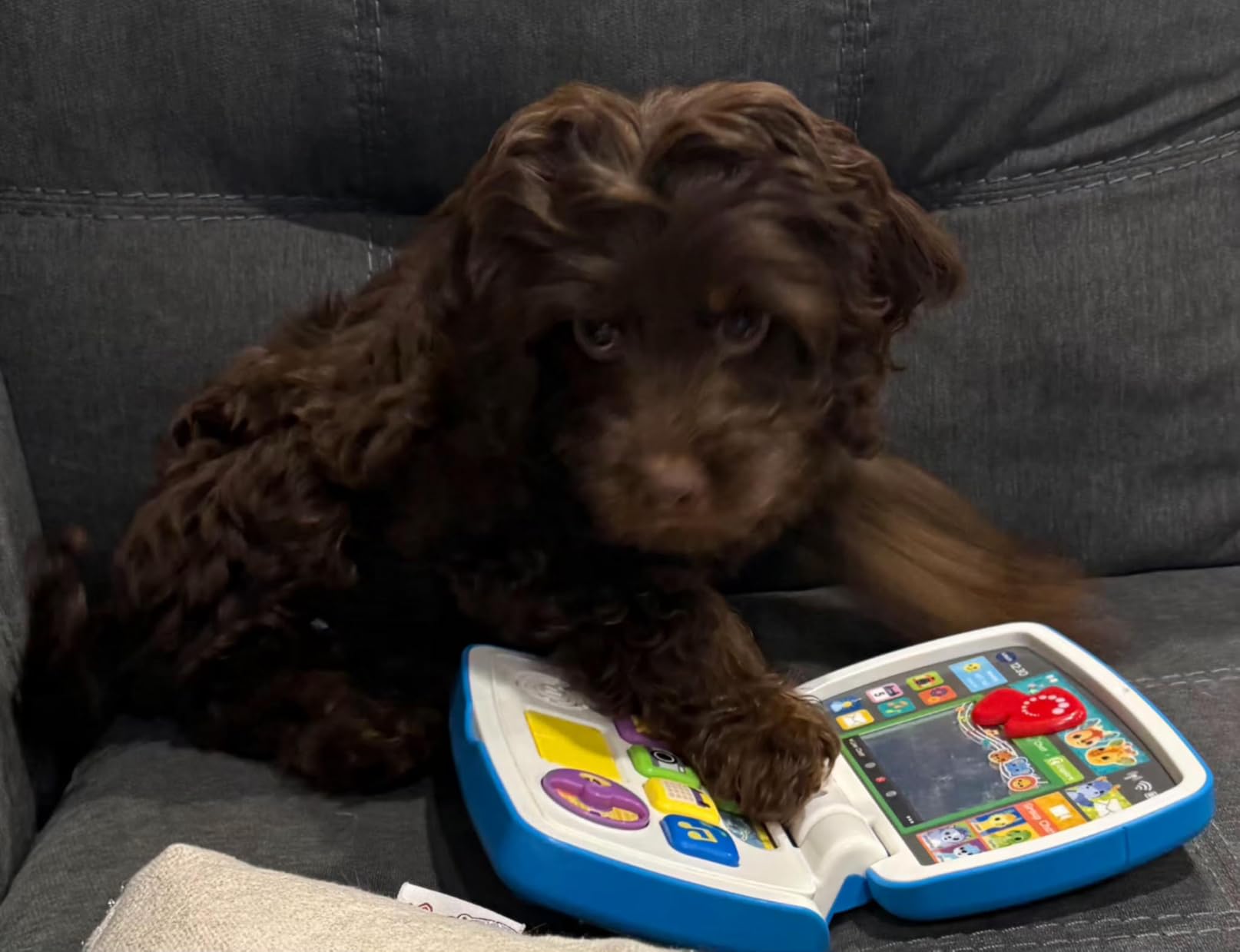
This is the youngest-rated pick in the roundup at 12 to 36 months, and it is built for a child who is not yet reading. Everything is a single press: five app buttons for weather, email, camera, calendar and music, plus a spinning disc, a slider and a sliding arrow that chooses an animal.
The mirrored screen is the clever part. Your child’s reflection appears with light-up emojis that add starry eyes and smiles, which turns a cause-and-effect toy into something that feels responsive. At 15.84 ounces and 1.8 by 7 by 10 inches it is also the most portable unit we tested.
It is fine motor practice disguised as an app launcher, and the pretend email feature lets a toddler copy the adult behaviour she watches most. Owners of 12 to 36 month olds report it holds attention well and survives being handled hard, which is what you need at this age.
Set expectations carefully. The function set is narrow next to larger laptop toys, a few one-year-olds found the circular dial too hard to work, and the same emojis appear on every song, which some reviewers find distracting after a while. Power is three AA batteries.
Whether a one-year-old is really ready
At 12 months the answer is usually not, and we would start at 18 months. The American Academy of Pediatrics advises keeping screens apart from everything except video calls below age 2, and the toy category exists to support the same motor and language work without a glowing screen in front of a face.
When to move up to a real alphabet toy
Once a child starts recognising letters reliably, usually around 3, the appeal drops fast and the LeapFrog My Own Leaptop or the VTech Play Smart is a better next step. Buying this for a child who is already reading is one of the more common mistakes we see, and it is an expensive lesson in cause and effect.
8. Lexibook Paw Patrol Educational Laptop – Best for Paw Patrol Fans
Lexibook, Paw Patrol Educational Laptop for Kids, JC598PAi2
Ages 4 and up
124 bilingual activities with Chase
2 AA batteries
1.4 pounds
Pros
- 124 bilingual English and Spanish activities covering math typing logic music and clock reading
- Paw Patrol characters and sounds excite fans without being overwhelming
- Lightweight and durable enough for toddler play
- Natural sounding voice that does not feel robotic
- Older preschoolers aged 5 and 6 can complete many activities independently
Cons
- Reported switching off randomly or failing to turn on at all
- Small hard plastic construction and a screen that some find unclear
- Directions are not read aloud so pre-readers need adult help
- Included mouse appears unnecessary for most activities
- Three month warranty leaves little recourse when a unit fails
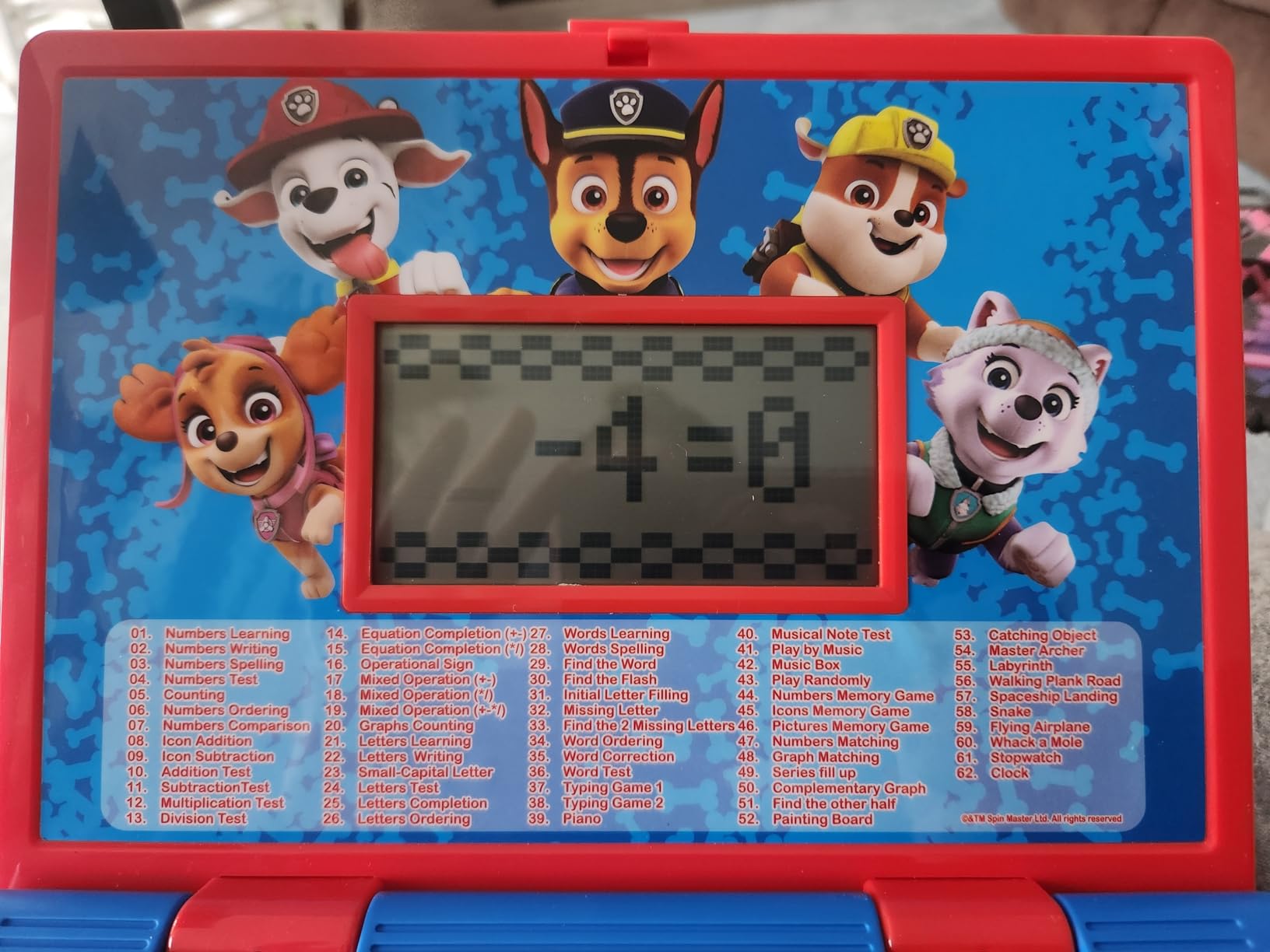
This is the same hardware platform as the Lexibook Unicorn, with 124 English and Spanish activities covering mathematics, typing, general knowledge, logic, music and clock reading, but dressed in Paw Patrol red and blue with Chase as the guide. If your child is a fan, that character is doing more work than any spec on the box.
Owners praise the natural sounding voice, which does not feel robotic, and report that children aged 5 and 6 can complete many of the activities without help. At 1.4 pounds and 9.4 by 7.09 by 1.42 inches it is slim and light in the hand, and a mouse is included.
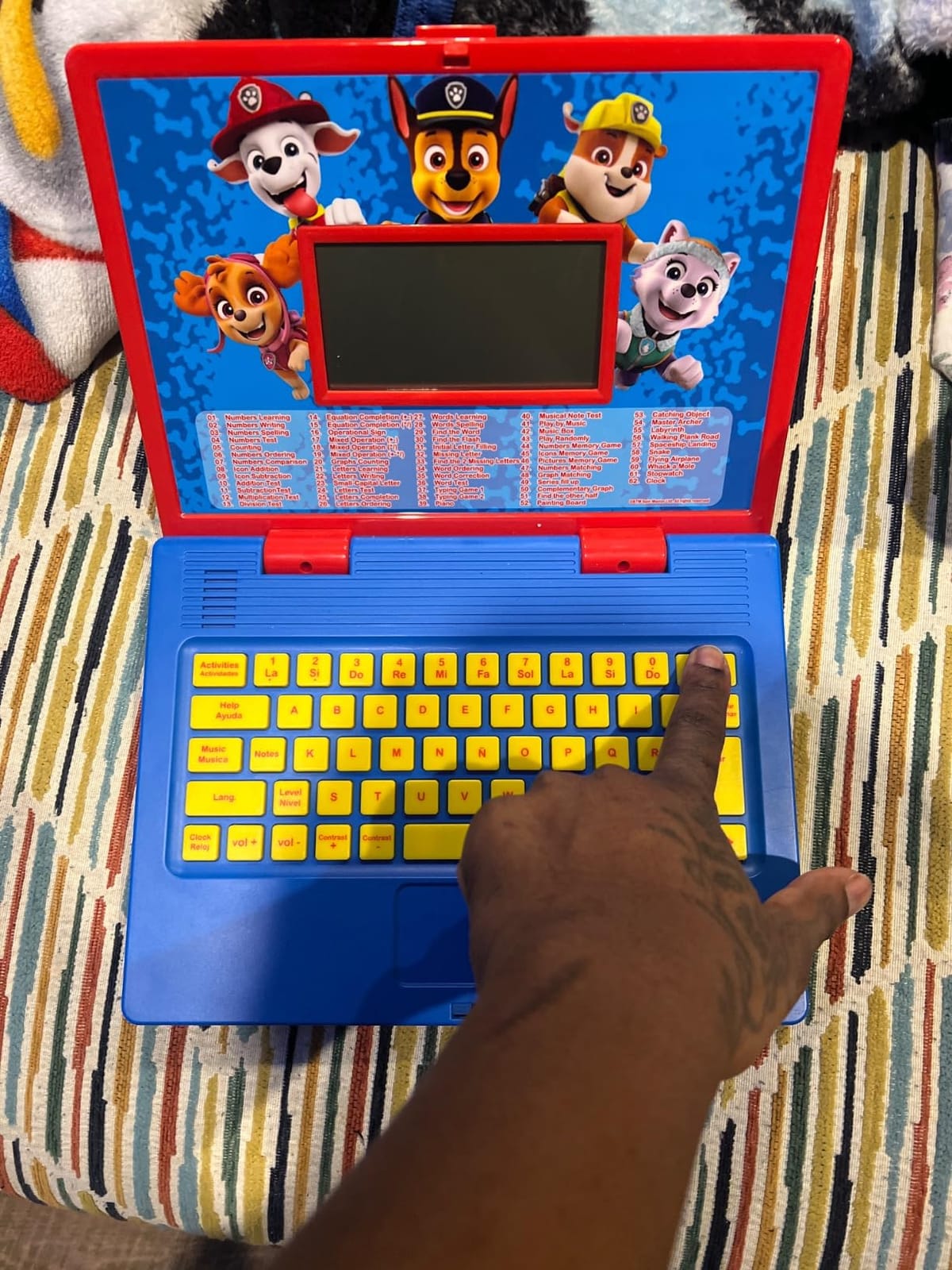
It also has the highest one-star rate of any pick here, at 10 percent, and the reasons are worth reading before you buy. Multiple reviews describe devices that powered off by themselves or never worked properly, even after changing the batteries, and the warranty is three months, so recourse is limited.
Other recurring notes: the plastic feels small and hard, the screen is not always clear, the directions are not spoken aloud so a pre-reader needs an adult, and the included mouse goes unused for most activities.
When the character theme is worth it
For a genuine Paw Patrol fan it clearly is. The characters and sounds excite without overwhelming, and the motivation a familiar show provides is real. If your child has no attachment to the show, the same hardware as the Unicorn at a higher cost makes no sense.
How to handle the reliability complaints
Keep the packaging, check the device the day it arrives, and test it fully within the return window rather than the three-month warranty. Parents who received a working unit rate the content highly, so a quick early check removes almost all of the risk attached to this pick.
Toy Laptop vs. Real Computer: Which Does a Preschooler Actually Need?
The honest answer is that a preschooler needs a toy laptop, not a real computer. A 3-year-old cannot type, navigate menus or use an open web safely, and a real device handed over without configuration produces exactly the result parents describe in forum threads: a child staring at a blank desktop or opening something she should not. Toy laptops win here because their limits are physical rather than parental.
A toy laptop is a non-Wi-Fi electronic learning toy styled to look like a computer. It has fixed activities, no browser, no app store and no purchases, which means the entire safety model is built into the device. Every pick in this roundup is a toy laptop, and that is deliberate for the 2-to-5 age band.
A kids 2-in-1 or Chromebook is a real touchscreen machine running ChromeOS or Android with a child account. Its advantage is a keyboard large enough for real typing and an app library a 4-to-5-year-old can genuinely explore, but it also brings an app store, ads, purchases and the possibility of open web access. Parents on r/chromeos point to small, durable convertible machines with 4GB of memory and 32GB of storage for older children, machines that are big enough for a decent keyboard and small enough to carry everywhere.
So the decision rule is simple: under 4 years old, buy a toy laptop. Between 4 and 5, buy a toy laptop unless your child is already reading confidently and asking for real apps, in which case a configured 2-in-1 is reasonable. Above 5, move to a real machine. If cost is the constraint, parents on WellTrainedMind recommend refurbished ex-lease business laptops as a tough budget path for slightly older children: not pretty, not light, but very hard to break.
One more variable decides it for many families: noise. Parents on r/Mommit list a LeapFrog kids laptop with a headphone jack as one of the alternatives to a tablet when they want a separate device for a child. Parents are also split on sharing their own machine, and many deliberately do not, which is the strongest argument for a cheap dedicated toy of any kind.
How Much Screen Time Is Right for a Preschooler?
The American Academy of Pediatrics advises avoiding screen time other than video calls for children under 2, and for ages 2 to 5 it recommends no more than about one hour per day of high-quality programming, with a parent watching alongside. The World Health Organization gives broadly similar guidance, and the figure most commonly quoted by pediatricians is around two hours of total screen time a day for school-age children, which is a different band entirely.
Read those numbers as ceilings rather than targets, because the specific programming matters more than the minutes. A 45-minute session of letter recognition with you sitting on the sofa is doing something quite different from 45 minutes of a child navigating a tablet alone.
Co-viewing is the lever parents can actually pull. The guidance is to watch or play alongside your child, talk about what is on the screen, and turn it into a shared activity. Video calling is the one category that every source treats as an exception, so keeping a device available for a call home is a legitimate use.
Two practical warnings. Grandparents, babysitters and older siblings will relax the limits you set, so choose a device whose content is not endlessly replayable if consistency matters. And keep the toy away from bedtime, because bright screens and exciting content delay sleep even when the total time is within guidance.
If you are trying to hold the line on daily screen time, the leverage is in what replaces it. Our picks for kids bikes for beginners and a dog playpen for a busy playroom cover the two most common requests we hear: something for a 3-year-old to do with their hands, and a safe space to sit in while you finish work.
What to Look for When Buying a Laptop for a Preschooler
Battery logistics come first, because it is the first practical surprise. Every toy laptop in this roundup runs on AA batteries, and in each case the cells included are for demonstration only. A pack of fresh cells costs very little and stops the mid-session failure that parents complain about most, and a spare set means a car trip never ends early.
Next, think about audio. A volume control is rare in this category and genuinely valuable if you work from home, which is why the LeapFrog ABC and 123 Laptop earns its place despite a smaller review base. If you buy a real device instead, check for a headphone jack, since it is the single most common practical reason parents buy a separate device at all.
Durability shows up in weight. The lightest units, around 1.1 to 1.6 pounds, are easier for a toddler to carry and less likely to be thrown. A carrying handle matters more than any other physical feature for travel, and only some models have one. Screen quality deserves the same attention as sound: most toy laptops have small non-backlit displays that fade in dim rooms.
Language options are worth checking carefully. Only some models carry genuine bilingual content; the Lexibook models document English and Spanish activities, the VTech Play Smart introduces beginning Spanish words, and the LeapFrog ABC and 123 Laptop is English-only in its audio. Bilingual capability is also disputed by buyers on some VTech models, so read reviews rather than relying on the box.
Finally, think about total cost rather than sticker price. A real device often carries a subscription that renews after a trial period, and that renewal is what surprises families months later. Parents on r/homeschool note pediatricians suggesting about two hours of screen time a day for their children, which is a useful ceiling to hold in mind when the question is whether a real machine is worth adding. For our toy laptop picks there is no ongoing cost, which is a quiet advantage worth stating plainly.
How to Set Up a Kids Laptop in 10 Minutes
Set up a real device before it leaves the box, not after. The single most common complaint from parents is a preschooler who does not know what to do with a new machine, and ten minutes of configuration prevents it.
- Create the child account first, with the child’s real first name and an age, before any adult account is signed in.
- Apply the parental control profile to that child account, not to your own, so limits follow the child rather than the device.
- Set a daily time limit and require a parental code to extend it past the limit.
- Filter the app store and the web browser, and disable in-app purchases and the ability to install anything without your approval.
- Download the intended apps, books or games while you are on Wi-Fi at home, so the first session does not depend on a connection.
- Lock the profile, set the screen to never sleep mid-activity, and put the device out of reach of the restart button.
- Tell your child what the device is for in one sentence, then let them show you what they found.
If you are buying a toy laptop instead, steps one to seven reduce to three: replace the demonstration batteries, personalise the name and age if the model supports it, and test the volume in the room you will actually use it in.
Frequently Asked Questions
At what age should a child get a laptop?
Most experts put the starting point at about 2 years old, and only with a toy laptop rather than a real computer. The American Academy of Pediatrics advises avoiding screens other than video calls under age 2, so a device before then is not developmentally useful. Between 2 and 4, a fixed-activity toy laptop is the right fit; a real 2-in-1 makes sense from 4 or 5, once a child reads confidently.
Can a 3 year old use a laptop?
Yes, a 3-year-old can use a toy laptop, though not a real computer. At this age the useful skills are pressing buttons in sequence, hand-eye coordination and recognising letters, numbers, shapes and animal names. The best pick for this stage is the LeapFrog 2-in-1 LeapTop Touch, which works from 24 months and has a 4.7 star rating across more than 30,000 reviews.
Can a 4 year old use a laptop?
A 4-year-old can handle a toy laptop independently and can begin working on a real 2-in-1 with parental controls in place. This is the age where a keyboard layout starts to matter, which is why the LeapFrog ABC and 123 Laptop with its QWERTY layout is a strong choice. The VTech Play Smart Preschool Laptop, rated for 3 to 6 years, adds 30 leveled activities and beginning Spanish.
What is the best laptop for a first-time child?
For a first-time device we recommend starting with a toy laptop rather than a real computer, because it needs no configuration and cannot reach the open web. The LeapFrog My Own Leaptop is the simplest starting point for a child aged 2 to 4, with four learning modes, 16 songs and a carry handle. Add a real machine once the child is 4 or 5 and wants more than fixed activities.
Which is better for kids, a laptop or a Chromebook?
For ages 2 to 5, a toy laptop is better. It has no browser, no app store and no purchases, so safety is built into the hardware rather than enforced by software. A Chromebook or kids 2-in-1 only makes sense from about age 4 or 5, configured with a child account, filtered app store and a time limit that requires a parental code to extend.
How bad is screen time for a 2 year old?
The American Academy of Pediatrics advises avoiding screen time other than video calls under age 2, so a 2-year-old with a laptop toy is already at the guidance boundary. The recommendation for ages 2 to 5 is no more than about one hour a day of high-quality content watched with an adult. A toy laptop supports letter and number practice without the open-ended drift of a tablet.
Which Preschool Laptop Should You Buy?
For a child aged 2 to 3, buy the LeapFrog 2-in-1 LeapTop Touch, our editor’s choice and the most proven pick in this roundup with more than 30,000 reviews behind it. For a 3-to-4-year-old who will not sit still, the VTech Tote and Go wins on the attached mouse and the volume of music. For ages 4 to 5, the VTech Play Smart Preschool Laptop has the deepest content, and bilingual households should look at the Lexibook Unicorn.
Our best kids laptops for preschoolers roundup comes down to one rule: match the age band exactly, buy fresh batteries, and check the device the day it arrives. Screen time stays easy to manage when the content is fixed, the volume is adjustable and the child has something specific to do.