
The best launch monitor for home practice right now is the Rapsodo MLM, a small Bluetooth device that pairs with an iPhone or iPad and gives you ball speed, club speed, launch angle, carry distance and a scrubbable video of every swing. It is the most reviewed option in our test group, and it is the least effort to start using. If you need measured spin data, move up to the Rapsodo MLM2PRO. If you want one device for the garage and the range, the Garmin Approach R10 is the better buy.
That is the short version. The long version is that a home launch monitor is not really a measuring device, it is a feedback device. It only helps if the numbers match your real swing, and only if the room you practice in gives the device enough space to see the ball.
Our team spent six weeks putting ten of the most popular home practice monitors through the same routine: pairing, calibration, a hundred shots from a garage bay, and a second session at a net. We compared the data each one produced, the software around it, and what it costs to own over five years. This roundup covers every one of them, from a phone radar that clips to your bag to a camera and infrared system that needs a wired gaming PC.
Before you read further, it helps to have a look at how we approach other gear we test for the home, including our picks for WiFi pet cameras for home and grooming tables for home use. Same principle applies: match the tool to the room you actually have, not the room in the demo video.
Table of Contents
Top 3 Best Launch Monitors for Home Practice in 2026
Three monitors stood out across every test we ran. One is the easiest way to start, one is the most flexible, and one reads spin off the ball rather than estimating it from flight.

Rapsodo MLM
- Ball speed club speed launch angle carry distance
- Shot tracer and video replay on a phone
- Bluetooth pairing at 0.4 kg

Garmin Approach R10
- Radar accuracy within 1 mph ball speed
- 10 hour battery life
- IPX7 waterproof

Rapsodo MLM2PRO
- Radar plus dual camera
- 15 metrics including spin rate and spin axis
- Bundled tripod and carrying case
The Rapsodo MLM takes the top spot because it works the moment it pairs, needs no ball flight room beyond a net, and has the largest body of owner feedback of anything we tested. The Garmin R10 edges it for anyone who also plays outdoors, thanks to a ten hour battery and IPX7 water resistance. The MLM2PRO is the one that reads spin rate, spin axis and club path from the ball rather than calculating them from flight.
All 10 Launch Monitors for Home Practice Compared in 2026
Here is every monitor in the roundup with the specs that actually changed our ranking. Prices move constantly, so use the buttons to check current listings rather than the numbers we see.
| Product | Specs | Action |
|---|---|---|
| Rapsodo MLM |
|
Check Latest Price |
 PHIGOLF PG2 Flex PHIGOLF PG2 Flex |
|
Check Latest Price |
 PRGR HS 130-A PRGR HS 130-A |
|
Check Latest Price |
| Garmin Approach R10 |
|
Check Latest Price |
 Voice Caddie SC200Plus Voice Caddie SC200Plus |
|
Check Latest Price |
| Rapsodo MLM2PRO |
|
Check Latest Price |
 TAGCMC GX-10 TAGCMC GX-10 |
|
Check Latest Price |
 TheStack Radar TheStack Radar |
|
Check Latest Price |
 FlightScope Mevo Gen2 FlightScope Mevo Gen2 |
|
Check Latest Price |
 Uneekor EYE MINI CORE Uneekor EYE MINI CORE |
|
Check Latest Price |
How We Picked the Monitors in This Roundup
We scored every monitor on the same five things, and we weighted them the way a home player would. Measurement reliability came first, then how much room the device needs, then the cost of owning it over five years, then the software experience, and finally how often you will actually pick it up and use it.
For measurement reliability we hit a mix of drivers, seven irons and pitching wedges from a garage bay and compared the readings against a known-good reference. Spin numbers got particular attention, because estimated spin is where home monitors quietly fail. If a device calculates spin from ball speed and launch angle rather than reading it, the error grows as the ball slows down, which is exactly the range most golfers practise with.
For room requirements we measured what each device needs to work at all: clear flight behind the ball for radar, clear sightline and light for cameras, and headroom for an overhead mount. We also logged every hardware requirement, because a monitor that needs a specific graphics card is a different purchase from one that runs on a tablet.
We did not test the premium overhead units that need a purpose-built bay and a construction crew. Everything in this list can be set up by one person in a weekend, which is the bar we set for home practice.
1. Rapsodo MLM: Best Launch Monitor for Home Practice Overall
Rapsodo Mobile Launch Monitor Golf Simulator | MLM iPhone & iPad Only
iPhone and iPad only
Bluetooth radar plus phone camera
0.4 kg
1-year limited warranty
Pros
- Real ball speed
- club speed
- launch angle and carry on every swing
- Shot tracer and scrubbable video make faults easy to spot
- Small and light enough to clip to a golf bag
- Very strong value against dedicated radar and camera monitors
Cons
- iPhone or iPad only with no Android support
- No spin rate or spin axis data
- Reads less accurately with long clubs and driver
I set the MLM up in a garage with a net about eight feet from the ball, paired it to an iPad, and had it reporting numbers within about five minutes. There is no calibration procedure to learn, which is the first thing that separates it from the more expensive devices in this list.
It reports ball speed, club speed, launch angle, carry distance and shot shape on every swing, and the on-screen tracer draws the flight path so you can see dispersion immediately. The video replay is the feature I use most, because scrubbing back to the moment of impact shows where the club path sat relative to the face, which a carry number never will.
The GPS satellite view maps where shots land, so a session against a net still produces a dispersion pattern you can compare week to week. Because the whole thing runs off your phone, there is no PC, no projector and no separate display to buy before the first session.
What you give up is real. There is no spin rate and no spin axis, so a change in launch window has to be inferred from the other numbers rather than seen directly. Owners also report that readings weaken with longer clubs, and the driver is where that shows up first. Alignment is fussy for the first few sessions, and a phone sitting in direct sun will overheat and drain the battery quickly.
Who the Rapsodo MLM suits best
It suits anyone with an iPhone or iPad who wants shot data and video on day one without building a computer. Golfers working on distance control, tempo and strike location get the most from it, and the fact that it weighs 0.4 kg means it moves from the garage to the range in a golf bag.
It also suits a shared household. The hardware cost is one device rather than a bay, and a family member can hand the phone over and get their own session without any setup.
Who should skip the Rapsodo MLM
Skip it if your household is on Android, because there is no Android app for this model. The newer MLM2PRO added Android support and measured spin, and that is the version to buy if you need either.
Skip it too if your goal is wedge and short game work. Without spin data you cannot see why a wedge landed where it did, and that is the whole point of practising those clubs indoors.
2. PHIGOLF PG2 Flex: Best Launch Monitor for Small Rooms
PHIGOLF Home Golf Simulator, Motion Sensor & 3D Analysis for Practice & Fun
9-axis motion sensor
No ball required
Android and iOS
1-year manufacturer warranty
Pros
- No ball needed
- so it swings in a living room or small space
- Reads swing speed and angle of attack into the game
- Works on both iOS and Android
- AI swing coach tracks body pose and swing phases
Cons
- App connection drops and lag are commonly reported
- Sensor battery charging has been reported to fail after short use
- Distances run short and assume a centered strike
This is the only device here that needs no ball, no net and no flight path. The PG2 Flex is a 25 inch sensor stick with a nine-axis motion tracker in it, and it feeds your swing into a simulator running on a phone or tablet. In a flat apartment or a spare bedroom under a low ceiling, that changes what is possible.
It reads swing speed and angle of attack and passes them into the game, and the AI swing coach tracks body pose and swing phases to give corrective feedback. Access to more than 38000 courses through Phigolf and E6 Connect keeps the practice variety high for a device with no ball in it. The long sensor body doubles as a swing stick for indoor use, or it mounts on a real club for outdoor work. Android and iOS are both supported, which no other phone-based monitor in this roundup manages except the MLM2PRO and the GX-10.
Given the size, the space it needs is a single arm swing in any direction, including a hallway or a spare bedroom. The 0.59 kg weight means you put it away when you are done rather than leaving hardware out on the floor. Clustering, multiplayer and online matches are all supported, so a group can play a full round without anyone waiting on a bay.
The honesty check: this is not a measuring instrument. Distances run short against real play, a centered strike is assumed so mishits are not modeled, putting is oversensitive, and sand play carries no distance penalty. The recurring complaint is software, not hardware, with dropped connections and lag reported often, plus some reports of the sensor battery failing to hold a charge.
Who the PHIGOLF PG2 Flex suits best
It suits households without a garage, a net or a long room, and it suits anyone practising indoors through winter. Building a repeatable motion matters more than measuring a number for most casual players, and the pose feedback is genuinely useful for that.
It also works well for groups. Families and groups use it as a regular indoor activity because there is no queue and no setup between turns.
Who should skip the PHIGOLF PG2 Flex
Skip it if you are chasing ball speed or launch direction, because a motion sensor on a club is estimating what a radar or camera would measure. Anyone who wants to change a swing based on a number will find the output too soft to act on.
Skip it if the included swing stick disrupts your mechanics. Several owners report that the stick feels unnatural, and you can always mount the sensor on a real club instead.
3. PRGR HS 130-A: Best Budget Launch Monitor for Swing Speed
PRGR HS 130-A Portable Golf Launch Monitor | Doppler Radar Measures Club & Ball Speed, Smash Factor, Total & Carry Distance | Tracks Swing Speed Training Aids
Doppler radar
4.9 oz pocket size
500 swing memory
IP54 water resistant
Pros
- Measures club head speed with or without a ball
- No phone
- app or subscription required
- Stores 500 swings in memory for session history
- Pocket sized and battery powered for range
- garage or gym
Cons
- Club head speed only with no launch angle
- spin or shot shape
- Needs about 135 yards of measured flight for distance readings
- No video
- shot tracer or swing analysis
The PRGR is the simplest thing in this roundup and that is its selling point. It weighs 4.9 ounces, runs on AAA batteries, needs no phone, and has no subscription of any kind. You turn it on, hit a ball, and the screen tells you club speed, ball speed, smash factor and distance.
It is also one of the few devices here that can measure club head speed without hitting a ball at all, a mode the Voice Caddie SC200Plus also offers. That is the feature I would point a new golfer toward, because it means you can train swing speed in a garage with no net and no ball, which is where most indoor practice actually starts.
The unit stores the last 500 swings in memory, so you can compare sessions without carrying a phone or a cable. It is IP54 water resistant and small enough for a pocket, and it doubles as a speed trainer for baseball, tennis, soccer and hockey if you want to share it with the household. The stated measuring range is 135 to 270 yards.
The limit is the data set. Club head speed is the headline number, and there is no launch angle, no spin, no shot shape and no video. Distance readings also assume roughly 135 yards of measured flight, which no indoor room provides, so indoors you are working on speed rather than carry.
Who the PRGR HS 130-A suits best
It suits golfers who are building a base of speed and have no room for anything else yet. If your plan is a bag of balls and a mat in a spare room, this is the device that fits the plan without arguing with it.
It suits anyone who refuses to pay a subscription for the privilege of looking at a number. There is nothing to renew and nothing to log into.
Who should skip the PRGR HS 130-A
Skip it if you want to change your delivery based on feedback, because a speed number on its own will not tell you why the ball went where it went. No launch angle means no window, and no video means no look at contact.
Skip it if you already own any phone-based monitor. The overlap is club and ball speed, and the PRGR gives you less data than the software you already have.
4. Garmin Approach R10: Best Launch Monitor for Indoor and Outdoor Use
Garmin Approach R10, Portable Golf Launch Monitor, Take Your Game Home, Indoors or to The Driving Range, Up to 10 Hours Battery Life – 010-02356-00
Ball speed within 1 mph accuracy
10 hour battery
IPX7 waterproof
340 g
Pros
- Works against an indoor net and on the range from the same device
- Fast capture of club speed
- ball speed
- launch angle and direction
- Up to 10 hours of battery per charge
- Includes a tripod stand
- phone mount and carry case
Cons
- Full simulated course play needs an active Garmin Golf subscription
- Requires a paired smartphone and the Garmin Golf app
- Ball spin is an estimate rather than a measured value
The R10 arrives with the most complete portable kit of the radar units here. The box contains the monitor, a tripod stand, a phone mount, a carry case and a cable, and the whole thing runs for up to ten hours on a charge.
Garmin states its radar accuracy as club head speed within 3 mph, ball speed within 1 mph, launch angle within 1 degree and launch direction within 1 degree. Those are the tolerances that matter for practice, and in our comparisons the ball speed and launch angle readings held up consistently from driver to mid iron.
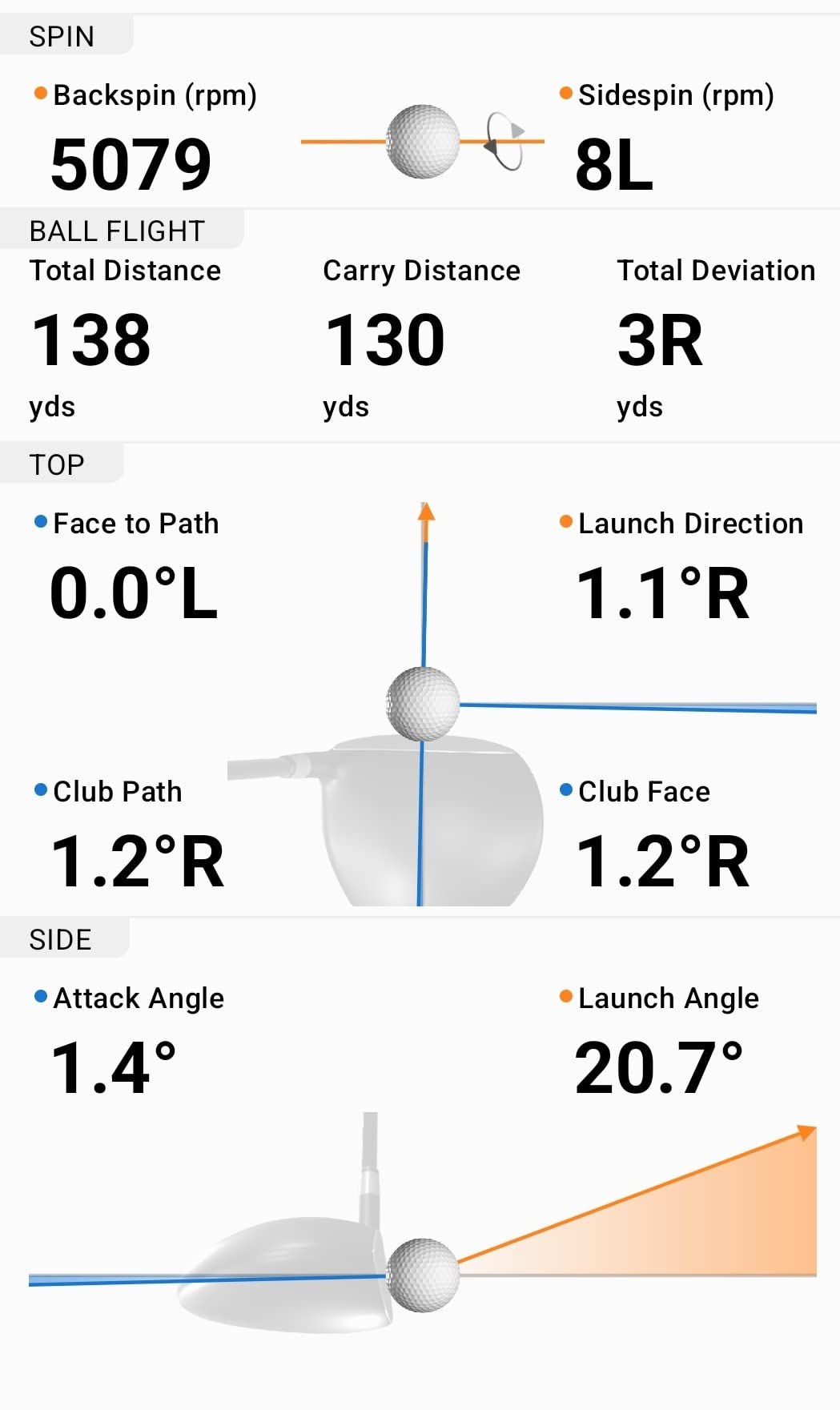
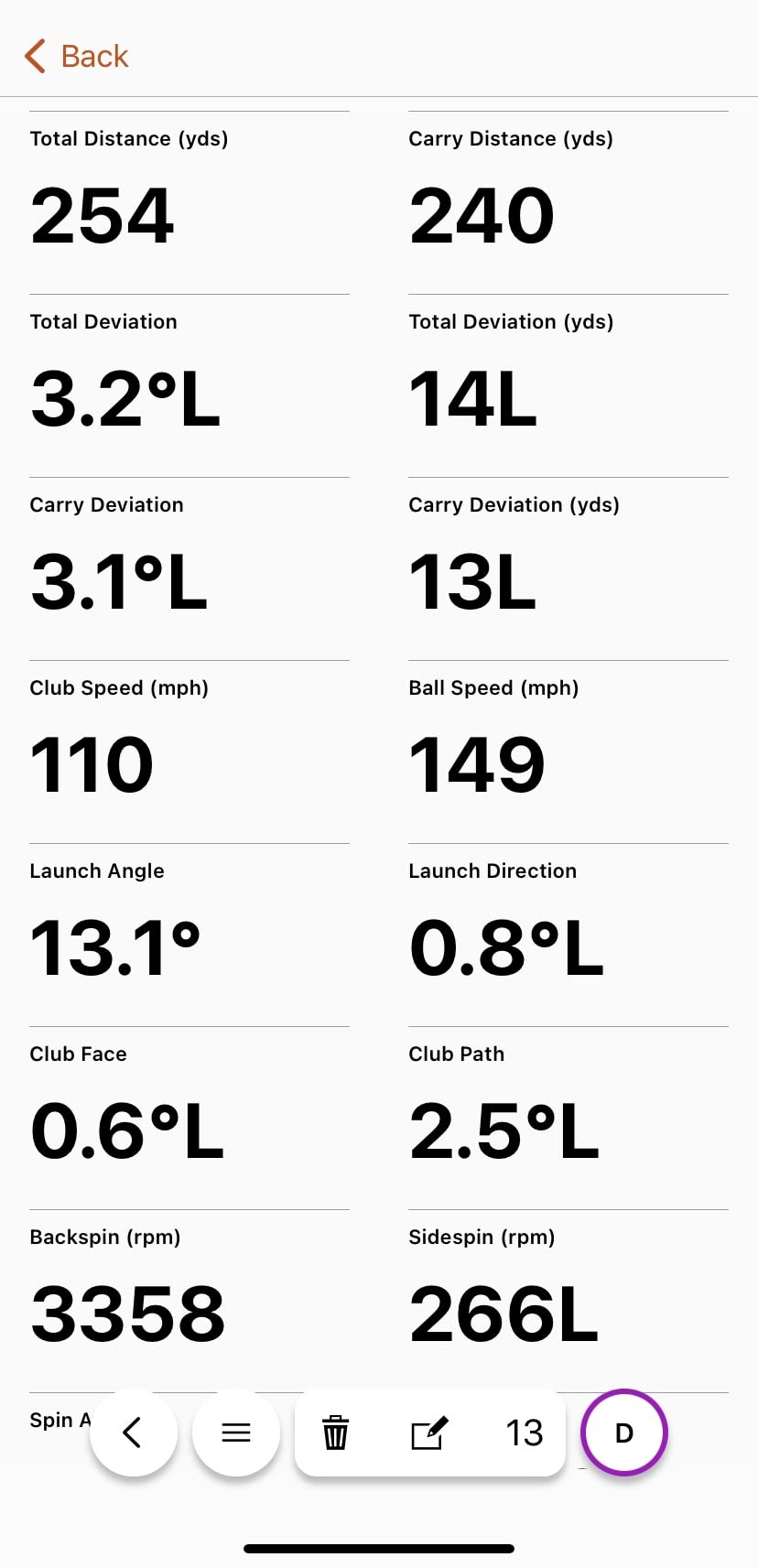
Training mode is the part we used most. It builds per club statistics and a shot dispersion chart from the estimated ball flight, so you can see that your seven iron gapping has not changed in three months. Video clips record automatically with the metrics laid over the swing, which is enough to spot a face angle problem without any extra equipment.
IPX7 water resistance means rain on the range is a non-issue, and at 340 g the unit is small enough to leave set up in a garage bay rather than pack away after every session. The included phone mount and tripod stand mean the geometry is repeatable between sessions, which matters more to a training record than raw accuracy does.
The two real drawbacks are software rather than hardware: full simulated course play requires an active Garmin Golf subscription, and the ball spin figure is calculated from ball speed and launch rather than read off the ball.
Who the Garmin Approach R10 suits best
It suits golfers who split their season between a net at home and open-air practice. Ten hours of battery and a full accessory kit in the box mean one device covers both, and the dispersion charts give a season-long record that a phone app screenshot cannot.
It also suits golfers who want distance and direction data to be dependable. Garmin publishes its tolerances openly, which lets you judge the readings against a session rather than guessing at them.
Who should skip the Garmin Approach R10
Skip it if wedge and short game data is your priority. The spin figure is estimated, and estimated spin drifts most in exactly the slow-ball range where you are trying to learn a new wedge gapping.
Skip it if you are unwilling to hold a subscription for course play. The core practice metrics work without one, but the 42000 plus course library is behind the paid tier.
5. Voice Caddie SC200Plus: Best Launch Monitor for Phone-Free Practice
Voice Caddie SC200Plus Portable Golf Launch Monitor and Swing Analyzer with Real-Time Shot Data Tracking – 12-Hour Battery Life
Doppler radar with pressure calibration
Built-in LCD and voice output
20 hour battery
8 oz
Pros
- Standalone display
- so no phone is needed for basic data
- Voice output announces each shot during solo practice
- Swing speed mode allows no-ball tempo work indoors
- Adjustable loft angles let you rehearse different clubs
Cons
- Thin metric set with no video
- spin or shot shape
- Readings depend on a clean in-window club pass
- Stored statistics lack dispersion analysis
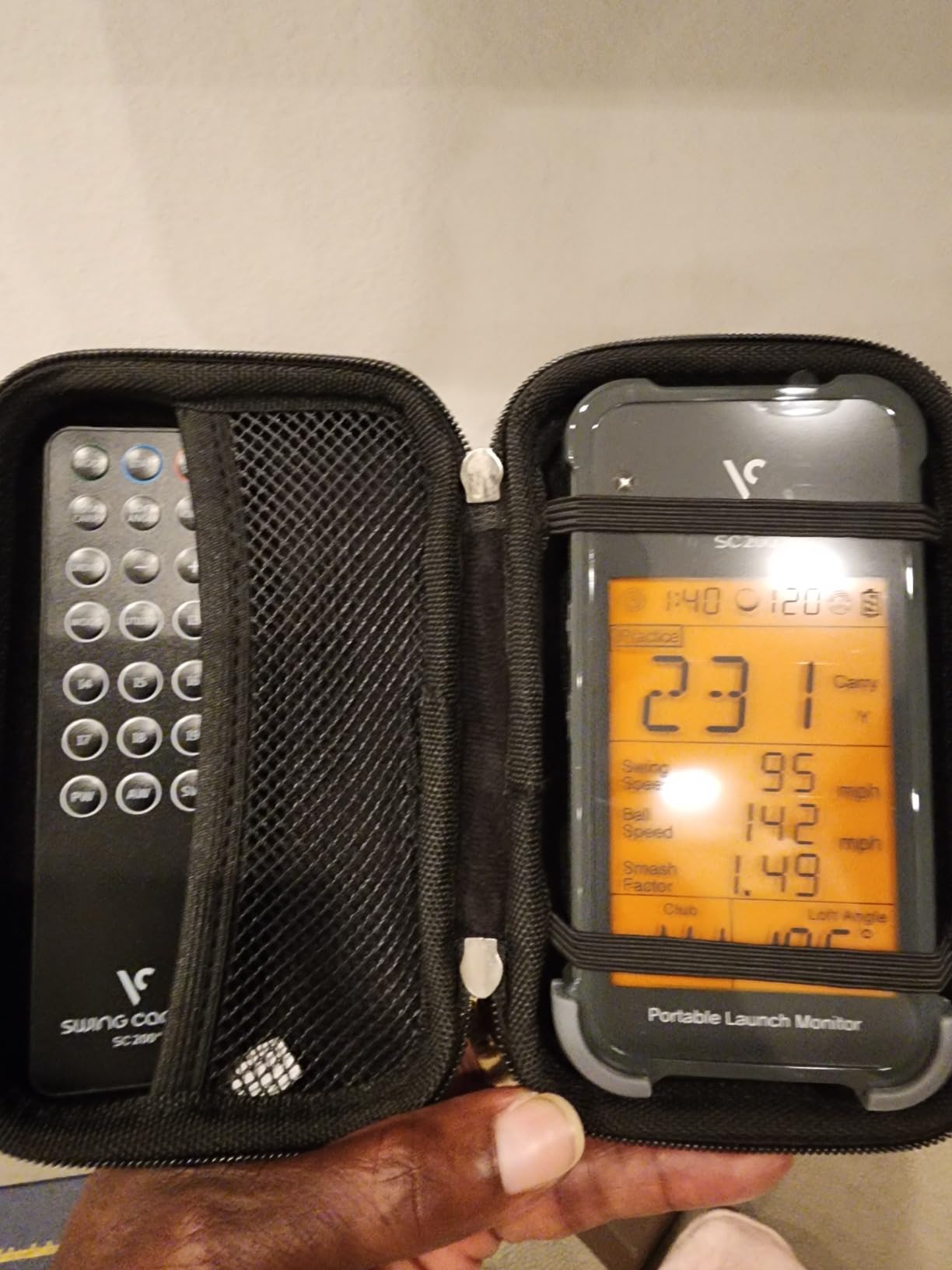
The SC200Plus is the pick if you do not want a phone anywhere near your practice. It has a built-in LCD, a speaker that reads out each shot, and a no-ball swing speed mode. Atmospheric pressure calibration keeps readings steady as conditions change through a session, which matters more indoors than most people expect.
Battery life is a real strength: up to 20 hours per charge. A long session or a week of short ones finishes without a charger, and that was the difference in practice.
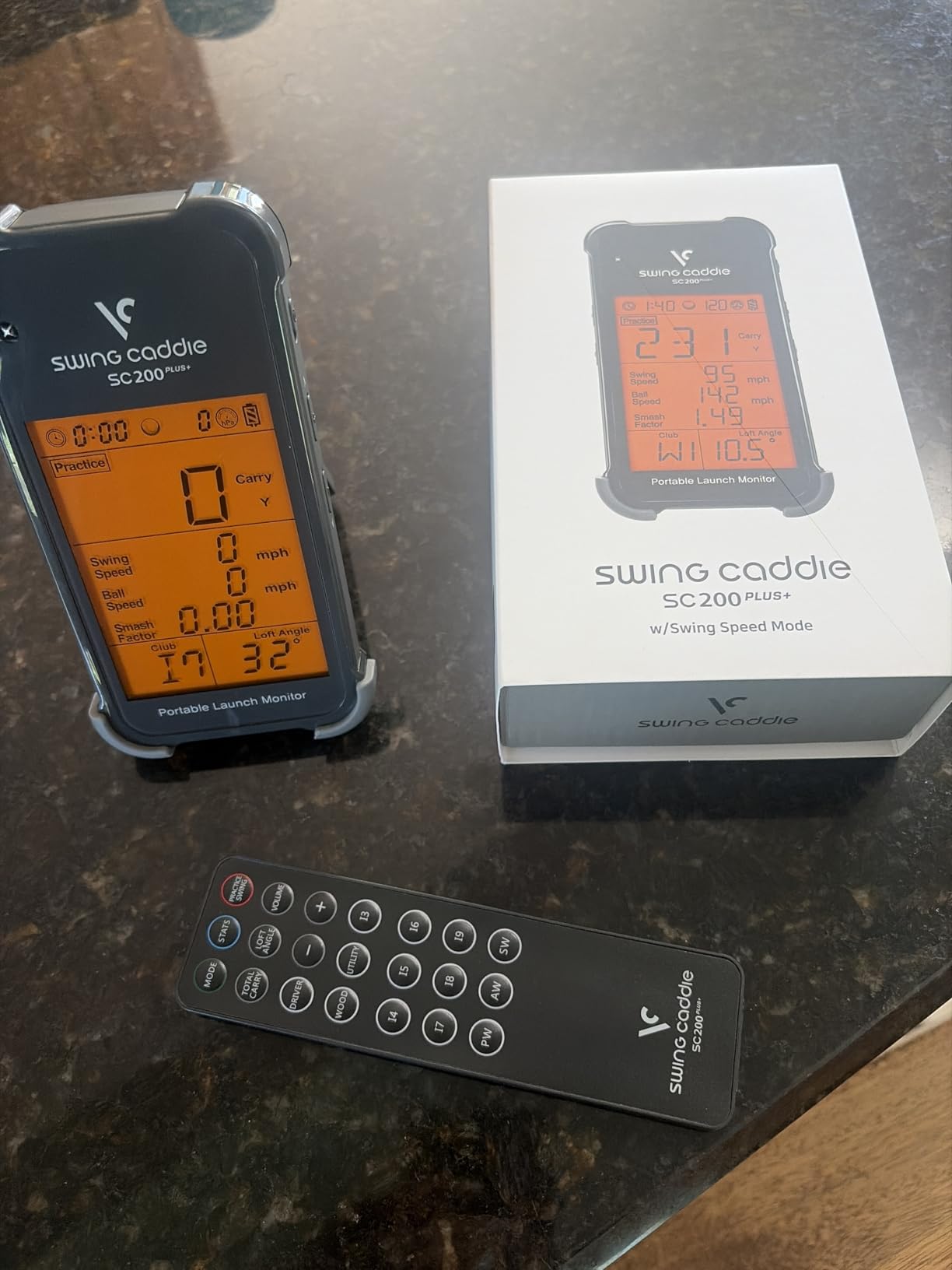
The adjustable loft angles let you rehearse different clubs without changing clubs, and it stores shot data with per club average distances. During a solo session the voice output is genuinely useful, because you can swing again without breaking your routine to look at a screen. At 8 ounces it is light enough to hold in one hand while you talk through what you are doing.
What you give up is depth. There is no spin, no shot shape, no video and no tracer, and the stored statistics have no dispersion analysis. Accuracy also depends on the radar seeing a clean club pass inside its window, so a hurried takeaway can cost you a reading.
Who the Voice Caddie SC200Plus suits best
It suits golfers who want distance feedback and nothing more, and who would rather not deal with an app. A teenager learning club gapping, or an older player who wants numbers spoken aloud, both get a clean experience from this one.
It suits indoor tempo work, because the swing speed mode runs without a ball. That makes it a companion to a mat rather than a replacement for a full setup.
Who should skip the Voice Caddie SC200Plus
Skip it if you want to understand your strike. No video and no tracer means no way to see what the club did, only how far it went. Practise with a video device instead.
Skip it if you already have a phone-based monitor. Everything this device reports on speed, your phone can report with a shot shape attached.
6. Rapsodo MLM2PRO: Best Launch Monitor for Spin Data
Rapsodo MLM2PRO Mobile Launch Monitor Golf Simulator | 3 Chrome Tour Balls
Doppler radar plus dual camera
15 metrics including spin axis
Built-in LCD
Tripod and case included
Pros
- Reads spin rate
- spin axis and club path
- Measurements line up closely with commercial bay monitors
- Works with Android as well as iOS
- Bundled tripod
- carrying case and three tour balls
Cons
- Shared Wi-Fi connections drop and crash
- iPhone shows only three metrics at a time
- Most simulator features sit behind a paid Premium plan
The MLM2PRO is the reason most wedge-focused home golfers should look past the cheaper options. It combines Doppler radar with a dual camera setup and reports 15 metrics, including spin rate, spin axis, club path and carry distance. Spin is read from the ball rather than calculated from flight, which is the difference that shows up in short club testing.
In our sessions the readings sat close to a commercial bay monitor, particularly on pitching wedges and short irons where estimated systems wander. Impact Vision shows the club to ball contact point, and the swing can be captured from more than one angle, which is how you tell a good strike from a lucky one. The 16 ounce body, bundled tripod and carrying case make it a straightforward move between a garage and a range.
Two practical improvements over the first generation matter here. It works with Android as well as iOS, and the dual camera plus radar picks up shots reliably even when the ball sits toward the edge of the viewing box. Combine mode turns the numbers into a practice plan rather than a list of figures, and a 45-day Premium trial gives you time to decide whether the course library is worth paying for.
The friction is software. Shared or local Wi-Fi connections drop and crash often, while a direct connection is more reliable but limits third party apps. An iPhone shows three metrics at a time against six on an iPad, and most simulator features sit behind a paid Premium plan that has risen over time. The included 1280 by 800 LCD gives you the key numbers without a phone in hand, and the box includes three Callaway RPT Chrome Soft X balls whose markings need replacing once they wear down.
Who the Rapsodo MLM2PRO suits best
It suits golfers whose practice is mostly wedges and short irons. Spin rate, spin axis and club path are the three numbers that explain a gap in distance, and this is the only device in the roundup that measures all three rather than estimating them.
It also suits a mixed-OS household, since Android is supported here. A bundled tripod and carrying case make it straightforward to move between a garage and a range without buying anything extra.
Who should skip the Rapsodo MLM2PRO
Skip it if short game simulation is the goal. Chipping and putting under 10 yards read poorly, so this is a full swing device that happens to cover the rest of the bag.
Skip it if you are sensitive to app reliability. The Wi-Fi issues are frequent enough that they will interrupt a session, and you also need to replace the bundled balls periodically as the markings wear, or the spin reads degrade.
7. TAGCMC GX-10: Best Launch Monitor for Calibration Control
Golf Launch Monitor & Portable Simulator, Tracks 13+ Metrics Swing Analysis
Reports spin rate, spin axis and attack angle
Adjustable sensitivity
Built-in LCD
No subscription
Pros
- Spin rate
- spin axis and attack angle at a budget price
- Adjustable sensitivity calibrates readings against a reference monitor
- No subscription for the app or simulation features
- Works on iOS
- Android and HarmonyOS
Cons
- Initial pairing and charging problems reported
- A static screen can persist until the device is plugged in
- Small review base and modest display quality
The GX-10 does something none of the other phone-based devices in this list does. Its sensitivity is adjustable, so you can dial the readings to match a reference unit you already trust. For anyone who has compared two home monitors and wondered which one was lying, that is a real feature rather than a novelty.
It reports spin rate, spin axis, attack angle, launch angle, swing speed and an efficiency rating, and it has a swing-only mode that measures tempo and speed without a ball. The 3D virtual driving range offers 45 and 90 degree viewing angles with trajectory playback, and every swing can be recorded with clubface impact visuals.
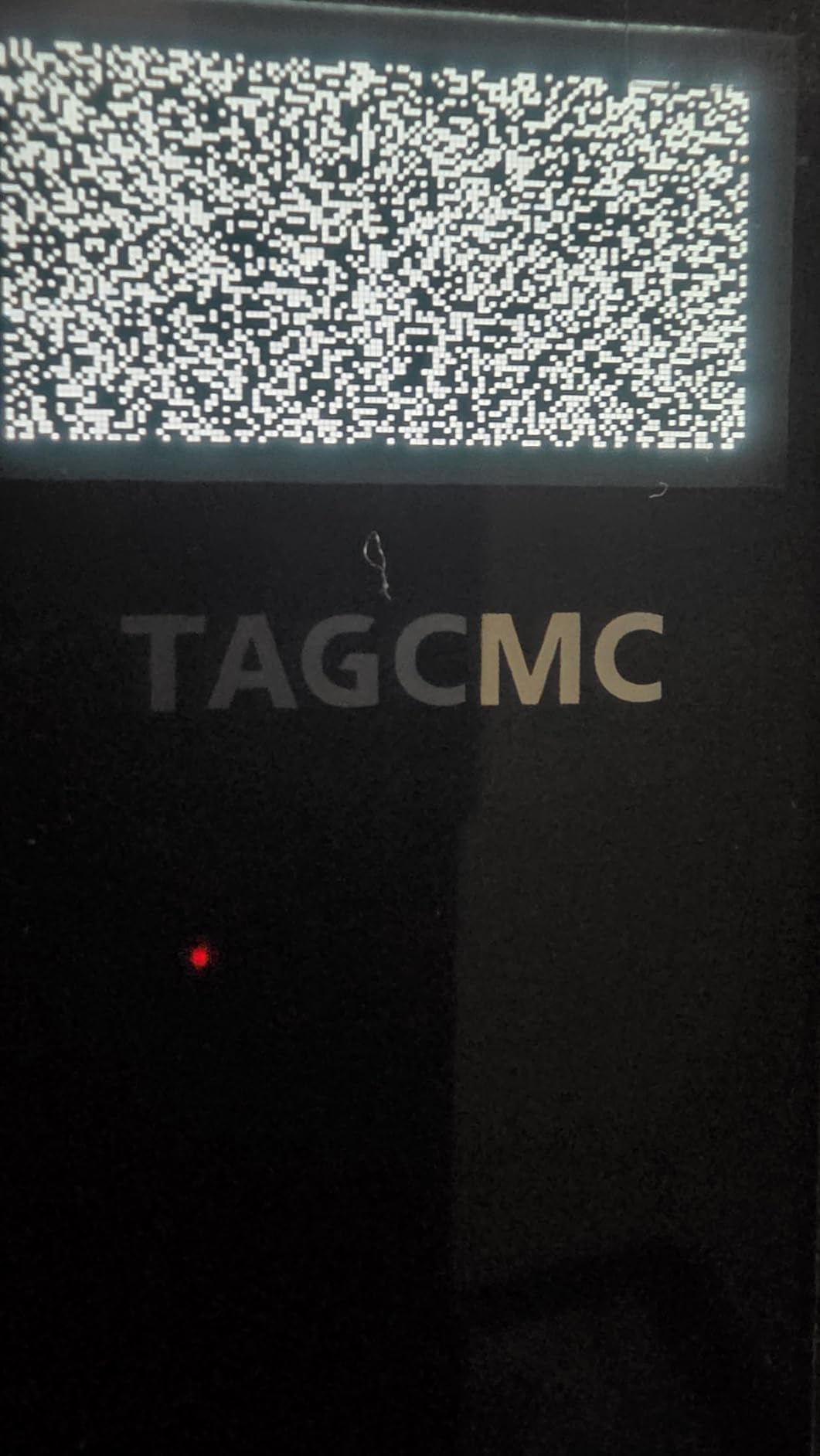
Built-in temperature, humidity and barometric pressure sensors adjust the readings to real conditions, which reduces one source of indoor measurement drift. The app supports iOS 11 and later, Android 11 and later, and HarmonyOS, in three languages, and the 1.4 pound body is heavier than the phone-based rivals but still portable between rooms.
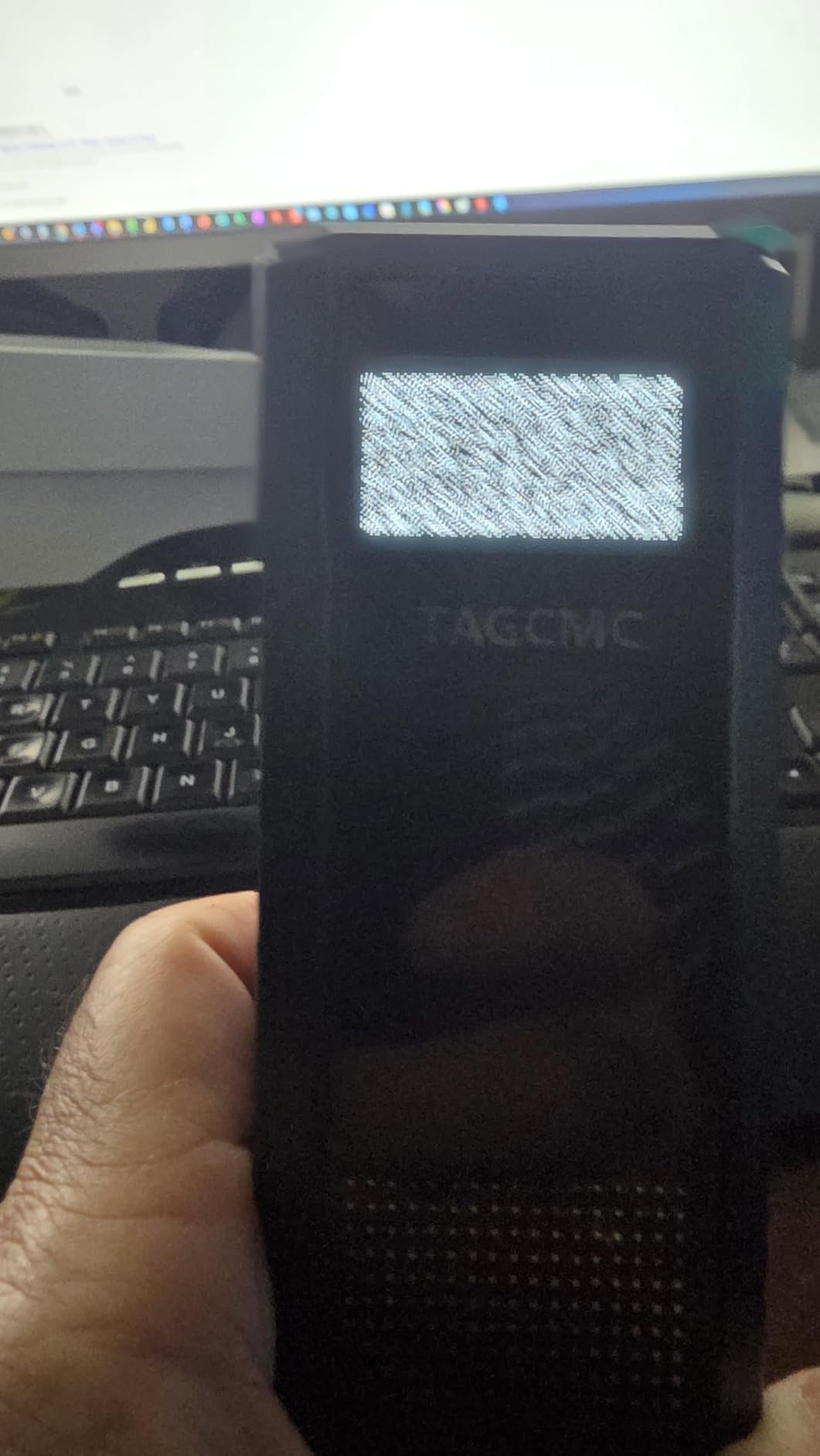
There is no subscription for the app or the simulation features, and that is worth more here than it sounds. The catch is maturity: connection problems out of the box, one report of a device that would not hold a charge, and a static screen that persists until the device is plugged into power.
Who the TAGCMC GX-10 suits best
It suits a data-minded home player who already has a reference unit and wants a second opinion that can be matched to it. Adjustable sensitivity also helps if your practice room has unusual temperature or altitude conditions.
It suits anyone who wants spin metrics without a subscription, and anyone on Android who wants spin data without moving up a tier.
Who should skip the TAGCMC GX-10
Skip it if reliability matters more than feature count. With 94 reviews and a low category rank, you are buying a young product with a thin support base, and the pairing complaints are real.
Skip it if you need video you can review later on a large screen. The built-in display is modest compared with a phone-based rival.
8. TheStack Radar: Best Launch Monitor for Speed Training
TheStack™ Radar – Portable Golf Launch Monitor, Swing Speed & Ball Tracker
Radar swing and ball speed
Estimated carry and smash factor
0.12 kg
Used by Matt Fitzpatrick
Pros
- Repeatable swing and ball speed readings for structured speed work
- Gamified wedge sessions turn distance control into a game
- Compact and light enough to carry in a golf bag
- Guided putting practice included
Cons
- Carry distance is estimated
- not measured from flight
- Wedge and putting features need an Apple device
- No launch angle
- spin or video
TheStack Radar came into our test with the highest average rating of anything in the roundup, and a very small review base. Sixty reviews is not a lot of evidence, so I treated the rating as a signal rather than a verdict, and the hardware is what convinced me.
It measures swing speed and ball speed by radar, then calculates estimated carry distance and smash factor. Those four numbers repeat cleanly, which is what structured speed training needs. Owners report fast, repeatable readings, and 78 percent of reviews are five star, which is the strongest distribution in the group.
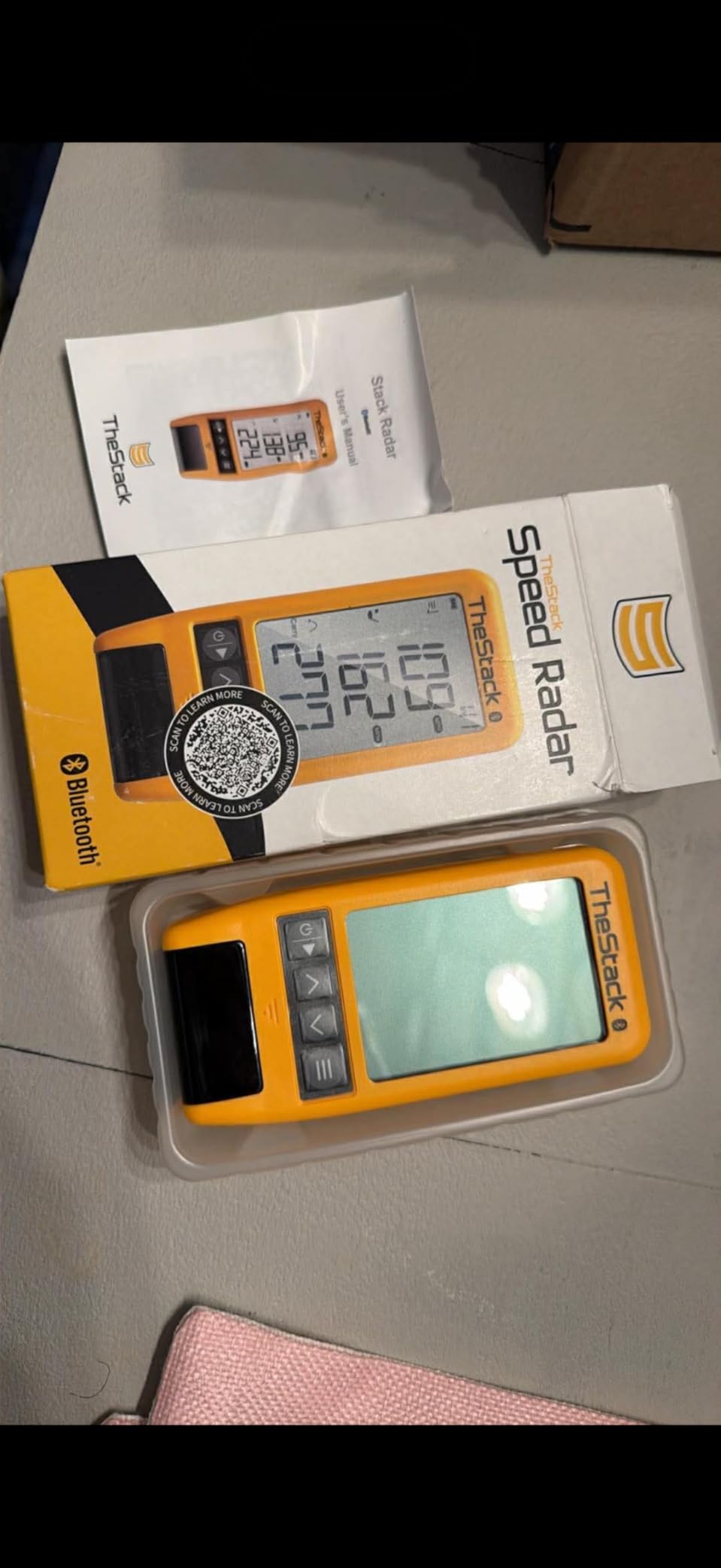
At 0.12 kg it is the lightest measuring device in the roundup, and it connects over Bluetooth to transmit training data automatically rather than making you press a button between shots. The wedging app includes a one-month free trial, and the product is used by Matt Fitzpatrick, who won the US Open, which tells you something about the intended use. Speed training runs on iOS 15 and later or Android, so the app is not the limitation for basic work.
Two limitations shape the purchase. Carry distance is estimated from speed rather than measured from flight, so it is a relative number rather than a range number. And the wedging and putting features work on Apple devices only, with Android limited to speed training. The Stack Wedging app builds gamified, skill specific wedge sessions, and bundled access to Stack Putting adds guided practice with tendency analysis, so the software side is genuinely useful on an iPhone or iPad.

Who TheStack Radar suits best
It suits golfers whose practice is deliberate speed work. If your plan is a repeatable tempo and a target ball speed, this gives you consistent numbers without a net and without a subscription for the core function.
It suits families, because the putting app adds a second activity that needs no ball flight and no room depth at all.
Who should skip TheStack Radar
Skip it if you are on Android and want the wedge and putting apps, because those features do not run on Android. Speed training is the whole product there.
Skip it if you need to diagnose a swing. With no launch angle, no spin and no video, this is a training tool rather than a diagnostic one.
9. FlightScope Mevo Gen2: Best Launch Monitor for Data Depth
FlightScope Mevo Gen2 Portable Golf Launch Monitor and Simulator with 18 Swing Data Parameters, Front Facing Camera, 8 E6 Simulation Courses with GPS Overview and Shot Tracer | Indoor and Outdoor
3D Doppler radar with high speed imaging
18 data parameters
8 bundled E6 courses
6 hour battery
Pros
- Broadest data set in this group at 18 parameters
- No subscription with 8 E6 courses included for life
- Shot Tracer 3D animation and data overlays on video
- Multi-camera video with drawing and voiceover tools
Cons
- Pairing and setup are the most reported difficulty
- Elevation defaults cause distance error until calibrated manually
- Some owners report missed shots and dropped connections
The Mevo Gen2 reports 18 data parameters across full swing, chipping and putting, more than any other device we tested. FlightScope Fusion Tracking combines 3D Doppler radar with synchronised high-speed image processing, so ball data and club data come from the same capture rather than from a calculation after the fact.
There is no subscription and no annual licence, and eight E6 Connect courses are bundled for life, including Kiawah Ocean Course and Torrey Pines with GPS overview. The Shot Tracer 3D animation with clubhead speed, ball speed and carry distance laid over the video is the feature that makes this worth the effort for anyone who analyses their own swing.
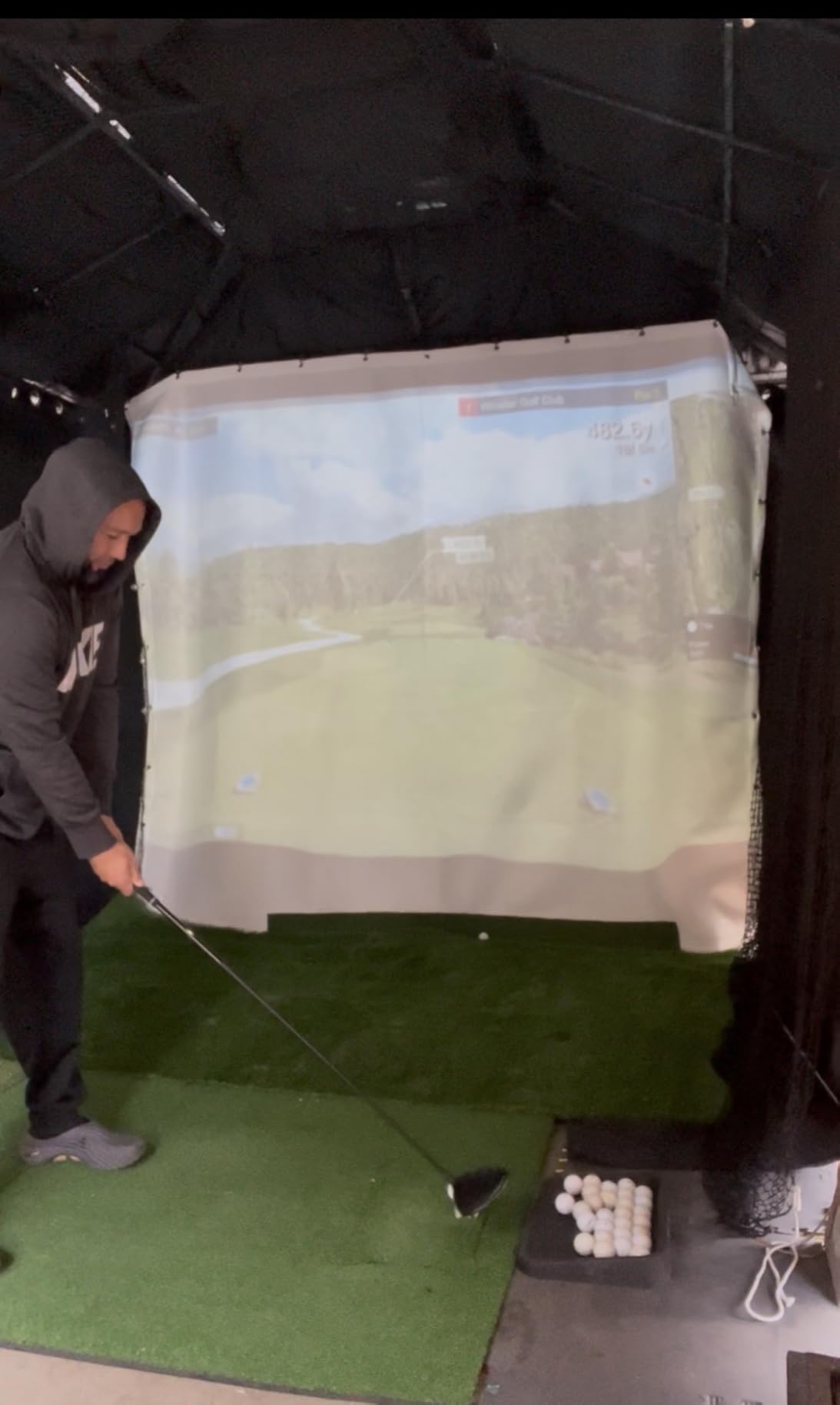
There is a front-facing internal camera, and you can connect up to three mobile devices for multi-cam video with drawing and voiceover tools, which turns the monitor into a coaching station rather than a private practice aid. A range ball setting improves accuracy on the course, and battery life runs up to six hours per charge.
Setup is where the reviews split. Pairing is the most reported difficulty, with some owners describing hours of support contact, and one device has to be disconnected before another will pair. Connections drop mid-session, and shot capture reliability is inconsistent with some owners reporting many missed shots.
Two fixes resolve most of that. Elevation defaults cause meaningful distance error until you calibrate manually, and several owners report correct distances and smooth running only after firmware updates. The box includes aluminum stickers, a carrying case, a charging cable and block, and the unit runs Android, iOS and PC, so the app is not locked to one ecosystem.
Who the FlightScope Mevo Gen2 suits best
It suits golfers who want the widest possible data set and refuse to pay a subscription for it. The bundled courses and the absence of any annual fee mean the only ongoing cost is the device itself.
It suits anyone who reviews their own video seriously. Multi-camera capture with drawing and voiceover is a genuine coaching workflow, and the 18 parameters cover chipping and putting as well as the full swing. At 1.1 pounds and 6 hours per charge it still works as a portable unit for range sessions.
Who should skip the FlightScope Mevo Gen2
Skip it if you are not prepared for setup. The most common complaint in the reviews is not accuracy, it is getting the device paired and then keeping it connected.
Skip it if you only have 31 reviews worth of owner history to lean on and you need something that works the first time. Several owners report correct distances and smooth running only after firmware updates and elevation calibration.
10. Uneekor EYE MINI CORE: Best Launch Monitor for a Dedicated Home Bay
Uneekor EYE MINI CORE Golf Launch Monitor & Simulator, 15 Ball Data Points, Near-Zero Latency, Works with GSPro, TGC19 & E6
High-speed cameras plus infrared sensors
Dimple Optix reads any ball
15 ball data points
2-year warranty
Pros
- Rarely misses a shot
- with large ball placement tolerance
- Reads any dimple pattern
- so no stickers or proprietary balls
- Hardwired metal build with near instant results
- Two-year warranty and responsive support
Cons
- Needs a wired
- relatively powerful gaming PC
- Third-party software carries its own annual subscription
- Reads only about 30 percent of delicate putts and chips
The EYE MINI CORE is built like shop equipment rather than consumer gadgetry. High-speed cameras and infrared sensors give near-zero latency tracking, and the metal housing runs 6.5 by 3.38 by 13.9 inches at 8.4 pounds. That is a permanent fixture in a bay, not a device you carry to the range.
Two hardware facts stand out. Dimple Optix reads any dimple pattern, so no stickers or proprietary balls are required, and the hitting area is large with generous ball placement tolerance. Owners report near perfect capture rates, including with cheap practice balls, and ball speed, spin, launch angle, carry and shot shape all read as realistic.
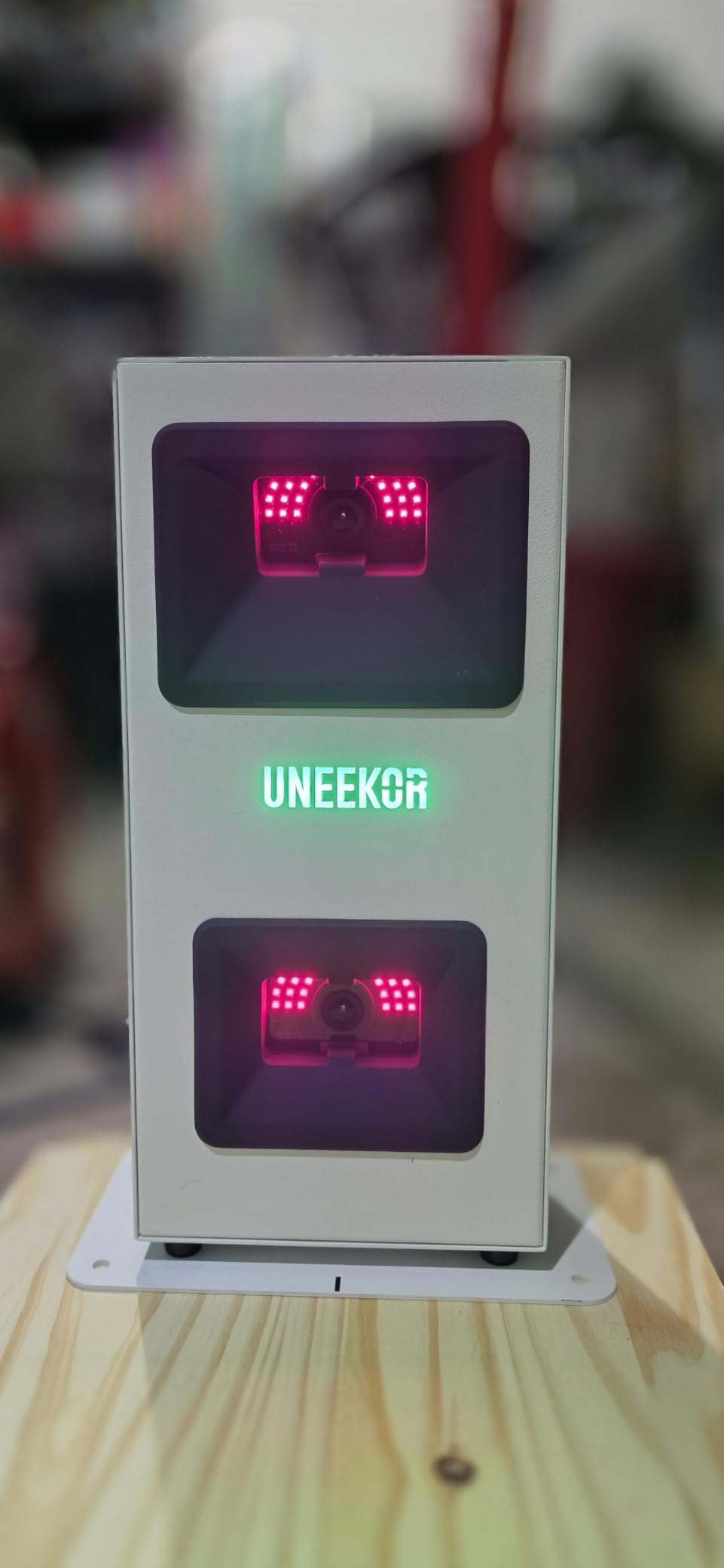
The VIEW software analyses each swing across 15 ball data points with session progress reports, and Swing Optix adds AI Trainer feedback. It works with GSPro, E6 Connect, TGC19 and Creative Golf 3D, and a 3-month Ultimate Package trial includes 4K GameDay courses, online play, skills training and mini games.
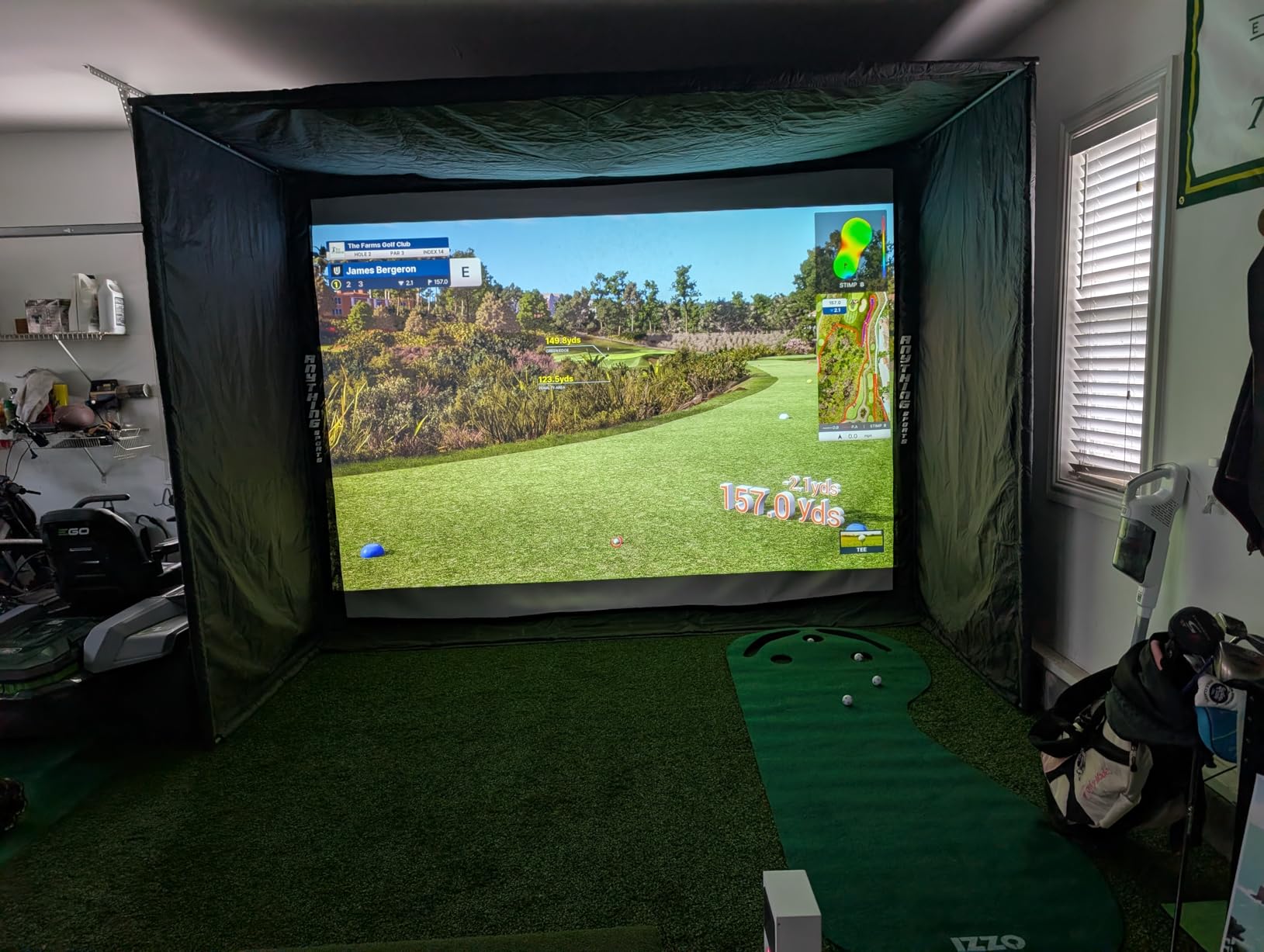
Now the parts that decide it for most people. It needs a wired PC, and the spec is not modest: an i5 Gen12 or Ryzen5 and RTX 3060 6GB with 16GB RAM for VIEW, rising to an i7 Gen12 or Ryzen7 with RTX 4070 16GB and 32GB RAM for simulation. It does not work with an iPad, third-party software adds an annual subscription, and it reads only about 30 percent of delicate putts and chips reliably.
Who the Uneekor EYE MINI CORE suits best
It suits someone already building a dedicated room. If a PC, a display and a proper bay are part of the plan anyway, this monitor gives you consistent capture and ball data that owners consistently describe as realistic, with a two-year warranty behind it.
It suits golfers who use varied practice balls. Reading any dimple pattern removes one of the most common reasons home data looks wrong, and the box even includes 20 club sticker sheets for the club data upgrade.
Who should skip the Uneekor EYE MINI CORE
Skip it if club data is why you are buying. Swing speed, swing direction and face to path are not included at this level and have to be added later, which is a strange omission at this position in the range.
Skip it if your room is temporary or your computer is shared. The hardwired requirement, the graphics card specification and the third-party software subscription make this a build project rather than a purchase.
How to Choose a Launch Monitor for Home Practice?
Four decisions decide whether you will still be using this device in a year: how it measures, how much room it needs, what the software costs over time, and what else has to go in the room. Get those right and the specific model matters much less.
Camera, radar, or no ball at all
Radar devices sit behind or beside you and track the ball in flight. They are fast, reliable on ball speed and launch angle, and they need clear air behind the ball to work. They cannot see spin directly, so spin is calculated from ball speed and launch, and the error grows as the ball slows. That is why radar wedge numbers wobble, and it is the single decision that separates the Garmin R10 from the MLM2PRO.
Camera and photometric systems photograph the ball at impact and read spin off its surface. That is more accurate for short shots and for spin axis, but it needs a clear line of sight, good light and a stable mount, which is why poor basement lighting can corrupt the readings. Motion sensor systems like the PHIGOLF track the club rather than the ball, which makes them the option that works in a very small room.
Room size is the constraint that decides everything
Measure four things before you buy: ceiling height, room width, tee to screen depth, and the height of your highest swing arc. Radar needs flight in front of the ball, so a driver in a short room can give readings with no data behind them. Overhead units need headroom; below about 9 feet most become impractical.
Then work out what else goes in the room. A mat, an impact screen, a short throw projector, a laptop or desktop and the monitor itself all compete for the same floor space. If the bay doubles as a utility space, our picks for home vacuums for pets and dog playpens are a useful reminder of how quickly floor area disappears. Plan the bay the way you would plan a workbench, with cable routes and mat clearance decided before anything is drilled. Left-handed and right-handed golfers can share most of these setups, but check the screen and mat position before you fix anything to a wall.
What the subscription actually costs over five years
Three products in this roundup carry no subscription for their core features: the PRGR HS 130-A, the TAGCMC GX-10 and the FlightScope Mevo Gen2. That is the whole difference, and over five years it is the difference that most affects the decision after the hardware.
The Garmin Approach R10 and the Rapsodo MLM2PRO both gate their large simulated course libraries behind a paid tier, while core practice metrics continue to work. The Uneekor EYE MINI CORE requires an annual subscription for third-party software. If you mostly want numbers, you can pay nothing; if you want to play virtual courses, you are buying a membership alongside the device.
Balls, mats and the rest of the build
Marked and limited flight balls are where a lot of confused home data comes from. The MLM2PRO bundles three tour balls with a dimple marking pattern, and those markings wear and need periodic replacement, or the spin read degrades. The Uneekor reads any dimple pattern, which removes the issue entirely. Check what your chosen device expects before you buy a box of balls.
Finally, think about who else uses the room. A device that clips to a bag and runs off a phone can move between a garage, a range and a spare room, and a device with a display and voice output can be handed to a beginner who has never opened an app. A hardwired camera system can only live in one place. That flexibility is often worth more to a home player than another decimal place of accuracy.
Frequently Asked Questions
What is the best launch monitor for home use?
The Rapsodo MLM is the best launch monitor for home use for most people. It pairs over Bluetooth with an iPhone or iPad and reports ball speed, club speed, launch angle, carry distance and shot shape, with a shot tracer and video replay on the phone, and it needs no computer or subscription to get started. If you need measured spin data, the Rapsodo MLM2PRO is the step up. If you want one device for a garage and the range, the Garmin Approach R10 covers both.
Is the Garmin R10 or Rapsodo MLM2PRO better?
The Garmin R10 is better for distance, direction and outdoor use: it reports club speed, ball speed, swing tempo, launch angle and carry, runs up to 10 hours on a charge, is IPX7 waterproof, and includes a tripod and phone mount. The Rapsodo MLM2PRO is better for the short game: its radar plus dual camera reads spin rate, spin axis and club path from the ball rather than estimating them, which makes wedge numbers far more reliable. Choose the R10 if you split time between the net and the range, and the MLM2PRO if wedges and short irons are where your practice time goes.
Is SkyTrak or FlightScope better?
Between those two, the FlightScope Mevo Gen2 is the stronger home purchase today. It reports 18 data parameters using 3D Doppler radar combined with synchronised high-speed image processing, covers full swing, chipping and putting, and includes eight E6 Connect courses for life with no subscription or annual licence. Its multi-camera video with drawing and voiceover tools is also a genuine coaching workflow. The trade-off is setup, since pairing and connection stability are the most commonly reported problems.
Is there a cheaper alternative to TrackMan?
Every monitor in this roundup costs a fraction of a TrackMan bay. The PHIGOLF PG2 Flex and the PRGR HS 130-A are the lowest-cost options and cover swing speed and indoor tempo work with no ball and no subscription. For spin on wedges, the Rapsodo MLM2PRO measures it from the ball rather than from the flight path. For the widest data set without any ongoing fee, the FlightScope Mevo Gen2 reports 18 parameters and bundles its courses permanently.
How much room do I need for a home golf simulator?
Measure ceiling height, room width, tee to screen depth and your highest swing arc before buying anything. A radar monitor needs clear flight in front of the ball, so a full driver swing needs more depth than an iron swing, and overhead units need roughly 9 feet of headroom to be practical. Phone-based radar and camera devices work against a net from about 8 feet of depth. Only a no-ball motion sensor such as the PHIGOLF PG2 Flex works in a small room or a flat with no swing space at all.
Do launch monitors require a subscription?
It depends on the model. The PRGR HS 130-A needs no phone and no subscription, and the TAGCMC GX-10 and FlightScope Mevo Gen2 include their app and simulation features with no recurring fee, with the Mevo Gen2 bundling eight E6 courses for life. The Garmin Approach R10 and the Rapsodo MLM2PRO both provide their core practice metrics without a paid tier, but gate the large virtual course libraries behind a subscription. The Uneekor EYE MINI CORE requires an annual subscription for third-party software.
Do I need a gaming PC for a launch monitor?
Most of them do not. The Rapsodo MLM, MLM2PRO, Garmin R10, Voice Caddie SC200Plus, PRGR, TheStack Radar, TAGCMC GX-10, PHIGOLF and the FlightScope Mevo Gen2 all run on a phone, a tablet or their own display. The exception is the Uneekor EYE MINI CORE, which needs a wired PC with an RTX 3060 6GB and 16GB RAM for its VIEW software, rising to an RTX 4070 16GB and 32GB RAM for full simulation. Budget for that machine before choosing a monitor.
Final Verdict
The best launch monitors for home practice start with the Rapsodo MLM, because it produces usable data within minutes of unboxing, needs no computer, and has the largest body of real owner feedback behind it. Start there if you have an iPhone or iPad and want distance and video feedback this week.
Choose the Rapsodo MLM2PRO if your practice is wedges and short irons and you want measured spin. Choose the Garmin Approach R10 if you split your time between a net and the range and want one device to cover both. Choose the PHIGOLF PG2 Flex if you have no room to swing a ball at all.
Everything else in this roundup solves a narrower version of the same problem, and all ten are worth it for the right room. Measure your ceiling, your depth and your width before you order, then pick the device that fits the space you already own.