
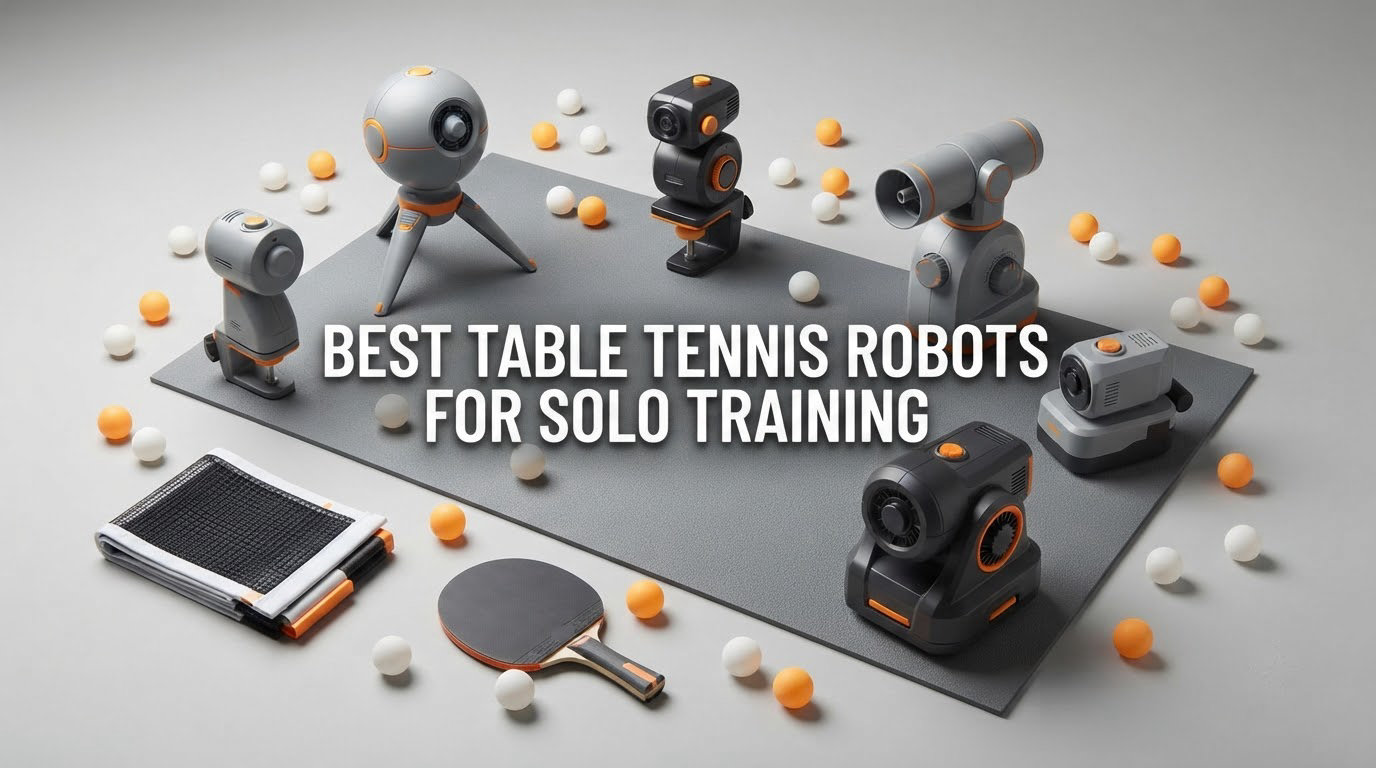
A table tennis robot is an automated ball machine that clamps to the end of your table and fires 40mm balls at speeds, spins and landing points you program. That single sentence explains why the best table tennis robots for solo training have become the default purchase for anyone who plays without a regular partner: one machine replaces the feed, the consistency and the patience of a training partner, and it never cancels on you.
I have spent months putting ten of these machines through the same routine, because the differences between them are not obvious from a listing. A machine that fires 70 balls a minute with a clean backspin serve is a completely different training tool from one that fires 30 balls a minute in a straight line with no spin dial. The spec sheet hides that gap, and buyers routinely end up with a toy that frustrates them within a month.
So this guide covers all ten machines below, from a clip-on trainer light enough to carry in one hand to a club-grade unit with a tablet controller and a three-year warranty. I flag the purchase gates that actually cause returns: the 2.5 inch table thickness limit that catches most home tables, the machines that need a specific minimum number of balls loaded before they will fire at all, and the ones that arrive without balls. I also spend a section on what a robot genuinely cannot teach you, because the honest answer matters more than the feature list.
One quick note before we start. If you are building a training habit around interval work of any kind, the same logic applies to four-legged training partners; our agility training sets for beginners guide covers that structure well.
Table of Contents
Top 3 Picks for Solo Training in 2026

JOOLA iPong V300
- 30-70 balls per minute
- Topspin and backspin dials
- Side-to-side oscillation
- Wireless remote with memory

PONGBOT 264-Drill Robot
- 264 preset drills
- App control with landing spot preview
- 9 spin types and 21 levels
- 150-ball capacity

Suz S201 with Recycling Net
- Recycling net included
- 200 balls included
- Direct and indirect serve head
- 4.4 stars from 268 ratings
10 Best Table Tennis Robots for Solo Training (October 2026)
| Product | Specs | Action |
|---|---|---|
| JOOLA iPong V300 |
|
Check Latest Price |
 JOOLA iPong Play JOOLA iPong Play |
|
Check Latest Price |
 iPong Original iPong Original |
|
Check Latest Price |
| Suz S201 with Recycling Net |
|
Check Latest Price |
| PONGBOT 264-Drill Robot |
|
Check Latest Price |
 ZXMOTO 36-Spin Robot ZXMOTO 36-Spin Robot |
|
Check Latest Price |
 LANFIRE Clip-On Trainer LANFIRE Clip-On Trainer |
|
Check Latest Price |
 Suz S102 Wireless Remote Trainer Suz S102 Wireless Remote Trainer |
|
Check Latest Price |
 Suz S101 Suz S101 |
|
Check Latest Price |
 Butterfly Amicus Prime Butterfly Amicus Prime |
|
Check Latest Price |
1. JOOLA iPong V300 – The Most Proven Solo Machine You Can Buy
iPong V300 Table Tennis Training Robot – Serves 40mm Regulation Ping Pong Balls Automatically – Play Solo w/o Playback Mode on your Ping Pong Table – Various Models Available, Size 19 , Blue
30-70 balls per minute
Adjustable topspin and backspin
Side-to-side oscillation
Wireless remote
Pros
- 837 verified reviews give the longest ownership history in this list
- Adjustable topspin and backspin with speed control
- Remote control from across the table
- Twist-on feeder that rarely jams when loaded correctly
- Assembles in seconds with no app
Cons
- Remote has short range and sometimes needs to be aimed at the machine
- Oscillating base sometimes pauses for several seconds
- Slowest frequency setting is still quick for beginners
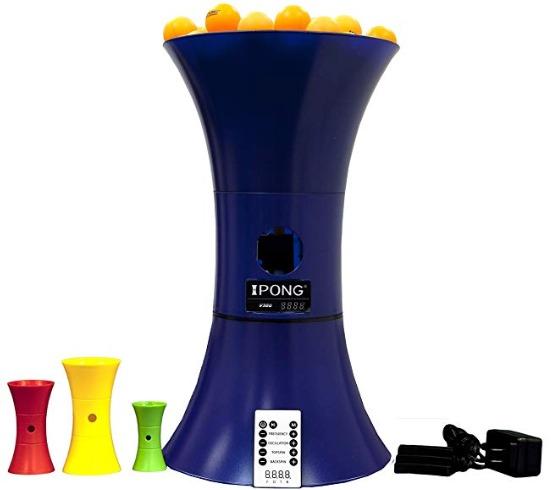
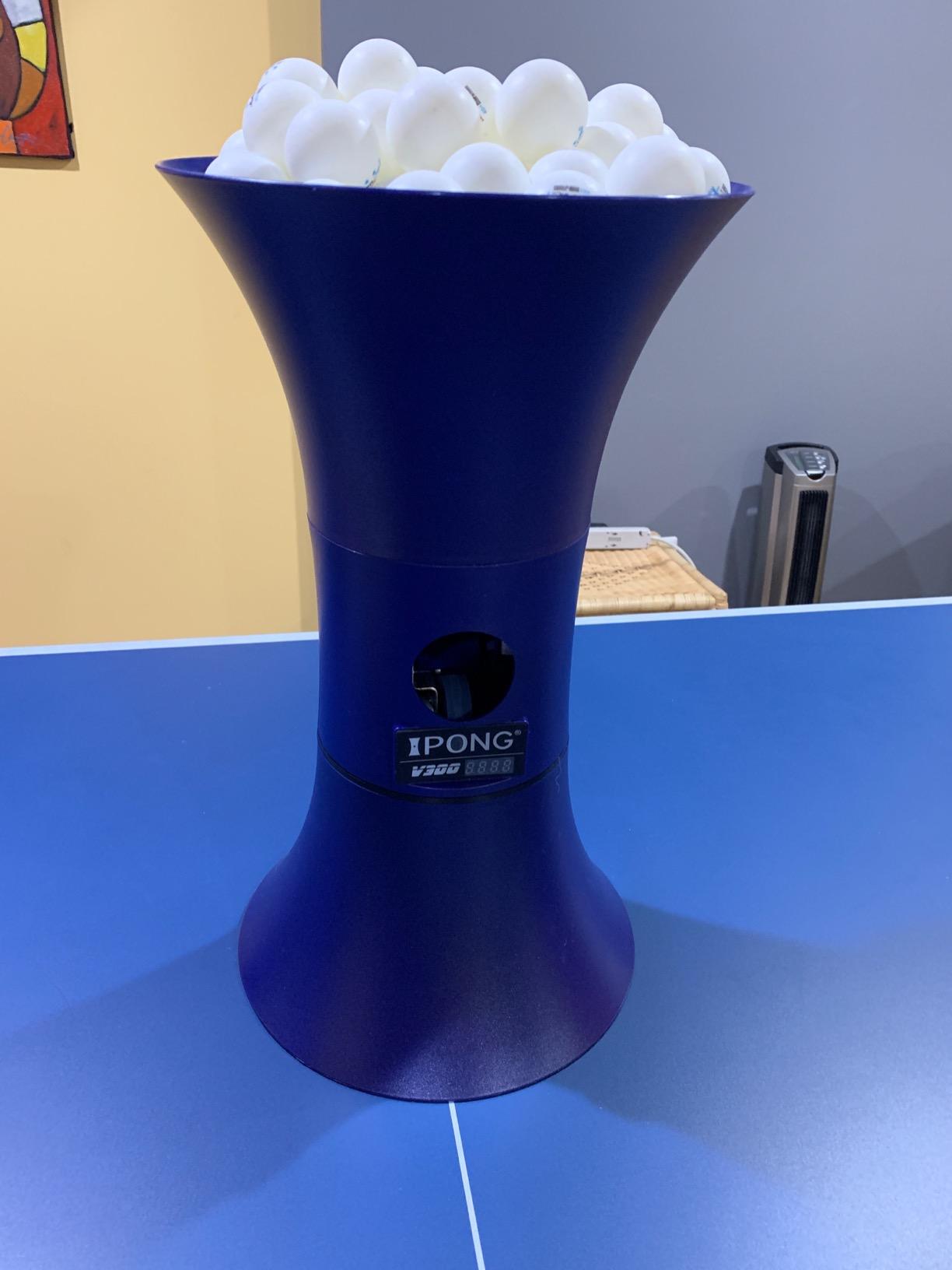
The V300 is the machine I recommend to almost anyone starting out, and the reason is plain rather than exciting: 837 verified reviews mean its failure modes are already well documented. You can read exactly what breaks, and on this machine the answer is mostly small plastic parts rather than the motor or the control board. That is a very good deal for a first robot.
In use, the headline numbers are a 30 to 70 balls per minute frequency range with independent topspin and backspin dials and side-to-side oscillation. The remote lets you change frequency, speed, direction and spin from your end of the table, and the memory buttons let you set a drill, then re-run it without touching anything. There is no app, which sounds old-fashioned until you spend a year with a robot that needs a phone to start.
Ball capacity is generous enough that I can run long blocks without a refill, and the twist-on feeder has held up better than the screws that hold it together, which is the one genuinely weak point owners keep reporting.
The compromises show up in two places. The slowest frequency setting is still brisk for a true beginner working on a basic stroke, so most new players either start on a lower cadence by counting reps in bursts or spend their first fortnight doing wall work instead. And the oscillation base occasionally stops for a few seconds and then restarts, which interrupts a rhythm you were in the middle of.
There is also no sidespin option. That matters more than it sounds on paper, because sidespin is how you rehearse reading a wide, hooking serve. Without it you are training topspin and backspin responses only. The trajectories are also slightly unrealistic in a way experienced players notice, particularly at low speed, and some owners find themselves re-tuning placement often.
Who the iPong V300 suits best
This is the pick for a beginner through intermediate player who wants a dependable weekly feed and does not need a drill library. If you are learning a forehand loop or rebuilding backhand consistency, the adjustable spin range and the remote are more than enough, and the memory buttons make it easy to run the same 20-ball block over and over.
For a club player without a fixed training partner, the 837-review history means replacement parts and known behaviours are easy to research, and the machine is light enough at 3.1 pounds to lift off the table in a few seconds when you want to play live.
Where the iPong V300 falls short
Skip it if your main goal is serve and serve return against heavy chop, because it cannot pair a slow ball with strong backspin, and if you want sidespin reads you will need a different machine. It is also the wrong choice if your table is anything other than a standard 2.5 inch top, since the clamp is not adjustable beyond that.
The 3.8 star average is honest, and the 1-star share of 16% is real. Those reviews cluster around the rotating feeder disc and screws going into plastic, so if you play daily and roughly, expect maintenance rather than a machine that disappears.
2. JOOLA iPong Play – A Simple Machine for Young Players
JOOLA iPong Play Table Tennis Trainer Robot with 20 ABS Training Balls, Orange
Up to 30 balls per minute
Battery powered with 4 AA
Arrives fully assembled
20 ABS balls included
Pros
- Purpose-built as a genuine first machine for young players
- Battery powered and compact at 12 by 7 inches
- Works straight out of the box
- Includes 20 40mm ABS training balls
- Good for teaching basic stroke mechanics
Cons
- No remote so settings cannot change from across the table
- Fires immediately on power-up before you are set
- Often double-feeds and jams
- Balls are inconsistent in length and placement
The iPong Play exists for one job: giving a child a moving ball to hit without an adult standing on the other end. For that job it is genuinely fine. It arrives with 20 40mm ABS training balls, needs no assembly, runs on four AA batteries, and tops out at 30 balls per minute, which is a comfortable cadence for a seven-year-old learning to swing at something.
I appreciate that it needs no app, no remote and no tools. The footprint is small enough to sit on a tabletop or a shelf, and at 2.2 pounds it moves between rooms without thought. It is the machine I would put in a garage or a playroom rather than in a training hall.
The rating of 3.8 across 314 reviews tells you what this machine is: it works, but it works in a crude way. The feed is the weak point, and it is not a small one.
What works with the iPong Play
Serve it as a first tool for a child aged roughly six to eleven who is building a stroke habit rather than chasing spin quality. The 30 balls per minute ceiling is slow enough that a beginner can actually track the ball, and the included training balls mean there is no second order to make.
It also suits a very specific adult task: a warm-up feed for someone who just wants to loosen up without dealing with dials. Set the frequency, walk to your end, and hit.
Where the iPong Play falls short
Do not buy this for adult solo training. Without a remote you cannot change anything once you are at your end of the table, it fires the instant you power it on, and it frequently double-feeds or puts two balls in the air at once. Ball length and placement are inconsistent, and a lot of those balls find the net.
Some listings claim oscillation, and owners dispute that claim directly. If random placement matters to you at all, this is the wrong machine.
3. iPong Original – The Simple, Quiet Workhorse for Consistency Drills
iPong Original Table Tennis Trainer Robot,Black, Orange
12-70 balls per minute
Holds up to 110 balls
Topspin and underspin dials
Assembles in under a minute
Pros
- Adjusts frequency from a genuinely slow 12 balls per minute
- Remote cord reaches across the table
- Owners report thousands of balls served with very few jams
- Compact and lifts off the table quickly
- Works with 40mm and 40+ balls
Cons
- Cannot combine slow speed with heavy backspin
- Last few balls often stay in the hopper
- Screws go directly into plastic and wear out
- Noticeably loud as spin increases
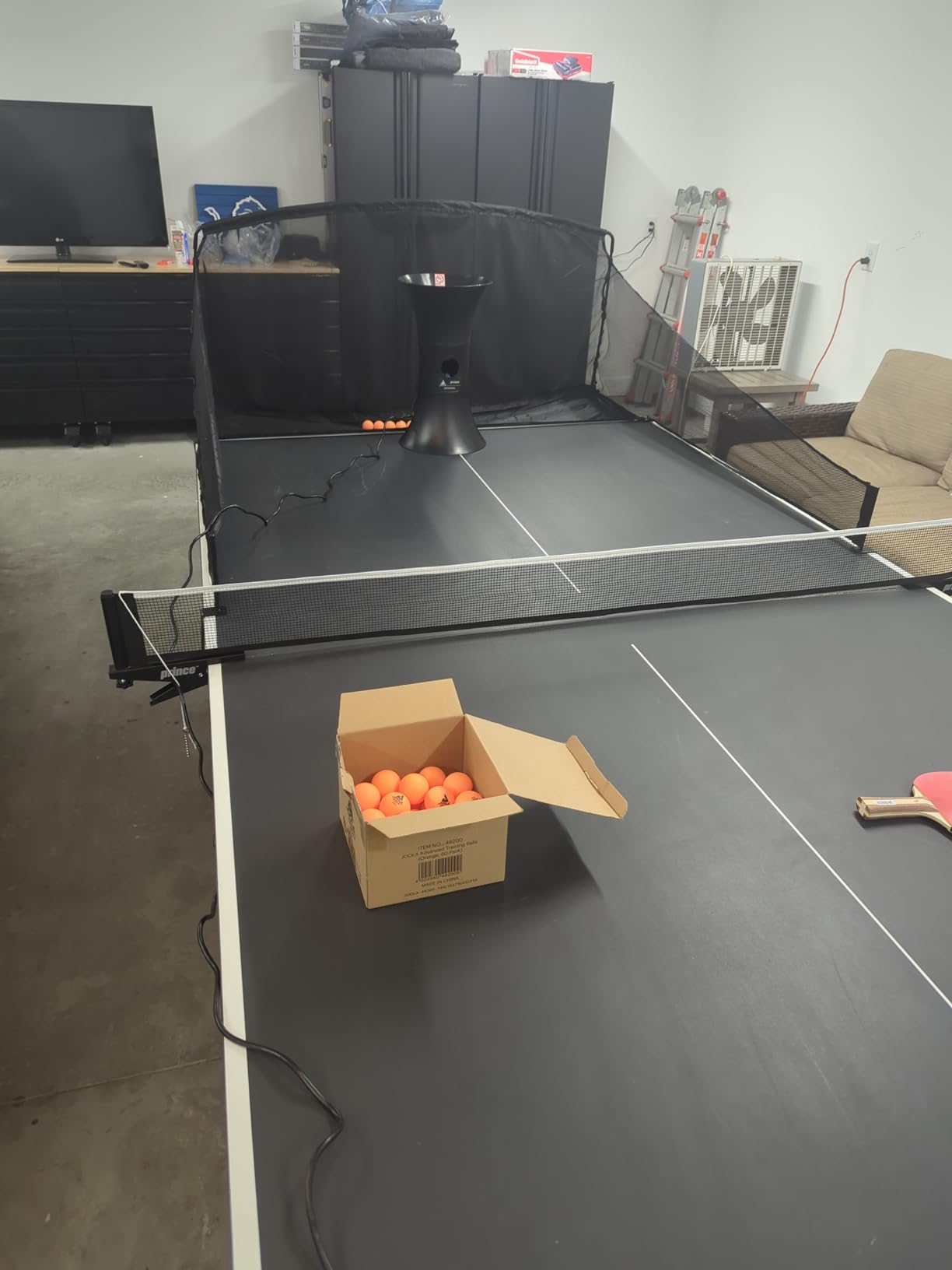
The iPong Original is the machine I hand to someone who just wants to hit the same ball ten thousand times without thinking about electronics. It has dials for topspin and underspin, a frequency range that starts at 12 balls per minute, and nothing else. There is no app, no Bluetooth, no screen, and no menu to fight with.
That 12 balls per minute floor is the underrated spec here. Many machines at this level start around 30, which is too quick for a player still learning contact. On the Original you can feed a genuinely slow, repeatable ball and build a stroke before you add pace, which is why the 4.0 star average feels deserved to me.
Owners consistently report that this machine has run through thousands of balls with very few jams. It also holds up to 110 balls, and the wired remote has a cord long enough to reach across the table, so you can change settings without leaving position.
There is one hard limitation that shows up in almost every long review: you cannot slow the ball down and load heavy backspin at the same time. Short, heavy backspin serves are therefore not reproducible on this machine. If your goal is to rehearse reading a deep chop, you will be disappointed.
The other recurring notes are minor but worth knowing. The last few balls in the hopper often will not feed, so you end a session by shaking the machine. The internal rollers are made with coarse tolerances, and the screws go straight into plastic, which caps its lifespan under heavy daily use. It also gets loud as you turn the spin up.
Who the iPong Original suits best
This is the pick for a beginner or a club-level intermediate who wants plain forehand and backhand consistency work and prefers dials to screens. It also pairs well with a ball net, which is exactly the combination long-term owners recommend and which turns a 110-ball hopper into an effectively continuous session.
Because it is 2.5 pounds and lifts off the table quickly, it suits a shared club table where the machine comes out only for a block of solo work and then goes away for actual play.
Where the iPong Original falls short
Skip it if you are training serve return against heavy underspin, or if you need sidespin, random placement, or a drill library. There is no oscillation program worth the name here, and the ball speed range that makes it so good for beginners is exactly what limits it for an attacking player.
At 297 reviews, this machine has a well-understood failure profile rather than a mystery one. The plastic screw construction is the part that will eventually disappoint you.
4. Suz S201 – The Best All-in-One Setup With a Recycling Net
Suz S201 Table Tennis Robot with Machine Recycling net and 200 Balls
Recycling net and 200 balls included
Adjustable head for direct or indirect serve
Direct serve topspin 6 and backspin 2-3
One-year parts replacement
Pros
- 4.4 stars with 71 percent of ratings at five stars
- Recycling net included so you never stop to collect balls
- 200 balls included in the box
- Head adjusts for both direct and indirect serve
- Broad spin speed and oscillation control
Cons
- Only fits tables under 2.5 inches thick
- Needs at least 20 balls loaded and frequency at setting 1 or 2
- Large and heavy compared with portable robots
- Must be cleaned and covered when stored
The S201 is the highest rated machine in this roundup at 4.4 stars, with 71 percent of its 268 ratings at five stars, and the reason is the net. The complaint that comes up most often in community discussion is the same every time: without ball recycling, your session is dominated by picking up balls. This machine solves that out of the box, and 200 balls are in the box with it so you can load the whole hopper and the whole net.
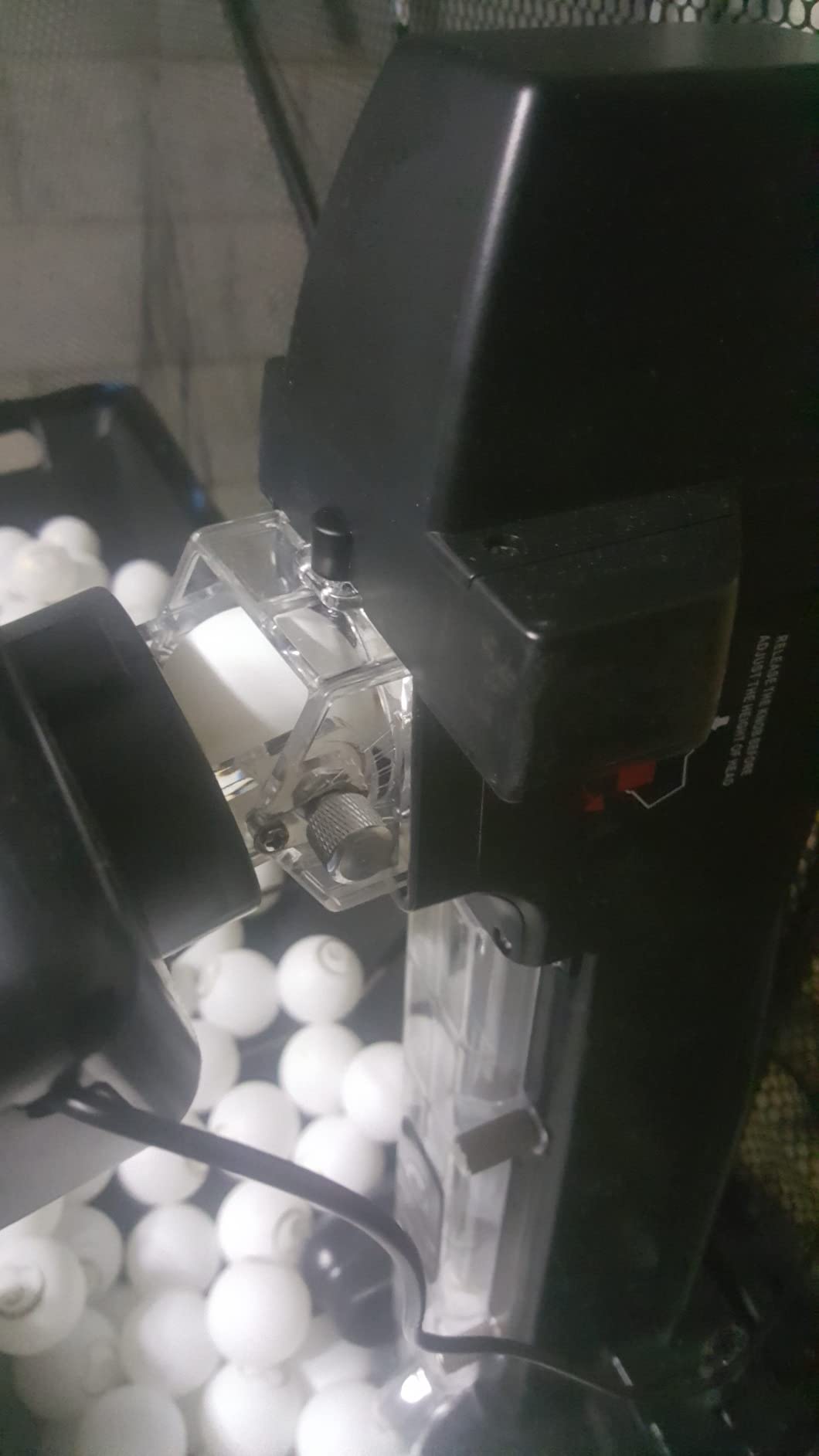
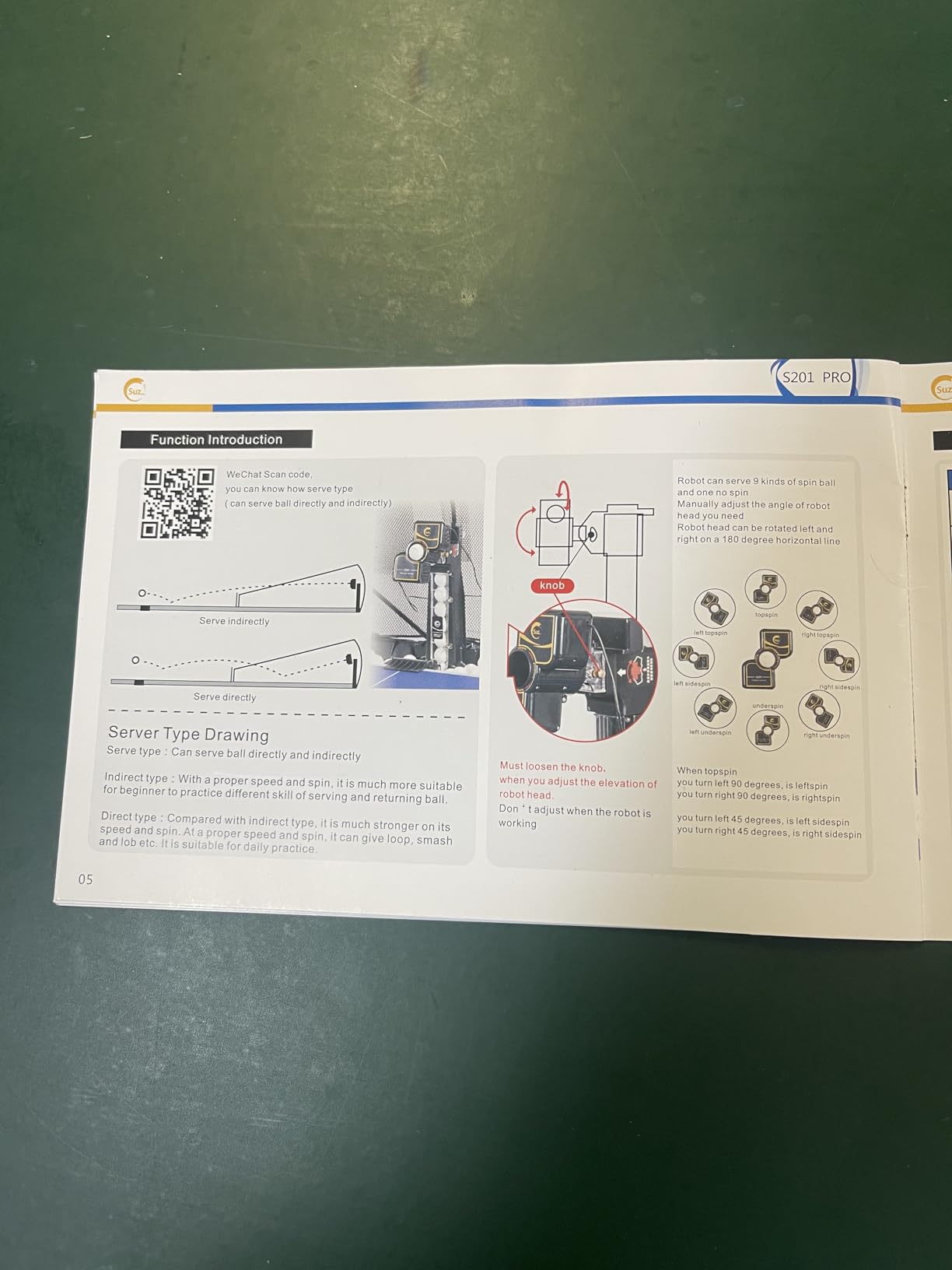
The head tilts up and down, which gives you both serve types. In direct mode you can reach topspin 6 and backspin 2 or 3; in indirect mode, spin comes off the net, with topspin 4 and backspin 3. That distinction matters because an indirect serve looks completely different on the receiving end, and having a real head adjustment is something most machines at this level fudge.
Spin, speed, frequency and oscillation settings are all on the front panel, and the manufacturer supplies replacement parts for normal wear within one year.
The catch is physical. At 9.8 kg and 34.65 inches long, this is a substantial piece of equipment, and it lives on a table rather than in a bag. You plan your practice space around it, and if your table is folded away between sessions, the S201 comes off, gets covered and goes back in storage.
The second catch is the one that returns machines. It only fits tables under 2.5 inches thick, which is the same limit that catches the S102 and the S101. Measure before you order. It also needs at least 20 balls in the feeding tube and frequency at setting 1 or 2 before it will serve properly, which sounds trivial until your first session ends in frustration because you loaded eight balls.
Who the S201 suits best
This is the pick for a home player with a dedicated table and a garage or basement, and for a club coach who wants a student to practise without supervision. The recycling net turns a 20-minute session into a 45-minute session, and that is the single biggest difference between this machine and everything cheaper.
It also suits anyone whose weakness is serve reading, because the direct and indirect head adjustment is genuine rather than simulated. The 4.4 star average is the strongest in this list for a reason.
Where the S201 falls short
Do not buy it if your table top is thicker than 2.5 inches, if you need to carry your robot to a club, or if you live in a small space with nowhere to keep a 9.8 kg machine covered. There is no app and no drill library, so all the programming is manual dial work.
And it is not cheap to move. Owners who rated it five stars also rated maintenance as a real requirement, not an occasional chore.
5. PONGBOT 264-Drill Robot – The Best Value Pick for Drill Programming
PONGBOT Table Tennis Robot: APP Control 264 Drills, Portable Ping Pong Machine with Spin/Speed Customization, 150-Ball Capacity for Solo Training & Coaching
30-90 balls per minute across 11 levels
Speed to 15 m/s across 21 levels
9 spin types at 60 r/s
264 preset drills plus custom programming
Pros
- Hardware outperforms every other machine at this price
- 264 preset drills plus fully custom sequences
- App simulates the landing spot for placement work
- Tabletop format allows near-net short serve trajectories
- Owners report no misfeeds across many thousands of balls
Cons
- App needs both Wi-Fi and Bluetooth and can disconnect
- Remote screen is tiny and drops connection
- Sidespin is not automated and needs a manual head rotation
- Head height cannot change mid-drill
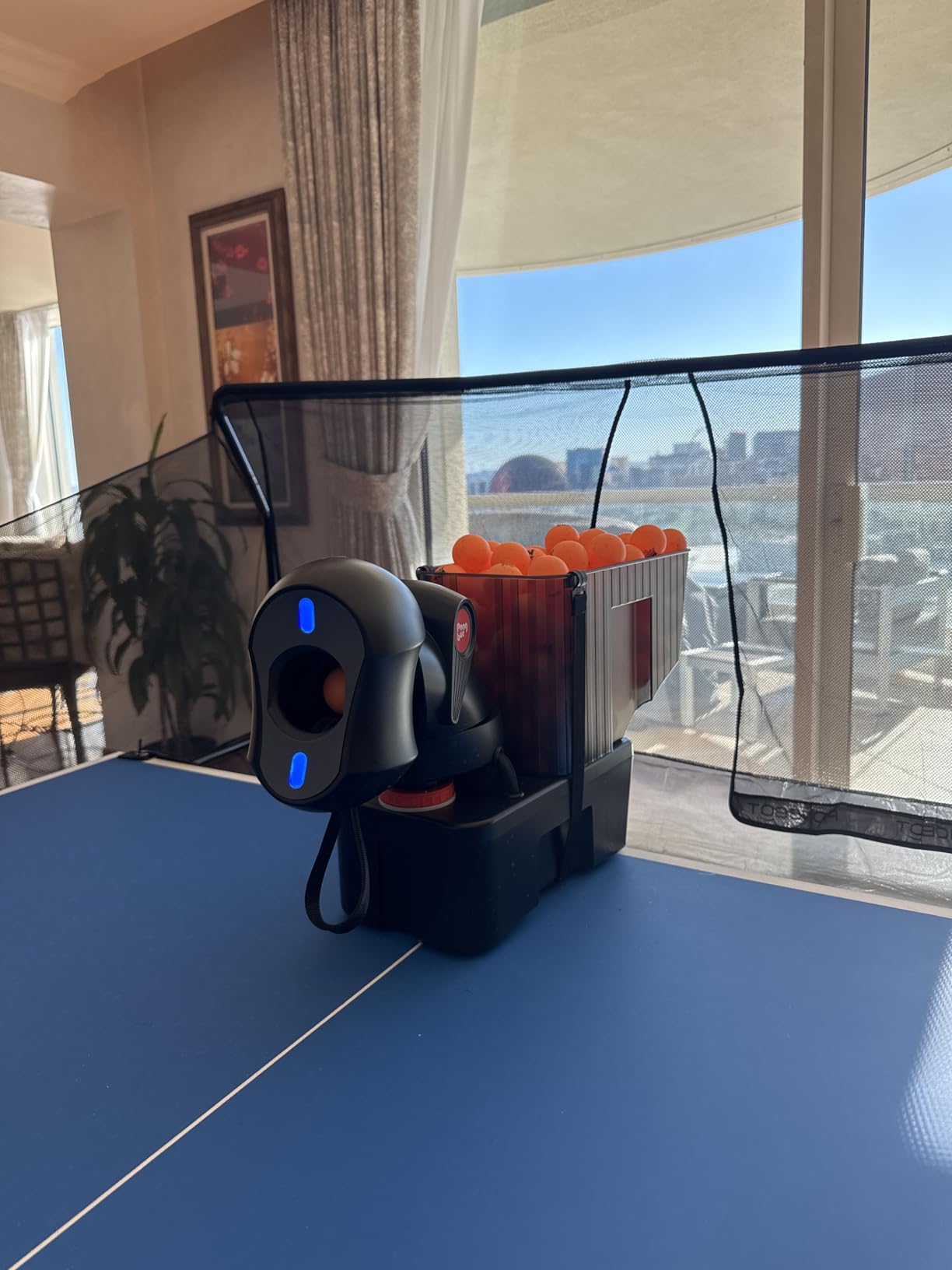
The PONGBOT is the machine that changed my mind about mid-range robots. Owners consistently rate the hardware well above the app, describing it as quiet, sturdy and capable of real drill programming that its own owner group rates above cheaper alternatives. Two BASF throw wheels, frequency from 30 to 90 balls per minute across 11 levels, and speed up to 15 m/s across 21 levels is a serious spec sheet for this bracket.
Spin is where it separates from everything cheaper: 9 types of spin, with rotation speed of 60 r/s across 21 intensity levels. That is real sidespin capability and real backspin control, which means serve and serve-return practice stops being a compromise. The head can also sit on the tabletop itself rather than clamped at the end, which lets you rehearse short, near-net serves that no clamped machine can deliver.
The 264 built-in drills plus custom programming mean you can save a trajectory, change one parameter, and run it again. The app draws a simulated landing spot on your table, which is genuinely useful for placement work, and a handheld remote is included for when you do not want to touch a phone.
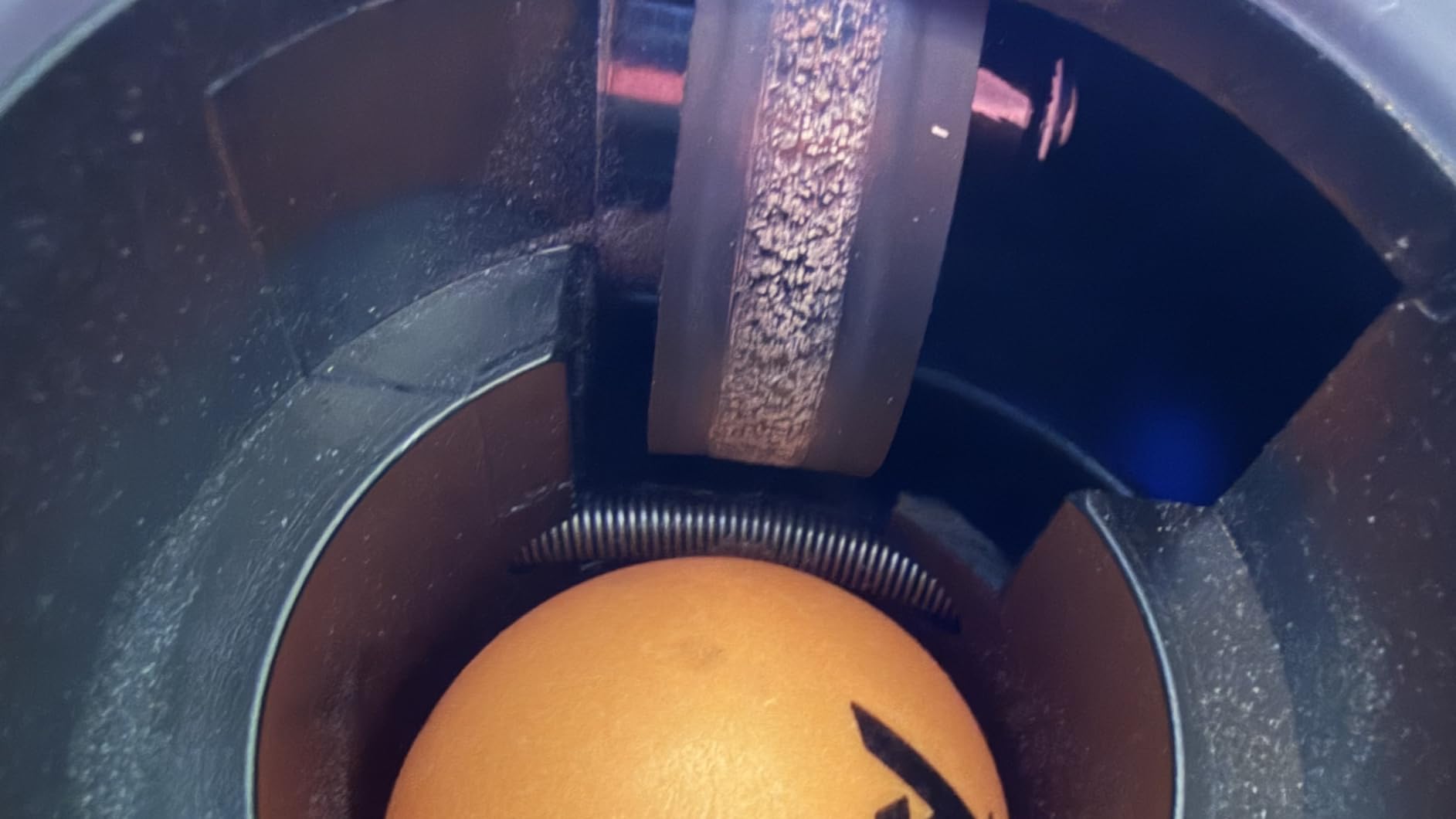
Every real complaint about this machine is about software. The app requires both Wi-Fi and Bluetooth, can hang or disconnect, and its preset library is more limited than the headline number suggests until you start programming. Bluetooth pairing takes a while, and you cannot edit drills while disconnected. Several owners note that free community apps expose deeper functionality than the stock one.
The handheld remote is a partial answer, but its screen is tiny and almost unreadable, and it drops connection. Sidespin is not automated, so the head has to be rotated by hand, and head height cannot change within a single drill, which is a real limit if you are mixing a short serve and a deep third ball in one sequence.
One practical warning: 40mm+ balls and two AAA batteries are not included. Order them with the machine.
Who the PONGBOT suits best
This is the pick for a serious club player or a league player who trains alone three or four times a week and wants to program actual exercises rather than turn dials. The 150-ball basket, the 21-level speed control and the real backspin make it one of the most capable machines here for serve-return work without moving up a tier.
It is also the best choice if you coach and want to assign a specific drill to a student.
Where the PONGBOT falls short
Skip it if you hate app dependency, because the control layer is the weak point and the machine is noticeably less good without it. The large head is also easy to clip with your own paddle during a fast sequence, so you need clear space at your end.
And if your table is thicker than 2.5 inches, check the clamp before you commit. This is a machine whose capability is wasted if it will not mount.
6. ZXMOTO 36-Spin Robot – Best Spin Variety Without an App
ZXMOTO HP-07 Ping Pong Robot Machine with 36 Different Spin Balls Table Tennis Robot Automatic Ball Machine for Training
36 spin combinations via interchangeable gears
Topspin backspin and sidespin combos
Holds approximately 110 balls
One-year warranty
Pros
- 36 spin combinations via interchangeable spinning gears
- Double-end serve for wide variation
- Easy to set up take down and reposition
- Owners report it rarely jams on its own
- Oscillation plus a wide speed range
Cons
- Clamp may not fit thicker or premium tables
- Speed is set via the spin knobs which is confusing
- No variation in placement between shots
- No remote so you must reach the controls
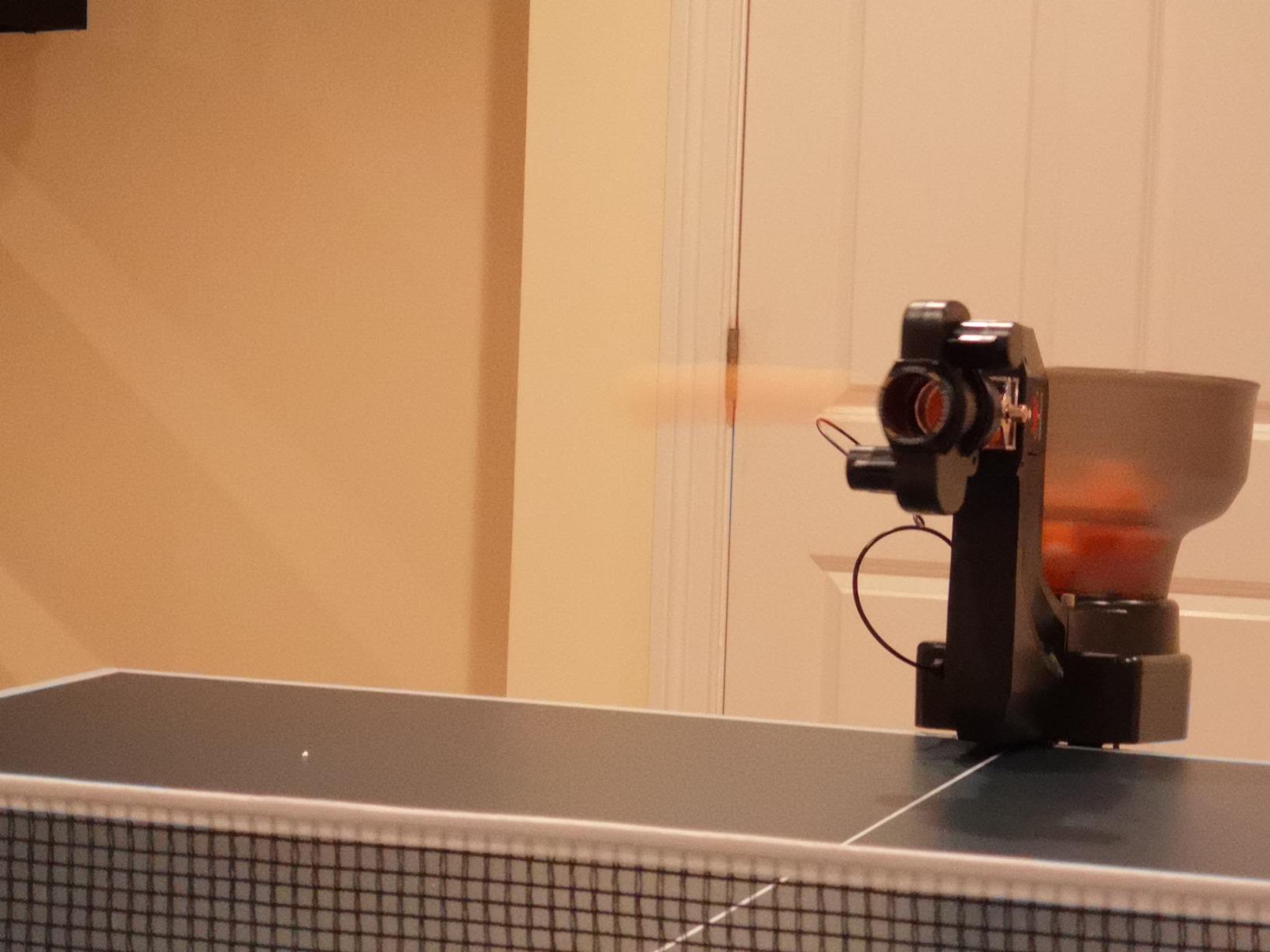
The ZXMOTO 36-Spin Robot does something the other machines in this bracket do not: it gives you 36 spin combinations, including sidespin mixes, through interchangeable spinning gears rather than a dial setting. If your goal is to rehearse reading different spin types, that variety is the entire point of the machine.
It can also double-end serve, which widens the angle dramatically, and it oscillates side to side. The basket holds approximately 110 balls, and its 2.4 kg body is light enough to carry to a club session without much thought.
Owners who have had it for months report it rarely jams on its own, which is not something you can say about most machines at this level.
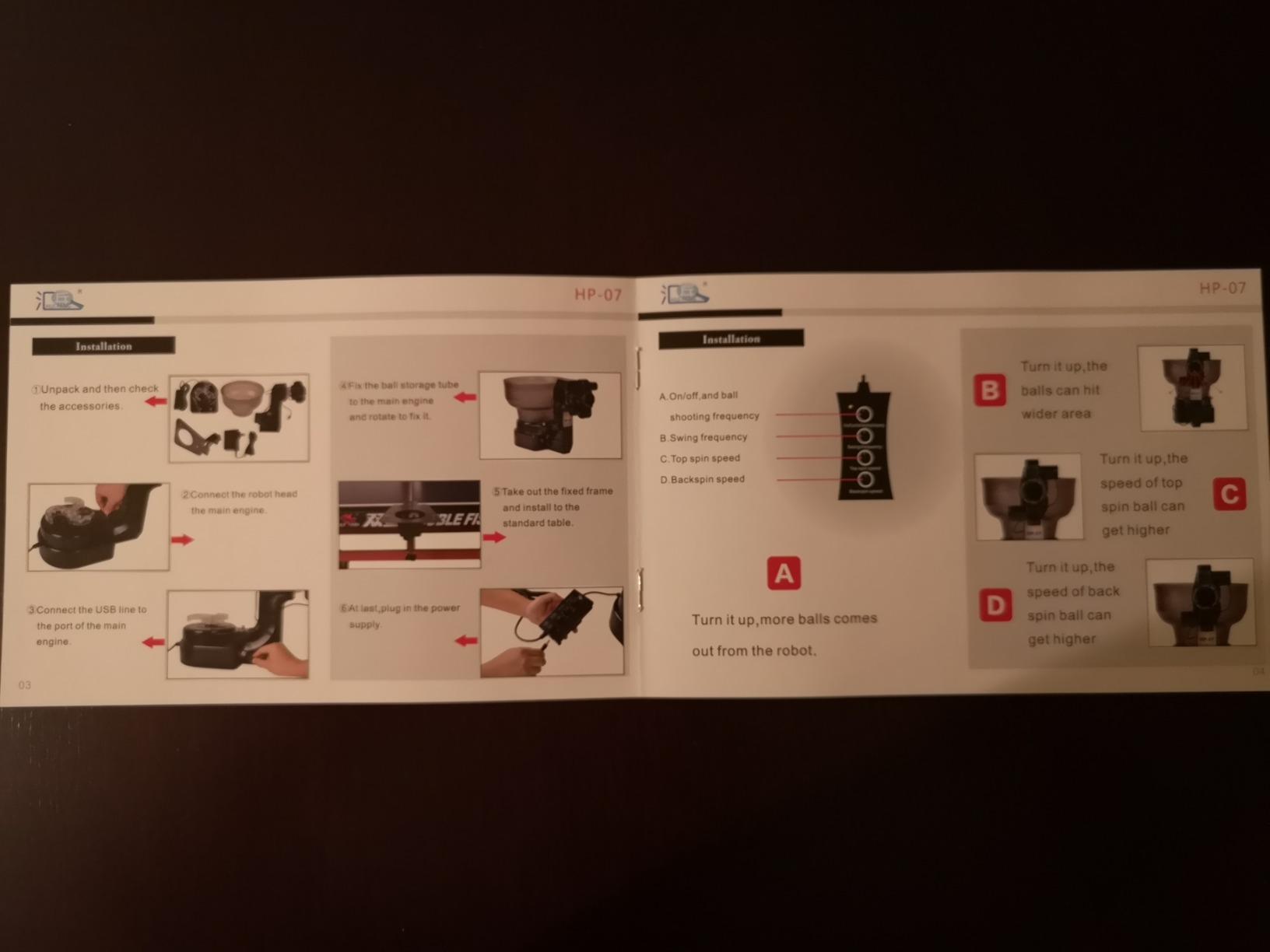
The controls are the problem. Speed is adjusted through the topspin and backspin knobs, which is genuinely confusing if you have used another robot, and at high settings the ball goes off the table. There is no wireless remote, so changing anything means walking to the machine mid-session, which defeats the point of a solo feed.
There is also no variation in placement between shots on this model, so once you find a setting, every ball goes to the same spot. That is fine for repetition work and frustrating for anything that depends on reading variation. Balls are not included, and it needs more than 15 balls loaded before it will fire.
A few owners report oscillation motor failure around the three-month mark with weak seller support, so the one-year warranty matters here more than the specification suggests.
Who the 36-Spin Robot suits best
This is the pick for a player who wants to train spin recognition specifically and does not care about apps or remotes. Set a spin, read the ball, adjust. The 36 combinations give you more variety than most machines here, and oscillation plus a wide speed range turns it into a real workout partner.
Beginners benefit from it too, because the machine is genuinely easy to set up, take down and reposition, so you are not fighting a mounting system every session.
Where the 36-Spin Robot falls short
Do not buy it if you need sidespin to be automated, if you need random or varied placement, or if you want to change settings from your end of the table. The wired control is the single biggest downgrade from the PONGBOT for a practice session.
And measure your table first, because the clamp does not fit thicker or higher-end tables, and check the seller support on the oscillation motor before you commit to daily use.
7. LANFIRE Clip-On Trainer – A Low-Cost Way to Build Stroke Feel
LANFIRE Professional Table Tennis Training Robot Fixed Rapid Rebound Ping Pong Ball Machine Table Tennis Trainer for Stroking
Fixed rapid rebound delivery
Clips to tables up to 6.5 cm
47 cm tall and 300 g
Spare balls included in the box
Pros
- The lightest machine here at 300 g so it clips on and comes down fast
- Spare copper-hole and standard balls included in the box
- Fixed rapid rebound lets you repeat a stroke endlessly
- Sturdy enough to survive being hit once set up
- Two-piece assembly and easy table attachment
Cons
- Clamp is too small for many quality tables including Butterfly and Xiom
- Metal clamp is not straight and can scratch the table
- Stiff action so it barely moves or flies apart when struck
- No instructions in the bag
I want to be straight about what this is. The LANFIRE is not a programmable robot and it never will be. It is a clip-on arm that returns the ball to a fixed point at a fixed speed as fast as you hit it, which makes it a spin and brush trainer rather than a multiball feed.
Used properly, that is more useful than it sounds. You do not chase anything and you do not wait for a feed. Several owners describe it as an effective visual aid for developing spin and stroke feel, and the box includes two copper-hole balls plus three standard balls so you can compare spin behaviour directly. It weighs 300 g, stands 47 cm tall, and clips onto surfaces up to 6.5 cm thick.
That weight is the reason it is the easiest machine in this roundup to move. It takes seconds to clip on and seconds to take off, which matters when the same table has to serve two purposes.
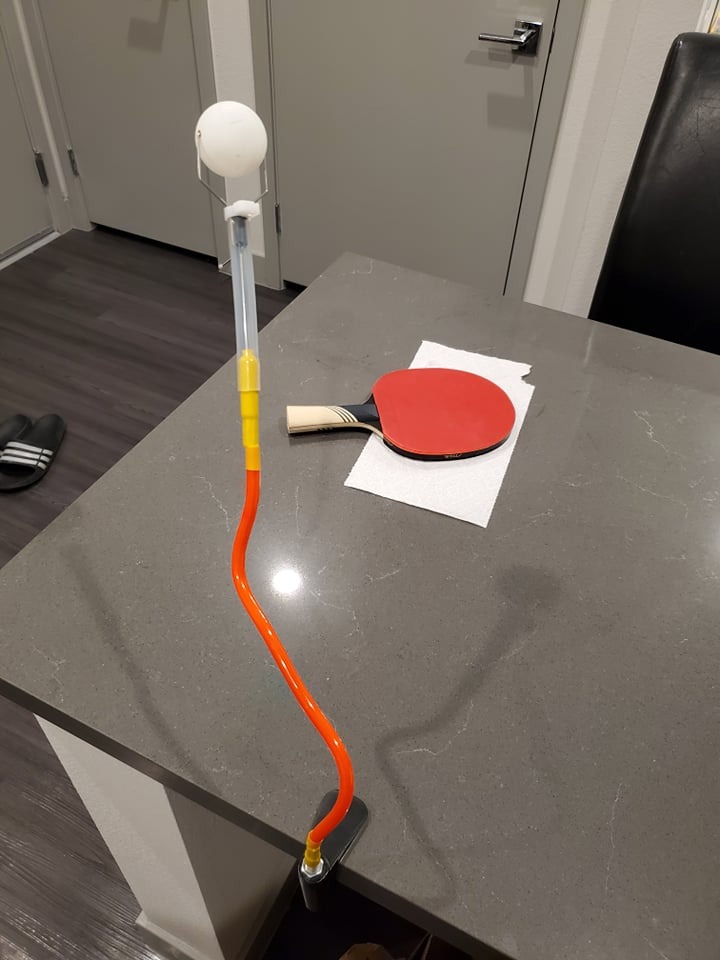
The clamp is where this one falls down. It does not fit many quality tables, and owners specifically name mainstream Butterfly, Xiom and JOOLA models. The metal clamp is also not perfectly straight, and people report it scratching the underside of a table, which matters if you care about your table’s condition.
The action is stiff. Depending on how hard you strike it, the ball either barely moves or the whole unit comes apart, and there are no instructions in the bag, so setup is a two-minute guess. The 1-star share of 12 percent reflects exactly those two problems.
Who the LANFIRE suits best
This is the pick for a complete beginner who wants to feel topspin and backspin on a ball before spending real money on a machine, and for a parent buying a first piece of kit. It also works as a supplementary spin-feel tool next to a proper robot, because the skill it trains is different from the skill a robot trains.
For players on a cheap older table, it is one of the few options in this roundup that will actually clamp on properly.
Where the LANFIRE falls short
Skip it if you own a modern club table, because the clamp will not fit and you will be measuring and returning for nothing. It also gives you no spin, speed or frequency control, so it cannot substitute for a robot at any point in your training.
Treat it as a spin-feel trainer or nothing. Judged as a robot, it is not in the same category.
8. Suz S102 – Wireless Remote Control Without the Recycling Net
Suz S102 Table Tennis Robot Wireless Remote Trainer
Wireless remote for spin speed frequency and oscillation
Adjustable head for direct or indirect serve
Direct serve topspin 6 and backspin 2-3
One-year free replacement parts
Pros
- Full wireless adjustment from the far side of the table
- Head adjusts for both direct and indirect serve modes
- One-year free replacement parts for normal wear
- Reasonable step up from a dial-only machine
Cons
- Only fits tables under 2.5 inches thick
- Oscillation can stop and needs manual help to restart
- Needs at least 20 balls loaded and frequency at 1 or 2
- Weak serves if the USB connection is not reseated
The S102 is the machine you buy when the single thing you want is a remote control. Every setting, including spin, speed, frequency and oscillation, is adjustable from the far side of the table, so a session never breaks because you had to walk over to the machine.
It shares the same adjustable head design as the larger S201, with direct serve settings of topspin 6 and backspin 2 or 3, and indirect mode at topspin 4 and backspin 3. That head movement is the feature that makes this machine interesting for serve practice specifically, since you can reproduce both short and net-heavy serves.
Manufacturers supply free replacement parts for normal wear and tear for one year, which is a better signal than the short coverage some entry products carry.
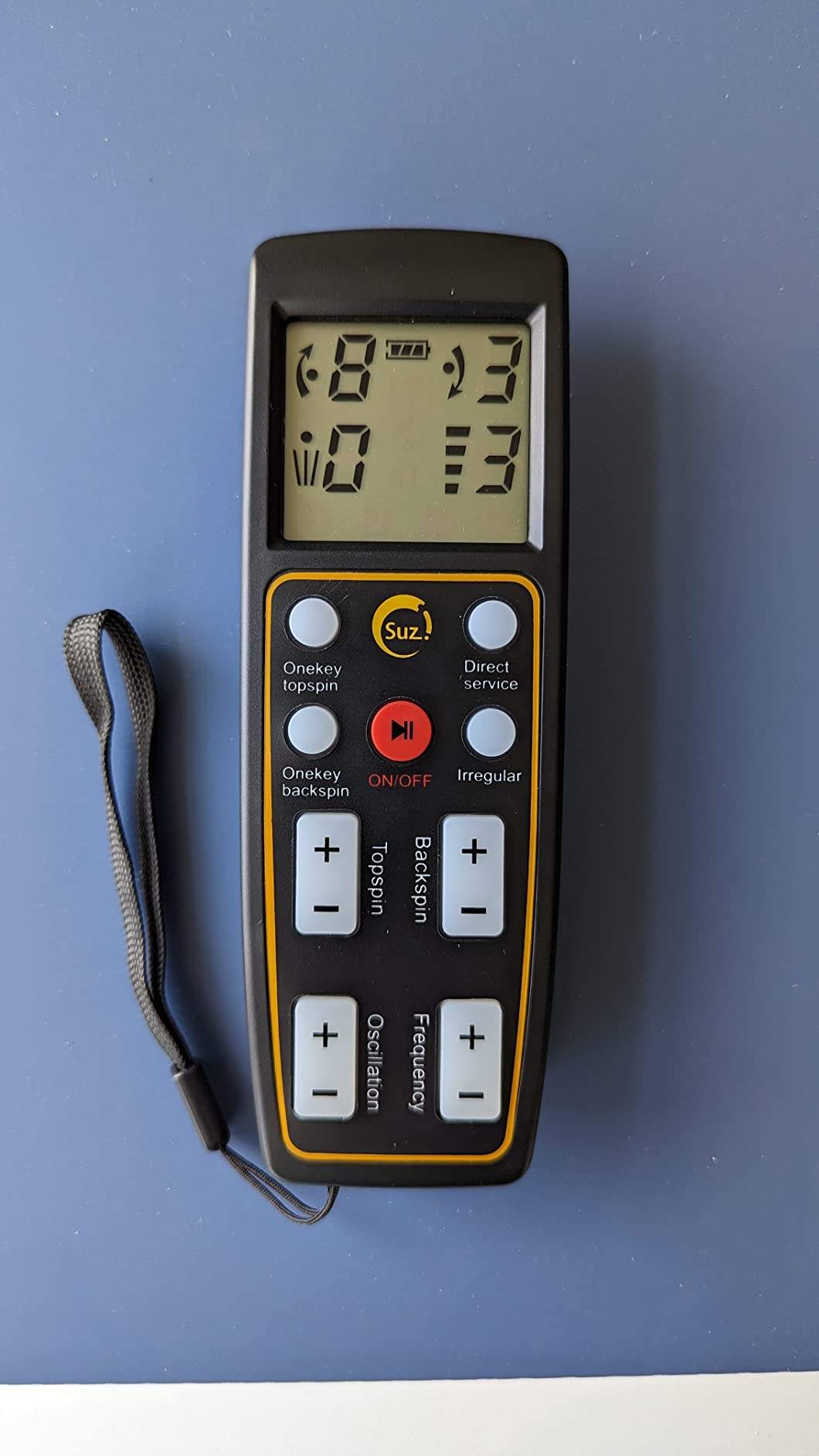
The oscillation fault is the most cited weakness, and it has a documented workaround that tells you a lot about the engineering: set oscillation to plus 9 and physically assist the head by hand to get it moving again. That is a repair you can do mid-session, but it is also a machine asking you to fix it.
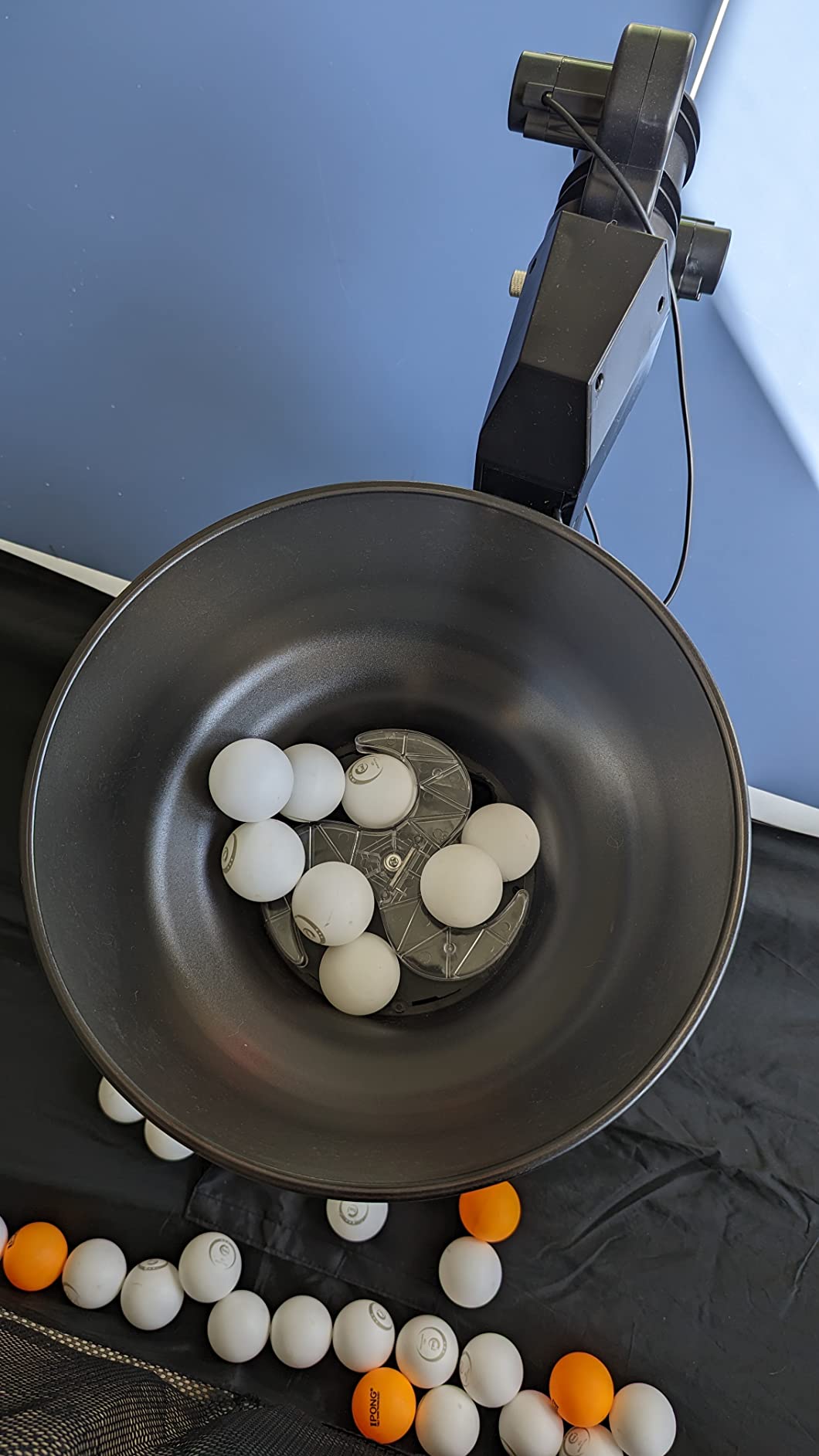
The 2.5 inch table limit applies here too, along with the 20-ball minimum in the storage tube. A few owners report weak serves that clear no net until the USB connection is reseated, which is a connection fault rather than a settings problem. The unit also needs cleaning and covering if you store it long-term.
Who the S102 suits best
This is the pick for a club or league player who trains alone in short blocks after work and wants to change spin mid-session without leaving position. For a coach running a student through serve variations, having a remote means the student is the one hitting, not the one walking to the machine.
It is also a sensible middle step for someone moving up from a dial machine who is not ready to deal with an app.
Where the S102 falls short
Do not buy it if your table is thicker than 2.5 inches, and think hard if you plan to use oscillation heavily, because the fault is recurring rather than occasional. Without a recycling net you will still be picking up balls, which is the biggest quality-of-life gap in this roundup.
At 123 reviews it is well understood but not heavily proven, so treat the parts coverage as the real warranty.
9. Suz S101 – A Simple First Step Into the Suz Line
Suz S101 Ping Pong Machine with 100balls for Solo Training & Coaching
Adjustable spin and speed
Compact 4 kg footprint
No installation required
One-year spare parts availability
Pros
- Easy first step up from very cheap machines
- Simple setup with nothing to install
- Holds a useful number of balls for sustained sessions
- Majority of ratings sit at five stars
- Compact 4 kg body
Cons
- Oscillation has been reported to fail and be hard to fix
- Basic remote controls compared with the rest of the range
- Balls not included with the machine
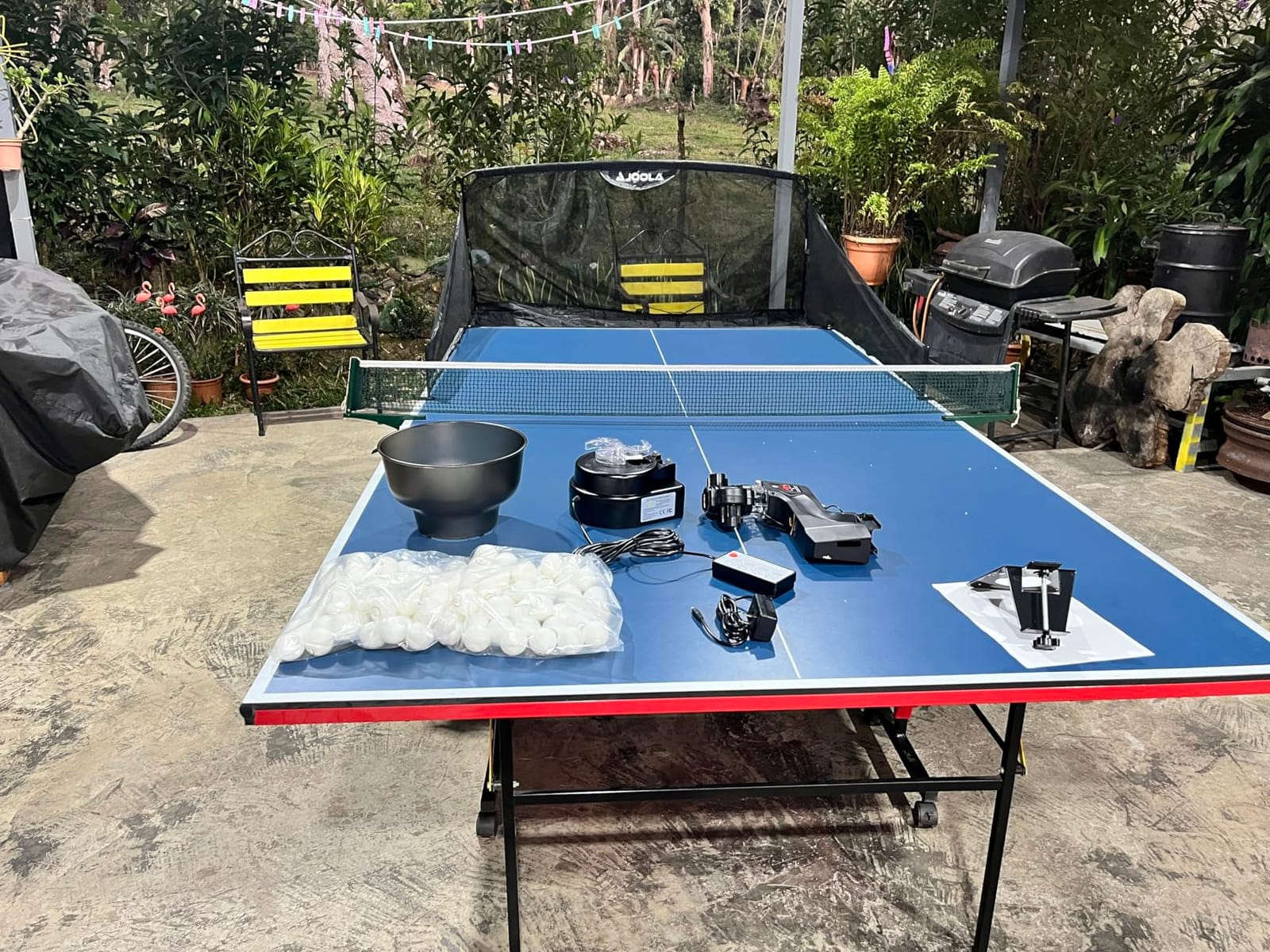
The S101 is the model most people mean when they say they want a Suz robot without committing to the full setup. It gives you adjustable spin and speed, no installation, a compact 14.96 inch footprint at 4 kg, and one year of spare parts availability from the manufacturer.
That footprint point is the practical reason to like it. It is small enough to live on a table in a room you also use for something else, and light enough to move with one hand. For a solo player working out of a spare room rather than a garage, that matters more than any spec.
Owner feedback is thinner here than on the other machines, with 112 reviews, and what exists is mostly positive on setup simplicity and ball capacity for sustained sessions.
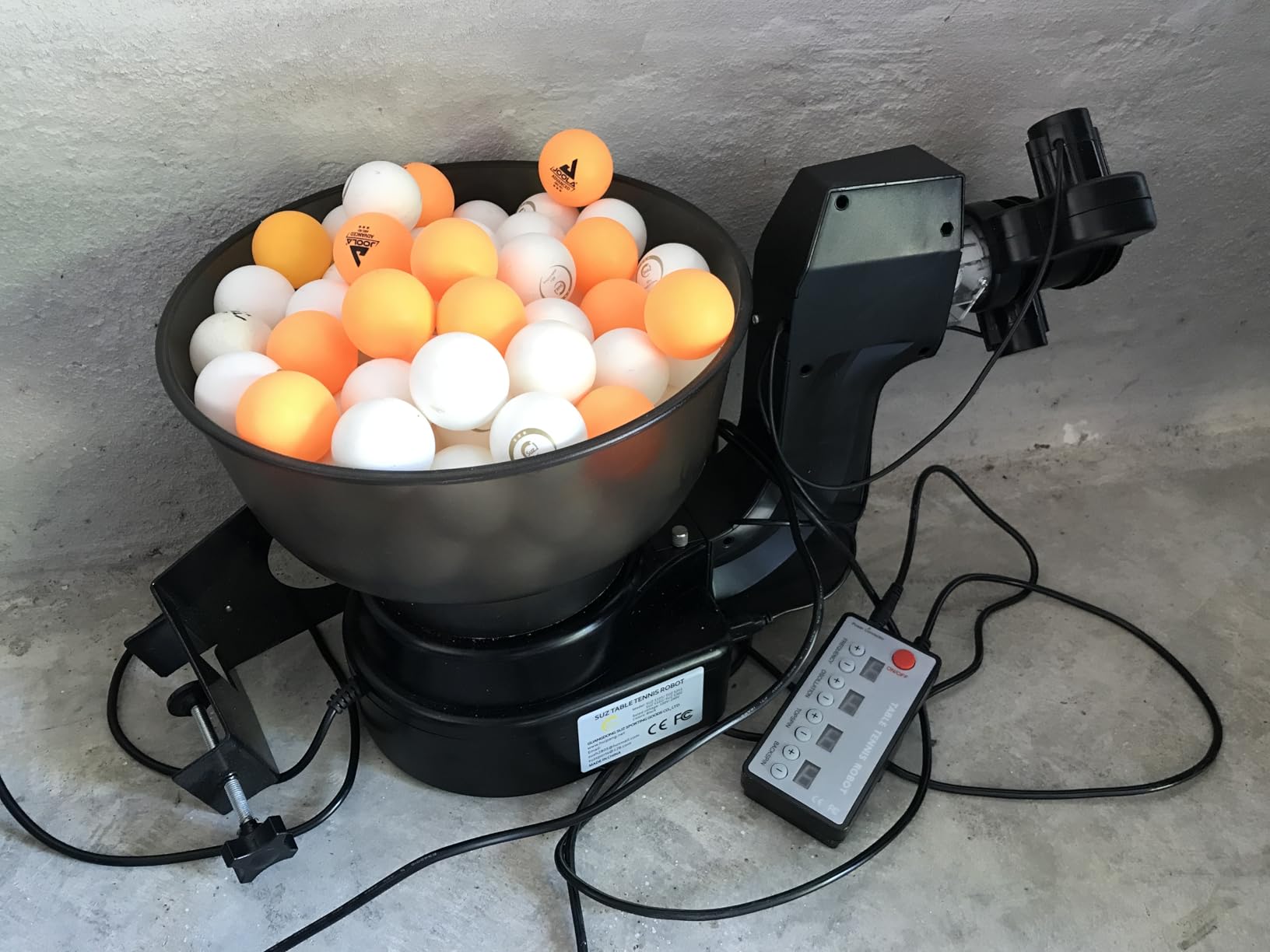
The recurring complaint is oscillation reliability, which appears across the Suz line at different price points and is the one fault you should weigh most heavily if you plan daily use. The remote is also basic compared with the newer models in the range, so this is not a machine you will grow into.
Balls are not included. That is a small thing in isolation, but it is the kind of detail that stops a new owner’s first session dead on day one, and it is worth planning for.
Who the S101 suits best
This is the pick for a beginner who has outgrown a 30 balls-per-minute toy machine and wants a real robot with adjustable spin, and for anyone whose practice space is a normal room rather than a dedicated area. Simple setup also means you will actually use it, which is the main advantage over more complicated machines in the mid range.
If your goal is straight consistency work with spin variation, it does that well enough.
Where the S101 falls short
Skip it if you plan to use oscillation daily, if you want a remote that can do everything, or if you need random placement and sidespin mixes. There is no app, so you are working with dials and a small remote for the whole session.
With 112 reviews, treat this as a well-liked entry point rather than a proven long-term machine.
10. Butterfly Amicus Prime – The Club-Grade Machine With a Three-Year Warranty
Butterfly Amicus Prime Table Tennis Robot | Best Ball Launcher-Thrower-Shooter for Your Ping Pong Table | Free Carry Bag, Remote, Tech Support, & 120 Balls | Play Or Practice Ping Pong Anytime
5-120 balls per minute with IFC timing
Sequenced drills run in order or randomly
Bluetooth control via supplied Android tablet
Catch net, 120 balls and carry bag included
Pros
- Five to 120 balls per minute with IFC timing
- Fast accurate repeatable placement after calibration
- Tablet controller makes building exercises intuitive
- Very solid build with a three-year warranty
- Works outdoors in light wind
Cons
- Needs frequent deflector and wheel cleaning to stay consistent
- Cloth return tray spills balls and is awkward to remove
- Android app hangs and the bundled tablet is weak
The Amicus Prime is the only machine here with a frequency floor of 5 balls per minute, and that single spec separates it from the rest. A true multiball sequence, where you get one ball, move, and get another, is only possible at that cadence.
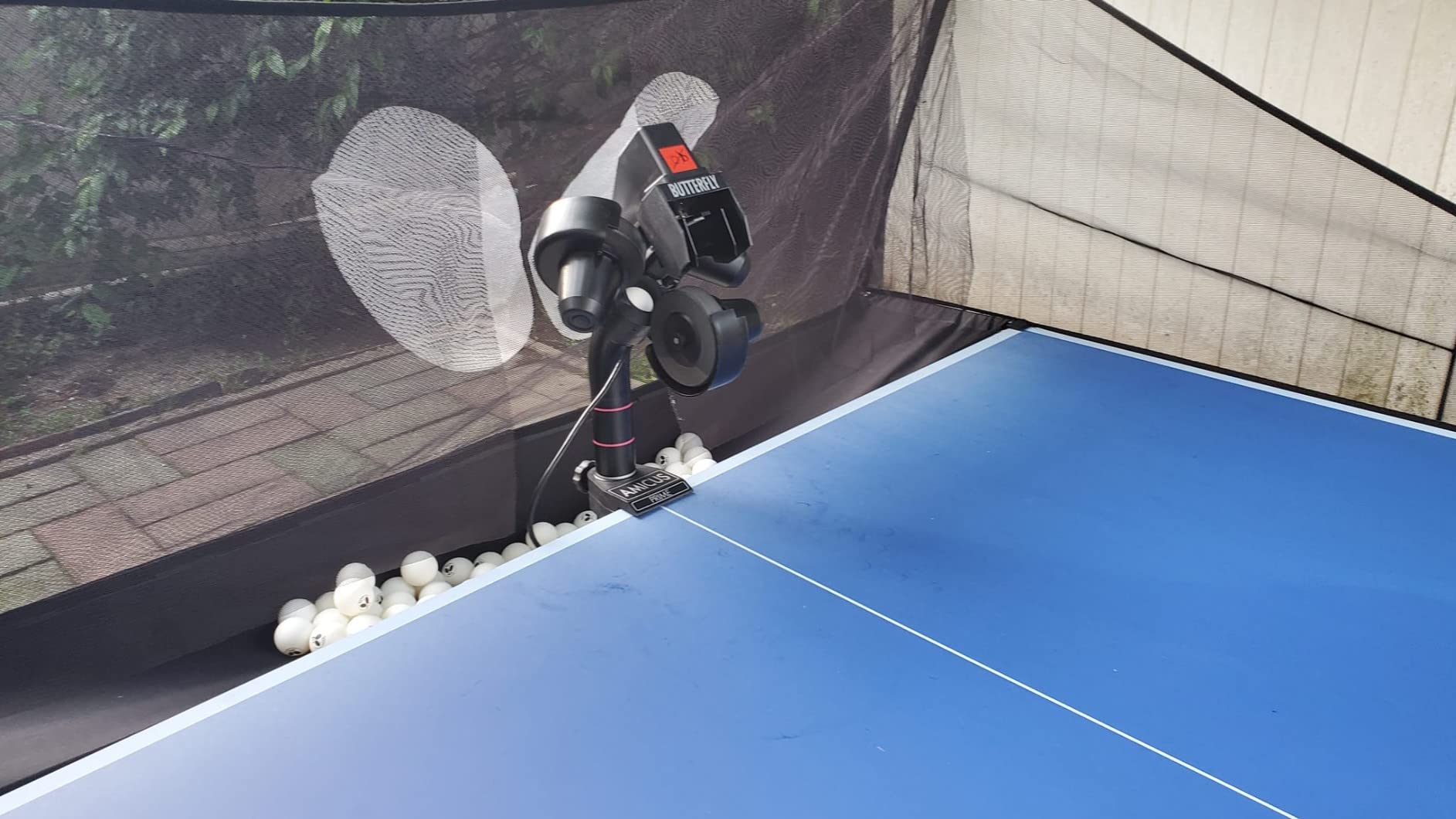
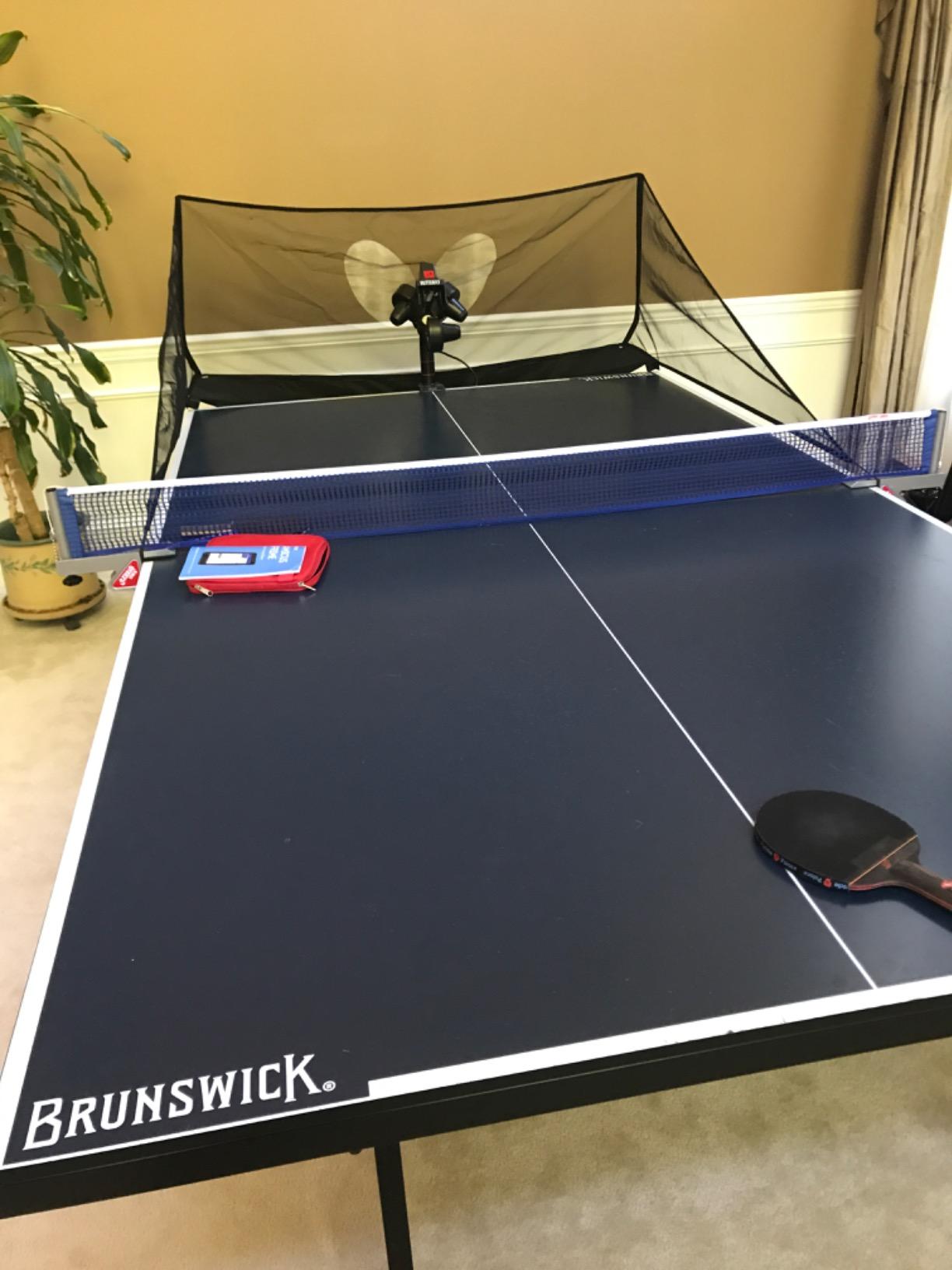
You get IFC timing for fine control of the interval between balls, the ability to sequence multiple drills and run them in order or randomly, and pre-saved drills for footwork and stroke work. Control runs over Bluetooth through the Amicus app on the supplied Android tablet, and firmware updates download through the same app. The box includes a catch net, 120 balls, a carry bag and a remote switch fob.
Placement is fast and repeatable once the machine is calibrated, and the three-year warranty is the longest in this roundup by a distance.
It is portable in the sense that a car can carry it, not the sense that one person can lift it easily.
It also demands maintenance. Ball consistency depends heavily on ball cleanliness and wheel condition, and the deflector needs frequent cleaning. Owners who skip that step describe the placement drifting, which is exactly the problem you paid to avoid.
The cloth return tray spills balls onto the floor and is awkward to remove for live play. The bundled Android tablet is not good, the app hangs occasionally, and settings changes sometimes do not apply until you save and re-enter them. The large head also needs resetting often to keep placement reliable.
At 57 reviews this is the thinnest evidence base in the roundup, and that is worth weighing against the specification. If buying blind at this level, check the warranty terms carefully.
Who the Amicus Prime suits best
This is the pick for a serious club, a coaching setup, or a player who has already worked out that footwork and placement are their limit rather than their stroke. The 5 ball per minute floor, random drill sequencing and saved footwork patterns are features you will not find anywhere else in this list.
It also suits outdoor training, since owners report it working in light wind, and the included net and 120 balls mean a club can set up a station without a second order.
Where the Amicus Prime falls short
Skip it if you are still learning basic strokes, if you will not clean the wheels and deflector weekly, or if you want a machine you can carry to the club yourself. The app layer is less polished than the hardware, and the tablet is the weak link in a system otherwise built to be controlled from a screen.
And be honest about the evidence: 57 reviews is far thinner than the 837 behind the V300, so you are buying on specification and warranty rather than on a long public record.
What a Table Tennis Robot Cannot Teach You
Every machine in this roundup throws a ball at a fixed pattern. That is both its strength and its ceiling, and pretending otherwise is how players end up disappointed after three months of solo work.
First, a robot cannot read your stroke. It repeats a trajectory whether you are balanced or completely off, so it will happily feed you a heavy topspin loop for six months while your timing is wrong. A partner reacts to your contact, and that reaction is what forces you to adjust.
Second, point play does not exist here. There is no rally, no transition, no decision to attack a short ball or retreat to a long one. Robot drills are multiball, and multiball is a foundation skill, not a match skill.
Third, touch and variation are limited. Even the Amicus Prime with 9 spin types and 21 intensity levels cannot produce the full repertoire of a league player who changes pace and hides spin on every third ball. If your problem is reading a disguised serve, keep practising with people.
Fourth, footwork transitions are hard to rehearse properly. You can run a footwork drill on a saved pattern, and that helps, but the recovery-to-next-ball feel only exists when a real opponent moves you.
If you are still deciding, weigh the cost of a robot against a season of club membership and the travel to find partners. For a lot of beginners, a club membership plus two sessions a week beats any machine on this list.
How to Use a Robot: A 30-Minute Solo Session Plan
The most common mistake is treating a robot session as an open-ended feed. Real progress comes from one shot, one block, at a repeatable cadence. This is the structure I use.
Minutes 1 to 5: Warm-up placement. Slow frequency, no spin, wide oscillation. Twenty forehands and twenty backhands, purely to find the ball. Do not judge technique here.
Minutes 6 to 15: The weak shot, block one. Set the frequency just above what you can control, load one spin type, and run 60 to 80 balls. Count misses out loud. The number is the scoreboard, not how the rally felt.
Minutes 16 to 20: The same shot with variation. Alternate the spin every ten balls, or add oscillation, so you have to read rather than repeat. This is the block that transfers to real points.
Minutes 21 to 26: Footwork or serve return. If you have a wide enough area, use a randomised pattern and move side to side. Keep the frequency low and your recovery correct rather than fast.
Minutes 27 to 30: Two final serves plus a note. Run a short serve block, then write down the miss count from block one and what you will change next time. That note is why the session counts.
For a beginner, run the whole plan at your lowest usable frequency and skip the variation block until misses drop under five per 20 balls. For an advanced player, compress blocks one and two and give the extra minutes to random placement and footwork, where the machine’s capability actually shows.
The community pattern is consistent: 20 to 45 minute sessions, three to five times a week, focused on one weak shot at a time. Consistency of a structured block beats long unfocused feeds every time. If you are also training an animal through interval work, our long training leads guide covers the same short-session discipline.
How to Choose the Right Table Tennis Robot
Ball frequency versus ball speed
These are the two specs buyers confuse most, and they are not the same thing. Ball speed is how fast the ball travels in metres per second, and it sets the difficulty of the return. Ball frequency is how many balls per minute the machine sends, and it sets how much recovery time you get.
For a beginner, frequency is what matters. A machine whose slowest setting is 30 balls per minute, which covers several of the cheaper machines here, is too quick to build a stroke on. Look for a low floor instead: the iPong Original starts at 12, and the Amicus Prime goes all the way to 5, which is the only figure here that supports true multiball sequences.
Spin variety and why it actually matters
Spin is the spec that separates training tools from toys. Topspin and backspin are the basics, and any machine above the cheapest end will give you both. Sidespin and spin combinations are where the difference shows, and they are what let you rehearse reading a wide or disguised serve.
The PONGBOT gives you 9 spin types at 21 intensity levels, the ZXMOTO 36-Spin Robot offers 36 combinations through interchangeable gears, and the S201 and S102 add a physical head adjustment for direct and indirect serve. The cheaper clip-on and battery machines give you no meaningful spin control at all.
Ball capacity and whether a recycling net is worth it
Hopper size matters less than session length, and the two numbers buyers quote are the ones to ignore. A 110-ball machine with a recycling net gives you a 45-minute session. A 150-ball machine without one gives you eight minutes of hitting and ten minutes of picking up.
Only two machines in this roundup include a net: the Suz S201 and the Butterfly Amicus Prime. For everything else, budget for a pickup net as a separate purchase, and mount it before your first session rather than after you have already broken a rhythm twice.
Control method: dials, remote or app
Dials are fast, reliable and never disconnect. A remote is fast and reliable if it is wireless and does not need an app. An app is the most flexible and the most fragile, because it adds a Wi-Fi dependency, a Bluetooth dependency and a piece of software that can hang mid-session.
For a beginner, dials are the right call. For a club player who wants to program sequences, the PONGBOT is worth the software trade-off. For anyone who plans to coach, a tablet interface like the Amicus Prime’s saves real time even with a mediocre tablet.
Table fit, clamp limits and storage
Measure your table before you buy. Several machines in this roundup, including the S201, S102, S101 and the V300, only fit tables under 2.5 inches thick, and the clip-on trainers do not fit many modern club tables at all. A machine you cannot mount is a wasted purchase, and clamp failure is the most common avoidable return in this category.
Also check whether balls are included. The S101, the 36-Spin Robot and the PONGBOT all exclude them, and finding that out on day one is a bad start. And plan storage: only the battery-powered and small-footprint machines can live in a cupboard between sessions, while the S201 and the Amicus Prime need a table of their own.
Which robot fits which player
If you are a complete beginner, start with a machine that has a low frequency floor and a low risk commitment, such as the iPong Original, or the JOOLA iPong Play for a child. If you are a club player without a partner, the JOOLA iPong V300 is the proven default and the PONGBOT is the step up when you want spin you can trust.
If your weakness is serve reading, prioritise spin types and sidespin over raw frequency, which points to the PONGBOT or the ZXMOTO 36-Spin Robot. If your real problem is that you stop sessions to pick up balls, the Suz S201 is the pick, because the included net changes how long a session can run.
If you coach or run a club, the Butterfly Amicus Prime earns its place through its 5 ball per minute floor, random drill sequencing, included net and three-year warranty. If you travel to the club, weight and footprint decide for you, and only the smaller machines survive that test.
Frequently Asked Questions
Are table tennis robots worth it?
They are worth it for players who already have basic strokes and no regular training partner, because a robot delivers hundreds of identical repetitions of one weak shot. They are not worth it for a complete beginner, who needs coaching feedback rather than a repeatable feed, or for anyone whose problem is reading disguised serves, which a machine cannot reproduce.
What is the best table tennis robot?
The JOOLA iPong V300 is the best all-round choice for most players, with 837 verified reviews, adjustable topspin and backspin, side-to-side oscillation and a wireless remote. The PONGBOT 264-Drill Robot is the best value pick for spin and drill programming, and the Suz S201 is the best option for anyone who wants a recycling net included.
How to train alone in table tennis?
Use a structured block rather than an open feed. Warm up for five minutes with slow placement, then spend ten minutes on one weak shot at a cadence just above what you can control, counting misses out loud. Add a variation block, finish with footwork or serve return, and note what you will change next session. Sessions of 20 to 45 minutes, three to five times a week, work better than long unfocused sessions.
Is there a robot that can play table tennis?
Not a consumer product. Research groups have demonstrated robotic arms playing table tennis against humans, but those are laboratory prototypes rather than machines you can buy. Everything sold as a table tennis robot is a ball machine: it fires balls at programmed speeds, spins and landing points, and it does not return them intelligently.
How much does a table tennis robot cost?
Prices span a very wide range. Basic entry machines that fire up to 30 balls per minute sit at the bottom of the market, mid-range robots with app control and programmable drills occupy the middle, and club-grade machines with tablet control, random sequencing and a three-year warranty sit at the top. The deciding factors are spin types, frequency floor, ball capacity, control method and warranty length.
What balls does a table tennis robot need?
Most machines here use standard 40mm ABS balls, and the 36-Spin Robot and PONGBOT accept 40mm+ balls. Check the listing before your first session, because the S101, the 36-Spin Robot and the PONGBOT do not include balls, and several machines need a minimum of 15 to 20 balls loaded in the tube before they will fire at all.
Final Verdict: Which Table Tennis Robot Should You Buy in 2026
The JOOLA iPong V300 is our pick for the best table tennis robots for solo training in 2026, and the reason is evidence rather than specification. Eight hundred and thirty-seven verified reviews tell you exactly how it behaves after a year of daily use, the spin dials cover forehand and backhand work, and the remote means a session never breaks. If you buy one machine and use it for a decade, buy that one.
Buy the PONGBOT 264-Drill Robot instead if you are already a competent club player and the thing missing from your training is spin realism and programmed sequences rather than more balls. Buy the Suz S201 if the reason your sessions end early is that you spend them picking up balls off the floor.
Add a clip-on spin-feel trainer only if you are starting from nothing and want to feel topspin before spending on a full machine, and look seriously at club membership first if you have no partner, because a robot cannot teach you touch, point play or footwork recovery. Whichever you pick, measure your table thickness, check whether balls are included, and set up a recycling net before the first session.