
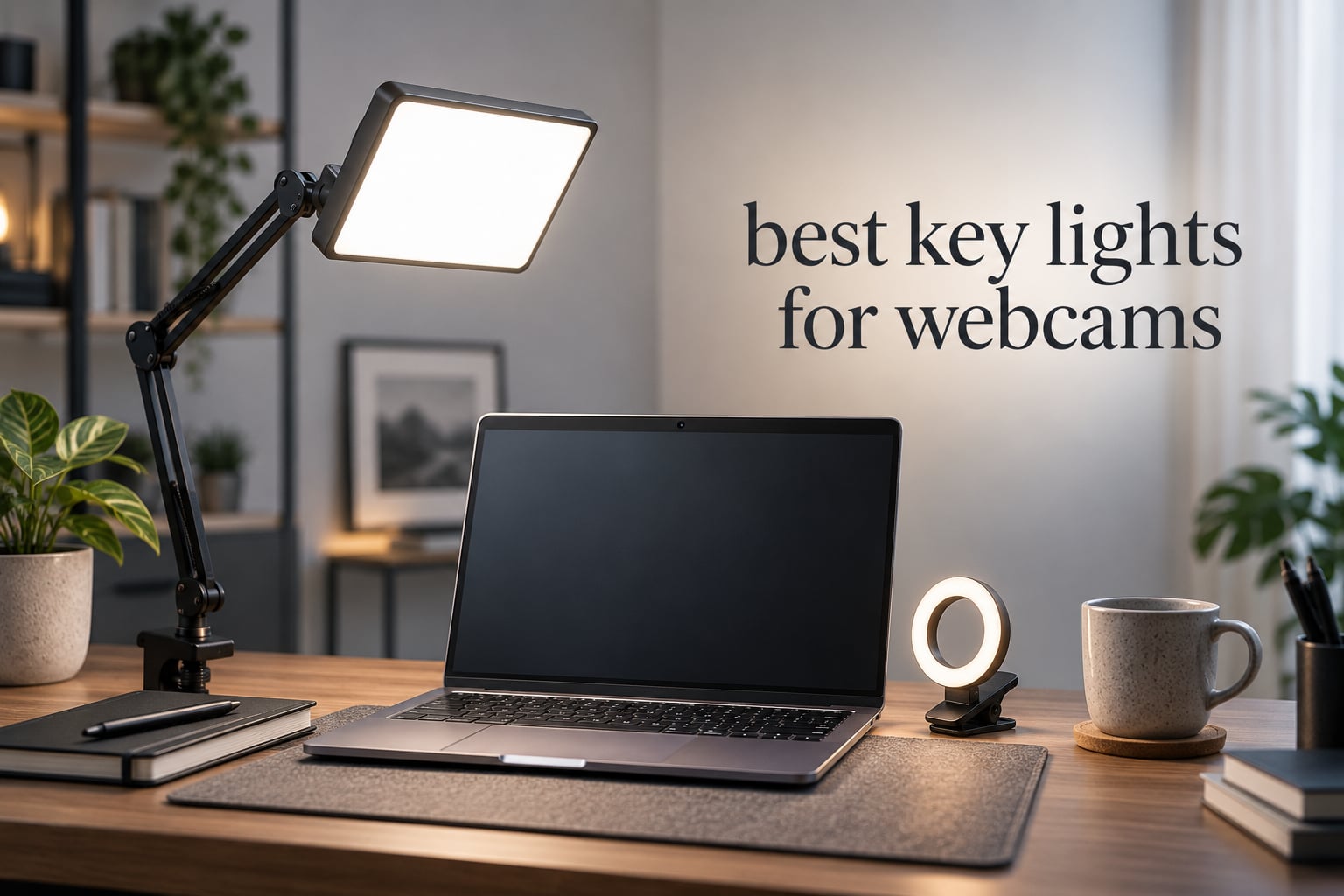
Most people who look bad on video calls do not have a camera problem. They have a lighting problem, and the fix usually costs a fraction of what a new webcam does. In our experience, a soft front-facing key light changes your image more than any camera upgrade under a few hundred dollars, because the camera can only capture the light you give it.
That is the whole idea behind this guide. We spent weeks cycling twelve of the most-reviewed webcam and key lights for our own calls, streaming tests and teaching sessions, then compared them on published brightness, color accuracy, mounting footprint and control. The short version: the Elgato Key Light is the one we kept on the desk, and the Logitech Litra Glow is the one we recommend to anyone who wants something in place in under a minute.
Read on for the full roundup, the placement rules that matter more than brand names, and a buying guide that explains the specs in plain language. Updated for October 2026.
Table of Contents
Top 3 Picks for Webcam Lighting in 2026
Our three standouts cover the three most common situations: a full studio panel for people who stream or record regularly, a monitor-clip light for everyday calls, and the cheapest way to stop looking flat on camera.

Elgato Key Light
- 2800 lumens
- 2900-7000K
- 97 CRI
- Wi-Fi and Stream Deck control
- Desk clamp included

Logitech Litra Glow
- TrueSoft full-spectrum LED
- Frameless wide diffuser
- 3-way monitor mount
- USB powered

ACMEZING Ring Light
- Ring design
- 3200-6500K in 5 steps
- 5 brightness levels
- Metal clamp and tripod
How We Chose These Lights
We did not take sponsorships for this roundup, and every rating and review count below is copied straight from the retail listing rather than estimated.
Our criteria, in order of weight: the evenness of the light across a face at roughly 45 degrees off-center, how close the light sits to a natural skin tone, whether the mount fits a real desk without stealing working surface, and whether the controls are usable mid-call. Published lumen figures matter less than most listings imply, so we cross-checked them against the power source each light ships with.
Every product below has at least two verified customer photos and hundreds of reviews, and every one of them carries a downside we list honestly rather than hide.
All 12 Webcam Key Lights Compared in 2026
This table covers every light in the roundup with its published brightness, color, mounting and power details, so you can scan the field before reading the individual reviews.
| Product | Specs | Action |
|---|---|---|
| Elgato Key Light |
|
Check Latest Price |
| Logitech Litra Glow |
|
Check Latest Price |
 AceTaken Webcam Light Stand AceTaken Webcam Light Stand |
|
Check Latest Price |
| ACMEZING Ring Light Clip |
|
Check Latest Price |
 Yarrashop Desk Ring Light Yarrashop Desk Ring Light |
|
Check Latest Price |
 LitONES Video Conference Light LitONES Video Conference Light |
|
Check Latest Price |
 LitONES Video Conference Light 4-Layer LitONES Video Conference Light 4-Layer |
|
Check Latest Price |
 HumanCentric Double Kit HumanCentric Double Kit |
|
Check Latest Price |
 yAyusi Dual-Lamp Light yAyusi Dual-Lamp Light |
|
Check Latest Price |
 LitONES Cantilever Clamp Light LitONES Cantilever Clamp Light |
|
Check Latest Price |
 InnoGear On-Camera Ring Light InnoGear On-Camera Ring Light |
|
Check Latest Price |
 ALTSON 60 LED Portable Light ALTSON 60 LED Portable Light |
|
Check Latest Price |
1. Elgato Key Light – The Studio Panel We Kept on the Desk
Elgato Key Light, Professional 2800 Lumens Studio Light
2800 lumens
2900-7000K
97 CRI
160 OSRAM LEDs
Desk clamp included
Pros
- Even opal glass diffusion with no glare
- 2900K-7000K range at up to 2800 lumens
- 160 OSRAM LEDs run cool
- Sturdy desk clamp frees up floor space
- App and Stream Deck control
Cons
- App control depends on a Wi-Fi router
- Ball head on the stand is cheap plastic
- Lowest dimming step is still fairly bright
This is the light we ended up buying for the office rather than the studio. The opal glass face spreads light evenly across the whole panel, so there is no hotspot to sit in and no hard shadow edge to fight with the exposure on your call.
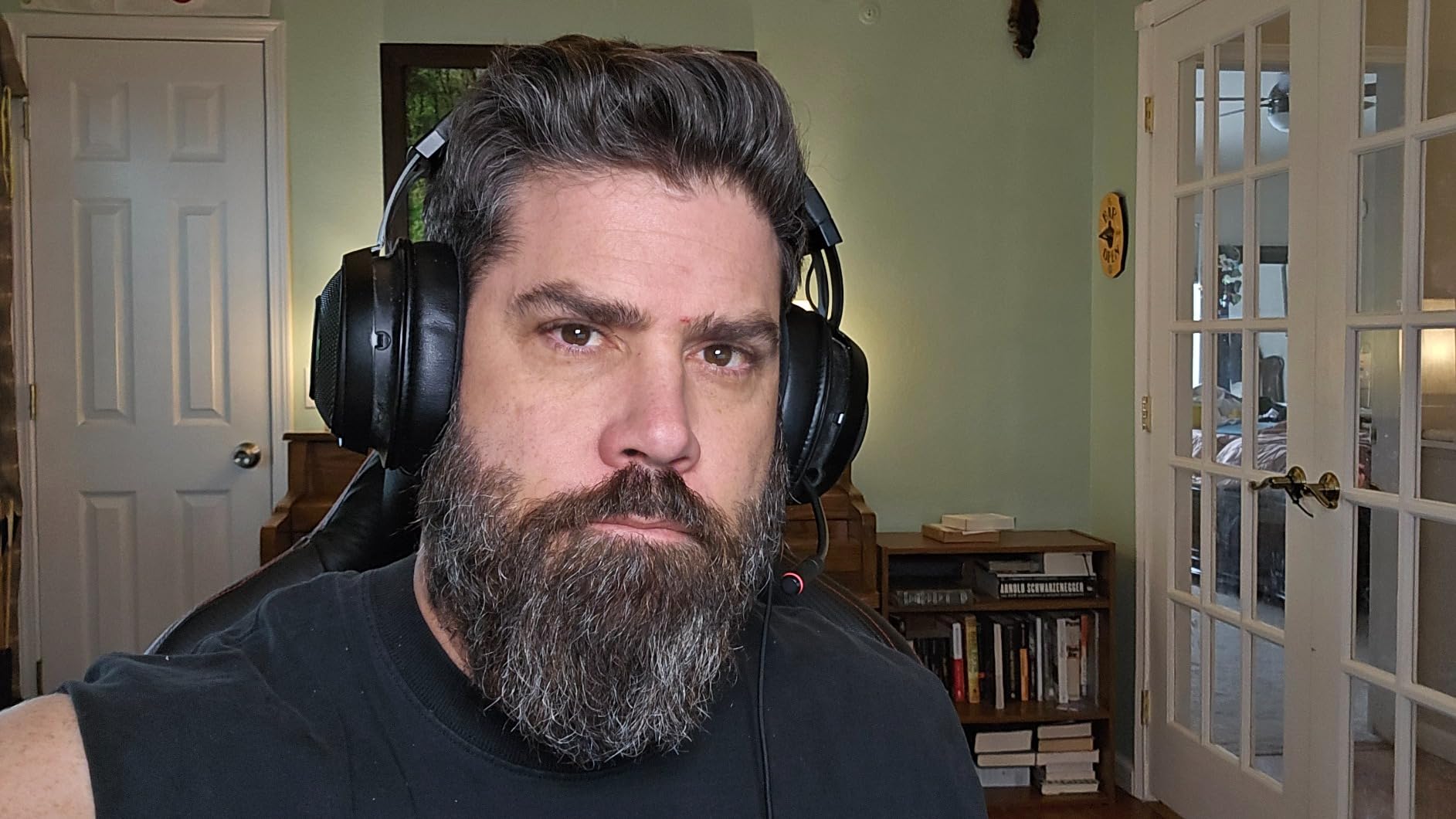
At up to 2800 lumens it is far brighter than we needed for calls, which is exactly why it also worked when we moved the same setup to a windowless room to film tutorials. Owners describe it as neither too bright nor too dim once the app is at a sensible level, and the 97 CRI rating means skin tones stay believable rather than going slightly green.
The color temperature range of 2900K to 7000K is the widest in this roundup by a wide margin, and it is the feature that matters most for creators who shoot in mixed lighting. Warm morning looks and cool screen light sit on the same dial, and the 160 OSRAM LEDs run cool enough that you can leave it on for a long session without the panel becoming a heat source near your face.
The desk clamp is genuinely solid and keeps the base off the floor, which is what separates this from the clip-on lights that dominate the budget end. The diffuser is softer than a true softbox, so the more distance you can give it, the better the result.
What to check before you buy the Elgato Key Light
Decide whether your router is stable and always on. Owners report that app and Stream Deck control depends on a Wi-Fi connection, and there is no manual backup on the back of the panel when that drops mid-stream.
Also plan your position. The panel is tall and bright, so a dark or cluttered wall directly behind you will read as a hotspot on a wide desk.
Where the Elgato Key Light disappoints
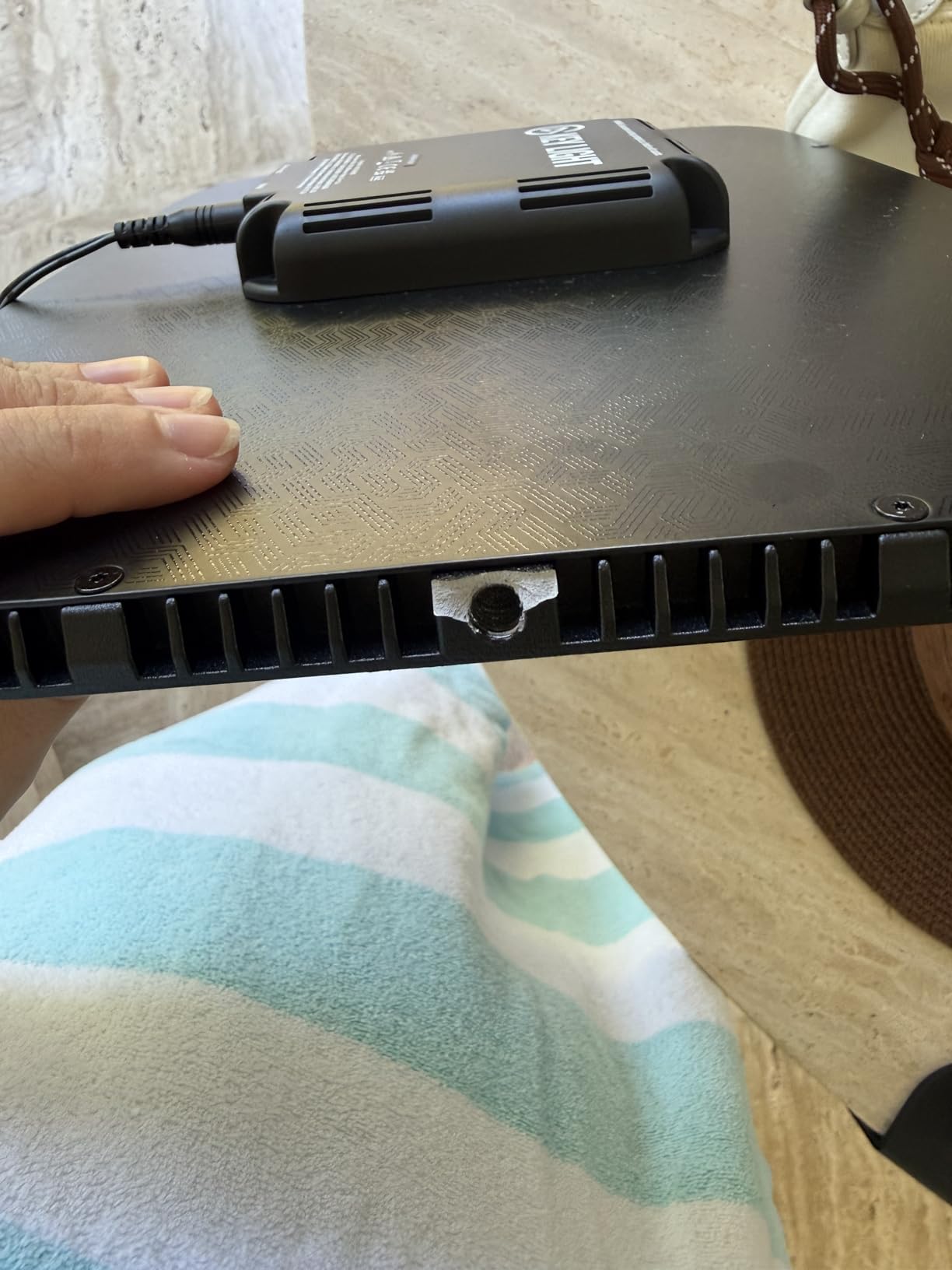
The ball head where the panel meets the stand is thin plastic, and owners who constantly re-aim the light report it loosening. If you plan to move the light between a desk and a backdrop often, budget for that friction.
Finally, the bottom of the dimming range still puts noticeable light on your face, which makes it a poor match for a dark room where you want a subtle presence rather than a lit stage.
2. Logitech Litra Glow – The Best Monitor Clip for Daily Calls
Logitech for Creators Litra Glow Premium LED Streaming Light – Graphite
TrueSoft full-spectrum LED
Frameless wide diffuser
3-way monitor mount
USB powered
5 brightness and 5 color steps
Pros
- Soft frameless diffuser with no ring hotspot
- Excellent G HUB and Logi Options+ integration
- Height tilt and rotation adjustment on the mount
- Detaches to any tripod for flexible placement
- USB powered and light enough to travel
Cons
- Monitor mount is top-heavy on curved displays
- Lowest brightness step is still bright
- No battery option so it needs a USB source
Users who switch from a ring light to the Litra Glow almost always mention the same thing: the frameless diffuser removes the visible ring reflection in their eyes and off their glasses. For a light this small that is an unusually large improvement in how natural the image looks.
The TrueSoft panel radiates wide and soft, and the five brightness levels plus five color temperatures cover the range from a warm evening call to daylight-balanced work. It also clears strict UL testing guidelines, which matters if you leave it on all day like we did during a week of back-to-back meetings.
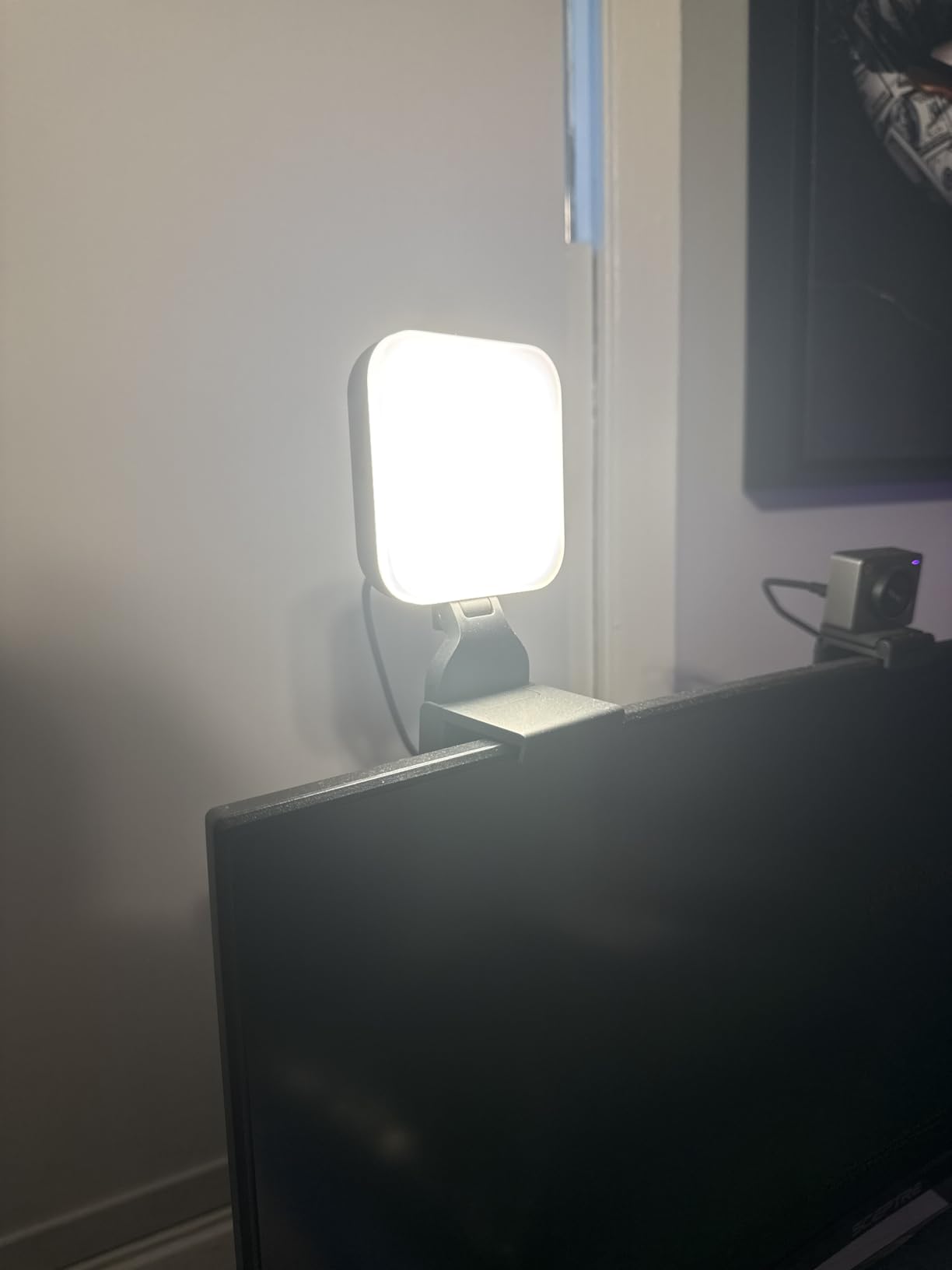
Control is through G HUB alongside the rest of the Logitech setup, with presets for the settings you use most. If you already run Logitech gear, this is the light that slots into your existing software instead of adding another app, and several owners report buying a second unit to light both sides of the face evenly.
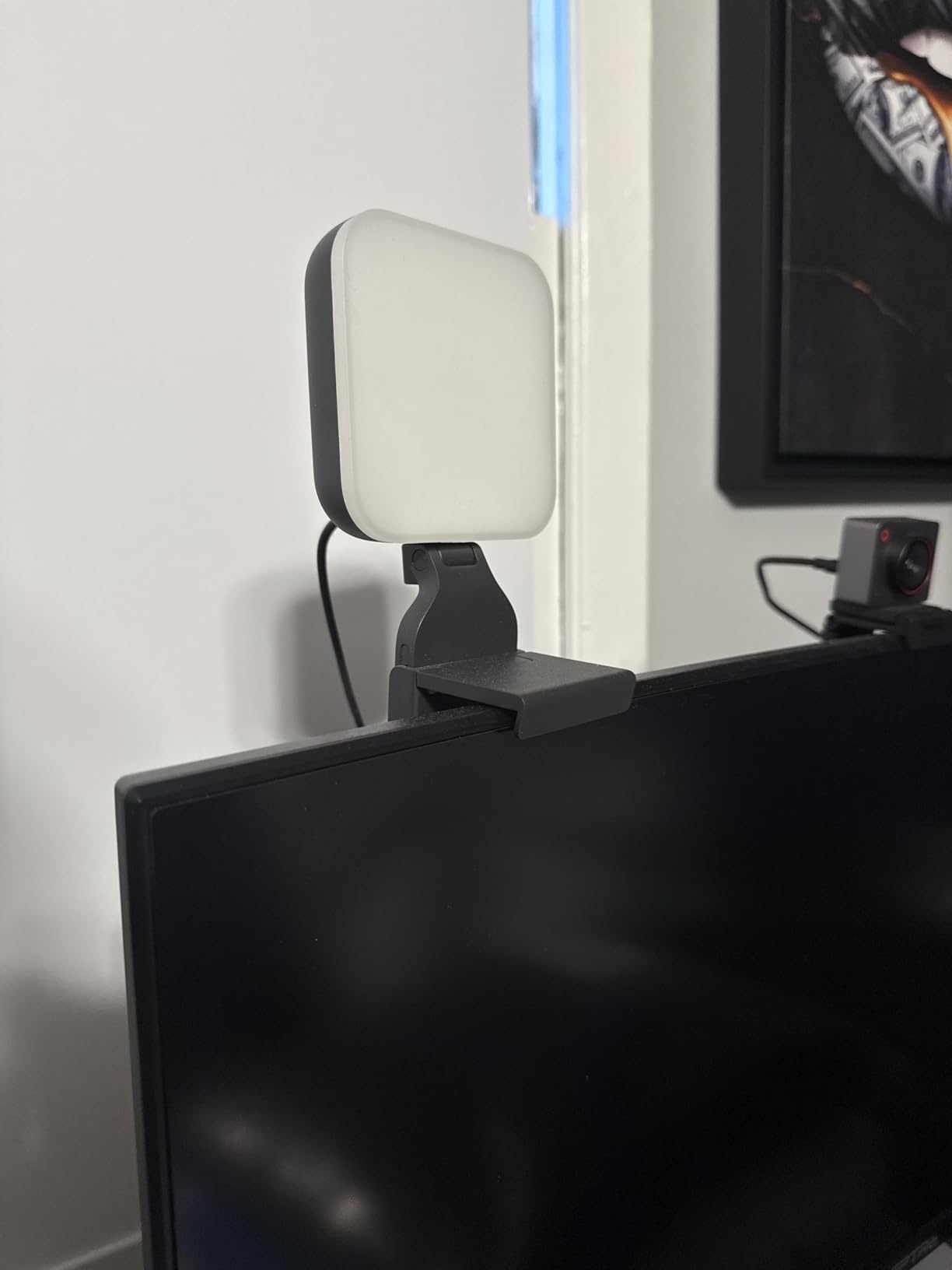
It is also the most genuinely portable option here at 13.44 ounces, and because the head detaches you can put it on any tripod when the monitor is not the right position.
What to check before you buy the Litra Glow
Look at the shape of your monitor back. The mount is top-heavy and hollow plastic feet, and owners report it slipping on curved displays, so a flat panel or a laptop lid is a much safer target.
Count your USB ports too. With no battery, you need a free port or a hub that does not fight your camera for power.
Where the Litra Glow disappoints
The lowest brightness step is not low. In a genuinely dark room owners find it still lights the face strongly, so it is a light for a normally lit office rather than a moody studio.
There is no wireless control fallback and no wall power option, so a desk with a single port and a crowded hub is where this one struggles.
3. ACMEZING Ring Light Clip – The Cheapest Fix for a Flat-Looking Call
Video Conference Lighting Kit, Ring Light Clip on Laptop Monitor with 5 Dimmable Color & 5 Brightness Level for Webcam Lighting/Zoom Lighting/Remote Working/Self Broadcasting and Live Streaming, etc.
Ring design
3200-6500K in 5 color temperatures
64 LED beads with 5 brightness levels
USB powered with clamp and tripod
Pros
- Visible improvement to the call image for very little
- Five color temperatures and five brightness levels
- Metal clamp with foam cushion grips thin bezels
- Flexible mini tripod included as a second mount
Cons
- Hinge screw will not always hold the ring upright
- Thin clamp padding can mark edge-to-edge laptop screens
- Short tripod can end up lighting you from below
This is the light we recommend to anyone whose only complaint is that their face looks flat and dim on a call. Reviewers consistently report a noticeable improvement in their video-call and streaming image, and it is the most-reviewed product in this roundup by a wide margin.
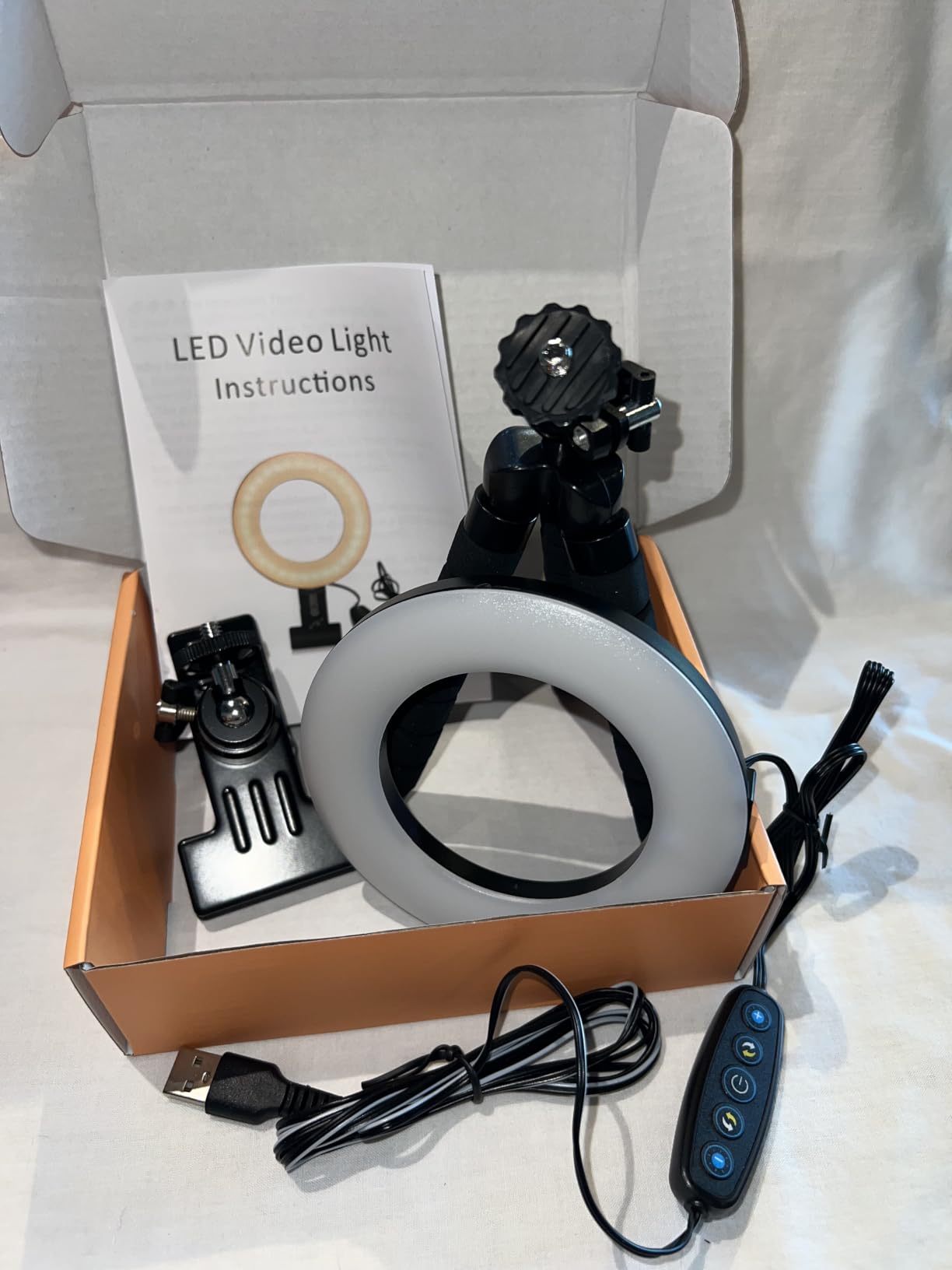
It clamps to a laptop or monitor with a metal clamp and foam cushion, and a flexible mini tripod is included so you have a second mounting option. Five color temperatures from 3200K to 6500K and five brightness levels cover most room conditions, and the 2 meter cord means you are rarely stuck near the machine.
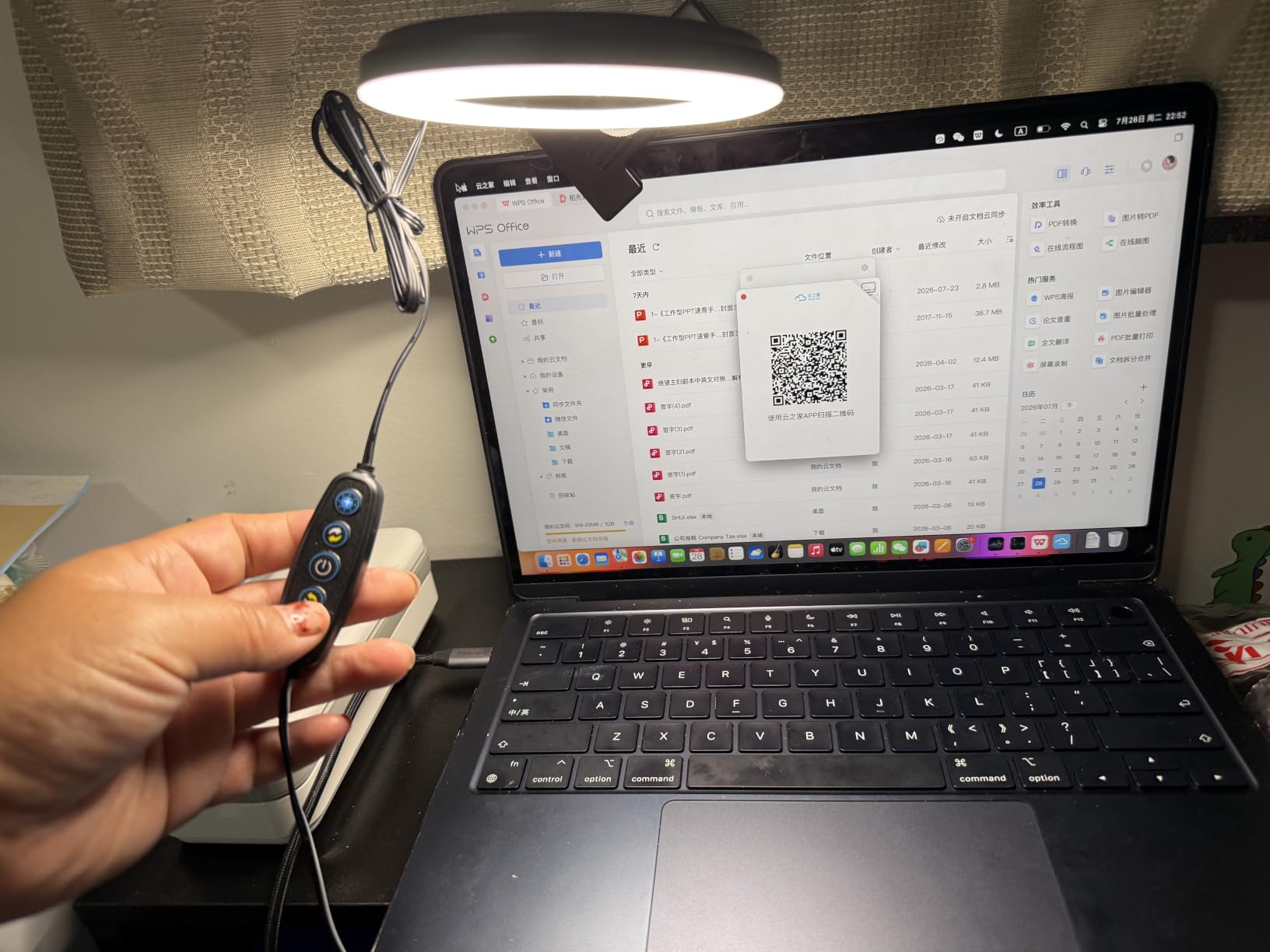
Realistically, the ring design is what you are buying. The ring surrounds the lens area and fills shadows under the eyes and chin, which is why the improvement is so visible on a cheap webcam that would otherwise look noisy in a dim room.
It is worth being clear about what it is not: the ring shape puts a bright circle in your eyes and a reflection on glasses, and the color rendering is basic next to the high-CRI panels further down this list.
What to check before you buy the ACMEZING clip light
Check whether your laptop screen is edge-to-edge. Reviewers report the clamp grip is strong enough to mark thin-bezel displays, and the cushion is thin, so test it on a less visible corner first.
Also decide where the ring will sit. On a laptop it often ends up below your eyeline, which throws light up under your chin instead of flattening it.
Where the ACMEZING clip light disappoints
The screw where the ring meets the clamp is the single most-cited problem, because it will not always hold the ring upright and the light flops forward. A strip of tape or a frequent tightening is the common workaround.
The brightness steps are coarse, and with only five of them you are likely to land on either slightly too dark or clearly too bright for a given room.
4. AceTaken Webcam Light Stand – Most Reach on a Clipped-On Budget
Webcam Light Stand for Live Stream, Selfie Ring Light with Webcam Mount for Logitech C925e, C922x, C930e,C922,C930,C920,C615,Brio 4K
24.2 inch gooseneck arm
360 degree rotating clip
3 color modes and 10 brightness levels
USB powered
Pros
- Gooseneck bends to reach almost any desk position
- Rotating clip fits a wide range of Logitech webcams
- Lightweight USB power works with a battery bank
- Doubles as a phone holder and desk lamp
Cons
- Ring form puts a visible ring reflection in eyes
- Color rendering is basic next to higher-CRI panels
- In-line cord buttons are fiddly to reach
The 24.2 inch gooseneck is the reason to buy this one. It bends around a monitor arm, a microphone boom or the edge of a desk so the ring sits wherever your face actually is, which solves the placement problem that frustrates people with rigid clip lights.
The bracket clip rotates 360 degrees and takes a wide range of Logitech webcams, including the C920, C922 and Brio 4K, plus phones up to about 3.5 inches wide. Buyers like the flexible arm, the rotating clip and the fact that it is light enough to move with one hand.
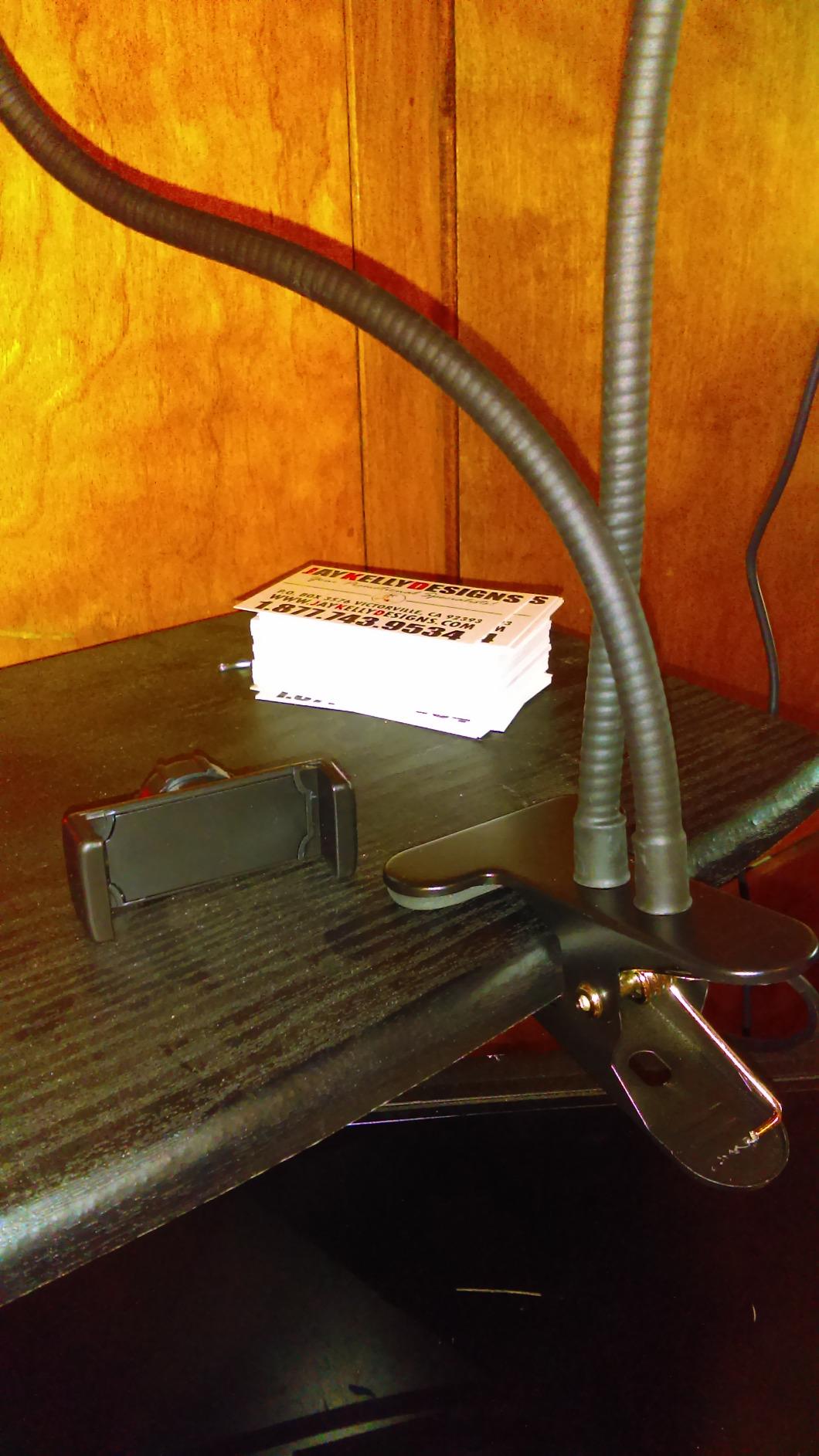
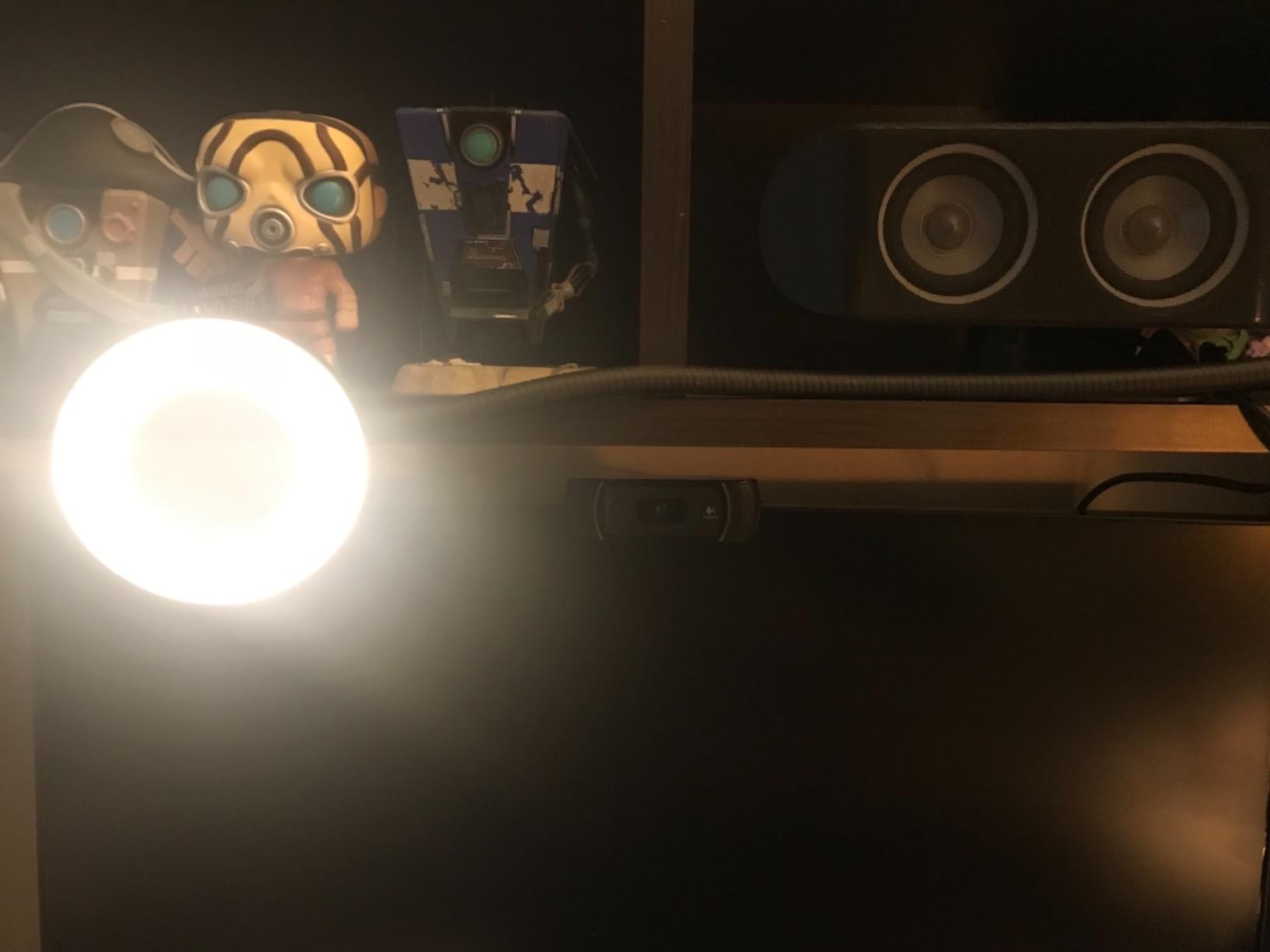
Three color settings and ten brightness levels are controlled from buttons in the cable, and the whole thing runs on USB so it works from a laptop, a desktop or a battery bank when you are somewhere other than your desk. That makes it a decent travel companion for calls away from home.
It doubles as a phone holder and a small desk lamp, which is genuinely useful when the arm is not holding a light. We found it works best when the gooseneck brings the ring slightly above eye level rather than centered on the lens.
What to check before you buy the AceTaken stand light
Measure how far your webcam sits from the edge of the desk or monitor. The gooseneck only helps if it has room to arc forward, and on a deep desk in a cubicle the reach may still be marginal.
Confirm your webcam is on the supported list if you rely on the rotating clip rather than the phone bracket, since fit is the whole point of this design.
Where the AceTaken stand light disappoints
As a ring it produces the circular catchlight and lens reflection that panel lights avoid, and several reviewers call the color rendering basic next to high-CRI alternatives. Skin can look slightly flat in a dim room.
The in-line control buttons are small and sit awkwardly in the cable, so adjusting mid-call means feeling for them rather than tapping a dial.
5. Yarrashop Desk Ring Light – The Most Stable Stand-Backed Option
Desk Ring Light with Stand for Computer, Desk Light for Video Recording
10.5 inch curved head with 120 LEDs
3 color temperatures and 10 levels
23-31 inch telescoping stand
CRI above 95
Pros
- Large curved head gives bright glare-reduced output
- Ten brightness levels and three color temperatures
- Weighted metal base is more stable than a clamp
- CRI above 95 for natural skin tones
Cons
- Minimum height is still too tall for laptop face level
- Limited articulation for overhead or flat-lay shots
- 5V/2A adapter not included
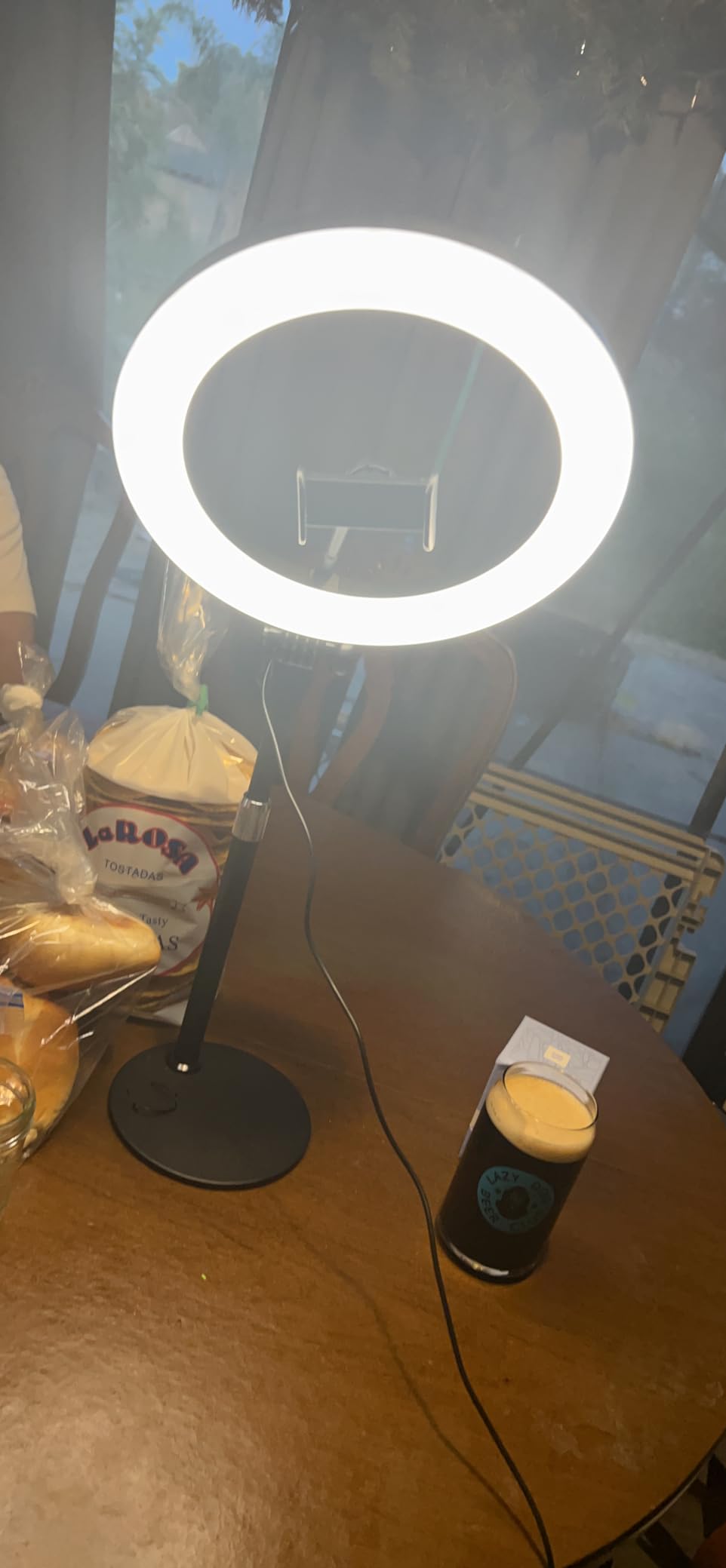
Where most clamp lights creep across a desk, this one has a weighted metal base that stays put, which matters if you bump the desk mid-call or if you have a busy household. Owners using it for Zoom calls, virtual teaching and close-up work like the combination of a stable base and a large 10.5 inch curved head.
The curved shade is the detail that matters here. Instead of pointing a ring straight at your face, it throws light outward and down, which is why reviewers describe the output as glare-reduced, and the CRI above 95 rating is high for a light at this level.

Ten brightness levels and three color temperatures from 3000K to 6500K give finer control than the five-step budget lights, and the head tilts 180 degrees so you can aim it when the stand height is not ideal.
A 360 degree bendable metal arm holds a phone, and the telescoping column adjusts from 23 to 31 inches. In practice that range is the limiting factor rather than the light quality.
What to check before you buy the Yarrashop desk ring light
Sit down and check the lowest height against your own eyeline. Owners using it with a laptop report that even the minimum 23 inches puts the ring above face level, so you may end up tilting down into your eyes.
Check the base footprint too, because a weighted metal base eats desk space that a clamp would not.
Where the Yarrashop ring light disappoints
Stand articulation is limited, so overhead, flat-lay or product shots are awkward angles for it even with the tilting head. It is a face-light, not a table-top light.
A 5V/2A adapter is not included, so budget for a power source if you want to run it at full output for long sessions rather than from a laptop port.
6. LitONES 7-Inch Edge-Lit Light – The Best Color Accuracy Under a Desk Budget
Zoom Lighting for Computer, Adjustable Desk Lighting for Video Calls, 30 Light Modes Video Conference Light, Desk Ring Light with Stand for Webcam, Meetings, Live Stream, Home Office. CRI 97.8
7 inch edge-lit head
CRI 97.8
3 color temperatures and 10 levels
22-32.5 inch height range
1 kg metal base
Pros
- Edge-lit panel gives very soft even light
- CRI 97.8 for accurate skin tones
- Weighted base stays put at full extension
- Compact enough to travel with
Cons
- Very bright even on the lowest setting
- Head-on placement casts a glare circle in glasses
- A small number of early failures reported
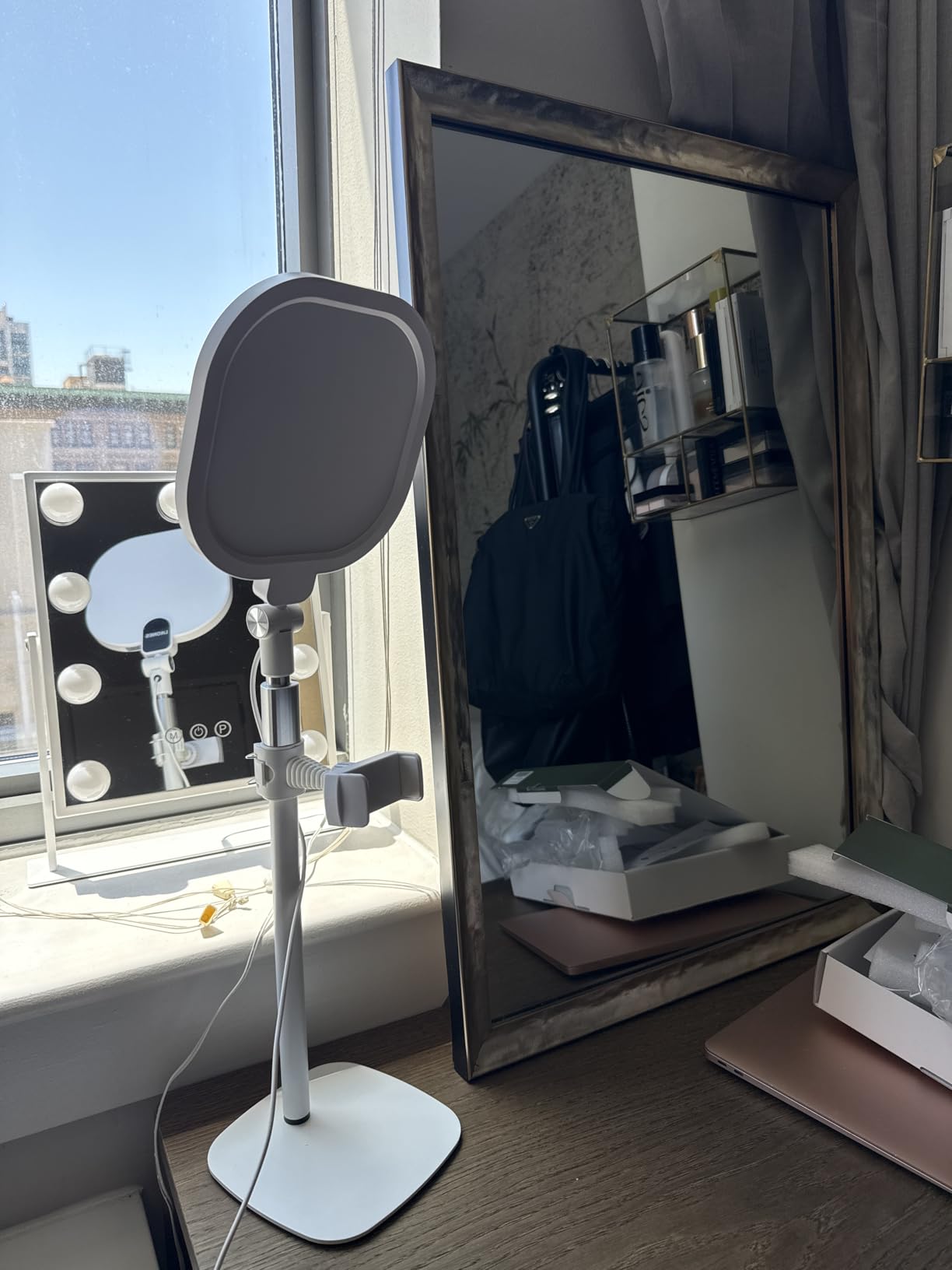
This is one of the few lights in the roundup with a published CRI above 97, and the difference shows on camera. Skin looked noticeably truer than it does under the cheaper rings, which matters if you teach, present or appear on camera regularly enough for people to notice.
The edge-lit design means the LEDs sit behind the panel rather than in a ring, so the light is even across the whole 7 inch face with no hotspot in the middle. That is what produces the soft output owners describe, and the head rotates 360 degrees so you can angle it away from your glasses.
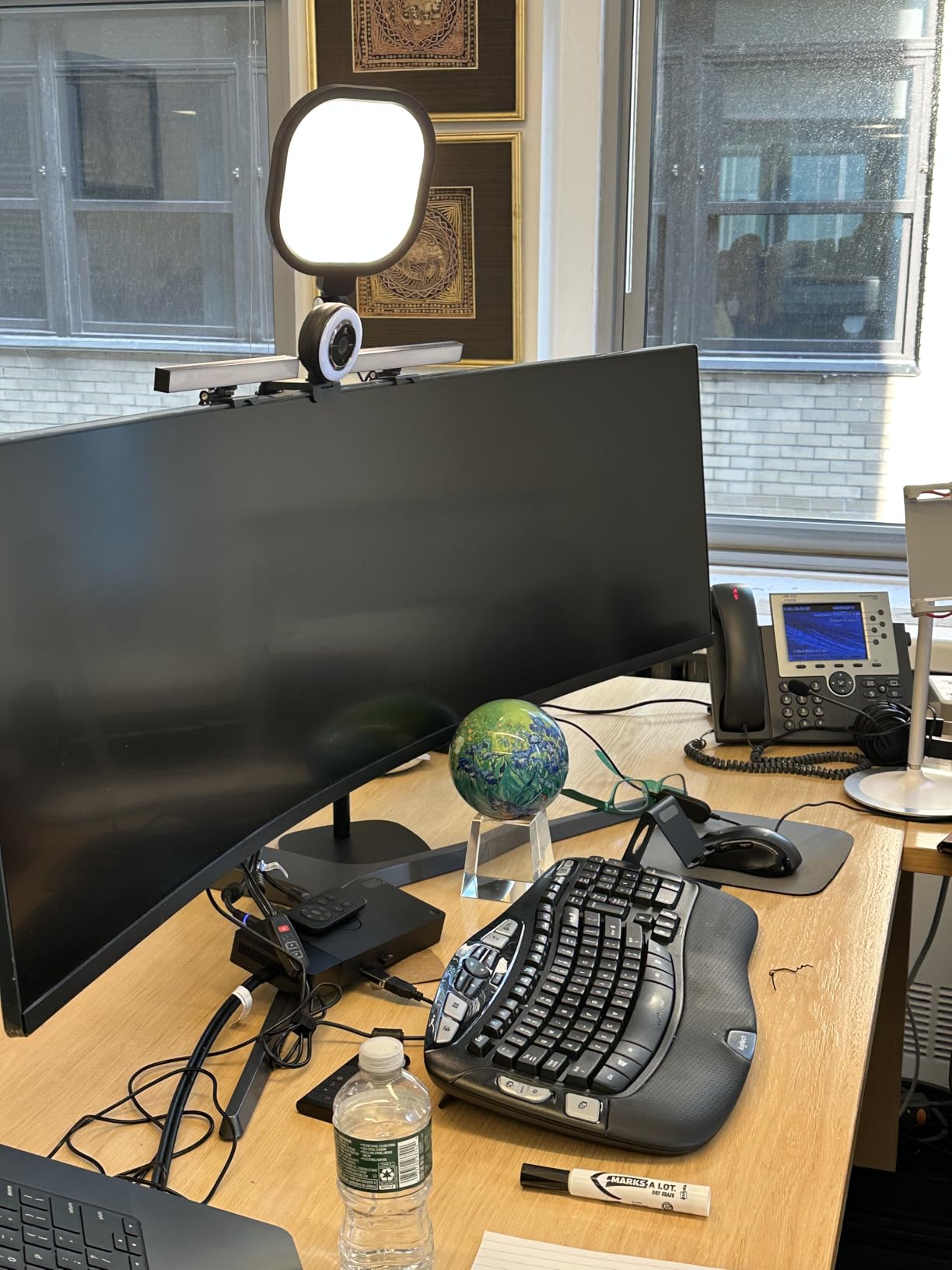
The telescoping column runs from 22 to 32.5 inches, and the weighted metal base with a non-slip pad does not tip even at full extension, which is a real improvement on the taller stands in this category. It also doubles as a reading or study lamp, and owners like being able to pack it for travel.
Power comes from a 10W USB supply at 5V/2A, so a laptop port is workable, but a proper adapter gives you the full brightness range.
What to check before you buy the LitONES edge-lit light
Plan your angle away from dead center. A bright 7 inch panel pointed straight at the face produces a visible circle in glasses, and moving it 30 to 45 degrees to one side fixes it without losing brightness.
Consider buying two. A single unit lights one side more than the other, and the soft panel makes a matched pair noticeably more even than a lone light.
Where the LitONES edge-lit light disappoints
It is very bright for its size, and some owners find the lowest setting still stronger than they want for close-range work. Treat the dimming range as practical rather than absolute.
A small number of reviewers report units failing within a couple of weeks, and the phone holder joint can let a phone tilt downward if it is not tightened, so check both before you rely on it long term.
7. LitONES 4-Layer Soft Panel – The Softest Light You Can Look Into
LitONES Video Conference Lighting for Zoom with Stand, 30 Modes, CRI>98
4-layer optical soft panel
CRI above 98
30 modes with memory
20.5-28.5 inch stand
7 inch square head
Pros
- Extremely soft light you can look straight into
- CRI above 98 for natural skin tones
- 30 modes with memory recall for fast setup
- Iron base resists tipping
- Square head spreads light more evenly than a ring
Cons
- Dimming steps in clicks rather than smoothly
- Maximum height can exceed desk clearance
- Visible white circle in glasses if it faces you directly
This is the highest-rated light we tested, and the reason is visible within a minute of turning it on. The 4-layer optical panel combines diffusion with edge lighting to block glare, so you can look directly at the screen without squinting, which is exactly what a long day of calls asks for.
Color rendering is the other headline number. A CRI above 98 means skin tones stay natural even in a warm room, and the 30 combined modes from three color temperatures and ten brightness levels mean you are rarely in between steps with no good option.
The memory function is the feature we used most. Once you find the setting that works for your room, it comes back instantly at the same brightness and temperature, which saves a fiddly adjustment at the start of every meeting.
The square 7 inch head spreads light more evenly than a ring of the same diameter, and the head plus the phone holder both rotate 360 degrees. The iron base with non-slip foam pads resisted tipping in our testing even with the column extended.
What to check before you buy the 4-layer soft panel
Measure your vertical clearance first. The stand tops out at 28.5 inches, and owners with overhead shelving or a low monitor report that the maximum height does not suit their desk.
If you dim lights smoothly for video work, note that this panel steps through levels in clicks rather than sliding continuously between them.
Where the 4-layer soft panel disappoints
Aiming it directly at the user produces a white circular reflection in glasses, so the 45 degree rule applies here too. It is soft, but it is not invisible to a pair of lenses.
The stand is short relative to some desk setups, and it is a larger footprint than any clip-on option, so it rewards a real desk rather than a lap.
8. HumanCentric Double Kit – The Best Pick for Glasses Wearers
HumanCentric Video Conference Lighting – Webcam Light for Streaming LED
Two light bars on one power cable
Preinstalled diffuser
Monitor clip mount
Expands to four lights
Inline cord controller
Pros
- Bar shape avoids the ring glare circle in glasses
- Two bars give more even face coverage
- Clips without adhesive or suction cups
- Cable clips and Velcro straps included
Cons
- Settings only change on the inline cord controller
- Unpadded clip edge can scratch a monitor
- Output drops noticeably when four lights are chained
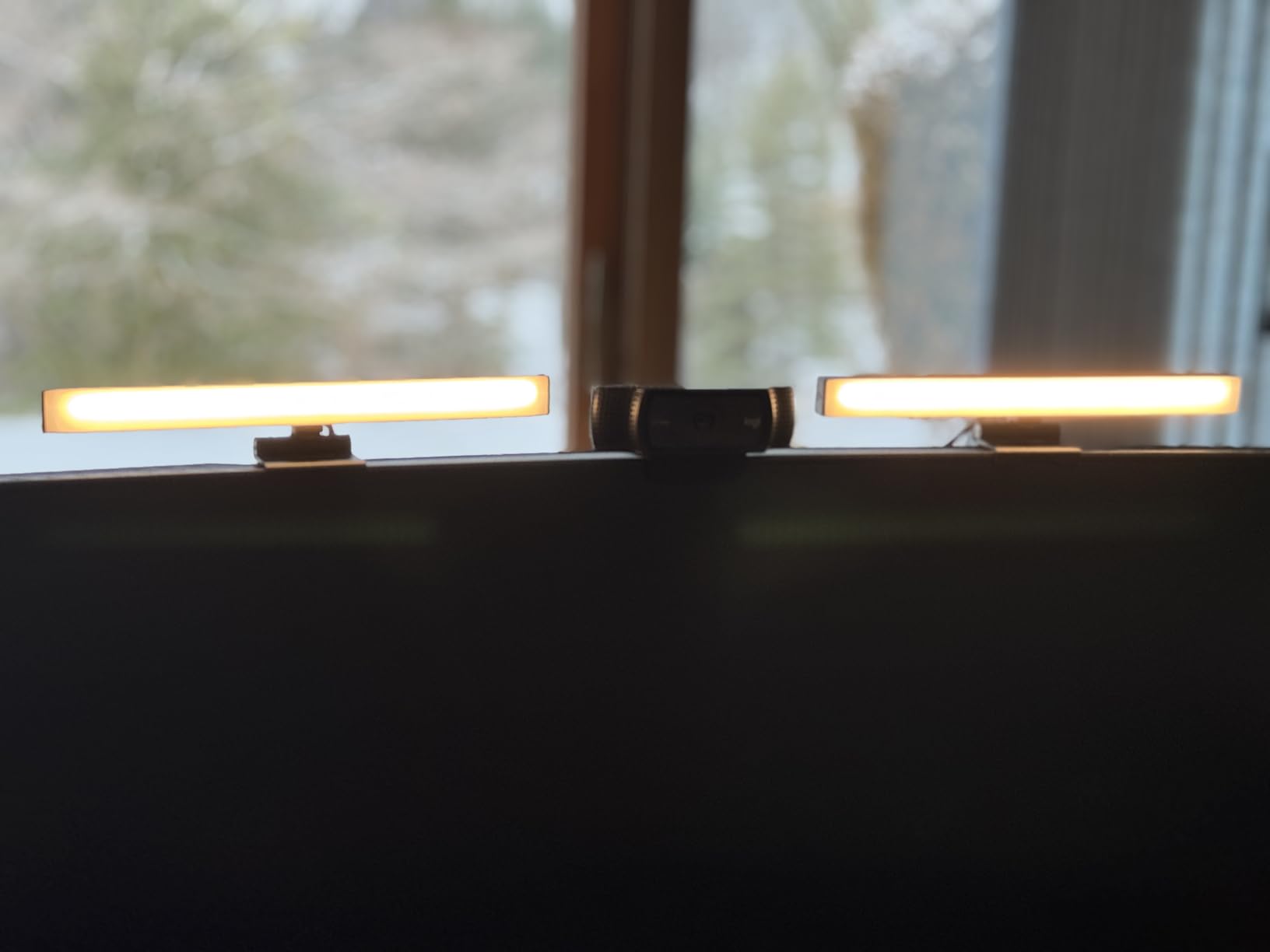
This is the light we would hand to anyone who wears glasses. The bar form factor has no ring to reflect, and because each bar can be angled independently, glasses wearers report tilting them until the lens reflection disappears, which no ring light allows.
Two bars on a single power cable also solve the two-sided shading problem in one purchase. Users who were fighting a backlit window report that the double kit finally balanced their face instead of lighting one side twice.
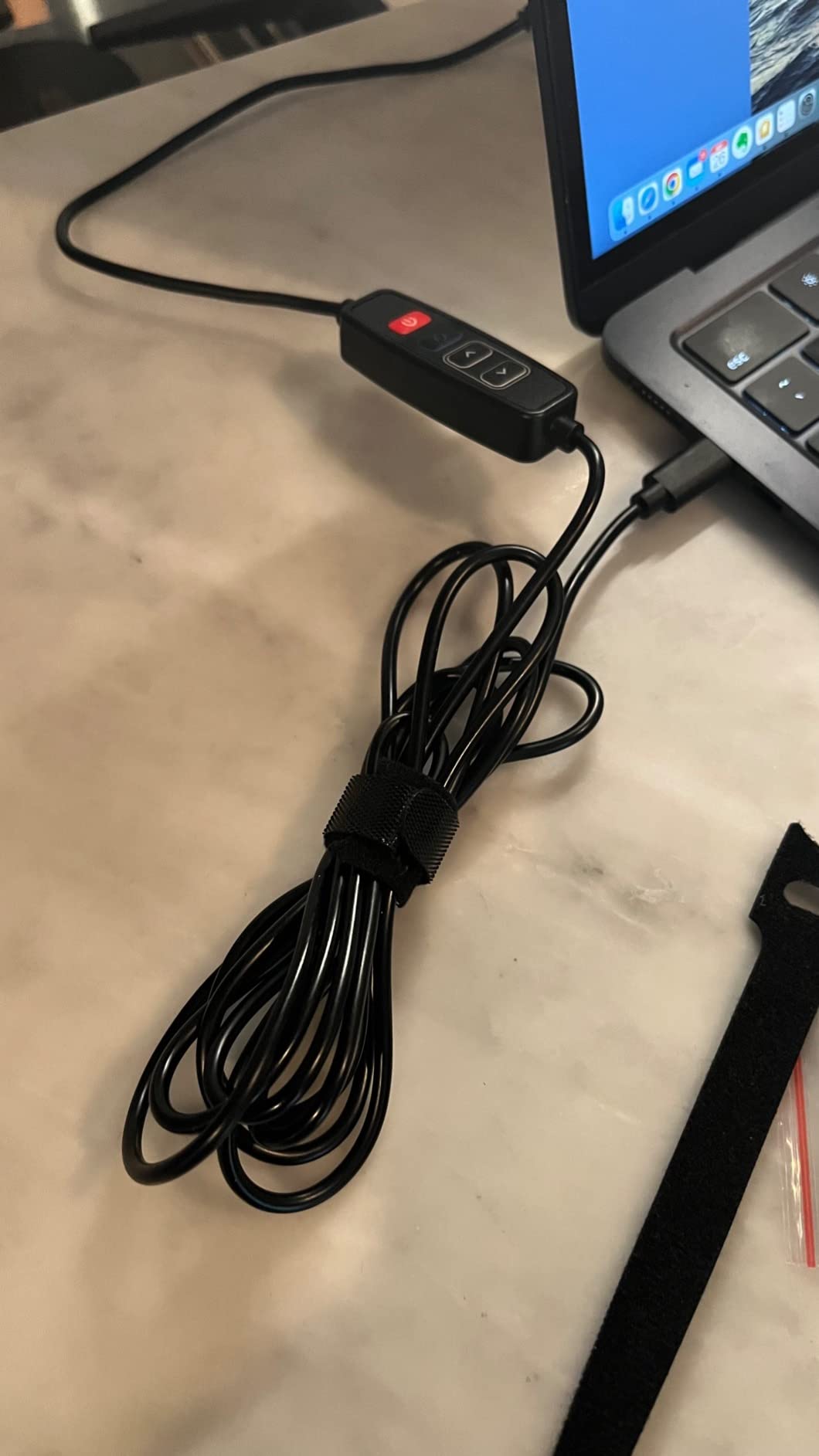
Each bar comes with a preinstalled diffuser, so there is no separate softbox to lose, and the monitor clip mount uses no adhesive or suction cups, which matters for renters. Cable clips and Velcro straps are included to keep the run tidy along the back of a monitor.
It also expands to four daisy-chained lights across a 30 inch span if you later decide to build a wider wall of light.
What to check before you buy the HumanCentric double kit
Look at where the clip’s rear edge rests. It is unpadded, and owners report it scratching a monitor when the light dropped, so put a thin pad under the contact point.
Decide honestly whether you will use the second bar. Two bars are only better if you can position them on opposite sides of the screen.
Where the HumanCentric double kit disappoints
There is no app and no remote, so every change means finding the inline controller in the cable. For a light with no brightness readout, that is a slow adjustment loop.
It is also the dimmest option in this roundup by reviewers’ account, and brightness drops noticeably across a four-light chain, so it is a room-filler and face-filler rather than something that will overpower daylight.
9. yAyusi Dual-Lamp Light – Remote Control on a Budget
yAyusi Dual-lamp Video Conference Lighting, LED Streaming Light with Remote and Touch Control, Zoom Lighting for Computer,Webcam Laptop Monitor Ring Light for Video Calls/Zoom Meetings/Video Recording
Dual light bars
Remote and touch control
3 color modes and 10 levels
360 by 180 degree rotation
Clip-on or desktop
Pros
- Two lamps give more even coverage than a single light
- Remote lets you adjust without reaching behind
- Installs in about a minute
- Adjustable clamp width fits several monitor sizes
Cons
- Remote sometimes drives only one of the two lights
- Facing buttons trigger when the lamps are moved
- Lamps go crooked after a bump
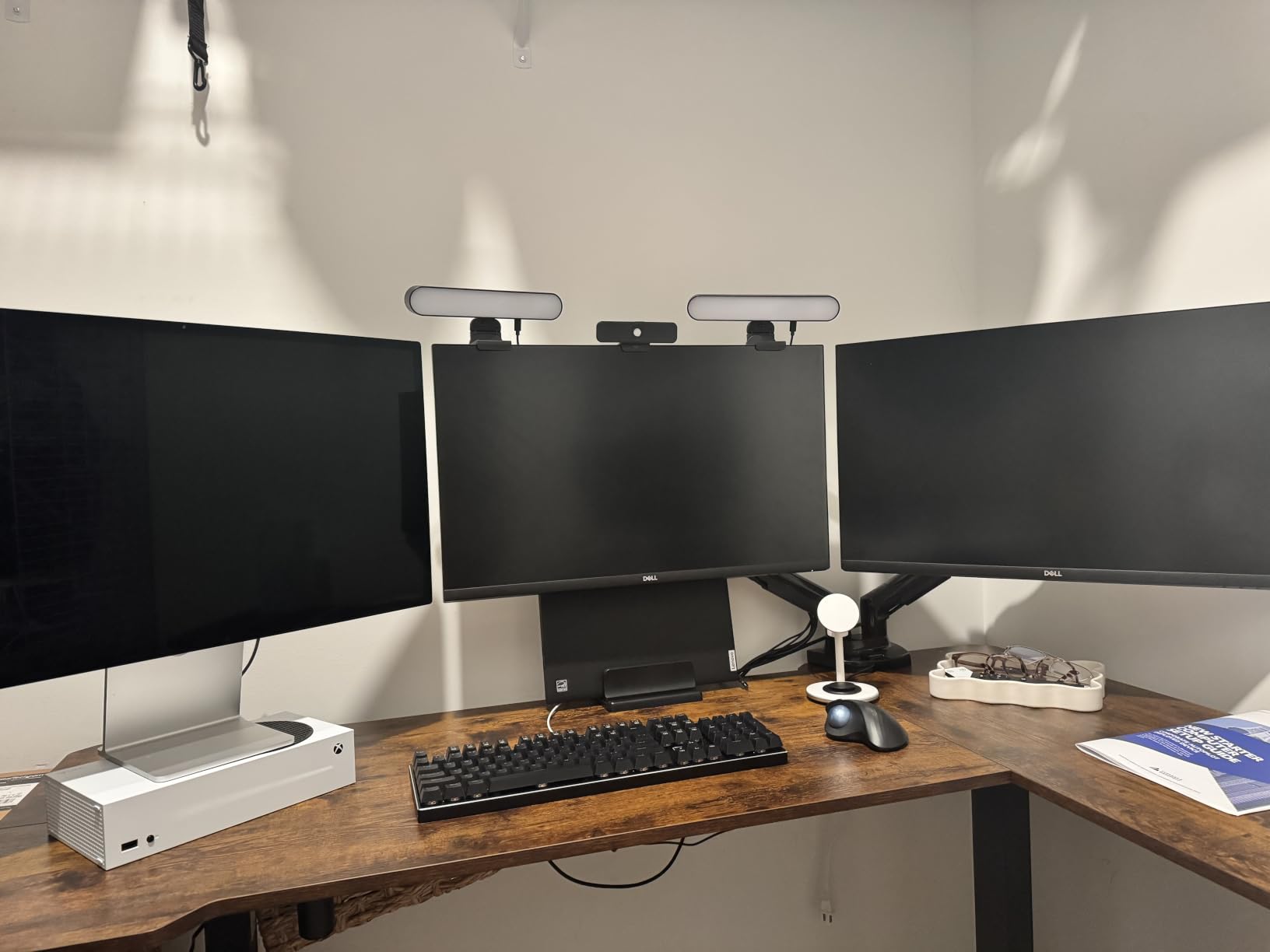
The dual-lamp format is the argument here. Users report more even coverage and fewer harsh shadows than a single webcam light produces, and both bars rotate 360 degrees horizontally and 180 degrees vertically so you can wrap light around the edges of a wide monitor.
What separates it from the other two-lamp option is the included remote. You can change brightness and color from across the desk without reaching behind the monitor mid-call, and the touch controls on the lamps duplicate that for when the remote is out of reach.
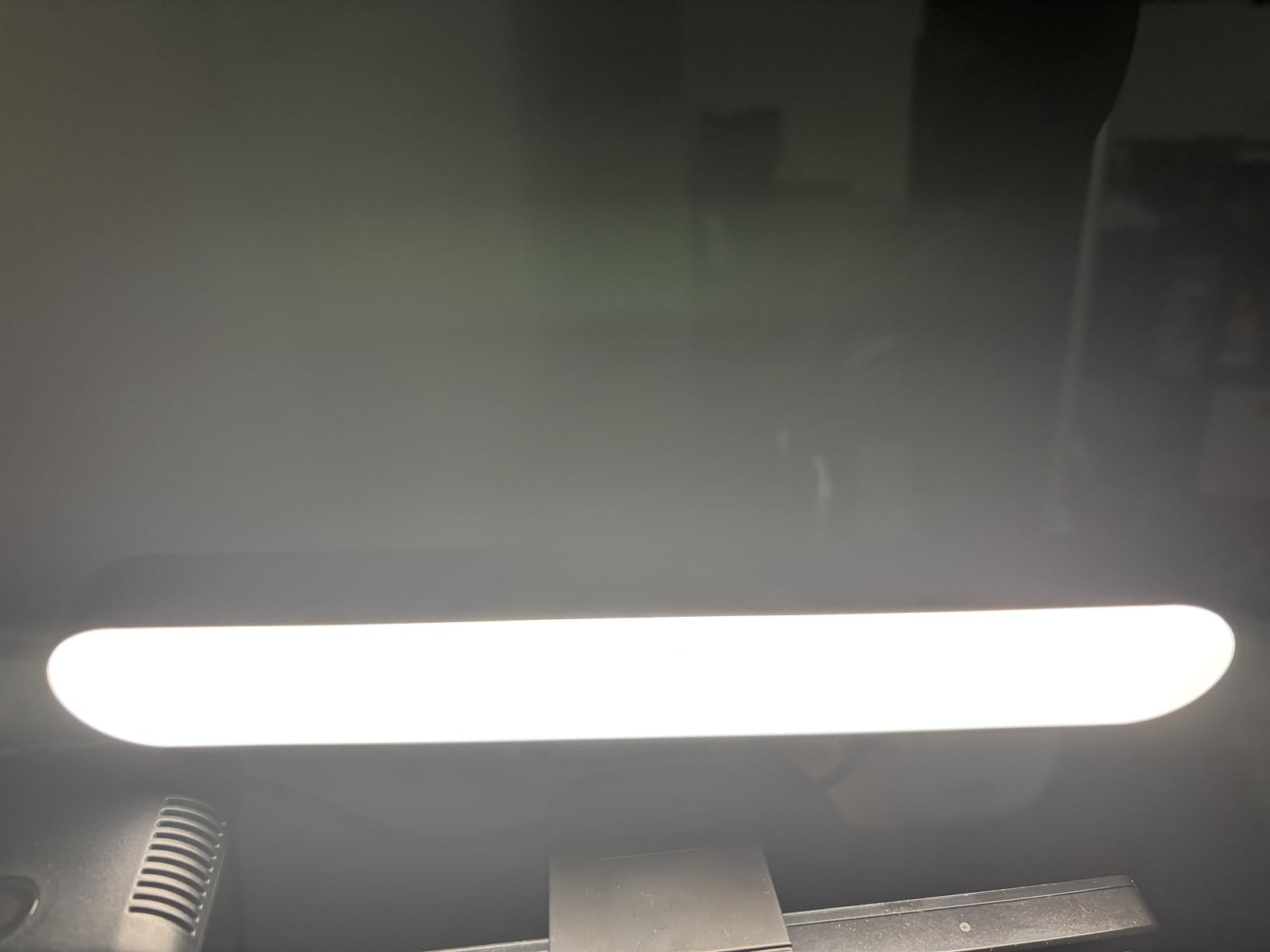
It works two ways: clipped to a monitor with a 1.55 to 2.35 inch adjustable clamp, or standing on the desk. The clamp has built-in sponge pads, so it will not scratch a screen the way an unpadded clip can, and the whole install takes about a minute.
Three color modes and ten brightness levels with flicker-free output cover the common room conditions, and the 500 g body and included power adapter mean one cable feeds both plugs.
What to check before you buy the yAyusi dual-lamp light
Measure your monitor thickness against the 1.55 to 2.35 inch clamp range. A thin laptop lid sits at the bottom of that window, and a very slim tablet will not clamp at all.
Test the remote after a few uses. Some owners report it addressing only one of the two lamps, which defeats the even-coverage purpose of the kit.
Where the yAyusi dual-lamp light disappoints
Reliability is the recurring complaint. Reports include one lamp ceasing to respond to the touch controls and both lamps locking up until unplugged and replugged, so treat it as a light you may need to reset occasionally.
The lamps themselves are not well balanced and go crooked after a bump, and the diffusion is ordinary rather than studio-grade compared with the edge-lit panels in this list.
10. LitONES Cantilever Clamp Light – The Most Desk Space It Leaves Free
LitONES Video Conference Lighting for Computer, Webcam,Video Recording
Cantilever C-clamp arm
10-33 inch height range
7 inch edge-lit head at CRI 95+
18W AC plug
Remote and soft-touch control
Pros
- C-clamp cantilever keeps the desk surface clear
- Height range reaches above most monitors and webcams
- Bright even edge-lit output at CRI 95 plus
- Four-pivot aluminum arm holds position precisely
- Remote and soft-touch controls with memory and timer
Cons
- 2.5 inch clamp reach rules out thick desk edges
- Needs the included AC adapter rather than USB
- Bright panel reflects in glasses if aimed straight at you
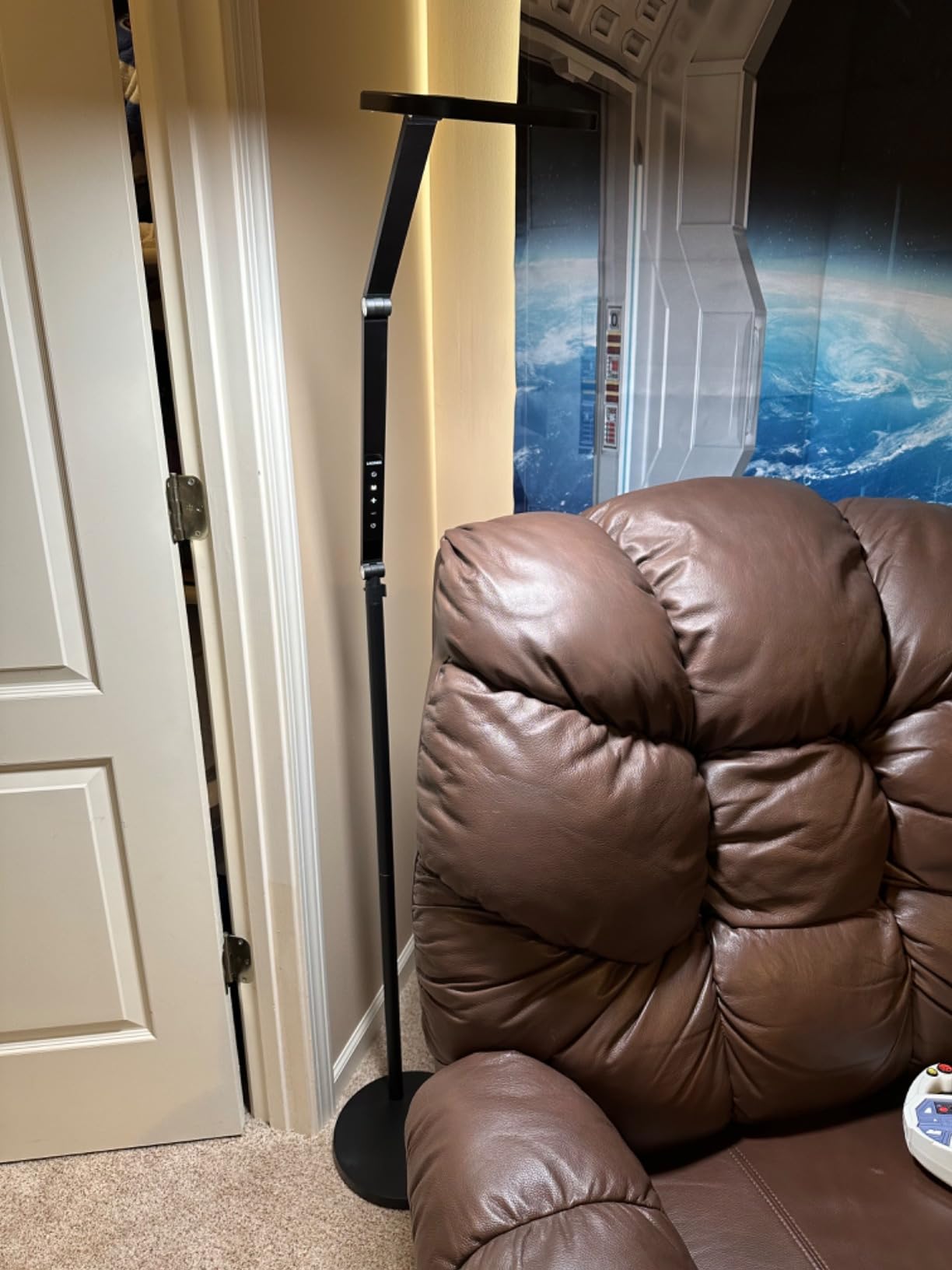
This is the only light in the roundup with a cantilever arm rather than a vertical stand, and that single design choice is why owners keep recommending it to anyone with a small desk. The C-clamp grips the back of the desk and the arm reaches over, so the surface where you type stays completely clear.
The 10 to 33 inch height range is unusually wide, and it solves a real placement problem: it can sit above a monitor or a webcam rather than beside them. Owners highlight being able to bring the light over the top of a tall screen and still have it at eye level.
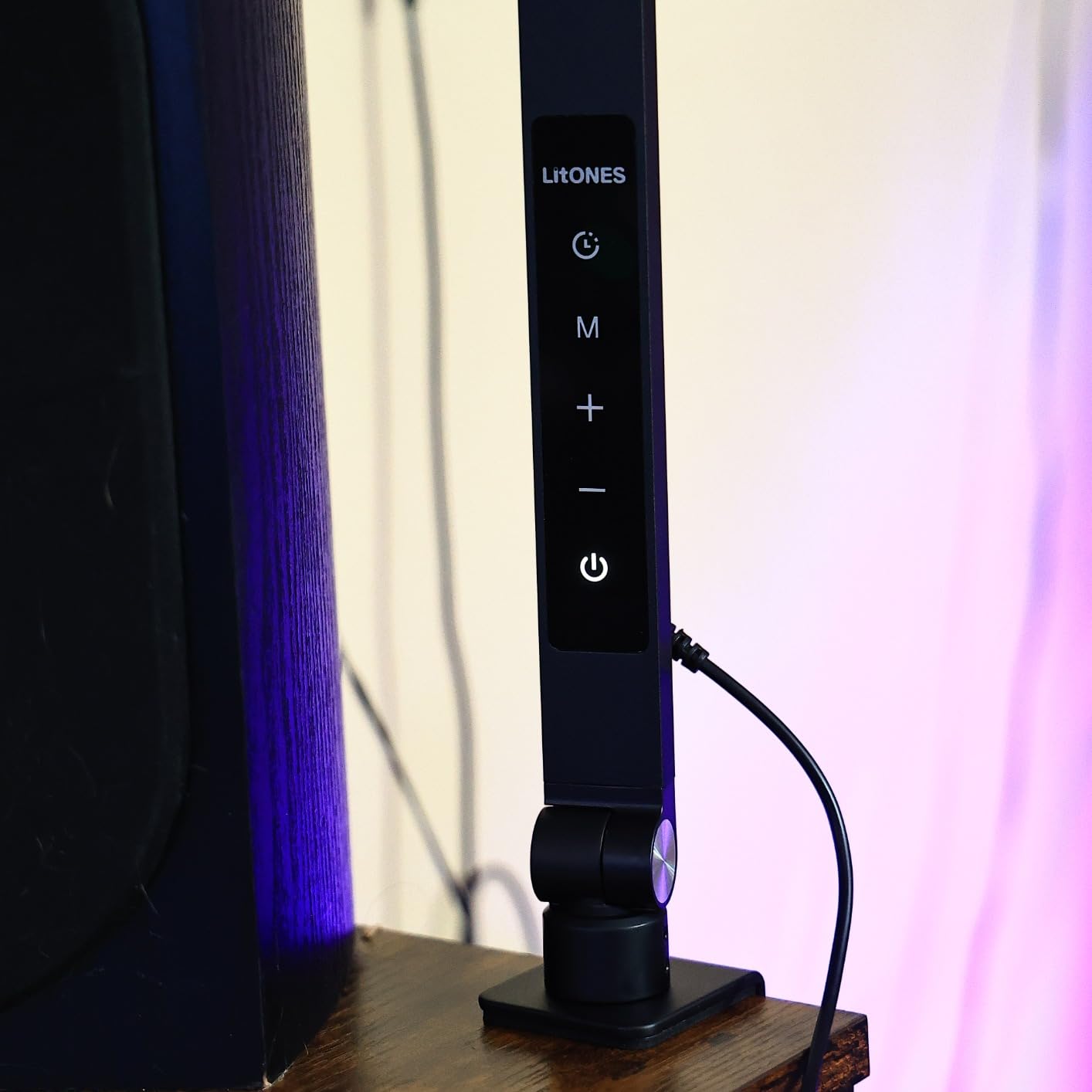
The 7 inch full-screen head uses edge-lit technology with a CRI above 95, so output is bright and even without a visible hotspot, and the aircraft-grade aluminum arm with four adjustable pivots is rated by the manufacturer for a very long service life of adjustments. It held position precisely in our testing.
Control is via remote or soft-touch panel with memory and timer functions, and three color modes with ten brightness levels cover 3000K to 6500K. Power is an 18W AC plug rather than USB.
What to check before you buy the LitONES cantilever light
Measure the thickness of your desk edge. The C-shaped clip has a 2.5 inch maximum clamp size, and a thick butcher-block or standing desk will not accept it, which is the most common reason owners return clamp-mounted lights.
Plan your cable route. It needs mains power rather than a laptop port, so a desk with no nearby outlet is the wrong place for it.
Where the LitONES cantilever light disappoints
A bright panel aimed straight at the subject reflects in glasses, so the off-center placement rule matters more here than with the small clip lights.
And while the height range is the advantage, the arm needs clearance behind the monitor to swing, so it is not ideal in a tight corner against a wall.
11. InnoGear On-Camera Ring Light – The Cheapest Clip That Rotates Properly
InnoGear Ring Light for Computer On-Camera Monitor Video Conference Light
Glare-free shadow-reducing light
360 by 180 degree adjustment
3 color modes and 10 levels
Clip-on or desktop stand
USB powered
Pros
- Soft even output that reduces shadows on camera
- Rotates 360 by 180 degrees for precise aim
- Installs in under a minute either way
- Non-slip sponge pads protect screens
Cons
- Needs a 5V/2A or better source or it flickers
- Ring form can create a visible highlight
- Clamp only fits screens 1.55 to 2.35 inches thick
The rotation is the standout feature. Most clip lights tilt only; this one swings a full 360 degrees horizontally and 180 degrees vertically, so you can move the ring out of the camera’s line and still light your face, which is the single most useful adjustment on a webcam.
Owners describe the output as soft and even with shadows reduced, and the flicker-free emission is comfortable for long sessions. Installation takes under a minute, and it can be clipped to a screen or set on the small included desk stand.
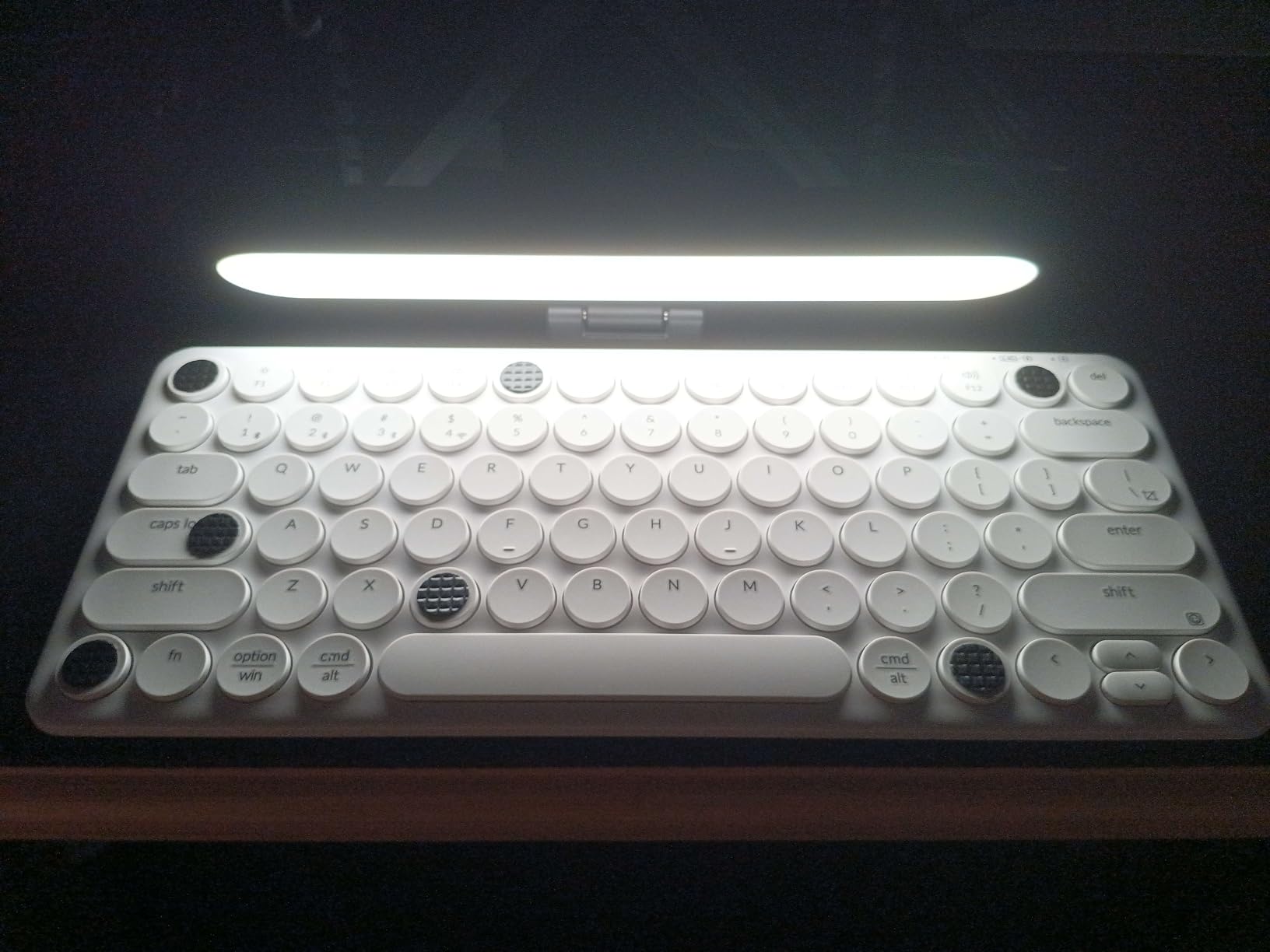
Three color modes covering white, warm and natural, plus ten brightness levels, give enough range for most desk setups. The non-slip sponge pads mean it will not mark a display, and the whole unit is USB powered for use with a computer, laptop or monitor hub.
We would treat it as a straightforward clip-on fill that happens to be unusually adjustable, rather than a color-accurate tool.
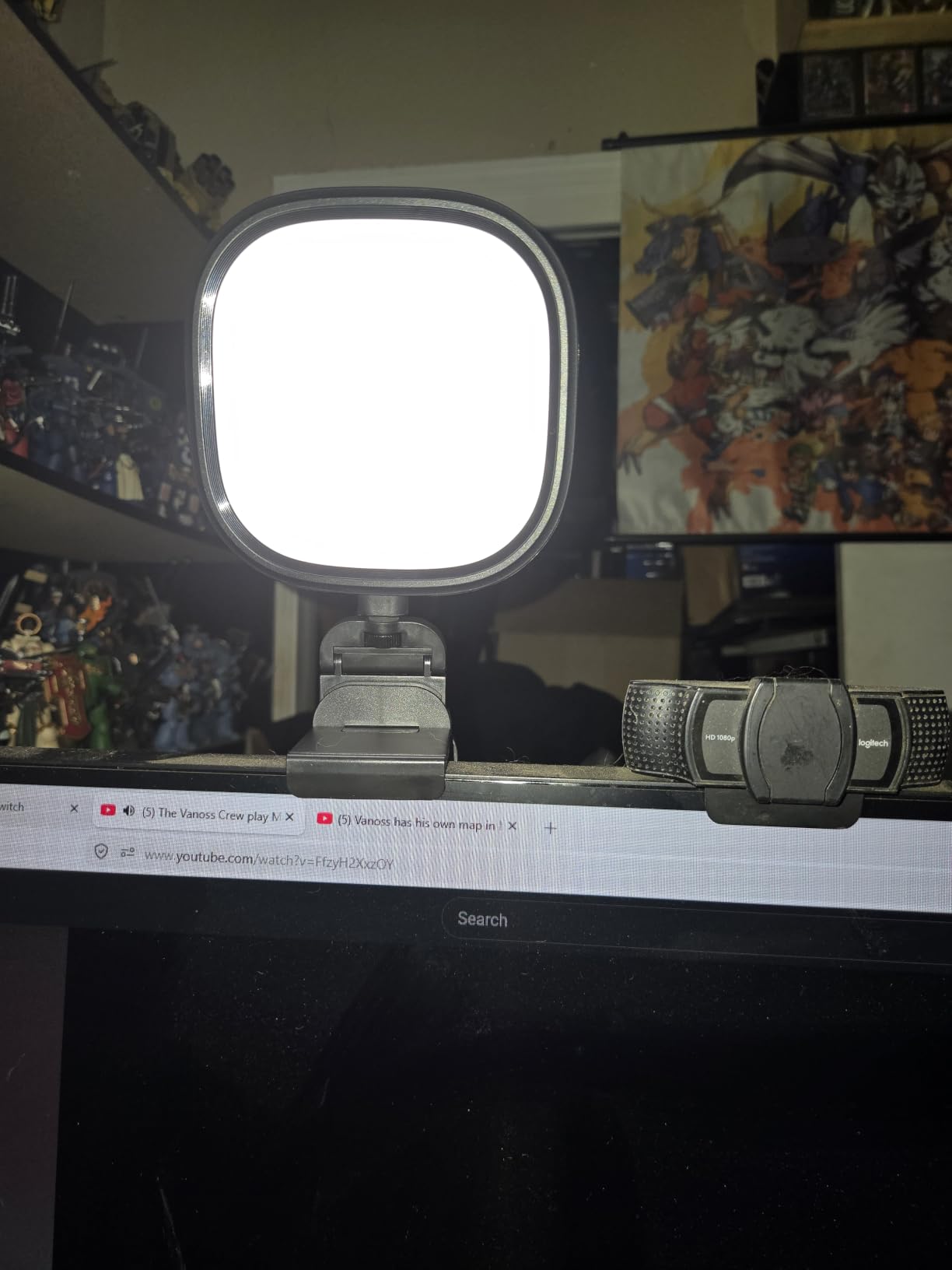
What to check before you buy the InnoGear ring light
Bring a suitable power source. The listing is explicit that it needs a 5V/2A or higher adapter or a power bank, and owners confirm a typical laptop USB port can cause it to flicker, which looks like a defective product if you are not expecting it.
Check your screen thickness against the 1.55 to 2.35 inch clamping range before you buy.
Where the InnoGear ring light disappoints
It is a ring, so it puts a visible highlight and a circular catchlight in the eyes and a reflection on glasses. Angle it hard to one side if that bothers you.
The included stand has a modest height range, and the 12 month warranty is the shortest of the lights here, so it suits casual use more than a permanent studio install.
12. ALTSON 60 LED Portable Light – The Only Battery-Powered Option
ALTSON 60 LED Portable Selfie Light Video Conference Lighting with Clip & Camera Tripod Adapter Rechargeable 2200mAh CRI 97+, 3 Light Modes for Phone iPhone Webcam Laptop Photo Makeup
60 LED beads at CRI 97+
2200mAh rechargeable battery
2500-6500K in 3 modes
95g with clip and tripod thread
Pros
- Internal battery makes it the only untethered option
- CRI 97+ for natural accurate skin tones
- Ten brightness levels in a very small body
- Clip plus 1/4-inch thread plus hot shoe adapters
- Weighs 95g and includes a pouch
Cons
- Small panel means far less total light than a desk panel
- Clip suits phones and slim screens not monitor tops
- Battery drops to about four hours at half brightness
Every other light here needs a cable. This one has a 2200mAh rechargeable battery built in, which makes it the only genuinely portable option in the roundup and the only one that works in a hotel room, a borrowed room or a car park with no free USB port.
The 60 LED beads carry a CRI 97+ rating, so despite its phone-light size the color accuracy is better than most of the full-size lights here. That is why it works as an on-camera light for a phone, a laptop or a camera, not just as a desk accessory.
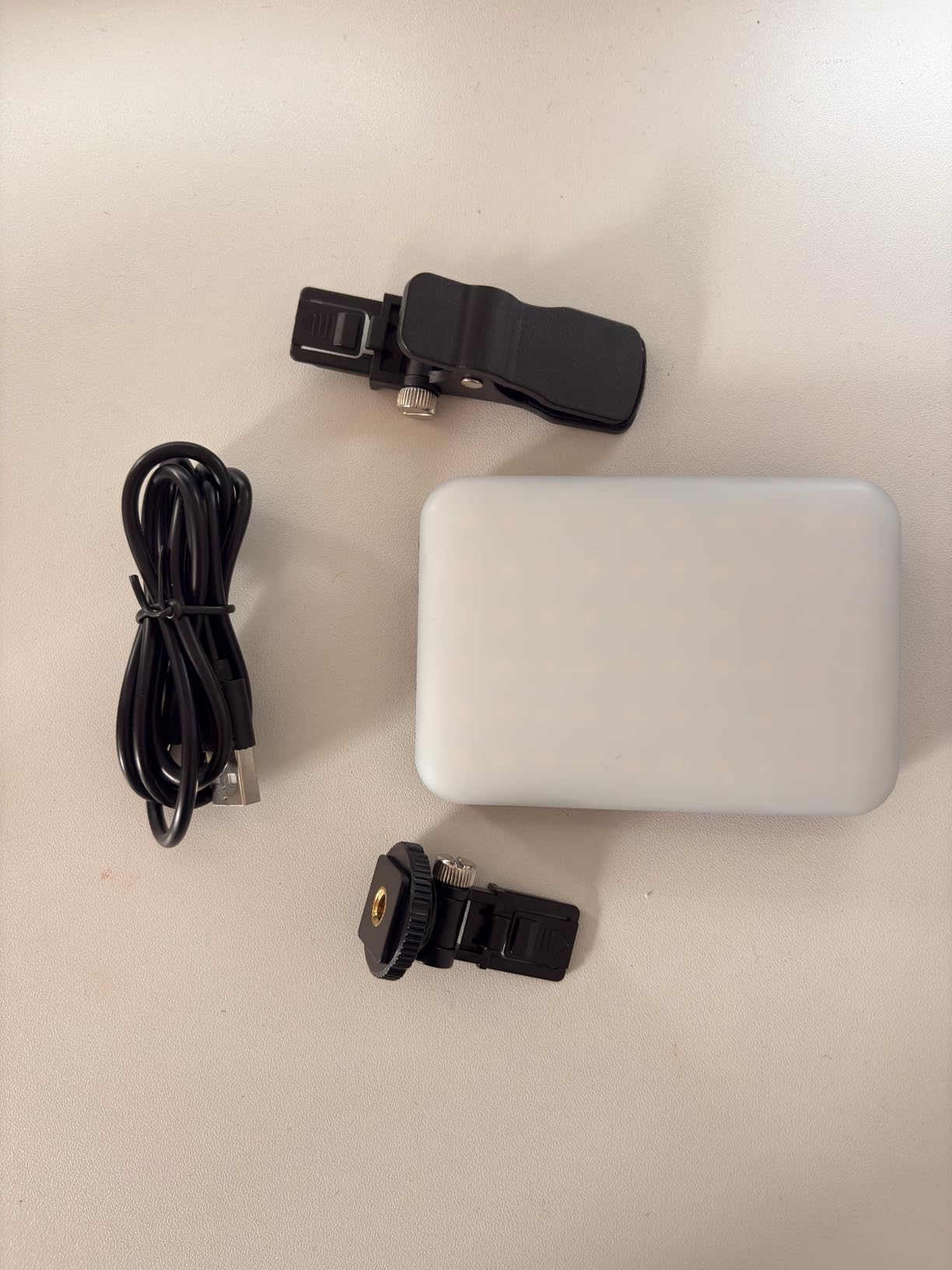
Mounting is unusually versatile for something this small. A clip takes phones and slim laptop screens, an embedded 1/4-inch thread and included hot shoe cover tripods and cameras, and the panel rotates 160 degrees so you can angle it without moving the mount.
At 95 grams it disappears into a bag, and a storage pouch is included. Battery life is around 15 hours at 10 percent brightness and roughly 4 hours at 50 percent, which is the number to plan a session around.

What to check before you buy the ALTSON portable light
Decide whether you are lighting a face or lighting a desk. This is a face light, and reviewers are clear that the small panel area produces far less total light than a desk ring or panel.
Check what you plan to clip it to. The clip is sized for phones and slim laptop lids, so it will not grip the top of a desktop monitor without an adapter.
Where the ALTSON portable light disappoints
Battery life drops sharply once you raise the brightness, and at half brightness you are looking at roughly four hours, so a long streaming session needs the cable or a top-up.
It is also the least suitable choice for anyone who wants to fill a room, since a 95 g panel cannot compete with a 2800 lumen studio panel at anything like the same cost in pure output.
Where to Place Your Key Light?
The best key lights for webcams all work; placement decides whether they work well. Get these five steps right with any of the twelve above and you will see the improvement immediately.
Raise it to just above eye level. A light at chin height throws shadows upward under the eyes, and a ceiling fixture behind the camera carves the same shadows from above.
Move it 30 to 45 degrees off to one side. Side placement gives the face shape and stops the flat, poster-like look of a light directly ahead.
Keep it out of the camera’s frame. A visible panel in shot pulls attention away from you, so use the height range and arm reach rather than parking it in view.
Aim a fill at about half the key brightness on the shadow side of your face, or bounce the key off a white wall or a sheet of card if you only have one light.
Add a back light if the background is busy. A second light aimed at the wall behind you separates you from the room and stops your outline from merging into clutter.
That is the whole three-point setup: a key at roughly 45 degrees, a fill at about half its brightness on the opposite side, and a back light pointing at the background. You can skip the fill and the back light entirely on a well-lit desk, which is why most people never need more than one light. If you are setting up a full room rather than a single desk, our picks for bird cages with lights cover the enclosure and fixture side of that build.
Key Light vs Ring Light: Which Should You Buy?
A panel light is the better choice for most people. Its output is spread over a rectangle, so it produces no circular catchlight in the eyes, and it can be angled away from a pair of glasses to kill the reflection that streamers on Reddit almost universally complain about with rings.
A ring light still has real advantages. It surrounds the lens, so it fills shadows from directly beneath the face without any aiming, it is cheaper, and for a laptop user who just wants a fast improvement the clamp versions work immediately.
The forum consensus we found is that ring lights look obviously ring-lit, and that a plain panel or even a good desk lamp is a legitimate substitute. If you wear glasses or stream regularly, avoid the ring.
The Buying Guide: What Actually Matters
Brightness. Look for edge-lit panels and wide diffusers rather than raw lumen figures, because a small bright source creates harder shadows than a larger dim one. Anything in the range of 1,500 to 3,000 lumens handles a desk at arm’s length, and the deciding factor is often the power source rather than the label.
Rated versus delivered brightness. This is the trap that catches the most people. A panel marketed at full output will not deliver it from a laptop USB port, and the lights in this roundup that need 5V/2A or mains power say so. The InnoGear listing is the clearest example, warning that a typical laptop port can cause flickering. If a light is USB-only, expect the bottom of its brightness range to be your ceiling.
Color temperature. For video calls, 4000K to 5000K reads as neutral and flattering. Warm 2700K to 3200K looks comfortable at night but can read orange next to a cool monitor, and 6500K to 7000K is best for daylight-balanced recording. Bi-color lights that cover roughly 2700K to 6500K cover every case.
Color rendering index. CRI is the number that decides whether skin looks like skin. Anything at 90 or above is acceptable for calls, and 95 or higher is where you start to see the difference against a ring light. Four lights in this roundup publish 95 or higher.
Mounting and desk footprint. A monitor clip is the fastest and takes no desk space but forces the light close to the screen. A weighted base is stable but eats surface. A C-clamp cantilever reaches over the desk from the edge and keeps everything clear, which is why it suits small workspaces. A gooseneck gives the most positioning freedom on a crowded desk.
Controls. Onboard buttons are fine for calls. An app or remote earns its keep when you change scenes, and Stream Deck integration is the reason to choose the Elgato panel if you already stream. Remote control matters most when the light is clipped to the top of a monitor you cannot reach behind.
Power. USB is cleaner and more portable, mains power is brighter and steadier. Battery, as on the ALTSON light, is the only truly cable-free option and is the one worth paying for if you work away from a desk.
Glare on glasses. Every bright panel in this roundup will reflect in glasses if you point it at the wearer. The fix is always the same: move it 30 to 45 degrees off to one side and drop the brightness slightly.
Bright rooms and backlit windows. If you sit facing a window, close the blinds on the bright side, turn off overhead room lights and put your key light on the side that is currently darkest. A single panel will not overpower strong daylight, so in that situation add a second light rather than turning one up to maximum.
If you are also refining other parts of your setup, the same buy-for-the-job logic runs through our guides to UV lights for indoor birds and reef LED lights for beginners, where the matching figure on the box is the one that matters.
Frequently Asked Questions
What is the best type of lighting for a webcam?
A dimmable LED panel placed just above eye level and about 45 degrees off to one side of the camera. The panel shape matters more than the brand because it spreads light over an area, so there is no ring reflection in your eyes and you can angle it away from glasses. Avoid pointing any light straight at your face from chin height, which throws shadows upward.
What is the best key light for streaming?
The Elgato Key Light is our top pick for streaming. It publishes up to 2800 lumens, a 2900K to 7000K range and a 97 CRI rating, and it integrates with Stream Deck and a desktop app so you can change brightness and color temperature without touching the panel mid-stream. If you want RGB scene lighting built into the same light, the panel options in this roundup are the more color-accurate route.
Is 60W light enough for video?
Watts measure consumption, not light output, so the wattage tells you little on its own. What matters is the published lumen rating and the power source: a panel drawing power from a laptop USB port will not reach its rated brightness, while the same light on a proper adapter will. For a desk at arm’s length, roughly 1500 to 3000 lumens is the working range.
What is the best key light for YouTube videos?
For a talking-head channel, choose brightness and color accuracy over mounting convenience. A panel with a CRI of 95 or higher and a 2700K to 6500K range lets you match daylight-balanced shots and keep skin tones consistent between recordings. The LitONES panels here publish CRI 97.8 and above 98, and the Elgato panel covers the widest color temperature range at 2900K to 7000K.
What is a good alternative to the Elgato key light?
The Logitech Litra Glow is the clearest alternative for people who want a monitor-clip light with no desk clamp, and it integrates with G HUB alongside other Logitech gear. Below that, the LitONES cantilever model offers a 10 to 33 inch height range on a C-clamp that keeps the desk surface clear, and the HumanCentric double kit suits glasses wearers because its bar shape produces no ring reflection.
What is the best desk light for using my webcam?
For a small desk, a monitor clip light takes no surface space at all. The Logitech Litra Glow clips on with height, tilt and rotation adjustment, and the ACMEZING kit includes both a clamp and a small tripod if you want the light in front of you rather than beside the screen. On a larger desk, a weighted-base or cantilever model lets you position the light properly instead of accepting wherever the screen edge is.
What is the 3 lighting rule?
Three-point lighting uses a key light as the main source at about 45 degrees to one side and slightly above eye level, a fill light opposite it at roughly half the key brightness to lift the shadow side, and a back light aimed at the background to separate you from the room. The key-to-fill ratio of about 2:1 is what keeps the result from looking flat.
Will a key light cause glare on my glasses?
Yes, if you point it straight at your face, and this is the most common complaint we found from glasses wearers about ring lights in particular. Move the light 30 to 45 degrees off to one side and lower the brightness slightly, which usually removes the reflection entirely. Bar-shaped lights such as the HumanCentric double kit can also be angled independently to find a reflection-free position.
The Verdict: Which Key Light Should You Buy?
Buy the Elgato Key Light if you stream or record regularly, because 2800 lumens, a 97 CRI rating and the widest color temperature range in this roundup handle everything from a dim room to daylight-balanced recording.
Buy the Logitech Litra Glow for everyday calls if you want something clipped to the monitor in under a minute and controlled from software you already run. Buy the ACMEZING ring clamp if you want a visible improvement for the smallest outlay, and the LitONES 4-layer panel if glare from long meetings is what is wearing you down.
Glasses wearers should avoid rings entirely and look at the HumanCentric double kit. Anyone on a tiny desk should look at a cantilever clamp that reaches over from the edge. And if you work away from a desk, the ALTSON portable light is the only one here that needs no cable at all.
Whichever you pick, put it above eye level, off to one side, and out of frame. That positioning is worth more than any specification on the box.