
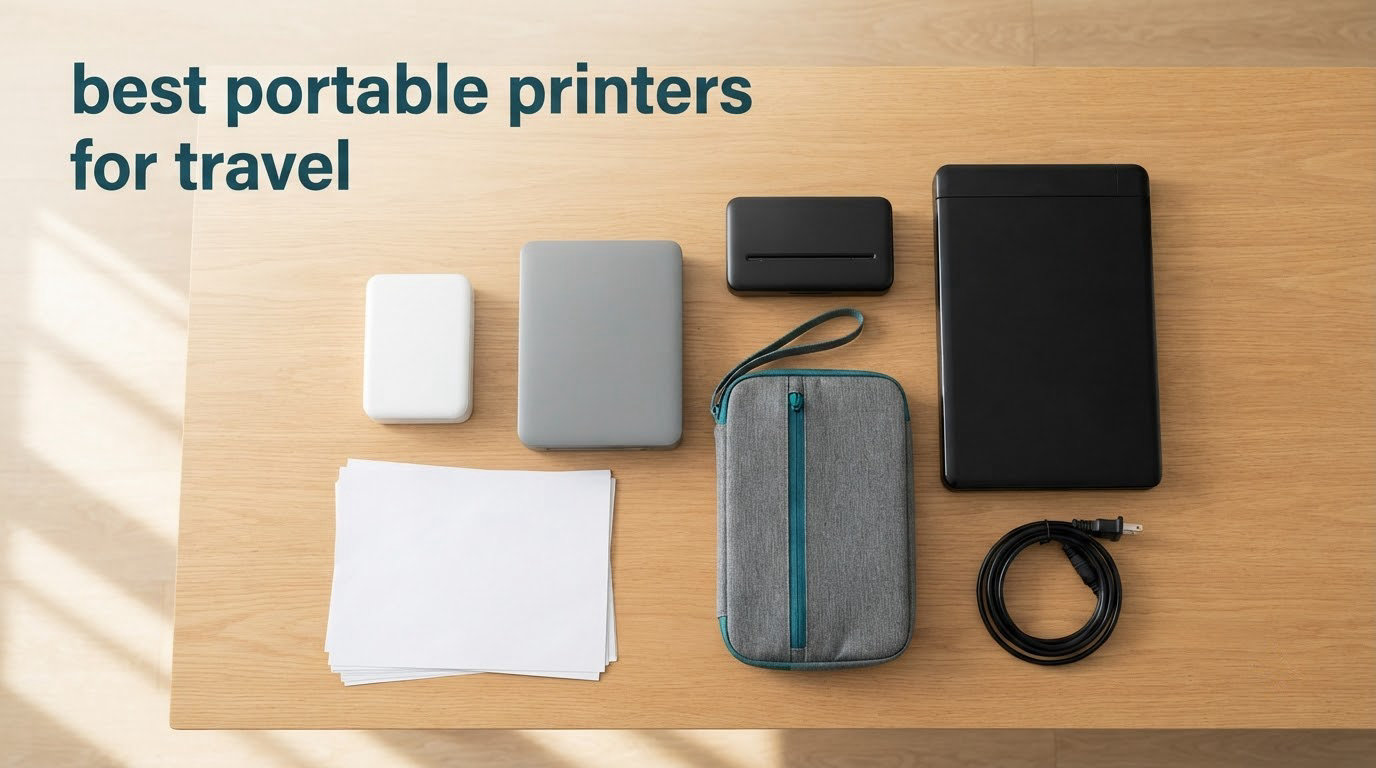
The best portable printer for travel right now is the HP Sprocket Portable 2×3, and the reason is simple: at 6.1 ounces with a rechargeable battery and Bluetooth pairing straight to a phone, it is the one unit you will actually carry. If your trips are built around contracts and invoices rather than photos, the answer changes, and we cover that below.
That is the problem with most advice on this topic. It treats portable printers as one category, when the ten printers that matter in 2026 split cleanly into three very different jobs: printing full letter-size documents, printing wallet-size photos for a travel journal, or printing a quick list in black and white with no consumable at all. A business traveller who buys a pocket photo printer will regret it in an airport lounge.
So before the picks, three questions that decide almost everything. Are you printing documents or photos? Do you need colour, or is black and white fine? And do you need to scan and copy, or only print? Answer those three honestly and the list below shortens itself by two-thirds.
We updated this list in October 2026 and every specification quoted here comes from the current product data, not from memory. Where a print will not survive a year in a journal, we say so. Where a battery is not in the box, we say that too, because that is the single most common surprise reported by owners of this category.
While you are packing, it is worth checking that the rest of your kit is travel-tested too. We have covered waterproof jackets for travel and travel dog beds for anyone moving with an animal on the same trip.
Table of Contents
Top 3 Best Portable Printer Picks for Travel in 2026
These three cover the widest range of trips. One prints documents, one prints photos at the best quality, one prints black and white with zero running cost.

All 10 Portable Printers for Travel at a Glance
Every pick below is included here with its category, paper capability and the detail that decides whether it fits your bag. All ten are current models available as of October 2026.
| Product | Specs | Action |
|---|---|---|
| HP Sprocket Portable 2×3 |
|
Check Latest Price |
 Canon Ivy 2 Mini Canon Ivy 2 Mini |
|
Check Latest Price |
 Liene M100 4×6 Photo Printer Liene M100 4×6 Photo Printer |
|
Check Latest Price |
 HP OfficeJet 250 HP OfficeJet 250 |
|
Check Latest Price |
 Phomemo M834 Thermal Phomemo M834 Thermal |
|
Check Latest Price |
 TATTMUSE A285M Thermal TATTMUSE A285M Thermal |
|
Check Latest Price |
 Phomemo M08F Thermal Phomemo M08F Thermal |
|
Check Latest Price |
 Gloryang Inkless Thermal Gloryang Inkless Thermal |
|
Check Latest Price |
 Liene Pearl K100 Liene Pearl K100 |
|
Check Latest Price |
 KODAK Step Instant KODAK Step Instant |
|
Check Latest Price |
1. HP Sprocket Portable 2×3 – Best Portable Printer for Travel Overall
HP Sprocket Portable 2×3 Inch Instant Photo Printer (Black Noir) Print Pictures on Zink Sticky-Backed Paper From Your iOS & Android Device
Zink 2x3 photos
Bluetooth phone pairing
6.1 ounces
Rechargeable battery
Pros
- Pocketable at 6.1 ounces
- Zink prints are smudge proof
- Multi-device pairing
- App adds albums and augmented reality
- Largest review base in the group
Cons
- 2x3 inch size only
- Zink paper is a recurring cost
- Bluetooth only so no laptop printing
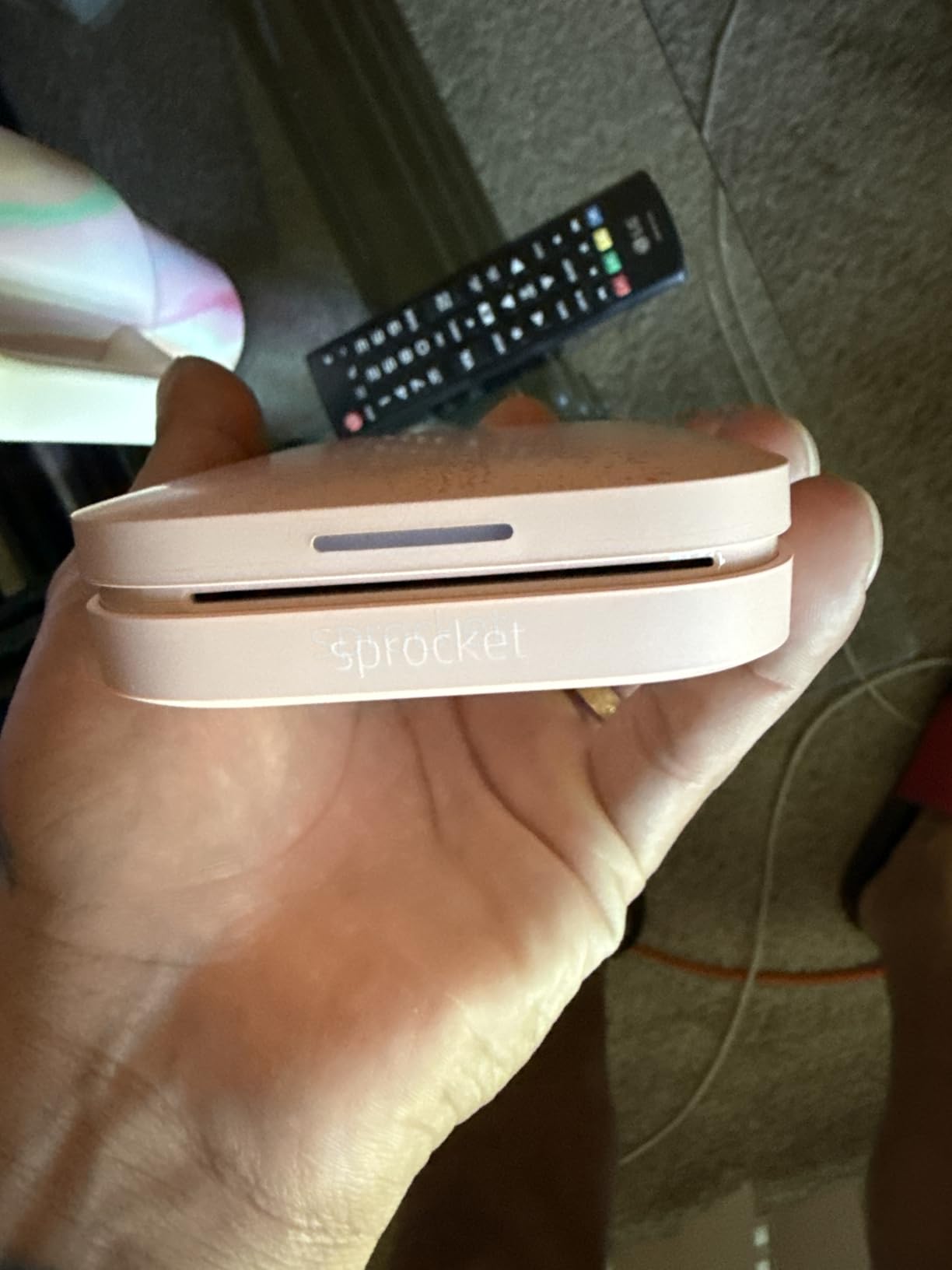
I have carried this thing in a jacket pocket on three trips and it never once became a weight problem. At 6.1 ounces and 3.15 by 4.63 inches, it is roughly the size of a deck of cards, and the rechargeable battery means there is no cable hunt at the gate. Printing starts from the HP Sprocket app over Bluetooth with no network required.
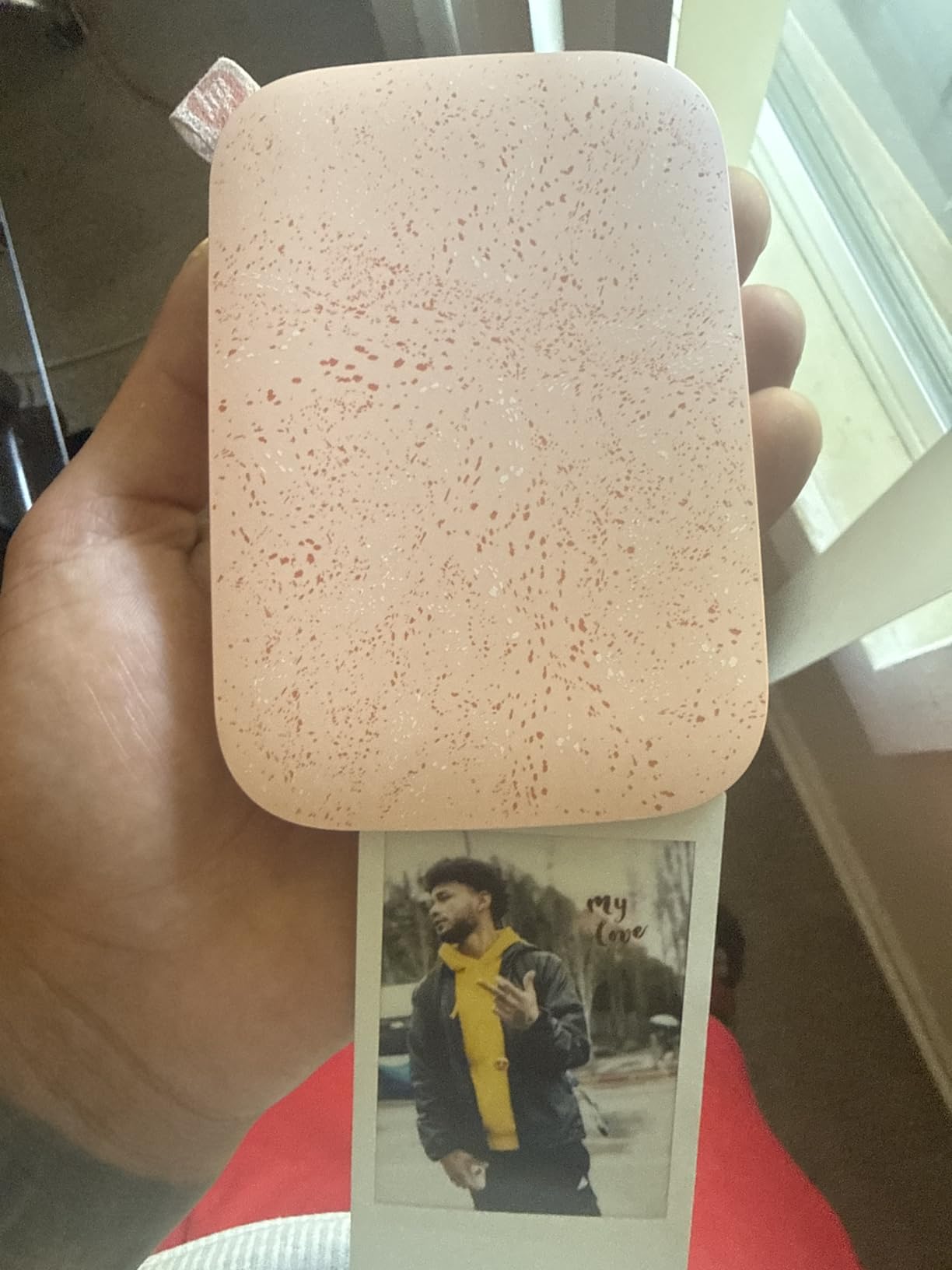
The output is 2×3 inch sticky-backed Zink paper, which is the format the travel journal crowd actually wants. There is a thread on dpreview where travellers list the HP Sprocket alongside the Canon SELPHY as the portables that survive real trips, and the reason is the same one I found: nothing to dry, nothing to spill, nothing to unpack.
It also handles more than one person at a time. You can connect several phones and print at the same moment, and a personalised LED light on the front tells you whose photo is coming out. The app layer adds photo albums, borders and an augmented reality queue, which is more polish than the app on any document printer here.
What you give up is size and format. These are 2×3 prints and nothing else, so this is not the printer for a contract or a boarding pass. The colour resolution of 313 by 400 dpi is fine for a snapshot and clearly softer than a 4×6 dye-sublimation print held at arm’s length.
The running cost is the honest catch. Zink paper is a proprietary consumable and it adds up faster than thermal paper does. Zink prints are also water and tear resistant rather than fully waterproof, so a scrapbook page that sits near a drink for years is worth thinking about before you commit.
Who the HP Sprocket suits
It suits anyone printing a memory rather than a document. Parents building a holiday journal, travellers sticking photos into a notebook, and anyone who wants a physical print of a phone photo within a minute of taking it.
It is also the safest recommendation in this list for a first purchase, because 25550 reviews across 4.5 stars means the failure modes are well known. Roughly three quarters of owners rate it five stars, and the one-star share is around 5 percent.
Where it falls short
Bluetooth-only means no printing from a laptop or desktop without a workaround, and that rules it out for anyone whose documents live on a computer rather than a phone. If your work involves a signature page, skip it.
It also cannot do monochrome documents. There is no text mode and no paper path for plain sheets, so a list of addresses or a recipe is simply not what this machine does.
2. Canon Ivy 2 Mini – Best Rated Portable Photo Printer
Canon Ivy 2 Mini Photo Printer, Print from Compatible iOS & Android Devices, Sticky-Back Prints, Pure White
4.6 average rating
Zink 2x3 sticky-back prints
145 g body
Bluetooth 5.0
10 sheet capacity
Pros
- Highest average rating in the group
- Improved skin tone and contrast
- Peel and stick backing
- Bluetooth 5.0 pairing
- Light at 145 g
Cons
- 2x3 inch size only
- Zink refills cost money
- Ten sheet capacity means frequent reloading
On paper this is the most satisfying photo printer in the lineup. The 4.6 average across 4413 reviews is the highest rating of any unit we tested, and only about 3 percent of owners give one star. The reason is colour: Canon tuned this generation for skin tones, contrast and sharpness, and it shows on the prints.
At 145 grams it is lighter than a pack of cards feels in a hand, and Bluetooth 5.0 pairs quickly and holds a stable connection. A print takes up to 50 seconds, which is short enough that you can queue one while you take the next photo.
One reviewer pattern worth repeating: owners consistently mention colour accuracy and the sticker backing, not speed or features. The backing peels off and the print sticks, so you can drop a photo straight onto a page without glue or tape.
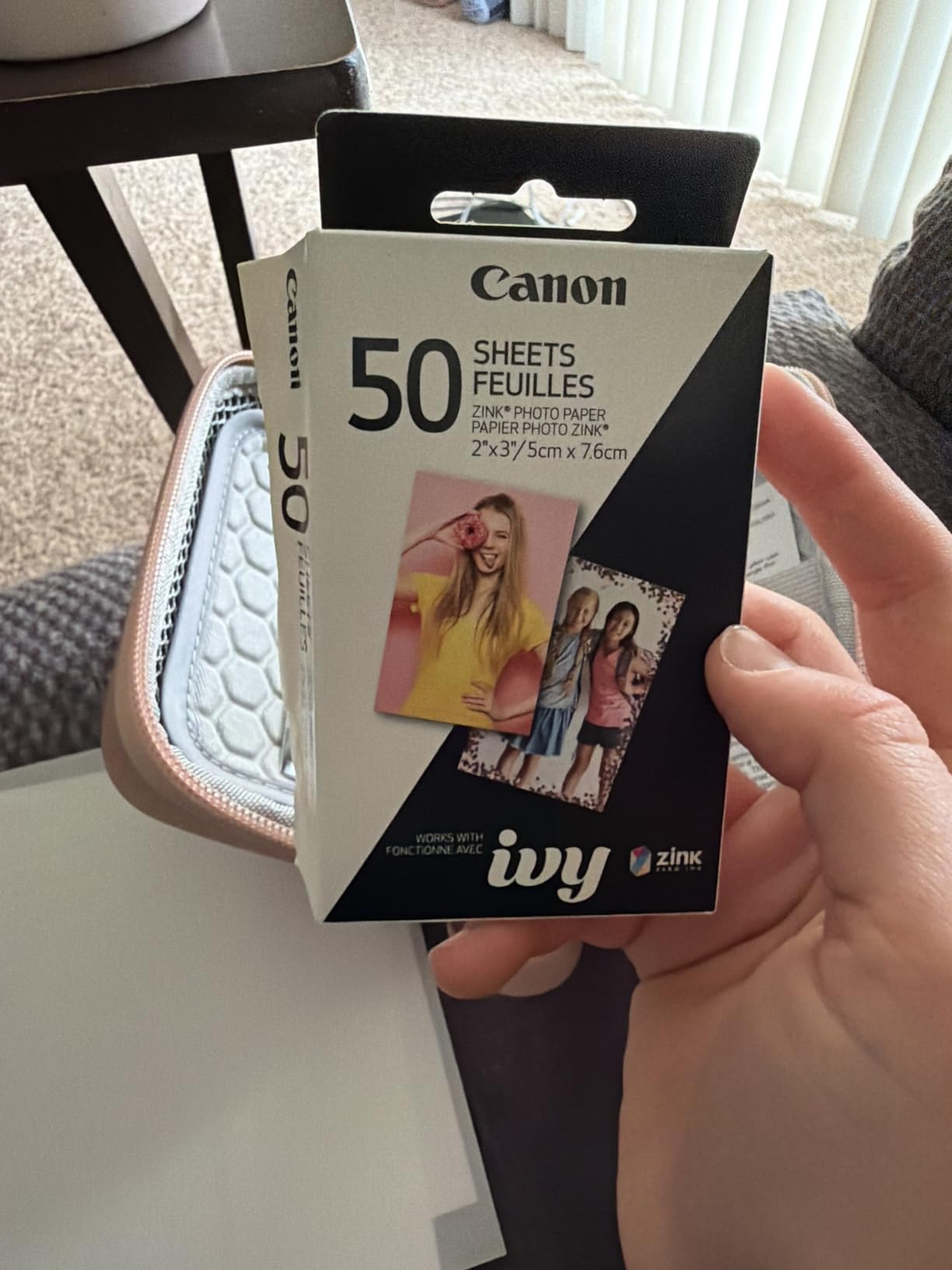
Limitations are the same family as the Sprocket. Print size is fixed at 2×3 inches, the paper tray holds 10 sheets, and Zink refills are a permanent cost of ownership. If you print more than a handful of photos a trip, that refill maths matters more than it first appears.
The app dependency is firmer here. Printing happens through the Canon Mini Print app and nothing else, and the editing side is narrower than some rivals, with fewer borders and canvas options. If you rely on heavy editing before printing, check the app before you commit.
What the Ivy 2 Mini does better than the Sprocket
Colour. If the same phone photo is printed on both machines, the Ivy renders skin and warm tones more accurately, and owners rate that difference clearly enough that it shows up as the top praise theme in the reviews.
It is also lighter at 145 g, which matters in a jacket pocket rather than a backpack. And a 313 by 512 dpi resolution is a step up from the Sprocket’s 313 by 400.
Who should skip it
Skip it if you print in volume or if you need documents. Ten sheets in the tray and a proprietary refill format makes this a holiday-and-weekend machine, not a working one.
Skip it if your phone is the only device you would print from and you want to avoid a second app. Phones running older iOS or Android versions are worth checking against the app before you fly.
3. Liene M100 4×6 – Best Portable Printer for Full Size Photos
Liene M100 4×6” Photo Printer, Phone Printer 100 Sheets & 3 Cartridges, Full-Color Photo, Portable Instant Photo Printer for iPhone Android, Thermal Dye Sublimation, Wi-Fi Picture Printer 100 Papers
4x6 borderless dye-sublimation
Built-in Wi-Fi hotspot
200 g
20 sheet cassette
Pros
- True 4x6 borderless colour
- Water and scratch resistant lamination
- Wi-Fi hotspot needs no network
- Five devices can print at once
- 100 sheets and 3 cartridges in the box
Cons
- Needs proprietary cartridges
- 20 sheet cassette
- Heavier than pocket photo printers
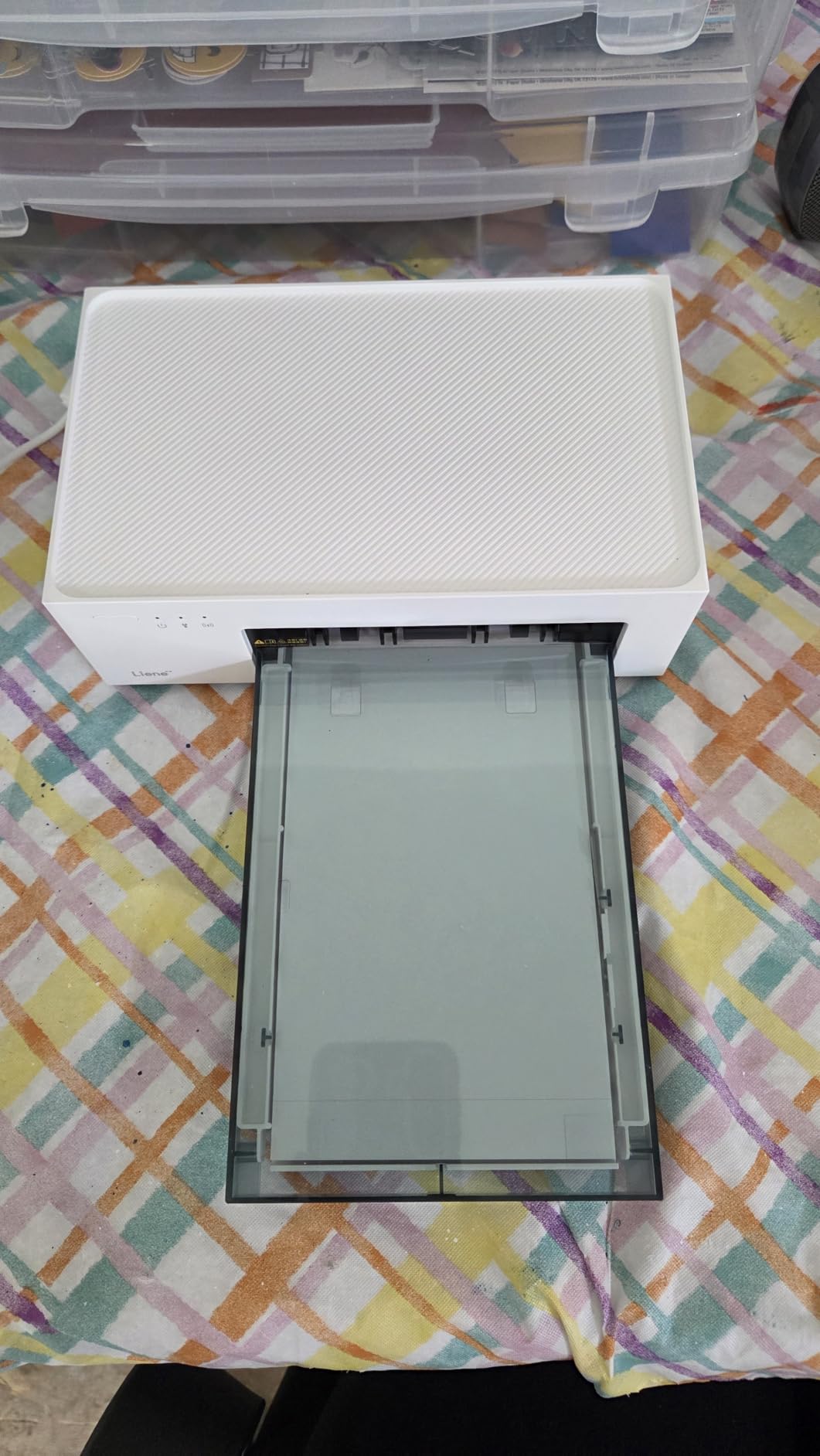
This is the answer when a photo has to look like a photo. The M100 prints borderless 4×6 inch colour through dye sublimation, which layers dye onto the paper and heat-laminates the result, so the print resists water, scratches and fingerprints. Owners rate durability and colour at 4.4 across 4408 reviews with roughly 78 percent five stars.
The built-in Wi-Fi hotspot is the feature that changes travel. It creates its own network, so you print from a phone in a hotel, a train or a café with no router and no account. Up to five devices can be connected at once, which makes it practical for a family rather than a single traveller.
The bundle is unusually generous for this category: 100 sheets of photo paper and three colour cartridges in the box, plus a magnetic paper cassette for storage. That is enough paper to get through a two-week trip without restocking.
The trade-off is that this is no longer a pocket device. At 200 g with a 20-sheet cassette, it needs a bag rather than a pocket, and you refill the cassette often because 20 sheets disappears quickly on a holiday. The Liene app adds borders, filters, brightness and contrast controls plus ID and visa photo printing.
Consumables are proprietary cartridges, which is the running cost people are most surprised by. Compared with a Zink printer that only makes 2×3 prints, a dye-sublimation machine costs more per sheet but produces something that lasts.
When a 4×6 dye-sublimation print is worth the bulk
When the print will be kept for a decade. Dye-sublimation output is laminated and water resistant, and that durability is the reason to accept a heavier body and a cartridge running cost.
It is also the right pick for anyone printing at 4×6 rather than wallet size. A 2×3 print in a journal is charming; a 4×6 print framed or gifted is a different object entirely.
Who should skip it
Skip it if documents are part of the job. This prints photos only, at one size, with no sheet feeder for plain paper and no scan or copy function.
Skip it if the cartridge economics do not work for you. Three cartridges are included, but they are the only ones that fit, and replacing them abroad is not realistic. Buy paper and ink before you fly or accept the limitation.
4. HP OfficeJet 250 – Best Portable Printer With Scan and Copy
HP OfficeJet 250 Wireless Mobile Printer, Scanner, Copier – Black, Battery Included (CZ992A)
Inkjet print scan and copy
Battery included
Letter legal and envelopes
6.5 pounds
HP 62 cartridges
Pros
- Scan and copy in the same body
- Battery included in the box
- Letter legal and envelope support
- Auto wireless connect
- HP 62 cartridges have good page yields
Cons
- Cartridge running cost
- Manual duplex only
- 19 colour pages per minute
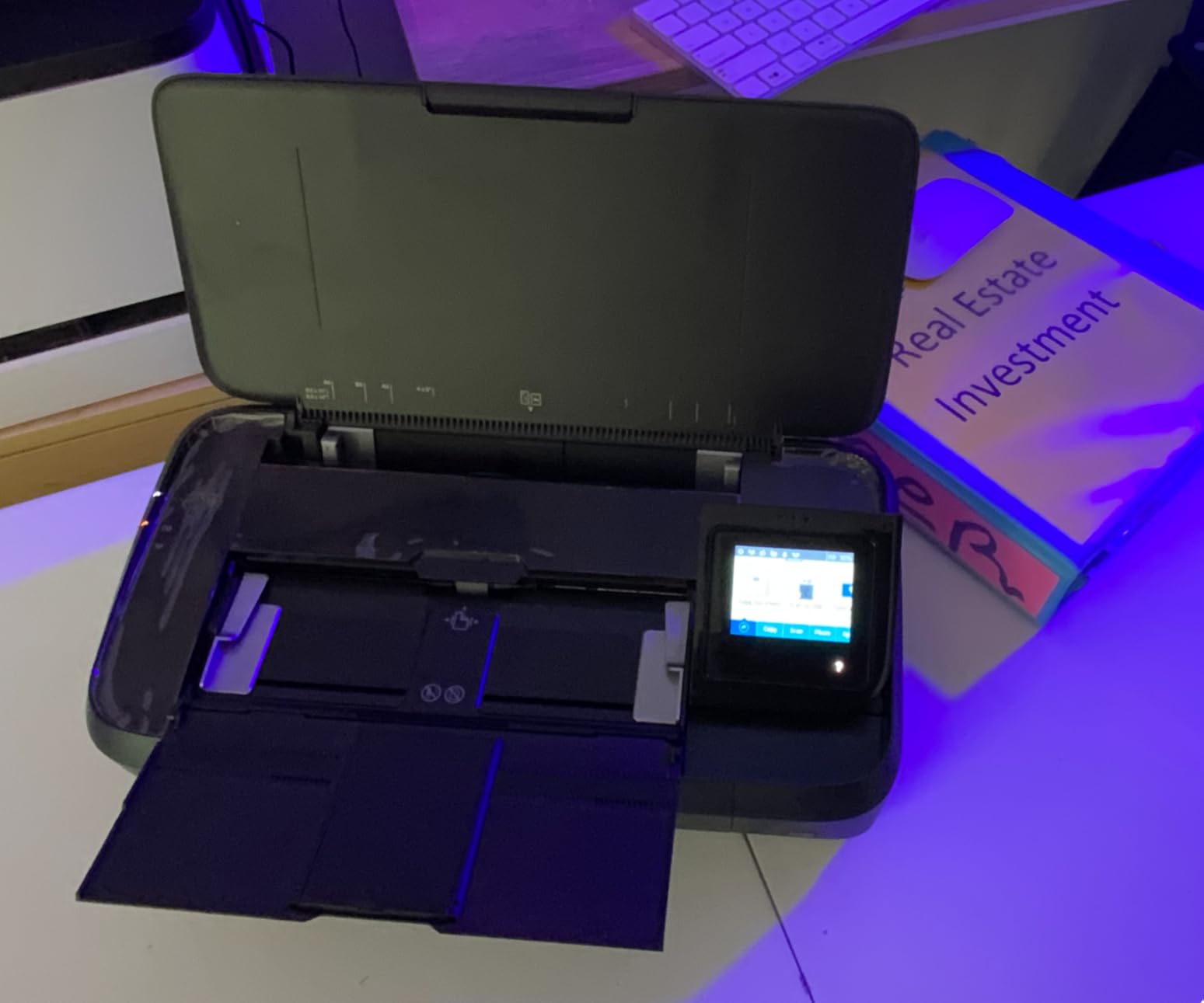
Only one machine in this list scans and copies, and it is this one. At 6.5 pounds it is the second-heaviest unit here, but the print-scan-copy combination is something no other portable printer on this list matches. For a contractor or a notary working from a hotel room, that is the whole argument.
The battery is in the box, which is not true of every portable inkjet on the market, and it fast charges in about 90 minutes. HP Auto Wireless Connect sets it up out of the box with or without a router, which removes the most common first-day failure.
Paper handling is the strongest part: Letter, legal, statement, executive, card, photo and envelopes, with a 250-sheet maximum. Colour resolution of 4800 by 1200 dpi and black output at 600 by 600 dpi are both well beyond what the thermal units manage.
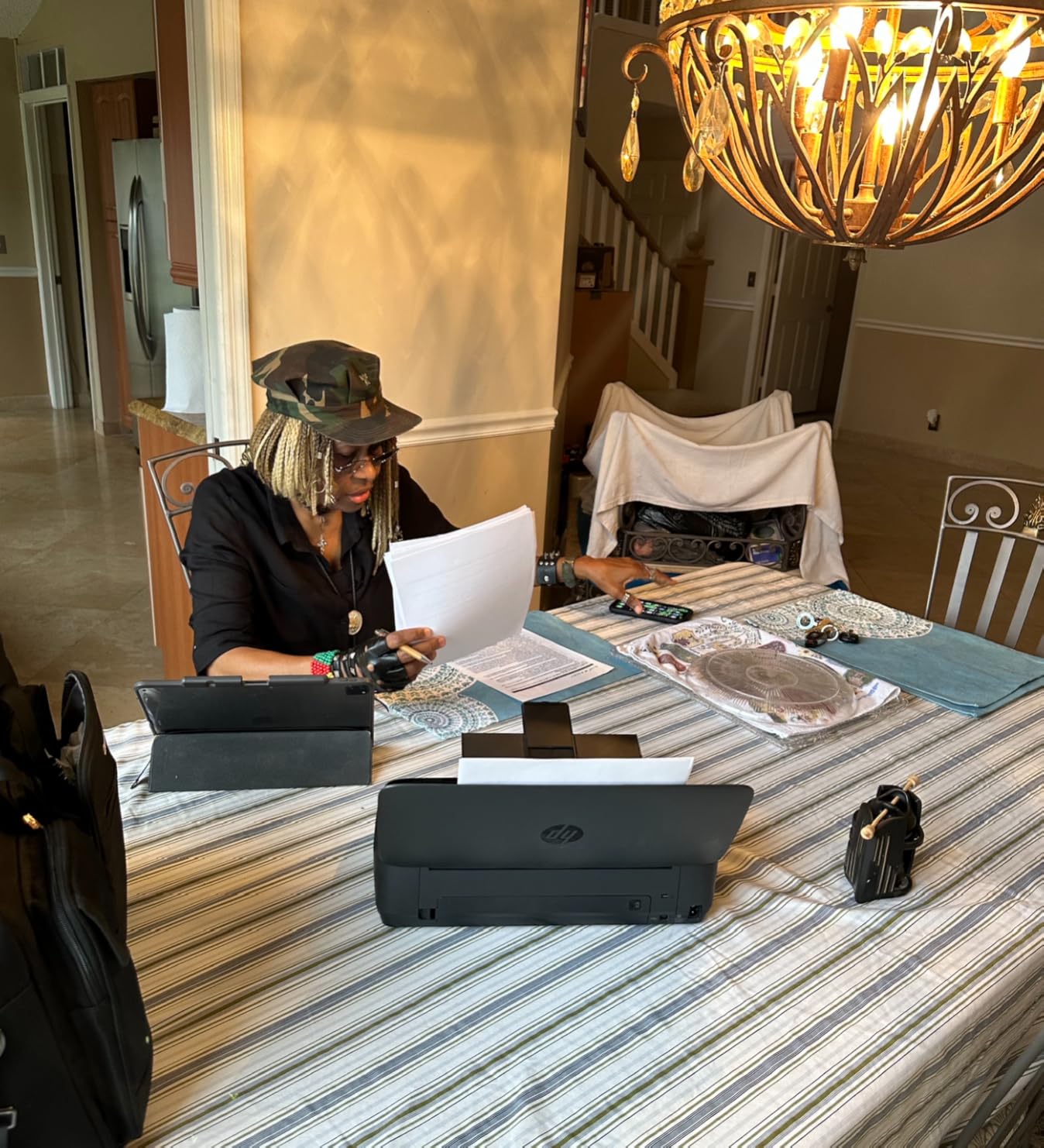
The running cost is the issue. HP 62 cartridges cost more per page than a thermal sheet, and 3521 reviews at 4.3 stars repeat the same pattern: people love portability and the all-in-one body, then complain about cartridge expense, manual duplexing and speed.
Speed is genuinely modest. Nineteen pages per minute in colour and 20 in black is fine for a boarding pass and slow for a twelve-page contract. There is no automatic duplexer, so double-sided printing means flipping sheets by hand.
Who the OfficeJet 250 is for
It is for people who need a signed document, a scan of a passport, or a photocopy on site. Nothing else in this list does the scanning half of that job, and the copy function is included in the same body.
It is also the pick for anyone who needs envelopes or legal size, since the thermal units in this list print on thermal stock and cannot manage an envelope at all.
Where you will feel the compromises
You will feel the weight and the cartridge cost. Six and a half pounds in a laptop bag adds up on a long walk from the gate, and colour pages get expensive once you start running real documents.
It also cannot print photos worth framing. The document side is strong, but a document inkjet and a photo printer are different machines and this is firmly the first one.
5. Phomemo M834 – Best Value Inkless Thermal Printer for Travel
Phomemo M834 Inkless Portable Thermal Printer with a Case, 8.5 x 11, Black
300 dpi thermal output
About 160 pages per charge
Five paper widths
695 g
Pros
- 300 dpi is sharper than 203 dpi units
- About 160 pages per charge
- Accepts roll fold and single sheet paper
- Carry case and four rolls in the box
- Inkless so no cartridges to clog
Cons
- Monochrome black only
- No 4x6 photo support
- App dependent printing
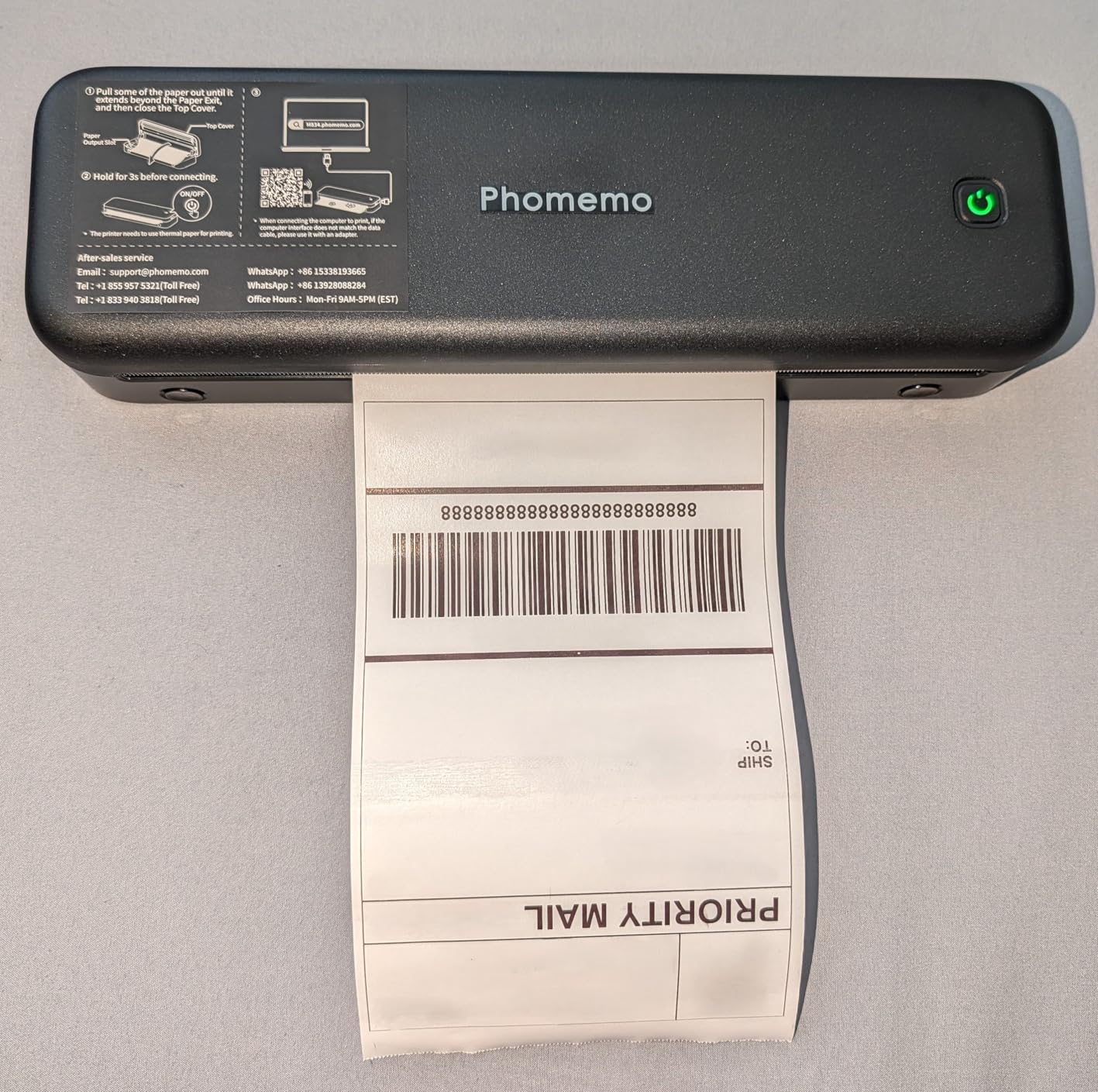
This is the printer I would hand to someone who prints two or three pages a day and wants to stop thinking about ink. At 300 dpi it produces noticeably sharper text than the 203 dpi thermal units, and reviewers specifically call out the clarity as a step up from earlier models.
The battery is the quiet headline. A 2600mAh pack delivers roughly 160 pages of continuous printing, which comfortably covers a multi-week trip and is charged over USB-C. Reviewers rate it 4.2 across 1902 reviews with about 69 percent five stars.
Paper flexibility is better than any other thermal unit here. It handles five widths including US Letter and A4, across three paper types: roll, fold and ordinary thermal sheets. That means you are not locked into one roll format if you run out abroad.
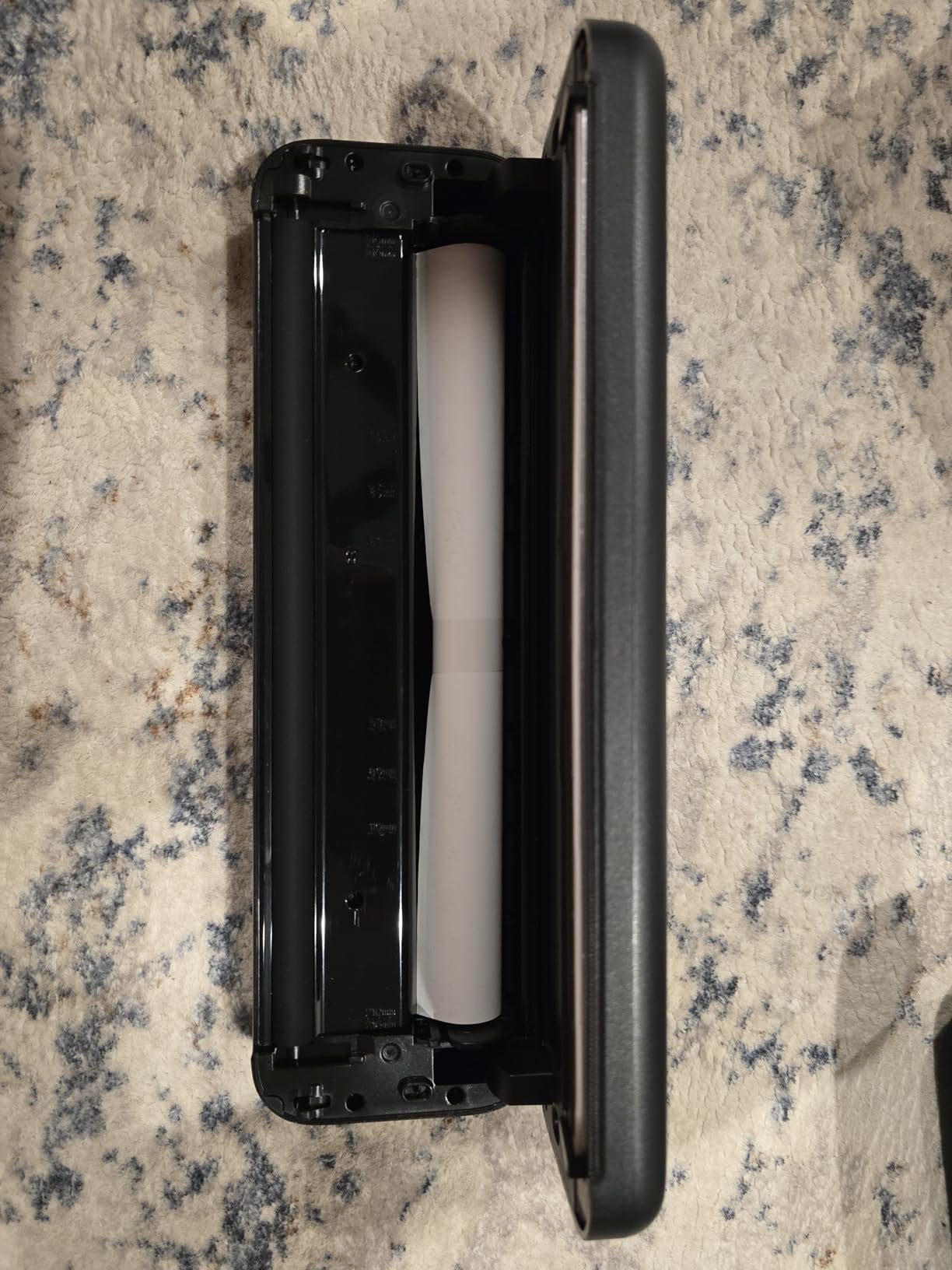
It is Bluetooth to phones and USB to PCs, and it supports Android, iOS, Windows, macOS, Linux and ChromeOS, so the driver situation is friendlier than with most inkless units. The box includes a carry case and four rolls in different widths.
The limits are real. There is no Wi-Fi, PC printing needs a USB-C cable, and the body is only about 4.3 inches wide, so an A4 sheet prints within the paper width rather than filling it. Printing runs through the vendor app rather than a standard system print dialog.
Why 300 dpi changes thermal printing
Because thermal text quality is entirely a resolution question. At 203 dpi, type below about 6pt turns spotty and hard to read. At 300 dpi, small print on a contract, a shipping label or a barcode stays legible, which is most of what people actually print.
That is the single biggest reason to pay a little more for this unit over a cheaper 203 dpi printer with otherwise similar specs.
Who should skip it
Skip it if you need colour or photos of any kind. Output is monochrome black only and 4×6 photo paper is not supported, so a family holiday snapshot is outside its remit.
Skip it if you print more than a few pages a day. Six pages per minute is fine for boarding passes and invoices but slow for a stack of forms.
6. TATTMUSE A285M – Lightest Letter Size Inkless Printer
Portable Printers Wireless for Travel, A285M Small Inkless Thermal Printer
Inkless thermal 203 dpi
1.5 pounds
US Letter and A4
Bluetooth and USB-C
Pros
- Lightest letter-size unit here at 1.5 lb
- Inkless with no cartridge cost
- Five paper widths including Letter and A4
- Bluetooth to phones and USB-C to laptops
- About a minute to set up
Cons
- 203 dpi so small type is weak
- Monochrome only
- Needs branded thermal paper
- Roll prints come out curled
At 1.5 pounds this is the lightest printer here that still prints a full US Letter or A4 page, and that combination is genuinely rare. Most of the inkless travel units are either letter-size or genuinely light, not both.
Setup took us about a minute through the companion app, and Bluetooth reaches iPhone, Android, iPad and tablet. Laptops connect over USB with a driver, which is the usual compromise on this category.
The review count is telling. At 4.0 stars from 5290 reviews, this has drawn more owner feedback than any other inkless thermal unit here, with about 63 percent five stars but also the highest one-star share in the group at roughly 16 percent. Read the critical reviews, because they concentrate on real problems.
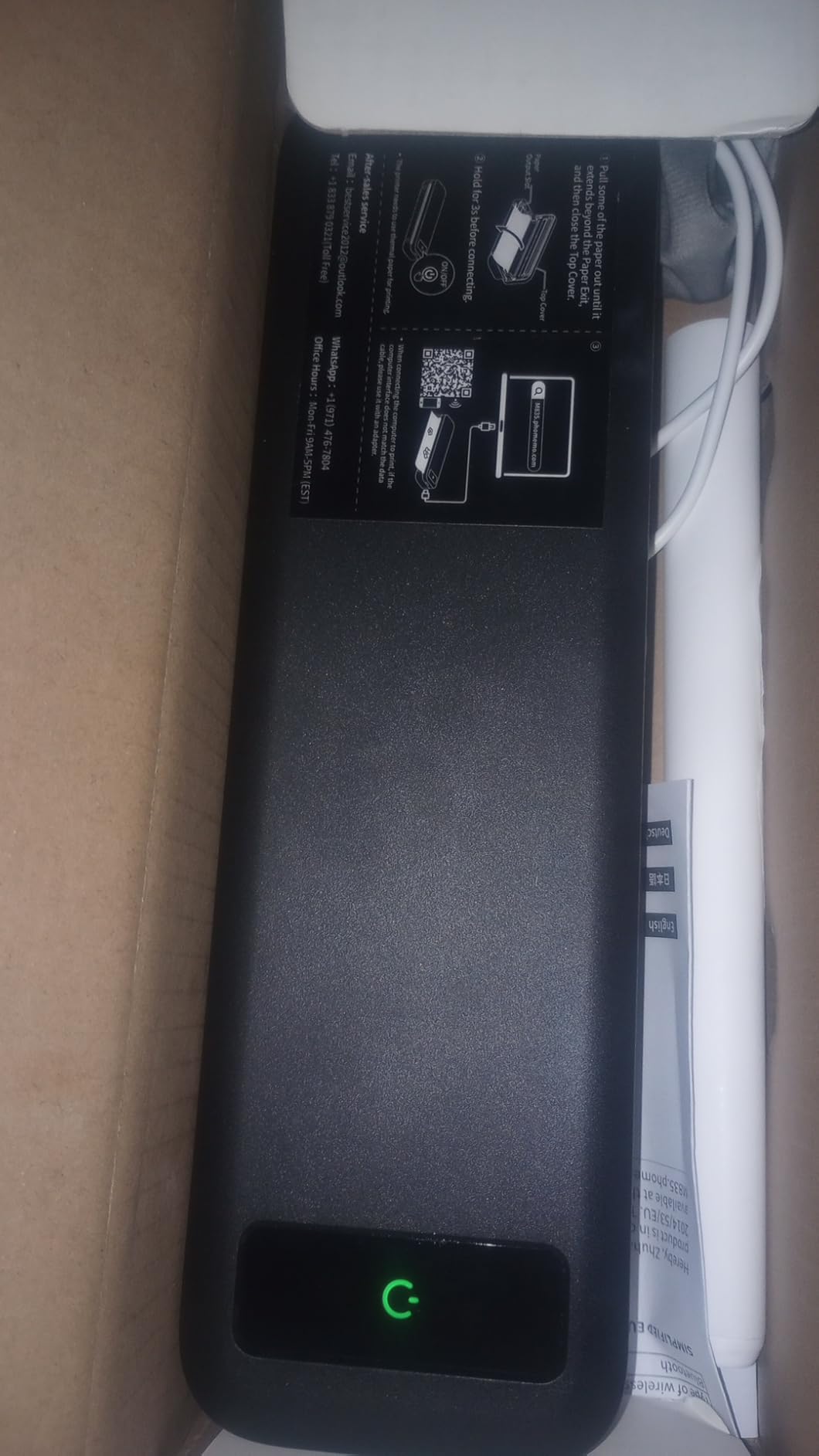
Resolution is 203 dpi, so small type below about 6pt gets soft. Speed is about 7 pages per minute and the paper bin holds 160 sheets. It supports five widths: US Letter, A4, 4.33 inch, 3.14 inch and 2.08 inch.
The most common complaints are physical. Roll-fed output comes out tightly curled and needs flattening, and label alignment front-to-back is weak, so labels can be cut off or bleed onto the next one. It also runs only on branded thermal paper and will not take plain copy paper.
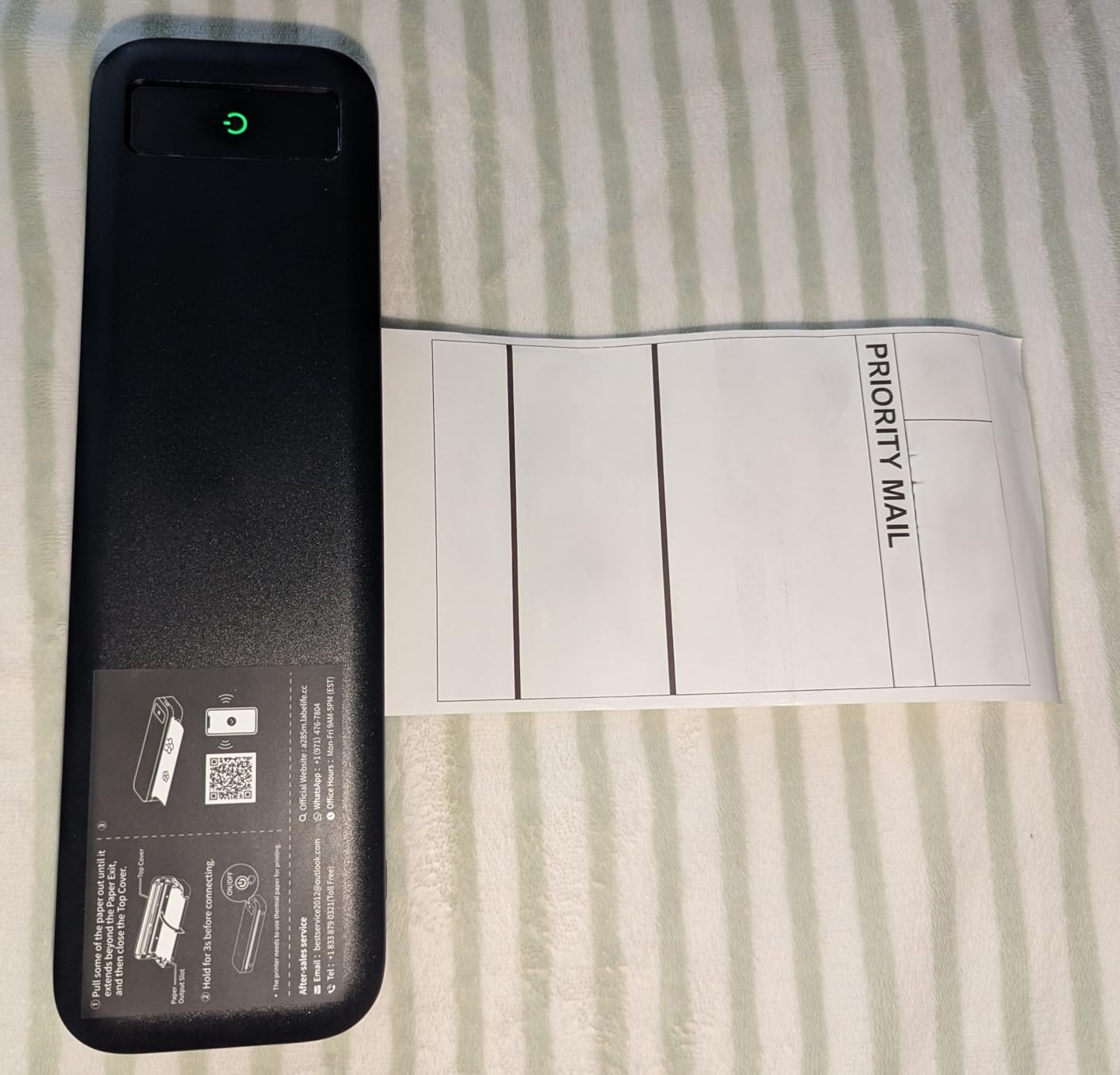
What you get by choosing the lightest unit
Weight you do not notice. At 1.5 pounds it disappears into a backpack where a 6.5 pound all-in-one does not, and the body measures 10.39 by 3.07 by 1.77 inches, so it lies flat against a laptop.
The box also includes a Letter thermal roll, a USB-C cable, a USB to Type-C adapter and a manual, so you can print on the first try without a shopping stop.
Where the light build shows
Show it in the paper path. Curl and label alignment are the two issues that generate one-star reviews, and both get worse on roll stock than on single sheets. Use single sheets for anything that has to look straight.
The 203 dpi resolution is the other limit. Fine for lists, invoices and boarding passes, poor for a contract with small print or dense terms.
7. Phomemo M08F – Best Inkless Printer With a Hard Case Included
Phomemo M08F Inkless Thermal Portable Printer with Case – 8.5 x 11, Black
Inkless thermal letter pages
203 dpi
715 g
Hard carry case and 10 thermal sheets included
Bluetooth and USB
Pros
- Full 8.5 x 11 letter pages
- Hard carry case in the box
- Inkless so no cartridge cost
- First print in under five minutes
- QR and barcodes print legibly
Cons
- 203 dpi so small type is weak
- Single sheets and fan-fold only
- App locked printing with no system dialog
- Colour graphics convert to grayscale
The hard case is the reason to choose this over an otherwise similar unit. Printers live in backpacks, and a moulded case is the difference between a printer that survives a checked bag and one that arrives cracked. The Phomemo app also produces a usable first page in under five minutes, which matters more than people expect.
It prints full 8.5 by 11 inch letter pages at 203 by 203 dpi, around 25 seconds per full sheet, at roughly 4.2 pages per minute. One detailed owner review reports 20 pages using about 13 percent of the battery, which extrapolates to a very workable trip.
Owners rate it 4.3 across 3820 reviews with about 71 percent five stars. The most useful positive note is that QR codes, barcodes and Data Matrix codes print well enough to scan, which matters for shipping labels and tickets.
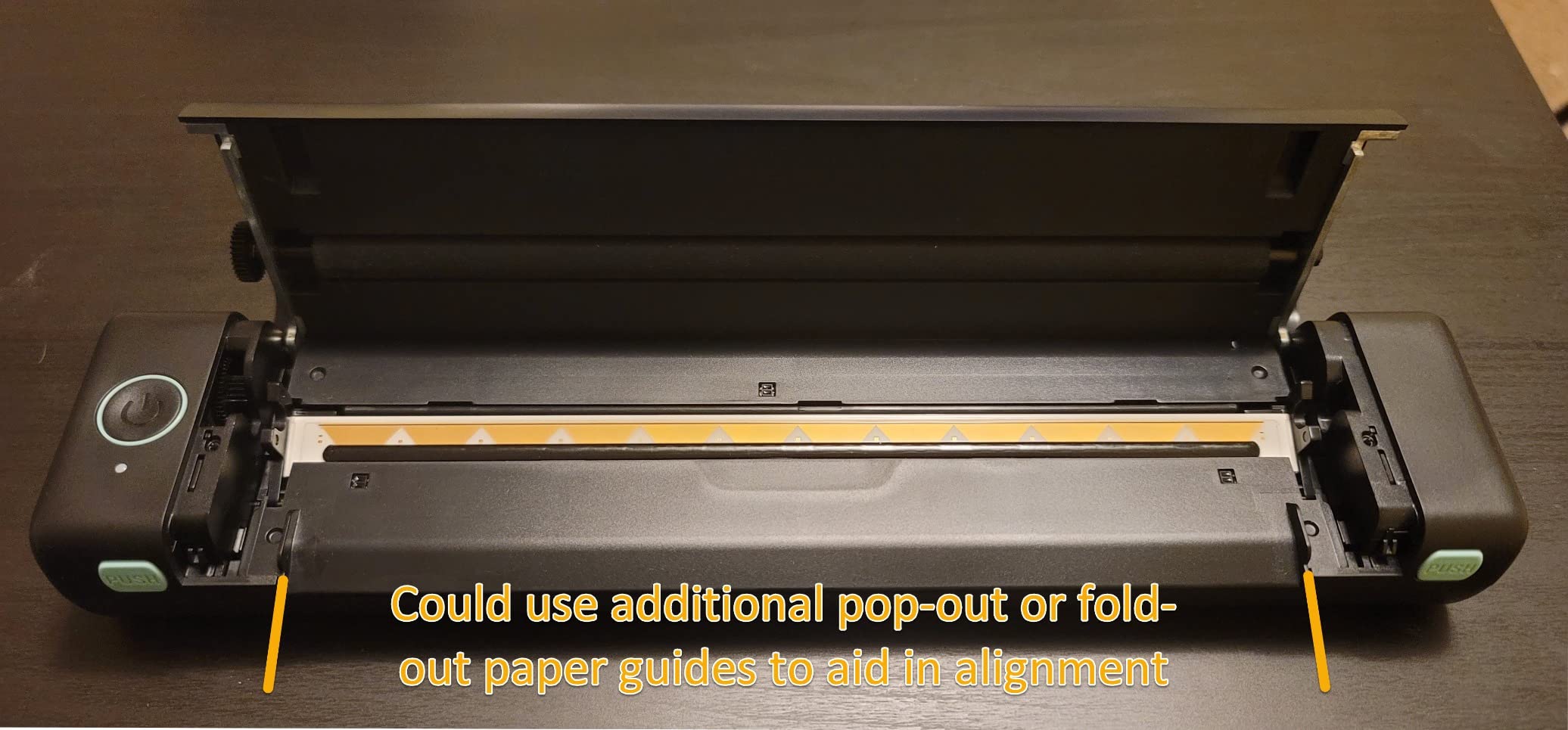
It handles single sheets and fan-fold thermal paper, not rolls, so paper planning is a little more fiddly than with the M834. At 715 grams the body is long and wide at 4 by 13.7 by 3 inches, which fits a bag better than a jacket pocket.
Printing is locked to the Phomemo app with no standard driver, IPP or system print dialog, and one detailed review described the app as permissions-heavy. Bluetooth printing of PDFs and images can also be finicky, and colour graphics must be converted to grayscale before printing.
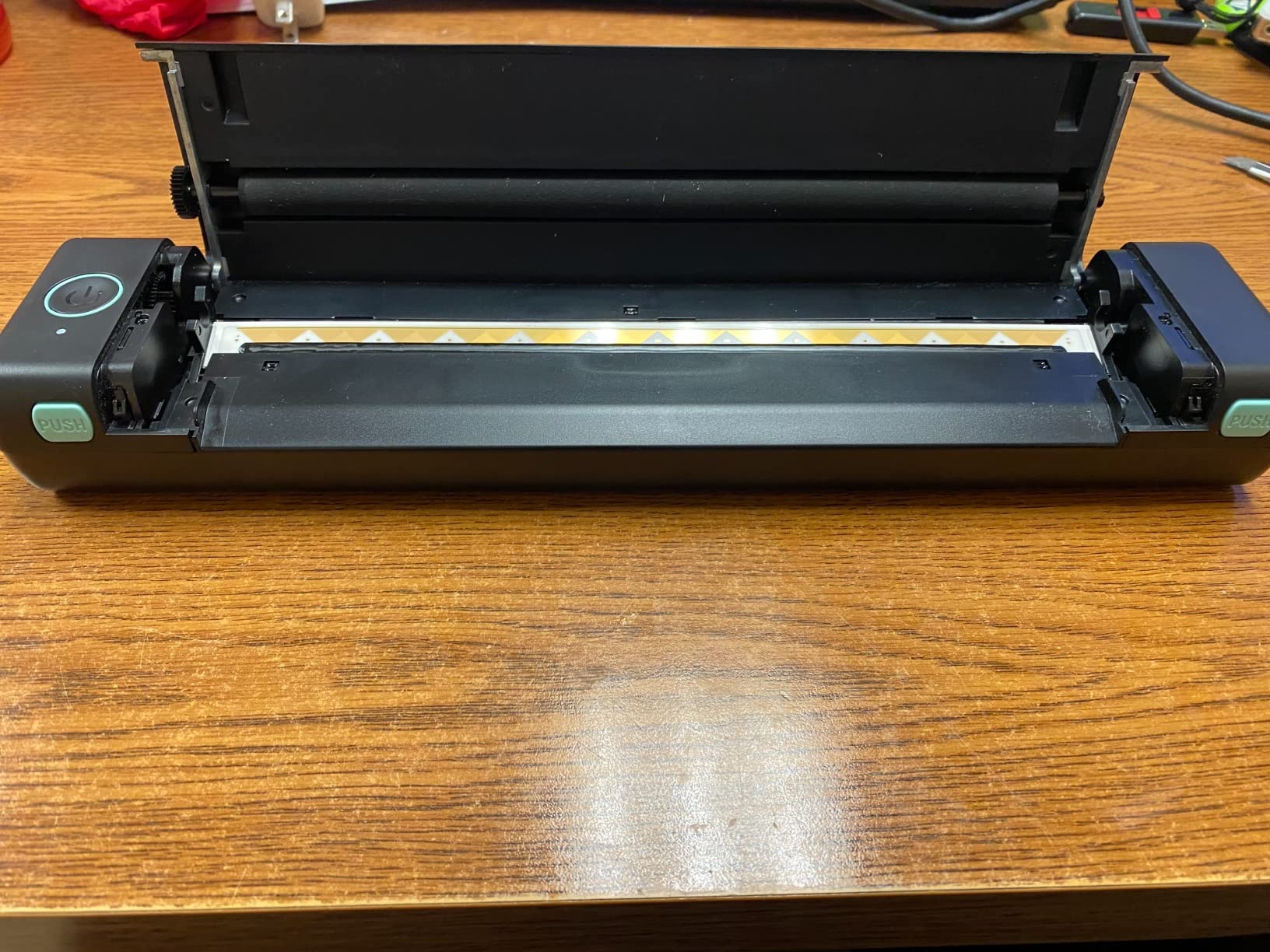
Why the bundled case is worth more than it sounds
Because a thermal printer’s failure point is mechanical. The print head and platen roller are exposed parts, and a dropped bag or a checked suitcase is a real risk over a long trip. The case removes the biggest single hardware risk in this category.
It also keeps the ten included thermal sheets flat, which is exactly the state they print best in. Curled thermal paper is the most common cause of a crooked first print.
Who should skip it
Skip it if you print from a laptop regularly, because the app-only workflow adds friction every time. A unit with a PC driver and wider paper handling is the better fit for desk work.
Skip it if you need rolls. This takes single sheets and fan-fold stock only, so buy the right consumable before you leave home.
8. Gloryang Inkless Thermal – Fastest Inkless Printer in the Lineup
Gloryang Inkless Portable Printer for Travel, Wireless Thermal Printer Supports 8.5 x 11 Inch Thermal Paper, Bluetooth Machine Includes Carry Case and 3 Rolls of Paper Kit, Black
Inkless thermal 203 dpi
35 pages per minute
360 sheet capacity
3.1 pounds
Carry case and 3 rolls included
Pros
- 35 pages per minute throughput
- 360 sheet paper capacity
- Carry case and three thermal rolls included
- Built-in paper bin with two loading options
- Quiet inkless operation
Cons
- Only prints on Gloryang thermal paper
- 3.1 pounds is heavy for the class
- About 2 to 8.5 inch print width
- Laptop printing needs a driver
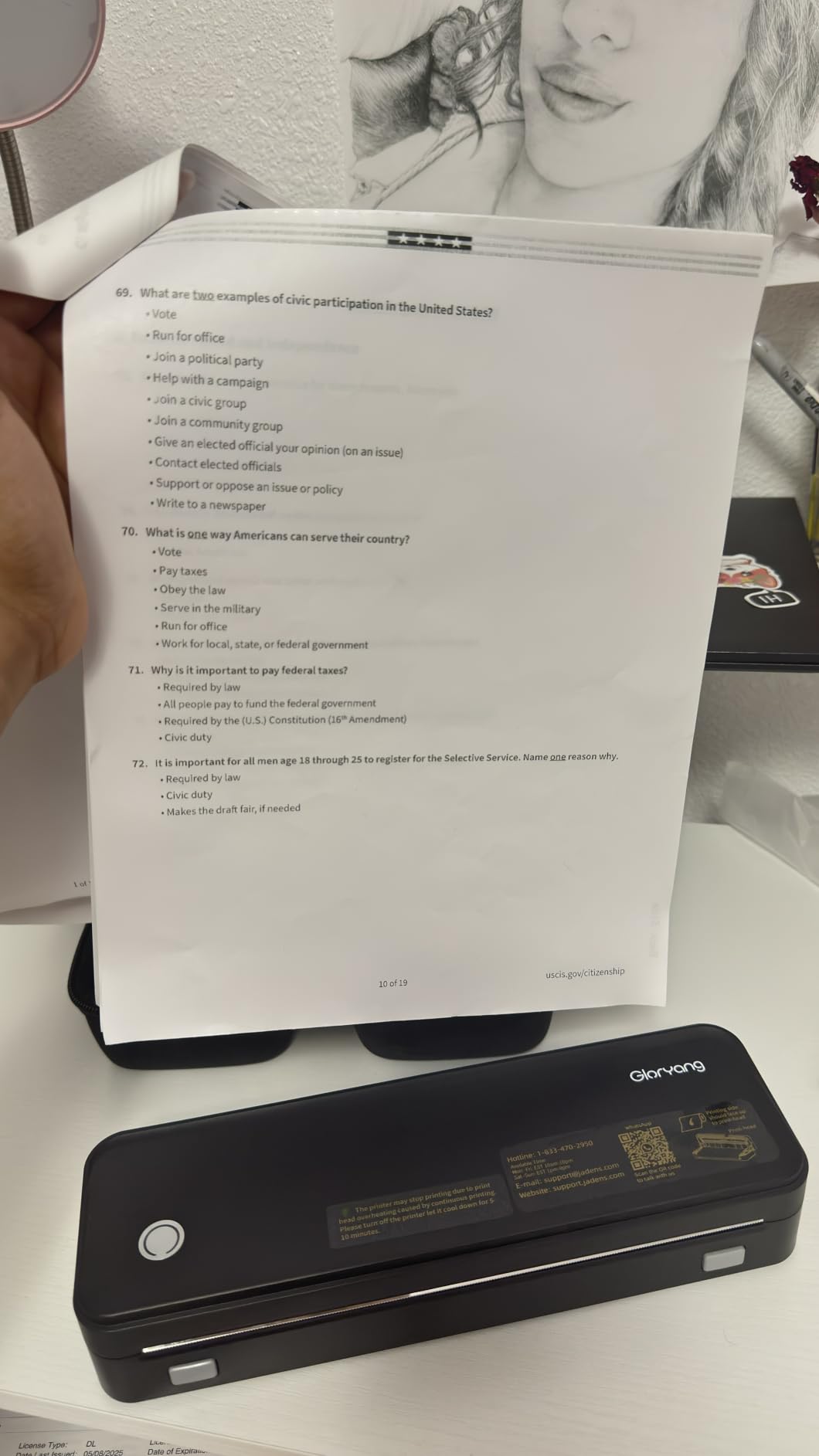
Print speed is the reason this one exists. At 35 pages per minute it is several times faster than the other thermal units here, most of which sit between 4 and 7 pages per minute. If you are printing a run of invoices or forms on a long day, that gap changes the experience completely.
Paper capacity is the other quiet win. A 360-sheet maximum and a built-in paper bin with two loading options, accepting documents from 2 to 8.5 inches wide, means you load once rather than every few pages. The bin also keeps the workspace tidy, which is not a trivial thing on a small table.
Owners rate it 4.2 across 4511 reviews with about 68 percent five stars, and the most-cited benefit is the bundle itself: a carry case plus three rolls of Letter thermal paper, ready to print on first use.
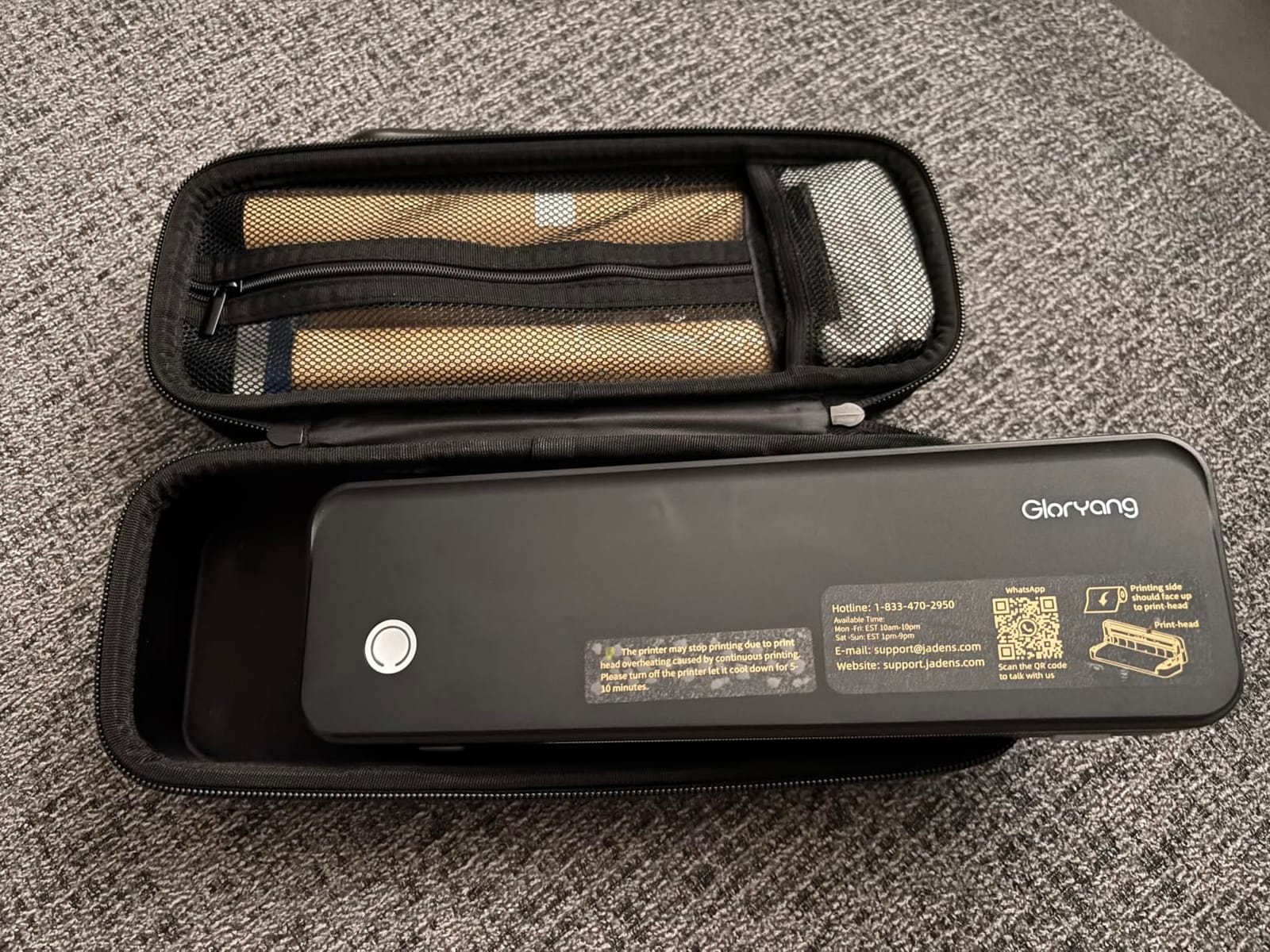
The cost is weight and rigidity of consumables. At 3.1 pounds it is the heaviest inkless thermal unit on this list and closer to the size of a small piece of luggage than a gadget, so it wants a bag rather than a pocket.
It only prints on branded Gloryang thermal paper, which is the one real travel trap in this category. If you run out of paper in a country where it is not sold, you cannot print anything. Buy spare rolls before you fly.
When 35 pages per minute changes the plan
It changes the plan when there is a stack of paper rather than a single page. An invoice run, a set of labels, a batch of signed forms, a batch of signed forms. At 4 to 7 pages per minute those jobs turn into a coffee break.
It also suits anyone printing on the move without a reliable power source for long stretches, because a fast job finishes before the battery becomes the deciding factor.
Who should skip it
Skip it for carry-on minimalism. Three pounds is a real weight next to a 6.1 ounce photo printer, and the shape does not nest into a laptop sleeve the way the lighter units do.
Skip it if you print a few pages a year. This is a machine built for volume, and at low usage the size and weight buy you nothing.
9. Liene Pearl K100 – Best Bundle for Zink Photo Newcomers
Liene Pearl K100 2×3” Photo Printer, Mini Instant Portable Color Picture Printer Bundle 50 Zink Adhesive Paper, Bluetooth 5.2 Compatible w/iOS & Android Small Phone Sticker for iPhone Smartphone White
Zink 2x3 colour and mono photos
50 sheets included
300 x 300 dpi
Bluetooth 5.2
About 30 prints per charge
Pros
- 50 sheets of paper in the box
- About five second prints
- 30 prints per charge on Type-C
- Sliding cover for easy loading
- Water and dust resistant film
Cons
- Refill paper is expensive
- Occasional streak lines
- Colour can run warm
- Battery drains quickly
- App-only printing
Fifty sheets in the box is the number that matters here. Every other 2×3 Zink printer on this list includes 10 to 20 sheets, so this one starts with enough paper for a full trip without a supply stop, which is a genuine travel advantage.
The speed is the other standout. At roughly five seconds per print over Bluetooth 5.2, it is the fastest photo printer here, and owners rate it 4.5 across 1914 reviews with about 77 percent five stars. Several buyers describe the output as clearer than an instant camera.
The build is slim at 200 g and 0.98 inches thick, so it fits a small bag or a crossbody. A sliding cover makes loading the paper roll simple, and a print head cleaning function in the app fixes white spots and lines without a service visit.
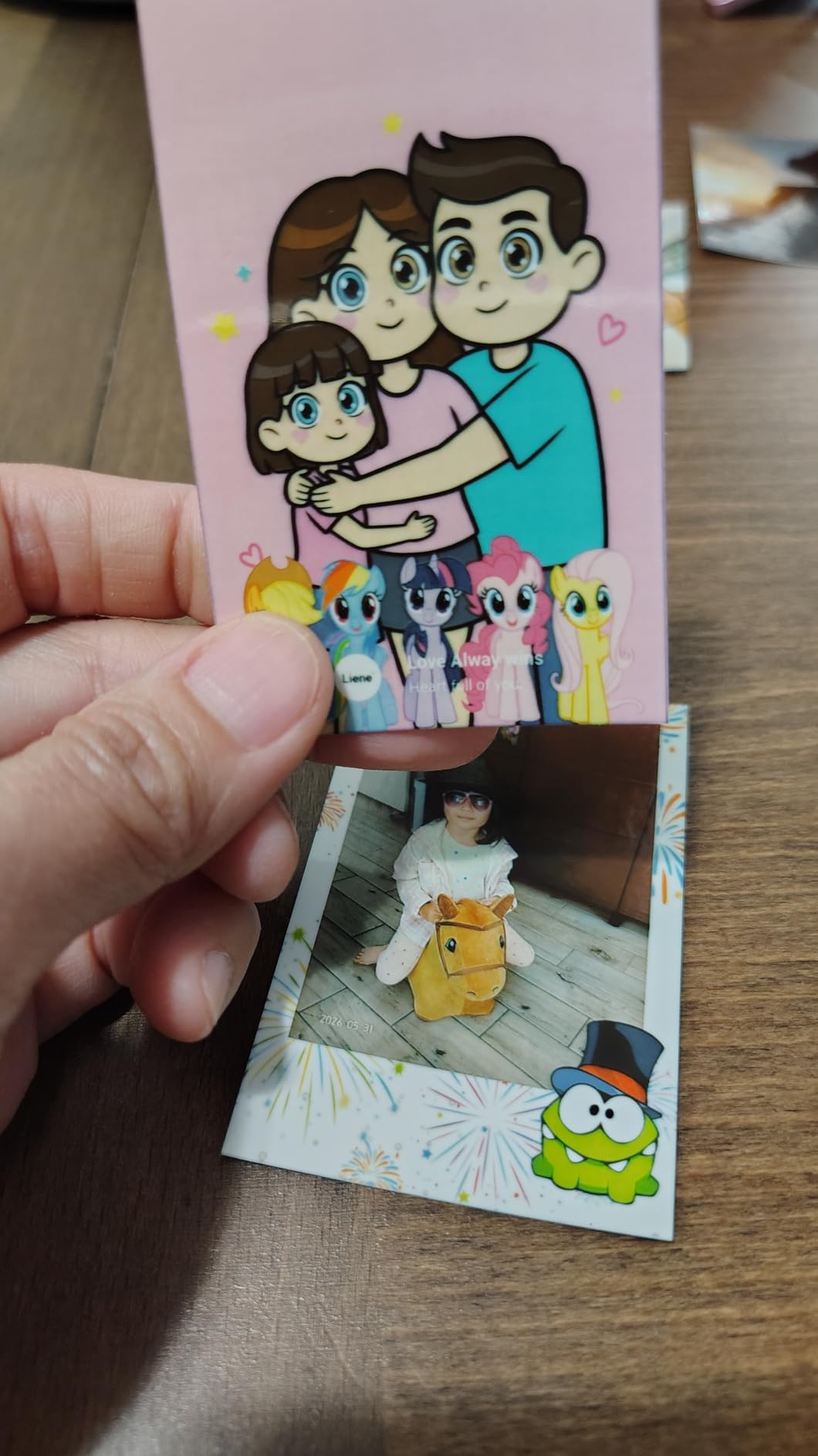
The catch is the razor-and-blades pattern that owners call out directly. Refill paper is not cheap, and if you print more than the 50 included sheets you will be buying a lot of it. The print resolution of 300 by 300 dpi is also lower than the Canon Ivy 2 Mini.
Quality issues appear in the details: occasional streak lines on individual prints, colour that runs warm so pinks and roses can print orange-ish, and low-resolution source images coming out pixelated. The app has also been unavailable in some regions, so check it works where you live before you buy.
What 50 sheets actually buys you
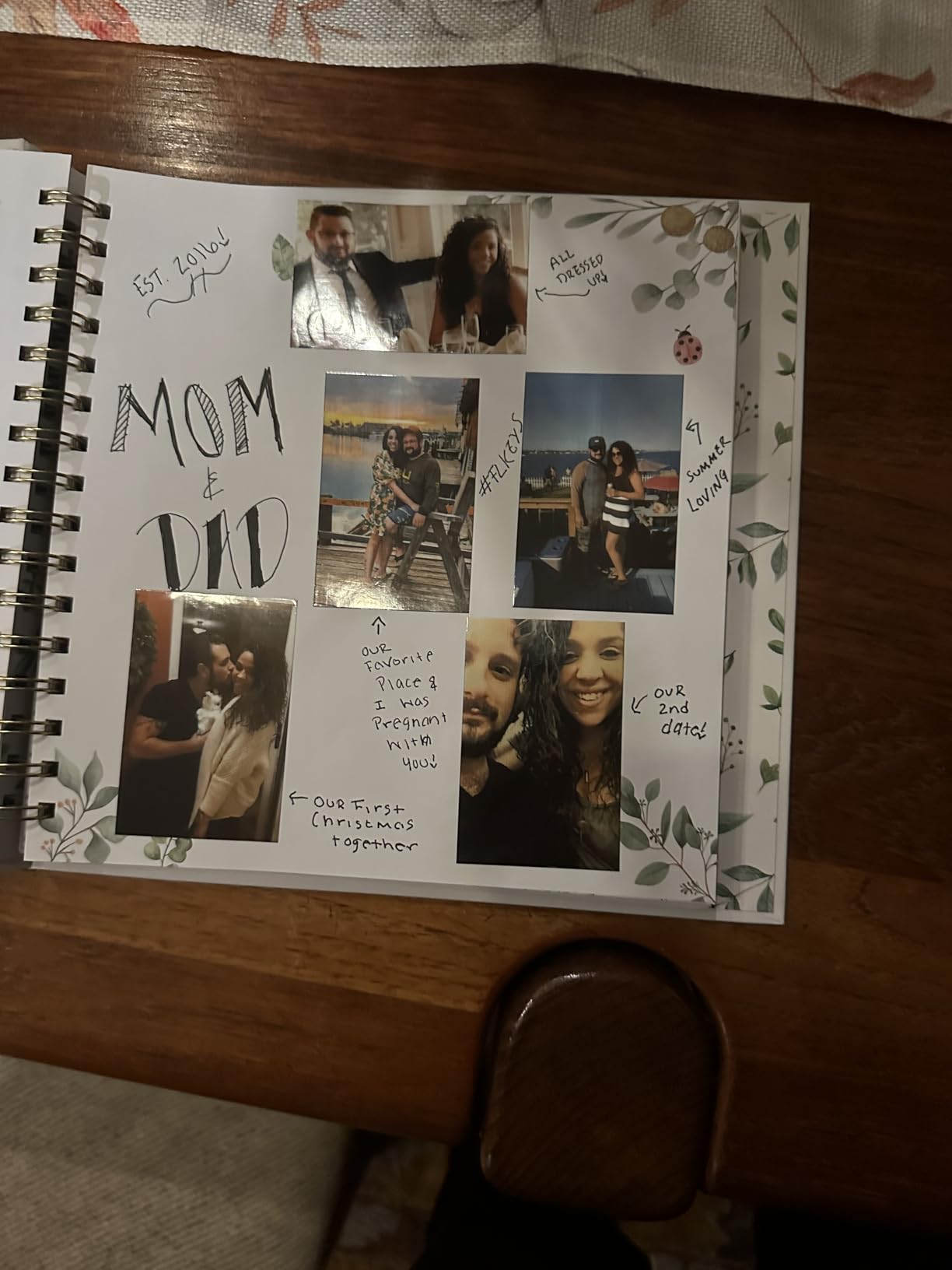
It buys you the whole trip on one purchase. A two-week holiday with two or three prints a day is roughly 40 photos, so the bundle covers the trip on its own, and the paper stays flat inside the box rather than curling in a bag.
It also removes the anxiety of the most common complaint on this whole category, which is running out of proprietary paper in a place that does not sell it.
Where the budget shows
It shows in print quality and in running cost. At 300 by 300 dpi and with occasional streaks, this is a fun travel printer rather than a serious one, and the refill economics sting if you print heavily.
The warm colour cast matters for anyone shooting at sunset or printing skin tones, because those are the shots that shift most when the profile runs warm.
10. KODAK Step Instant – Best Lightweight Zink Printer for First-Time Buyers
KODAK Step Instant Smartphone Photo Printer, Portable Mini Color Wireless Mobile Printer, Zink 2×3” (5.1×7.5 cm) Sticky-Back Photos, Bluetooth Compatible with iOS & Android Devices, Editing App, White
Zink 2x3 sticky-back photos
Under 1 lb
Bluetooth and NFC
About 25 prints per charge
60 second prints
Pros
- Under a pound so it is truly pocketable
- Bluetooth and NFC pairing
- About 25 prints per charge
- App with collages filters and borders
- ZINK paper resists moisture and smudges
Cons
- 60 seconds per photo is slow
- 2x3 size only
- Zink paper refills cost money
- Occasional streaks on some prints
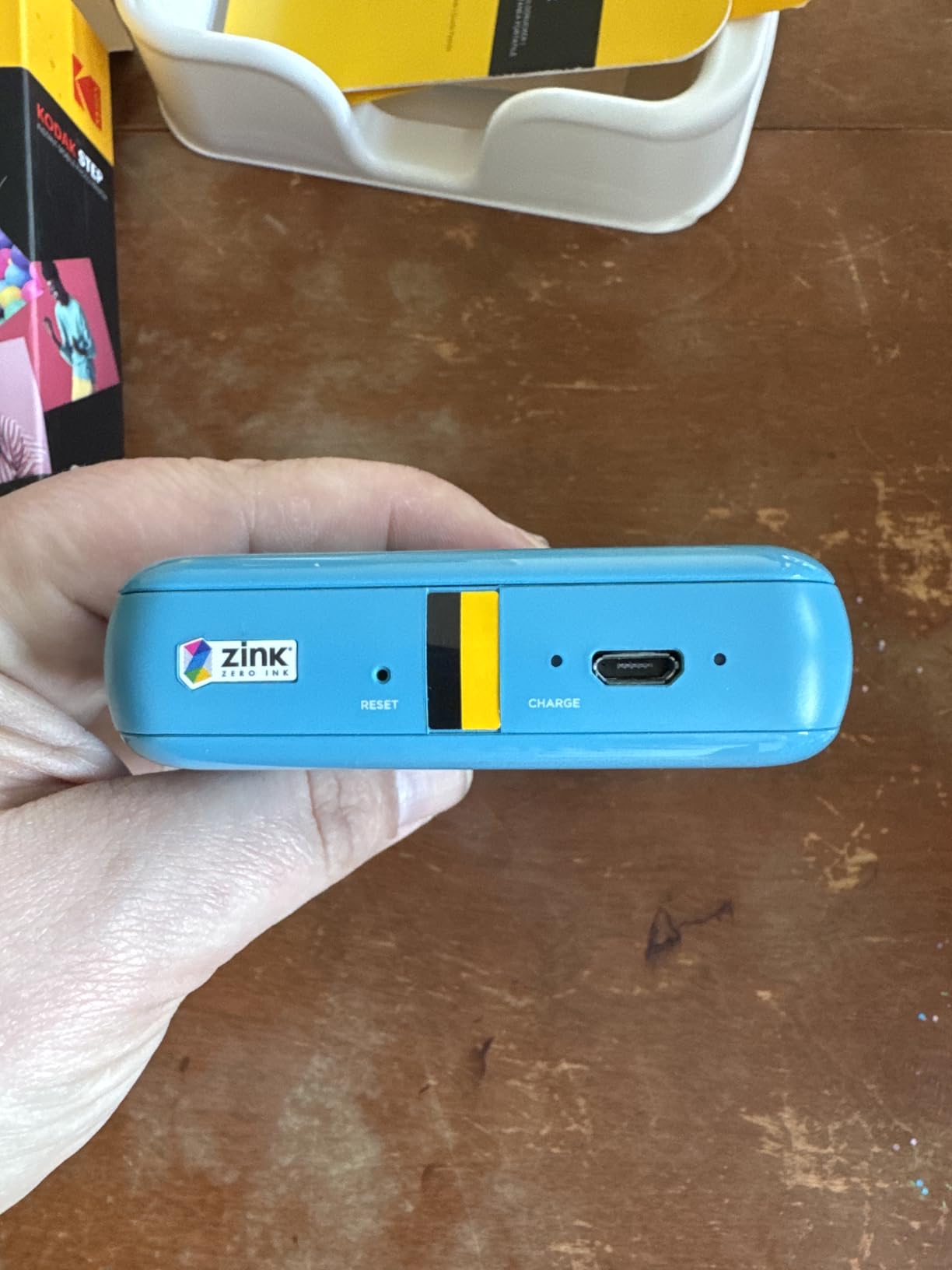
At 0.07 kg this is the lightest full printer in the list, and it is the one that disappears into a day bag rather than a laptop compartment. The body measures 1 by 2 by 3 inches, so it is closer in size to a phone than to a printer.
Pairing is the easiest of any unit here. Bluetooth and NFC together mean a tap from a compatible phone in most cases, and the KODAK app covers collages, filters, borders, stickers and text before you print. A built-in lithium-ion battery delivers about 25 prints per charge.
With 20595 reviews at 4.4 stars and around 72 percent five stars, this is one of the most proven portable photo printers sold anywhere, and reviewers frequently single out the durability of the Zink output against moisture, tearing and smudging.
Speed is the compromise. Roughly 60 seconds per photo is slower than the Liene Pearl and slower than most instant cameras, so it is a printer for a travel journal rather than a party guestbook where people print continuously.
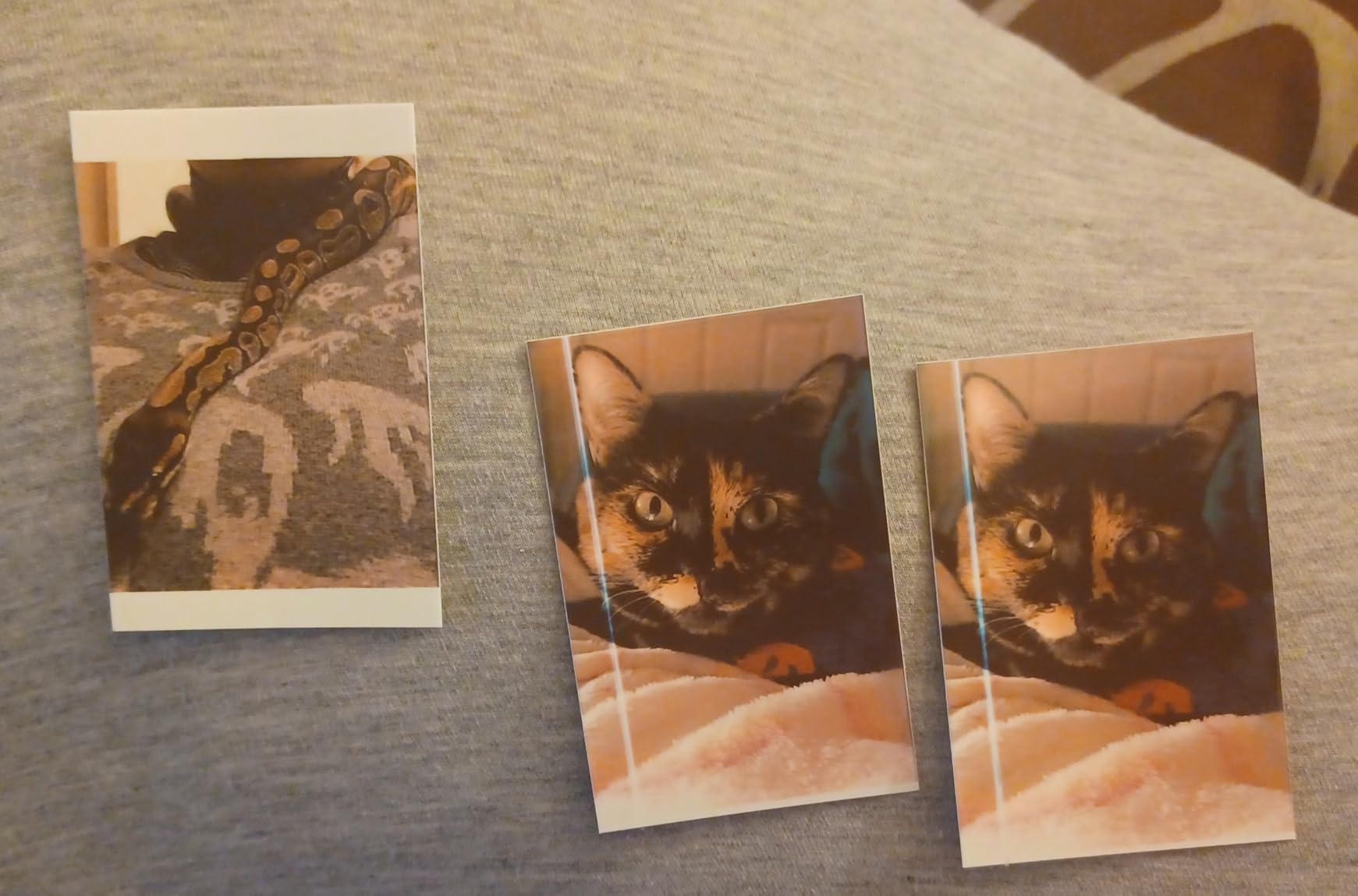
The recurring complaints are the format itself: 2×3 only, proprietary refills, and occasional streaks on individual prints. A small bundle size in some stock means you may need to buy extra paper sooner than expected.
Why under a pound still matters
Because weight is the reason people stop carrying the printer they bought. A device under one pound goes in a jacket pocket and gets used all trip; a six-pound all-in-one lives in a suitcase and comes out for one document.
It is also the most forgiving choice for a first purchase, because 20595 reviews mean the paper, app and pairing behaviour are all well documented before you commit.
Who should skip it
Skip it if you need speed, because a 60-second print time adds up quickly when several people want a photo. The Liene Pearl is far quicker at about five seconds.
Skip it if print quality is the point, since 313 by 400 dpi Zink output sits at the budget end of the photo category. Choose the Canon Ivy 2 or the Liene M100 instead.
How to Choose a Portable Printer for Travel?
Start with the job, not the specification. Every decision below follows from whether you are printing documents, photos, or a quick monochrome list, and once that is decided most of the remaining choices make themselves.
Inkjet, inkless thermal, Zink or dye-sublimation
These four technologies behave completely differently, and mixing them up is the most common buying mistake. Inkjet gives the sharpest text and the widest media handling but needs cartridges that add running cost, which is why the HP OfficeJet 250 is the only document machine here.
Inkless thermal prints black only and needs special thermal paper, so it prints lists and invoices with no consumable beyond the paper itself. Zink develops colour in the paper itself with no ink, producing smudge-resistant 2×3 photos, and dye sublimation heat-laminates dye for waterproof 4×6 output that resists fading.
Check whether the battery is in the box
This is the single most reliable filter in this category. Some portable inkjets list a rechargeable battery as an optional accessory, and buyers regularly report discovering at home that the unit they bought cannot run away from a wall. The HP OfficeJet 250 in this list includes its battery and fast charges in about 90 minutes.
Where a built-in battery is the norm, check the claimed pages per charge and whether USB-C charging works from a power bank. The Phomemo M834 is rated for roughly 160 pages of continuous printing and the KODAK Step for about 25 photos, so a single charge comfortably covers most trips.
US Letter or A4 paper support
Travellers who cross borders hit this immediately. A printer that handles only US Letter becomes a liability in a country that runs on A4, and a thermal printer that only accepts one roll width is worse still. The TATTMUSE A285M and the Phomemo M834 both support US Letter and A4 alongside narrower widths.
Remember that thermal units print within the paper width. The M834 is about 4.3 inches wide, so an A4 sheet prints across the roll rather than filling the page.
Wi-Fi Direct, AirPrint or plain Bluetooth
These terms get used interchangeably and they are not the same. Wi-Fi Direct and AirPrint mean a laptop or phone can print without joining a network, which is what you want in a hotel. Bluetooth means pairing to a phone through a vendor app, which is fine for photos and frictionless for documents from a computer.
Check the operating system list before you buy, because a vendor app that is unavailable in your country is a real risk. Portable inkjets tend to be the most standards-friendly, and app-only thermal units the least.
What a single page really costs
Ink cartridges inflate cost per page sharply in a portable body, because the cartridges are small and priced per unit. Thermal paper is the cheapest consumable in the category by a wide margin, which is the honest reason inkless thermal printers win on running cost despite worse print quality.
Zink and dye-sublimation sit in between: Zink is a proprietary paper format at a per-sheet cost, and dye sublimation adds proprietary cartridges on top of paper. The honest ranking of running cost is thermal first, then inkjet cartridges for documents, then photo formats.
Set that against the alternative before buying. A hotel business centre, a print shop at the airport or a shipping-store kiosk charges per page with no consumable to buy, and a 20-page trip may be cheaper that way. Our own advice is to buy the printer for the trips where being able to print in a room matters more than the cost per page, not for the trips where a shop is always nearby.
Can You Take a Portable Printer on a Plane?
Yes, and the reason is that almost every printer in this list is a small electronics device with a small lithium-ion battery rather than a large one. That puts them in a category airlines and airport security treat as ordinary personal electronics, so you do not need to check them or declare them specially.
Keep the battery with the device rather than in checked luggage where practical, and carry the charging cable in your hand luggage. A thermal printer is the easiest of the group to fly with because it carries no ink and no ribbon, so there is nothing to leak if the bag is crushed in the hold.
Two practical warnings. First, cartridges and print heads are temperature sensitive, so keep an inkjet upright in the cabin rather than in a hold that goes cold, and never leave one in a parked car for hours. Second, thermal paper is the consumable most likely to run out in a country that does not stock it, so buy spare rolls before you fly.
For anyone travelling with an animal, our guides to travel carriers for pet birds and dog sleeping bags for travel cover the rest of the kit.
Frequently Asked Questions
What is the best portable printer for traveling?
For most travellers the HP Sprocket Portable 2×3 is the best portable printer for travel, because it weighs 6.1 ounces, runs on a rechargeable battery and prints straight from a phone over Bluetooth. If you need full letter-size documents, choose the HP OfficeJet 250, and if you need 4×6 photos choose the Liene M100.
Can you take a portable printer on an airplane?
Yes. Every portable printer in this roundup is a small device with a small lithium-ion battery, which is handled as ordinary personal electronics rather than as dangerous goods. Carry the printer and its charging cable in hand luggage, keep an inkjet upright and out of a cold hold, and buy spare thermal paper before you fly.
Is a thermal printer better than an inkjet?
It depends on the job. Thermal printers print black only, need special thermal paper and cost very little per page, which makes them better for lists, invoices, labels and boarding passes. Inkjet printers cost more per page but print sharp colour text, handle envelopes and letter or legal paper, and are the only option in this list that can scan and copy.
What is the best non-thermal portable printer for travel?
Among the non-thermal options here, the HP Sprocket Portable 2×3 is the best for photos and the HP OfficeJet 250 is the best for documents. The OfficeJet 250 is the only unit that prints, scans and copies, handles letter and legal paper with envelopes, and includes its rechargeable battery.
What is a good wireless portable printer for travel?
For printing without a network, the HP OfficeJet 250 is the strongest choice, since Wi-Fi Direct and auto wireless connect work with or without a router and it handles colour documents and envelopes. For photos, the Liene M100 has a built-in Wi-Fi hotspot so no external network is needed, and the Canon Ivy 2 Mini pairs over Bluetooth 5.0.
Are portable inkless printers worth it?
Yes for anyone printing a few pages a day in black and white, because inkless thermal units have no cartridges, no ink to dry out and the cheapest consumable in this category. Their limits are monochrome-only output and a requirement for branded thermal paper, so buy spare rolls before you travel and avoid them if you need colour or photos.
Which Portable Printer Should You Pack?
The best portable printers for travel fall into three clear answers. If you want one unit that fits in a pocket and prints a memory the same afternoon, the HP Sprocket Portable 2×3 is the pick, with the Canon Ivy 2 Mini behind it for better colour and a lighter body.
If your trips involve documents, the HP OfficeJet 250 is the only machine here that prints, scans and copies with its battery in the box, and the Phomemo M834 is the value answer for sharp black-and-white pages at 300 dpi and roughly 160 pages per charge.
Carry the printer for the trips where printing in the room matters more than the cost per page, and use a hotel business centre for the rest. Check the battery in the box, check your paper size, and buy consumables before you leave.