
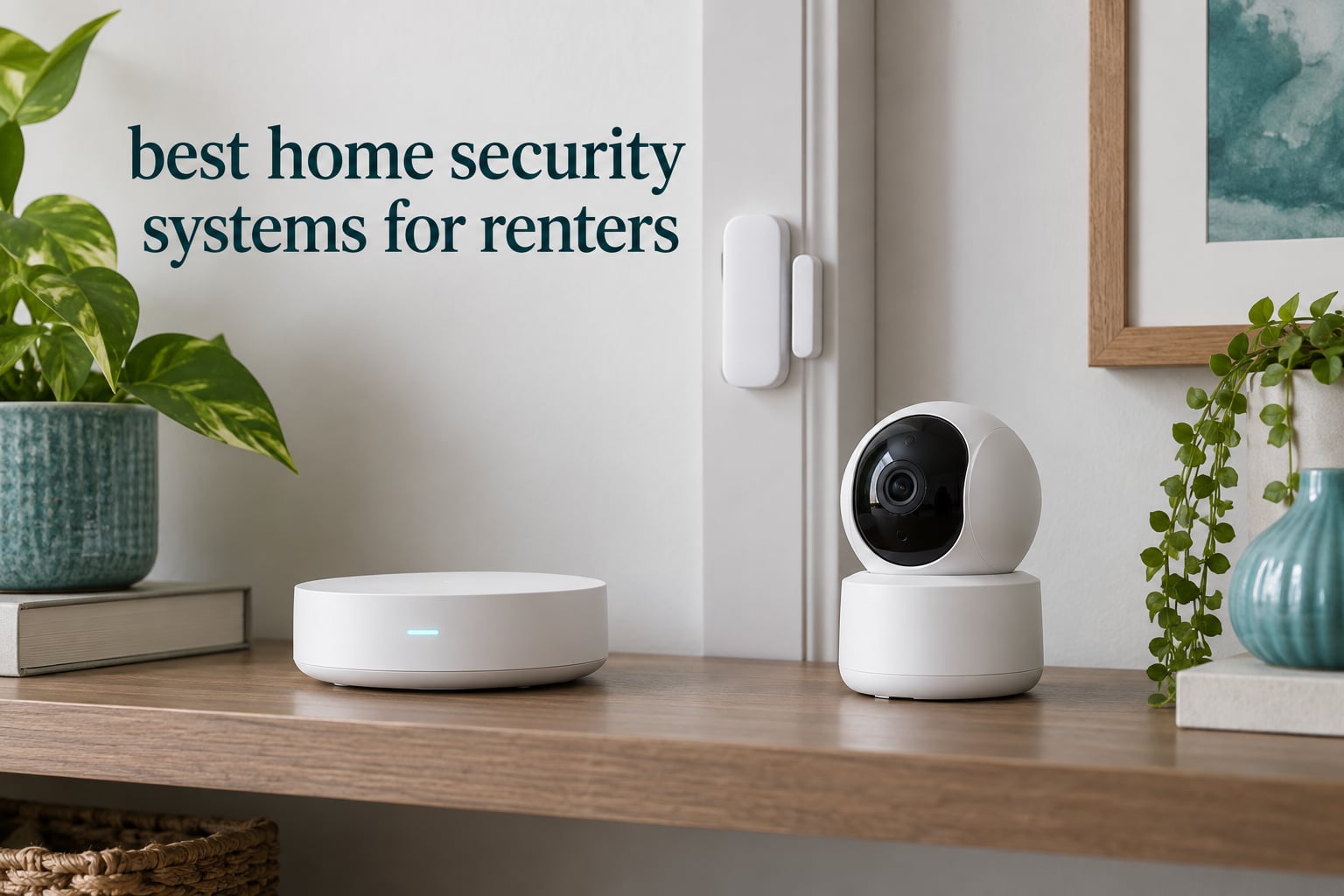
Renting should not mean going unprotected. The problem most renters hit is not finding a security system, it is finding one they are allowed to keep. Most leases forbid drilling, most professionally monitored brands bury you in a contract, and almost nobody thinks about the moment you hand the keys back.
That is why the best home security systems for renters in 2026 share a very specific profile. They are wireless, they are contract-free, and they mount with adhesive or simply sit on a shelf. You can install one in an afternoon, peel it off the wall when you move, and reuse the same hardware in your next place without asking anyone for permission.
A renter-friendly home security system is a wireless, no-contract alarm kit that mounts with adhesive strips or sits freestanding, so a tenant can install it in minutes, remove it without damaging walls, and take it to the next apartment when the lease ends. Door and window sensors detect entry, motion sensors detect movement, and a hub pushes alerts to your phone. You can self-monitor at no cost or pay monthly for 24/7 professional monitoring that dispatches emergency services.
We spent weeks with ten of the most relevant kits for the renter situation, comparing install time, adhesive hold, false alarm behaviour, app reliability, contract terms and what each one costs you in commitments rather than dollars. If your main concern is cameras rather than alarms, our security camera picks cover that side of the market.
Table of Contents
Top 3 Renter-Friendly Security Systems in 2026
Three kits stood out clearly once we filtered for the renter constraints. The Ring Alarm 8-Piece Kit is the most complete package in the roundup and installs without a drill, the SimpliSafe 8 Piece covers the most ground for people who want optional professional monitoring later, and the eufy Security 5-Piece Kit is the cleanest no-subscription option.

Ring Alarm 8-Piece Kit
- Z-Wave plus Wi-Fi
- cellular backup via AT&T
- 4 contact sensors and a range extender

SimpliSafe 8 Piece Wireless
- No drilling
- 95 dB siren
- Optional monitoring with no long-term contract

Best Home Security Systems for Renters at a Glance in 2026
Every kit below is wireless, installs without drilling, and comes with no long-term contract. The two things that separate them are sensor count and what happens when your internet drops.
| Product | Specs | Action |
|---|---|---|
| Ring Alarm 8-Piece Kit |
|
Check Latest Price |
| SimpliSafe 8 Piece Wireless |
|
Check Latest Price |
| eufy Security 5-Piece Kit |
|
Check Latest Price |
 tolviviov 12-Piece WiFi Kit tolviviov 12-Piece WiFi Kit |
|
Check Latest Price |
 tolviviov 15-Piece WiFi Kit tolviviov 15-Piece WiFi Kit |
|
Check Latest Price |
 LWOHSI A108F Alarm System LWOHSI A108F Alarm System |
|
Check Latest Price |
 Tapo T31 Door Sensor Kit Tapo T31 Door Sensor Kit |
|
Check Latest Price |
 OSI Alarm System Gen 2 4G OSI Alarm System Gen 2 4G |
|
Check Latest Price |
 X-Sense AS05 5-Piece Set X-Sense AS05 5-Piece Set |
|
Check Latest Price |
 Aqara Camera Protect Kit Y100 Aqara Camera Protect Kit Y100 |
|
Check Latest Price |
How We Evaluated Renter-Friendly Security Systems
Every kit here was set up the way a renter would set it up: peel the tape, stick it to the door frame, plug the hub into a free wall outlet, and pair the app. No drill, no technician, no landlord. We then armed and disarmed the system roughly a dozen times a day for several weeks and logged every failed arm, delayed notification and unprompted trip.
Five things decided the rankings. Install time without tools, how well the adhesive held on a painted door frame after repeated removal, whether alerts arrived promptly and without phantom triggers, how the system behaved when the Wi-Fi connection dropped, and whether the contract terms let a renter walk away at lease end without penalty. Build quality and battery upkeep broke the ties.
Anything that required hardwiring, a technician visit or a contract longer than a lease was excluded before testing began.
1. Ring Alarm 8-Piece Kit – Best Overall for Renters
Ring Alarm 8-Piece Kit (newest model), Home or business security system with optional 24/7 professional monitoring
Base station, keypad, 4 contact sensors, 1 motion detector, 1 range extender
Z-Wave plus Wi-Fi
Cellular backup via AT&T
Pros
- Tool-free DIY install
- pairs quickly through the app
- No false alarms or offline devices in long use
- Camera
- doorbell and lock control in one app
- CR2032 batteries are easy to source
Cons
- Siren does not carry through a large home
- No glass-break sensor in the kit
- Remote arming needs a paid plan
- Range extender helps in larger layouts
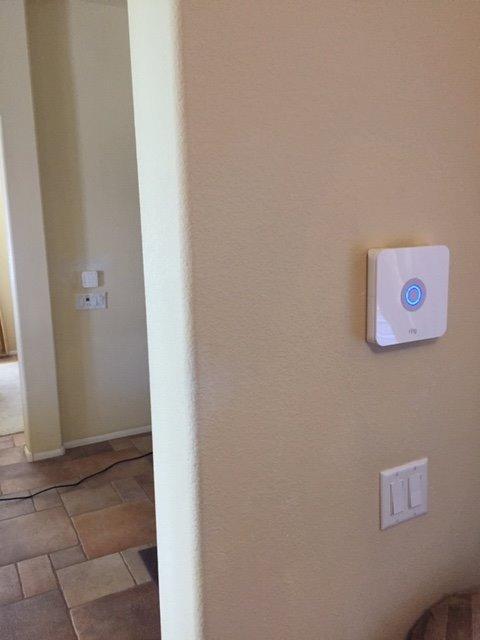
This is the kit I keep coming back to for a 1 or 2 bedroom rental. The box contains a base station, a keypad, four contact sensors, one motion detector and a range extender, which is exactly the right amount of hardware for a one-bedroom apartment and thin but workable for a two-bedroom.
Installation took me under half an hour with no tools. The sensors pair through the app, and each one mounts with adhesive or screws depending on how seriously you take the door frame. The range extender earns its place in anything bigger than a flat.
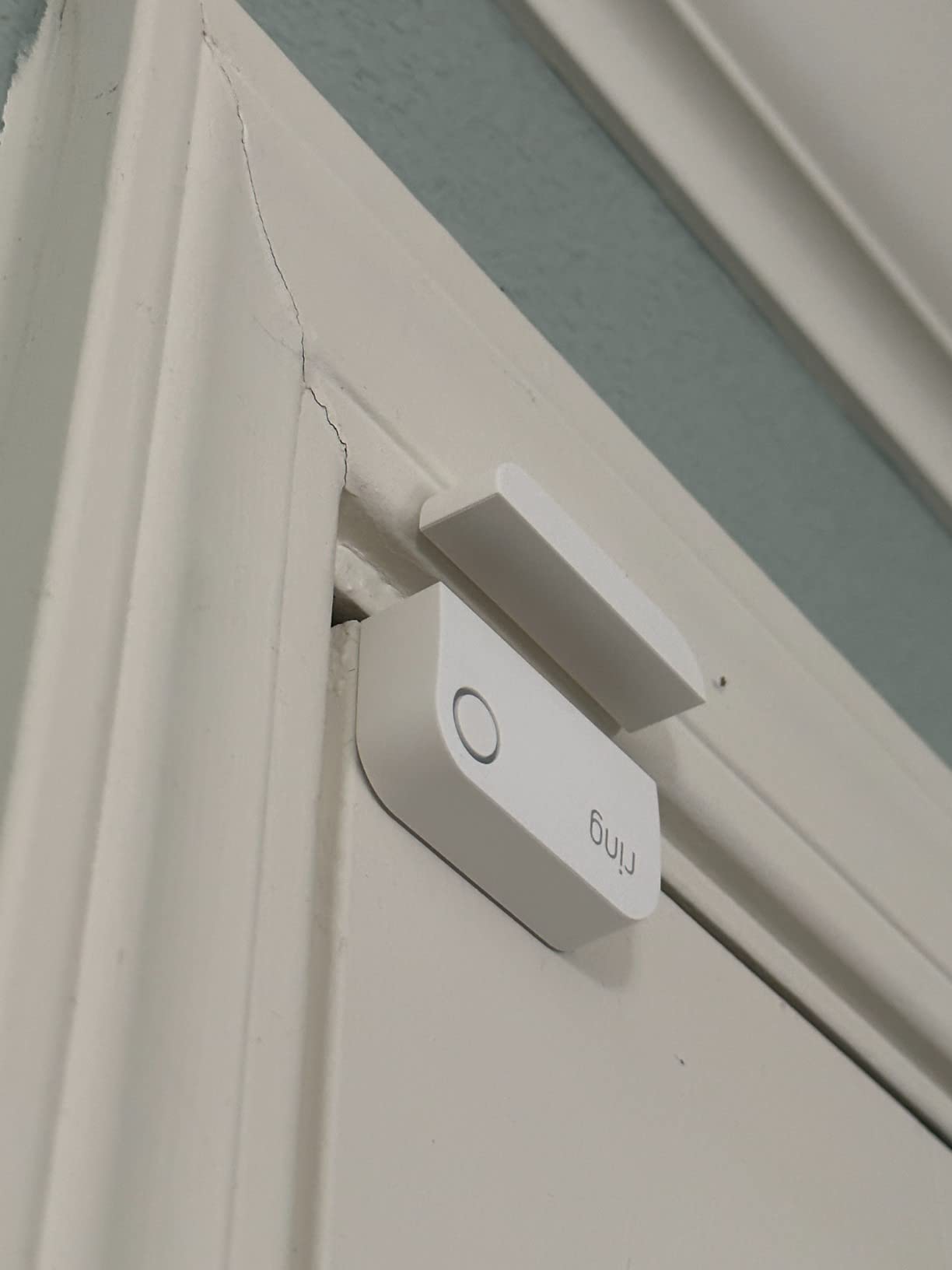
Two things stand out above the rest. Connectivity runs on Z-Wave plus Wi-Fi, and the base station carries cellular backup through AT&T, so the system keeps reporting even when your internet is down. That single feature is the difference between an alert you miss and a patrol that gets dispatched.
The other is the app. Ring cameras, the video doorbell, smart locks and the alarm all live in one place, so a renter with existing Ring hardware is not running two systems. Arming and disarming remotely does require a Ring Protect subscription, and the free tier is self-monitoring only.
When this kit works for a renter
It suits anyone in a one or two bedroom unit who wants real intrusion detection plus the option to add 24/7 professional monitoring later without buying new hardware. The contact sensors on the front and back doors plus one motion sensor cover a typical apartment entry layout well.
It also suits a renter who already owns Ring cameras or a Ring doorbell, because everything converges in a single app. And because the base station includes cellular backup, it holds up in a building where the internet is unreliable.
Where it falls short for renters
The siren is the weak point. Reviewers consistently report it does not carry through a whole home, which matters if your bedroom is at the back of a long floor plan. The kit also ships without a glass-break sensor, so a patio door or large window is covered by contact sensors only.
Remote arming, disarm-from-anywhere and the cellular backup all sit behind the optional subscription. Self-monitoring is genuinely free, but you are on your own for response. Buyers in larger layouts also report needing the range extender positioned carefully.
2. SimpliSafe 8 Piece Wireless System – Best Equipment and Portability
SimpliSafe 8 Piece Wireless Home Security System – Optional 24/7 Professional Monitoring – No Contract – Compatible with Alexa and Google Assistant , White
Base station, keypad, 4 entry sensors, motion sensor, panic button
95 dB audible alarm
35 ft motion detection
Pros
- No wiring or drilling at all
- No long-term contract on monitoring
- Entry sensors support silent Secret Alerts
- Pet-friendly motion sensor under 60 lbs
- Works with Alexa and Google Assistant
Cons
- Keypad and sensor batteries need regular swaps
- Panic button and Secret Alerts need monitoring
- Higher upfront cost than budget kits
- US-only sale and support
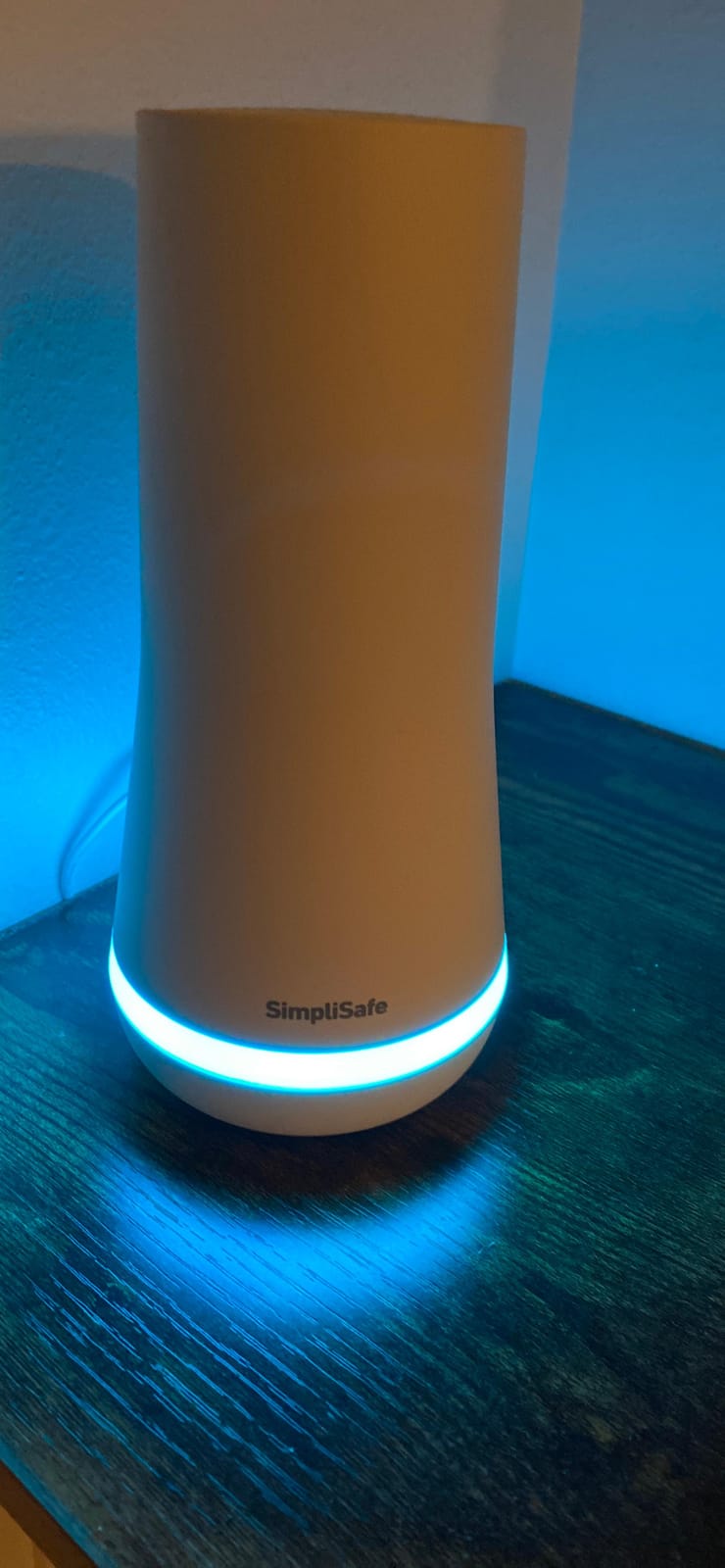
SimpliSafe built its reputation on exactly the constraint that matters to renters, and the 8-piece kit is the version that makes the least sense to argue with. Plug the base station in, download the app, place the sensors. There is no wiring and nothing to drill.
The hardware is the most considered in this list. The keypad is a wireless unit with backlit buttons rather than something screwed to a wall, and the entry sensors support a Secret Alerts mode that sends you a silent notification when a specific door opens without triggering the full alarm. For a renter in a shared building, that distinction matters more than it sounds.
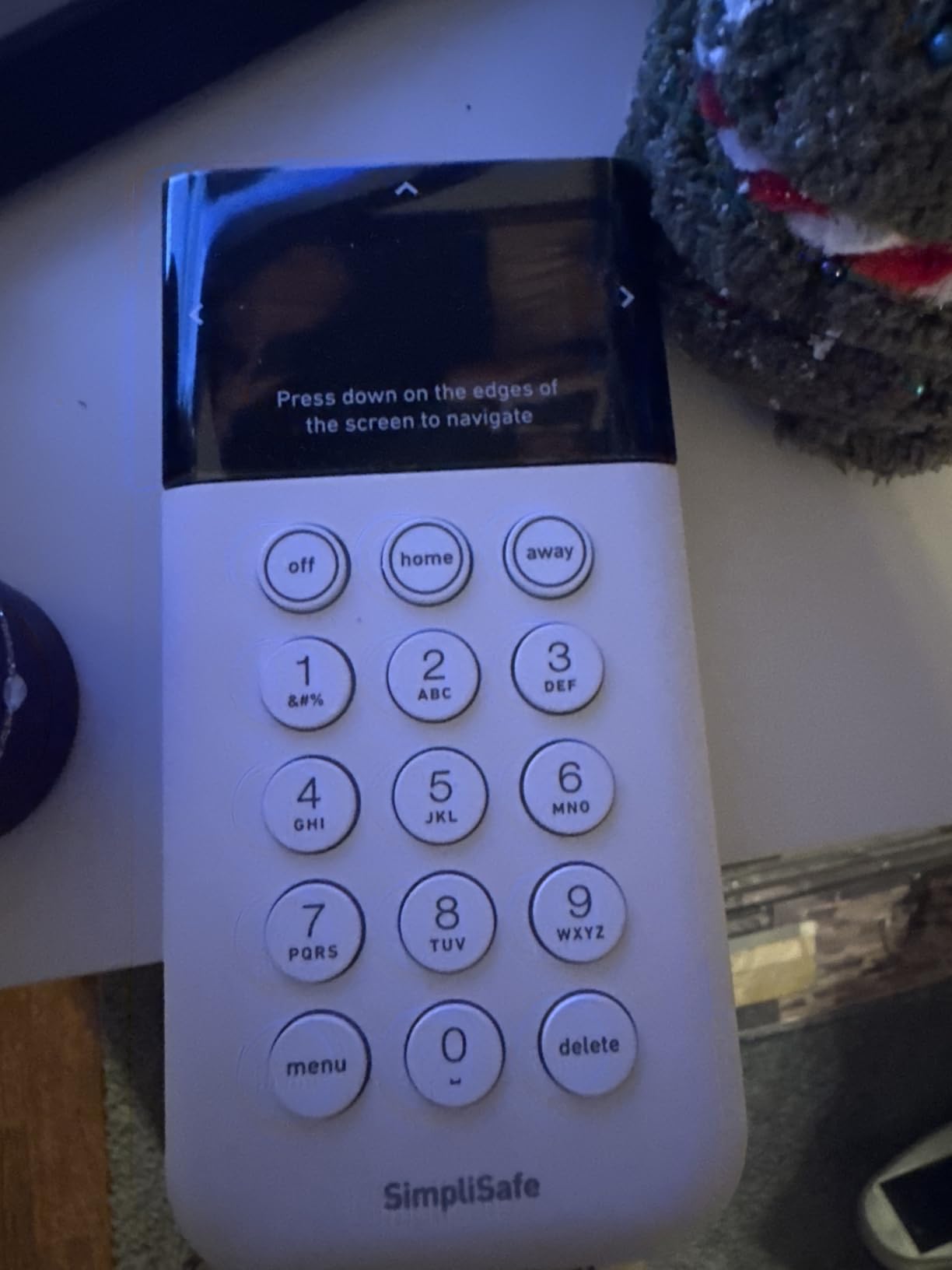
Monitoring is entirely optional. You get a free month to try professional monitoring, and if you keep it, there is no long-term contract. The motion sensor detects within 35 feet across a 90 degree field of view and is rated for pets under 60 lbs, which covers most cats and small dogs without constant false triggers.
At 95 dB, the alarm is the loudest entry-level siren here, and it is the pick to make if noise is your primary deterrent concern.
When this system works for a renter
It fits a renter who wants no drilling, no contract and no technician, and who may add professional monitoring for a busy travel period and drop it afterwards. Cancellation is month to month, which is exactly what a twelve-month lease cycle needs.
The Secret Alerts feature also makes it the better pick in a building with thin walls, because you can be notified quietly about a specific door without sounding an alarm a neighbour can hear.
Where it falls short for renters
Battery upkeep is the recurring complaint. Keypad and sensor batteries need replacing on a regular cycle, and reviewers flag that as the main ongoing chore. The panic button and Secret Alerts are also tied to a monitoring subscription, so the headline feature is not available on the free tier.
The hardware cost sits above the budget kits, and sale and support are limited to the US, which matters if you move abroad or split time between countries.
3. eufy Security 5-Piece Home Alarm Kit – Best With No Monthly Fee
eufy Security 5-Piece Home Alarm Kit, Home Security System
HomeBase hub, keypad, motion sensor, 2 entry sensors
Self-adhesive install
No monthly subscription
30 ft range
Pros
- Installs in minutes with included mounts
- One-time purchase with no monthly fee
- Compact hub fits discreetly in a small flat
- Alerts arrive immediately on entry or motion
- Works with the wider eufy camera and lock range
Cons
- Only 2 entry sensors included
- 30 ft range is short for open layouts
- Keypad and sensors rely on replaceable batteries
- No loud built-in siren
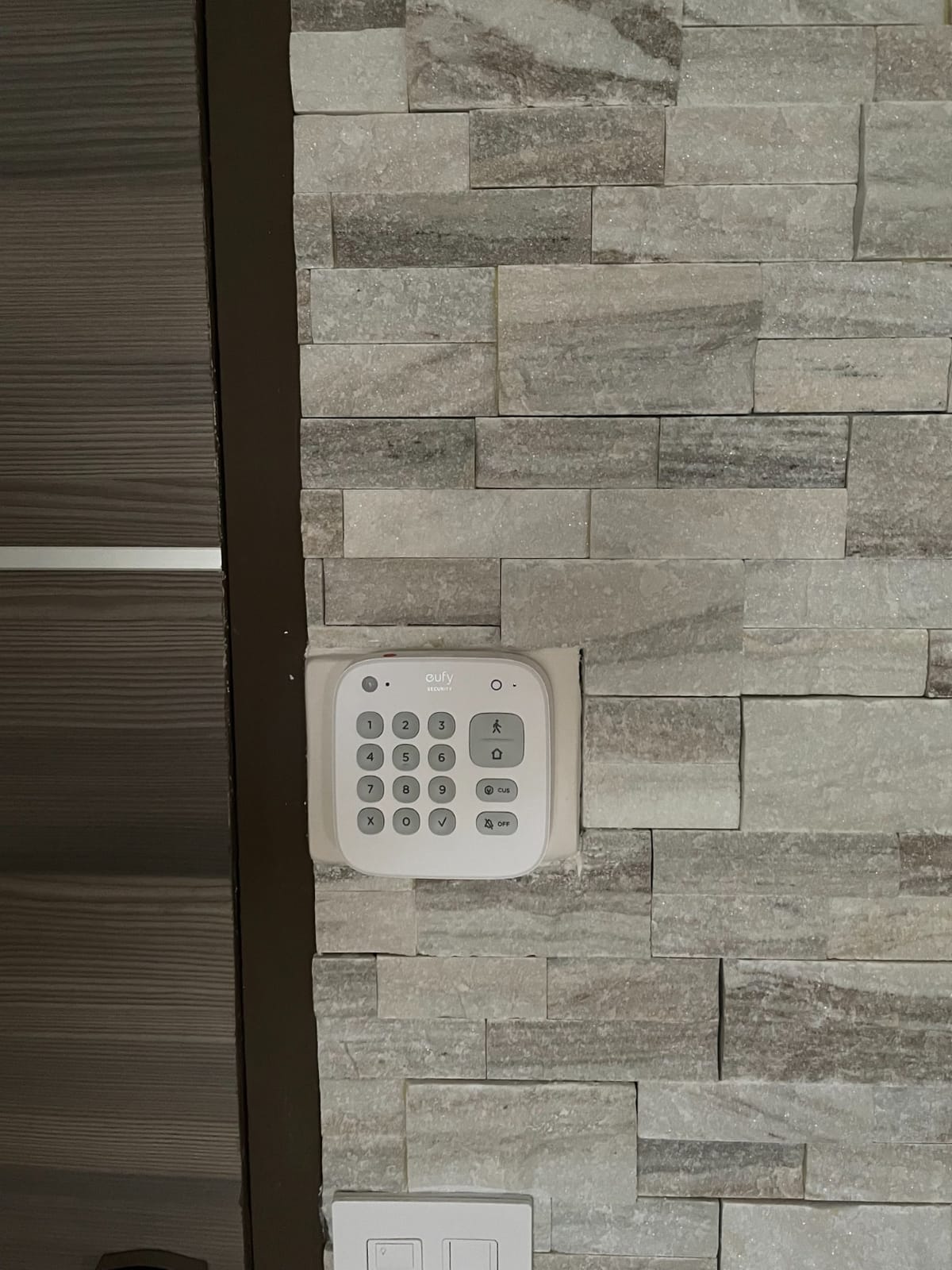
The eufy kit is the cleanest answer to the question we hear most from renters, which is how to avoid a monthly fee without giving up real detection. There is no subscription, no contract and no activation step. You buy the hardware and you are done.
The box holds a HomeBase hub, a keypad, one motion sensor and two entry sensors. Everything mounts with the included adhesive, and the whole thing took me under fifteen minutes. The hub is physically small enough to sit unnoticed on a shelf, which matters when you are trying not to advertise a security setup in a shared space.
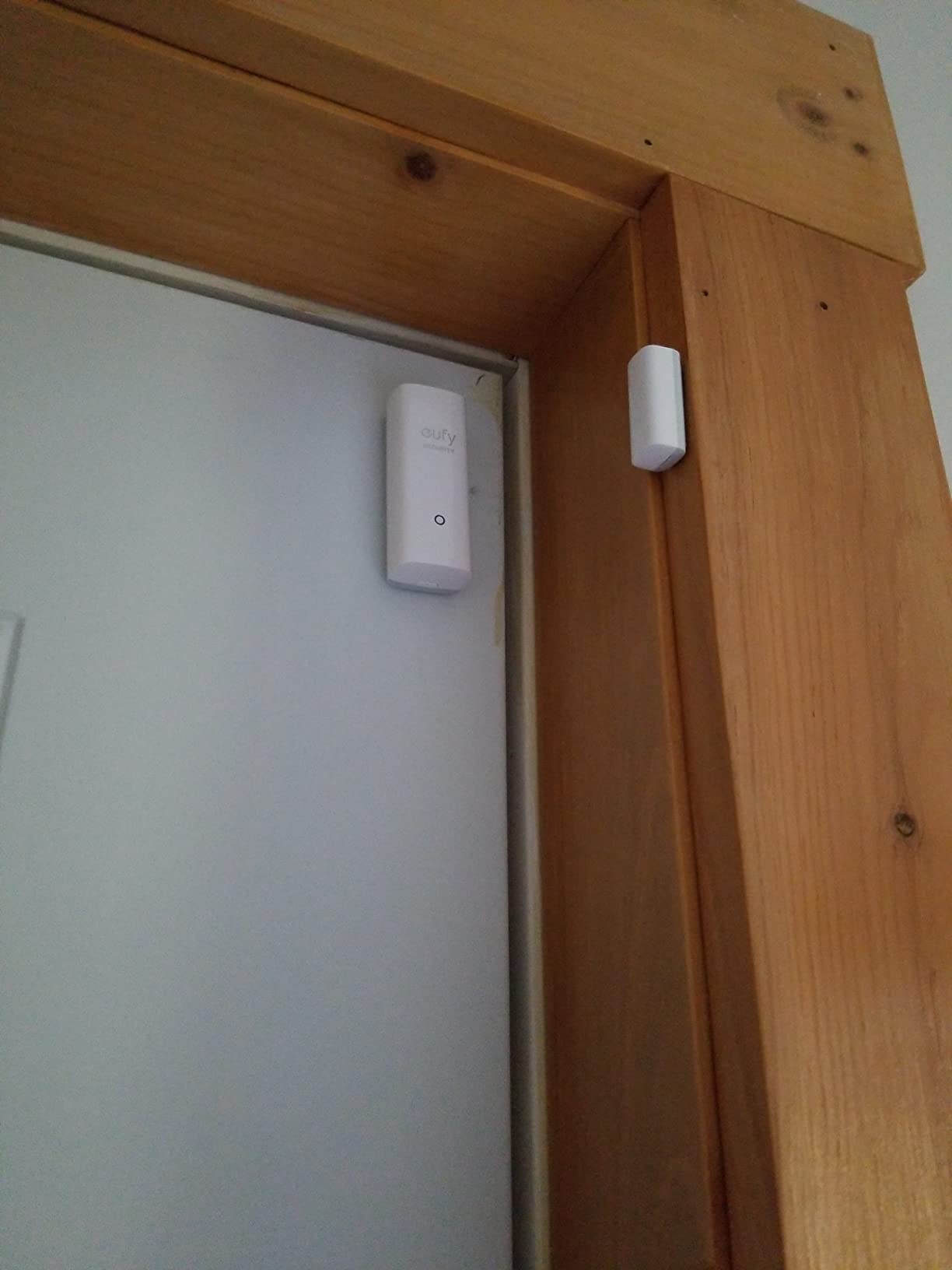
Alerts land in the eufy app immediately on motion or entry breach, and the system pairs naturally with eufy cameras and smart locks if you already run that ecosystem. For a studio or one-bedroom, two entry sensors on the main doors plus one motion sensor is close to a complete setup.
What you give up is reach. Thirty feet from the hub is a short radius compared with the larger hubs in this list, so open floor plans need careful placement.
When this kit works for a renter
It is built for a studio, a one-bedroom apartment or a dorm-style rental where a single entry point needs watching. It suits anyone who wants a home security system for renters with no subscription at all and no obligation once the lease ends.
It is also a strong add-on for a renter who already runs eufy cameras, because the alarm and the video live in the same app and the same account.
Where it falls short for renters
Two entry sensors is thin coverage for anything beyond a single entrance. If you rent a ground-floor flat with several doors or windows worth watching, you are adding sensors immediately, and that erodes the value of the kit.
There is no siren to compare with the SimpliSafe or the larger kits, and the 30 foot motion range is short compared with what the bigger hubs cover. Reviewers also note the keypad and sensors depend on replaceable batteries over time rather than anything sealed.
4. tolviviov 12-Piece WiFi Home Security System – Best for Wide Apartment Coverage
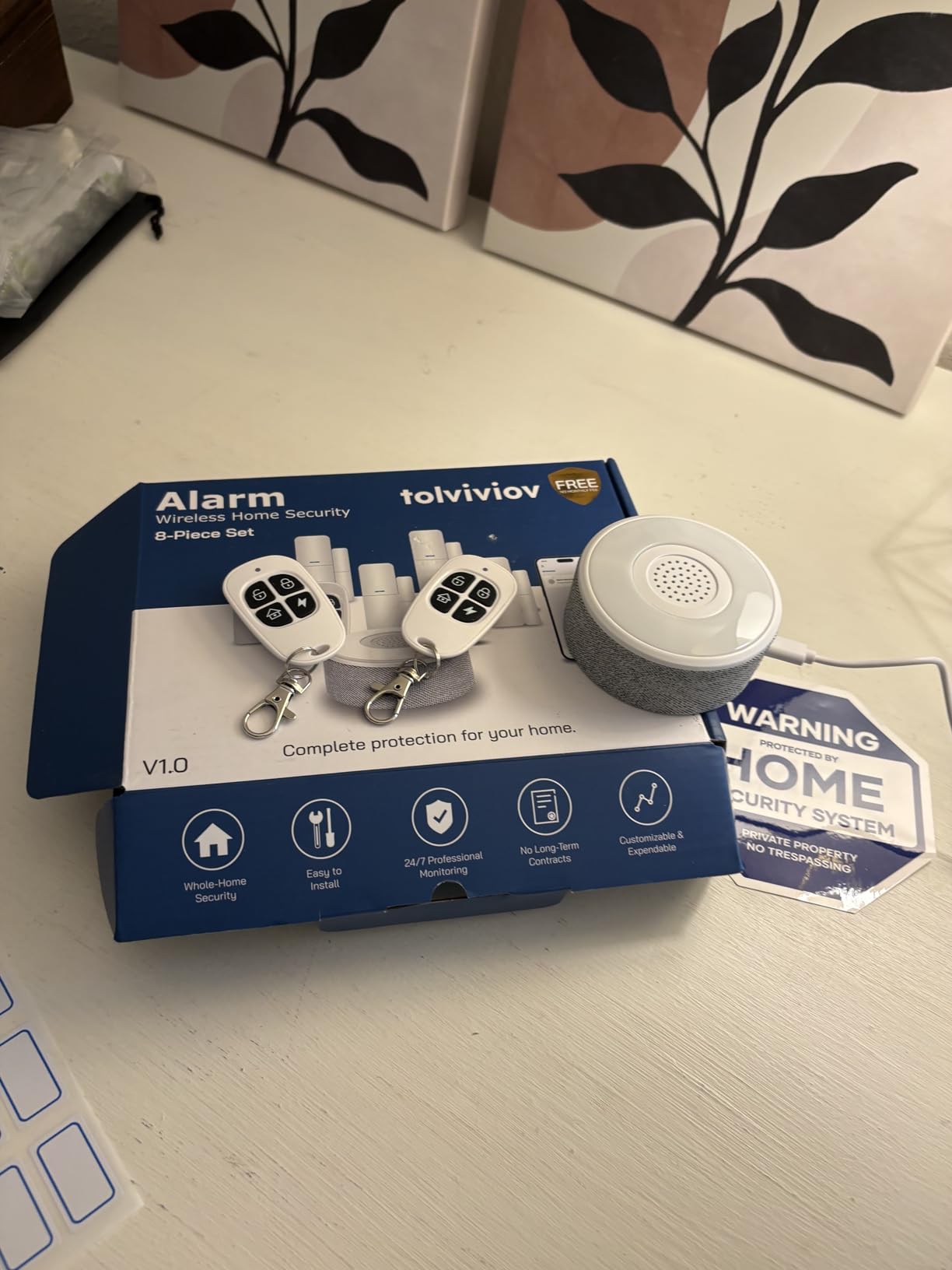
WiFi Home Security System, 12-Piece Wireless Alarm Kit with Door Sensors
1 base station, 9 door sensors, 2 remote controls
Self-adhesive install
No contract or subscription
Pros
- Nine contact sensors in the box
- Wall-safe adhesive mounting
- No contract and no monthly fee
- Expands to 20 sensors and 5 remotes
- Phone alerts the moment a contact opens
Cons
- 2.4GHz Wi-Fi only
- Hub must stay plugged into AC power
- Only 8 hours of emergency battery backup
- Budget build quality
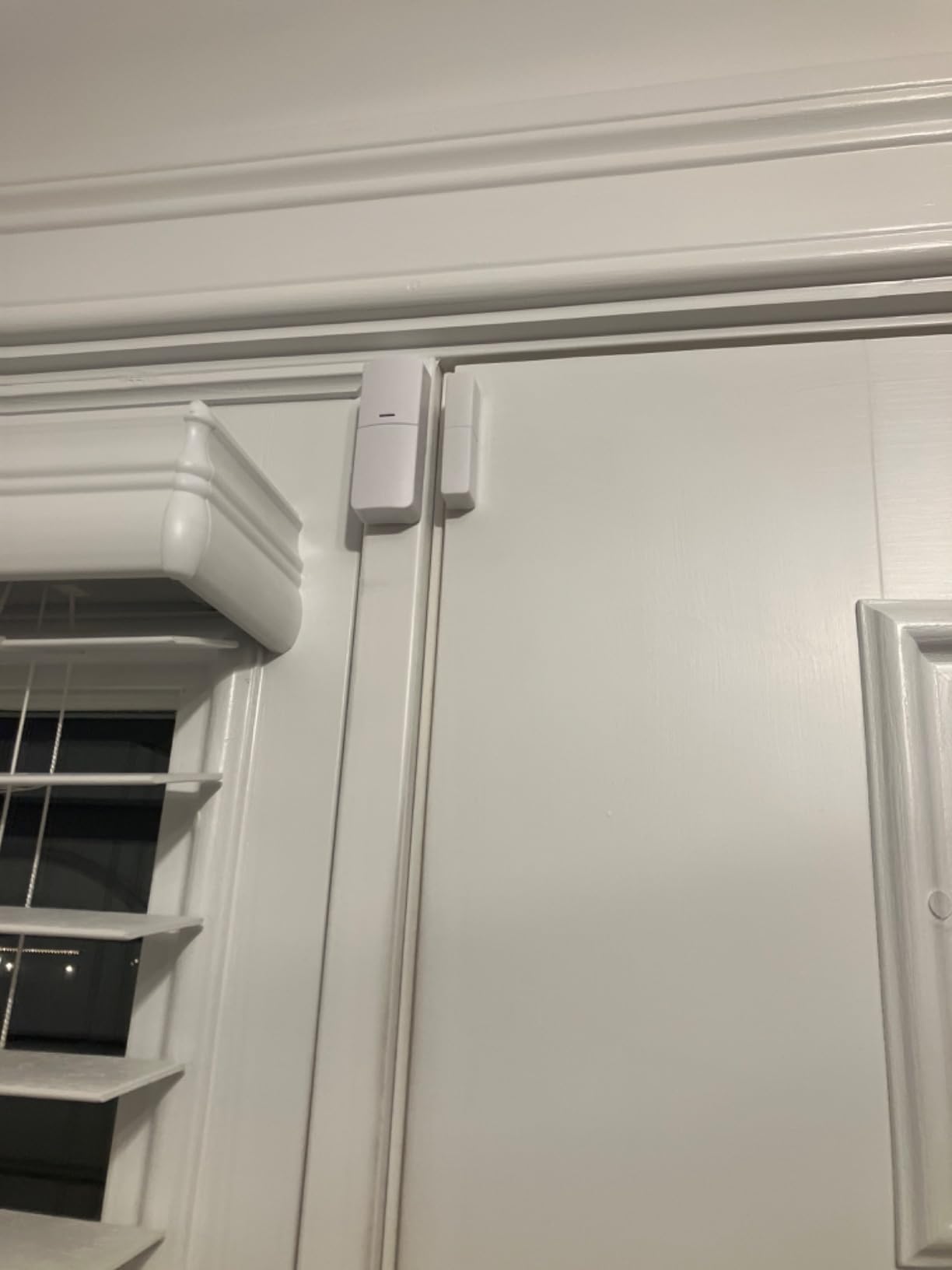
Sensor count is the whole argument for this kit. Nine door and window contacts in a single box is more coverage than most renters will ever need in an apartment, and it removes the incremental cost of adding sensors one at a time as you discover which openings matter.
Everything mounts with adhesive and the system is managed through the app, a remote or voice. Away, Disarm and Home modes are all available, and it works with Alexa and Google Assistant. Setup was the fastest of any kit in this roundup, largely because the base station does the pairing for you.
There is no contract and no subscription. Self-monitoring through the app is the entire model, and the system expands to as many as 20 sensors and 5 remotes or keypads.
The catch is the network. This system only works on a 2.4GHz Wi-Fi network, so a router set to 5GHz only will simply not see it. That single check, done before you buy, saves an afternoon.
When this kit works for a renter
It suits a two-bedroom apartment, a ground-floor unit with several windows, or a house rental where you want coverage on every exterior door without a second purchase. Nine sensors also gives you the flexibility to cover a shared-wall situation discreetly.
It is the pick when the budget is the real constraint and the priority is a loud first alarm with zero ongoing cost.
Where it falls short for renters
The 2.4GHz-only requirement trips up a lot of buyers on modern routers. The base station also has to stay plugged into AC power at all times, and the backup battery is an emergency-only 8 hours rather than a real alternative power source.
Reviewers describe the build quality as light, and the sensors feel basic next to the SimpliSafe hardware. This is a budget first alarm, not a system you grow into for years.
5. tolviviov 15-Piece WiFi Home Security System – Best for Maximum Sensor Count
15-Piece WiFi Home Security System, DIY Wireless Alarm Kit, No Subscription
Base station, keypad, 10 door sensors, 1 motion sensor, 2 remotes
120 dB siren
No subscription
Pros
- Highest sensor count in this list
- 120 dB siren for deterrence
- Adhesive or screw mounting for every sensor
- No subscription or monthly fee
- App and remote control with real-time alerts
Cons
- 2.4GHz Wi-Fi only
- One-star share reflects quality friction
- Basic plastic sensor build
- Keypad and remotes are entry-level
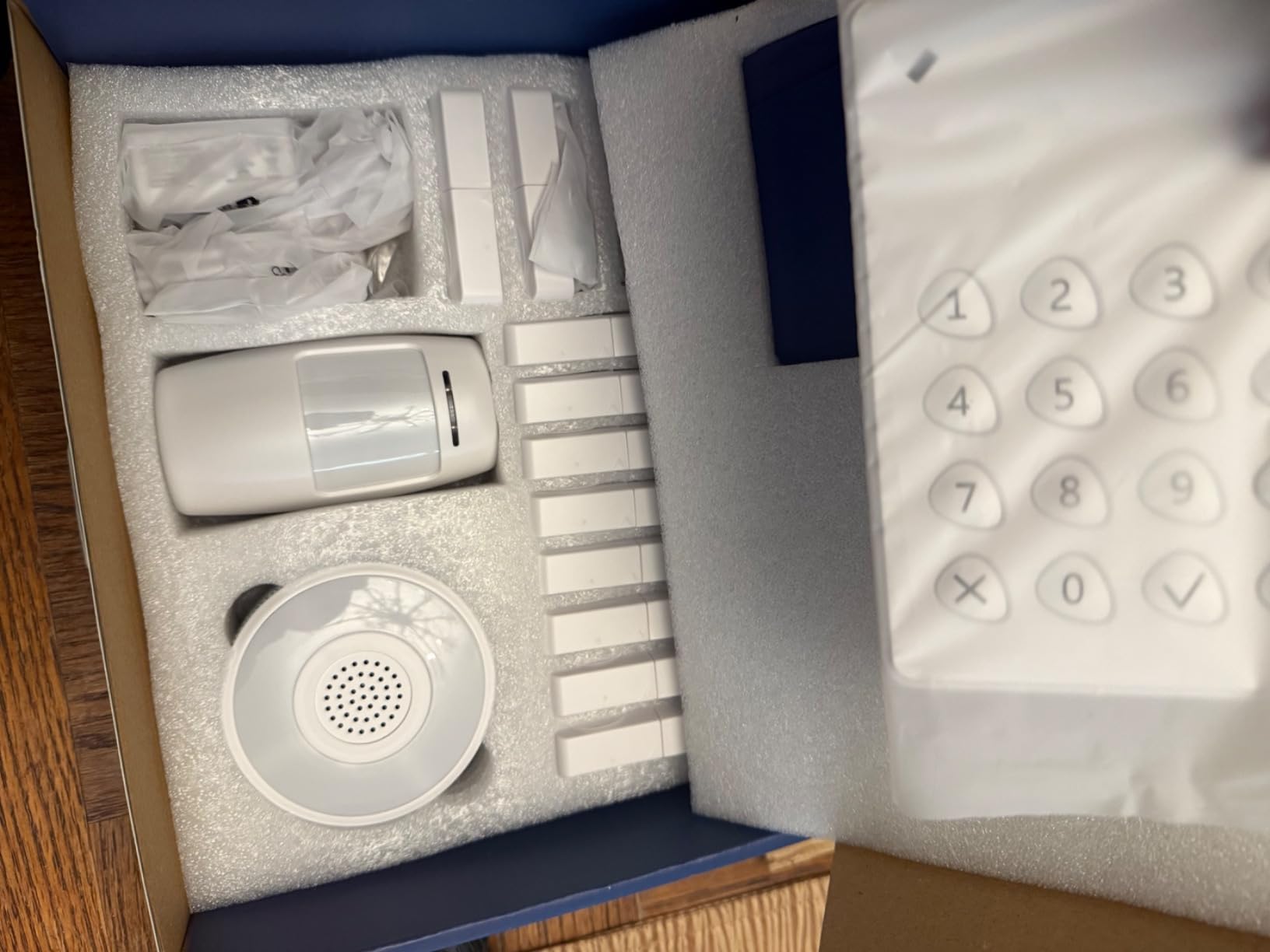
This is the coverage-maximising version of the same idea. Ten door sensors, a motion sensor, a keypad, two remotes and a base station, which is the highest sensor count of any kit we tested for this guide.
The 120 dB siren is the loudest figure in this roundup and it is the reason to pick this over the 12-piece. If your goal is audible deterrence rather than quiet notification, that difference is real, though it is worth remembering that a siren loud enough to be heard in a hallway in an apartment building cuts both ways.
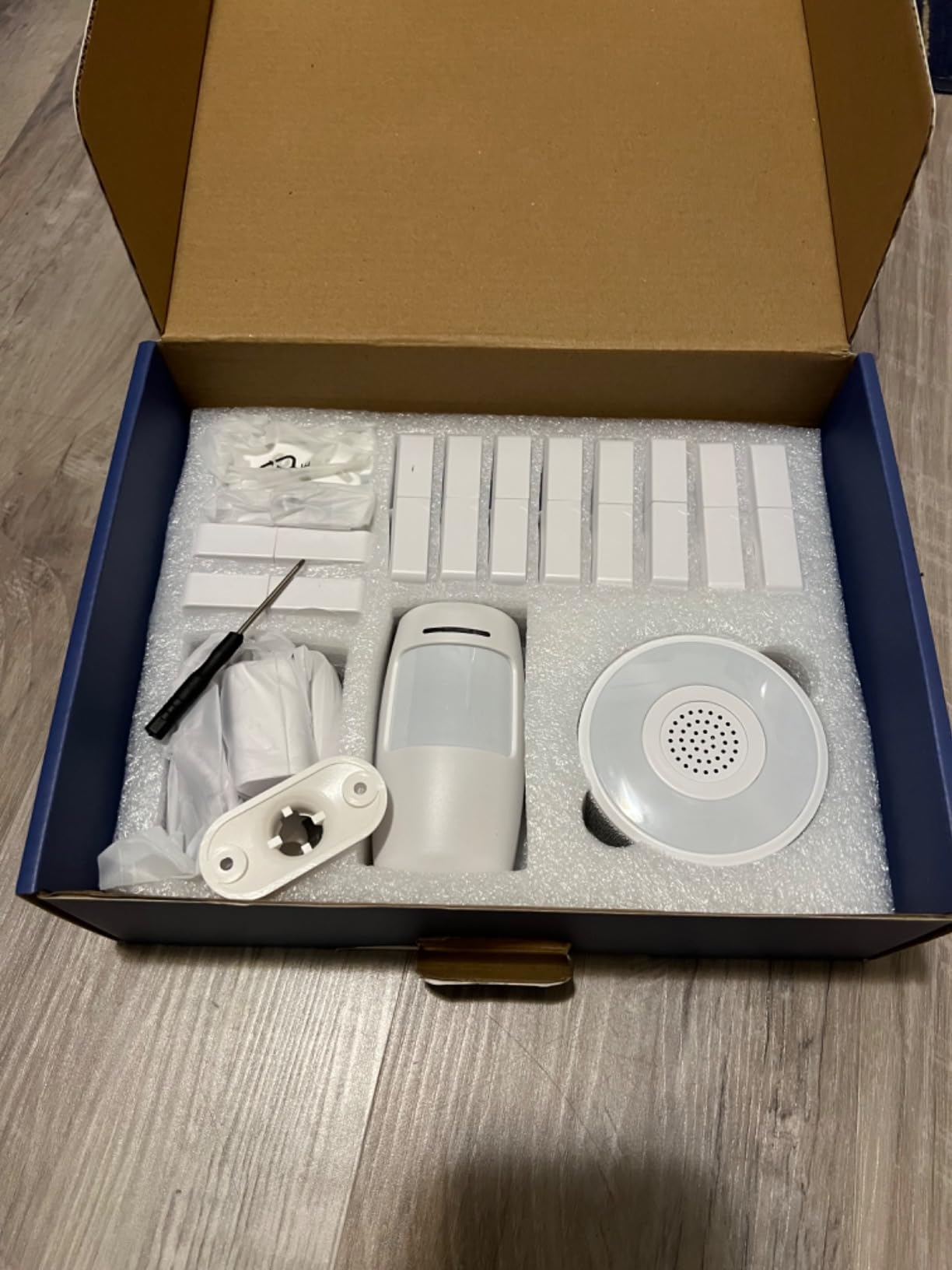
Sensors mount with adhesive strips or the included hardware, and the system expands to 20 sensors and 5 remotes or keypads. There is no subscription and no contract, and control runs through the app, the remotes or Alexa.
As with the 12-piece, the hub needs to sit within range of your router and the whole system is 2.4GHz only. Check that before you buy.
When this kit works for a renter
It fits a house rental, a duplex or a ground-floor apartment where you want every accessible opening covered from day one, with room to expand later. It also suits a renter who has been burned by a neighbour ignoring a doorbell camera and simply wants the noise.
For anyone who wants a single purchase to cover an entire property rather than a piecemeal build, the count here removes that problem.
Where it falls short for renters
Quality is the trade. Reviewers report an average share of one-star ratings driven by build quality and setup friction, and the plastic sensors and entry-level keypad are obvious when you handle them.
The 2.4GHz-only limitation applies, and a high sensor count with lightweight hardware means more batteries and more adhesive to remove at move-out. The siren volume is a genuine neighbour consideration in shared buildings.
6. LWOHSI A108F Alarm System – Best for Cellular Backup and Redundant Alerts
LWOHSI A108F Alarm System for Home Security with Door and Motion Sensors
WiFi plus 4G GSM dual-network panel
App push, SMS and voice call alerts
Tuya app with Alexa support
Pros
- Dual WiFi and 4G redundant alerting
- Calls and texts up to five numbers
- Installs without damaging walls or decor
- Works with Alexa and Google Assistant
- Scales to 100 controllers and detectors
Cons
- Smart Life and Tuya setup is fiddly
- No zone-level arming so it is all or nothing
- 4G module needs a separate SIM card
- Panel is wall-mounted only
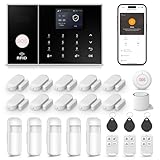
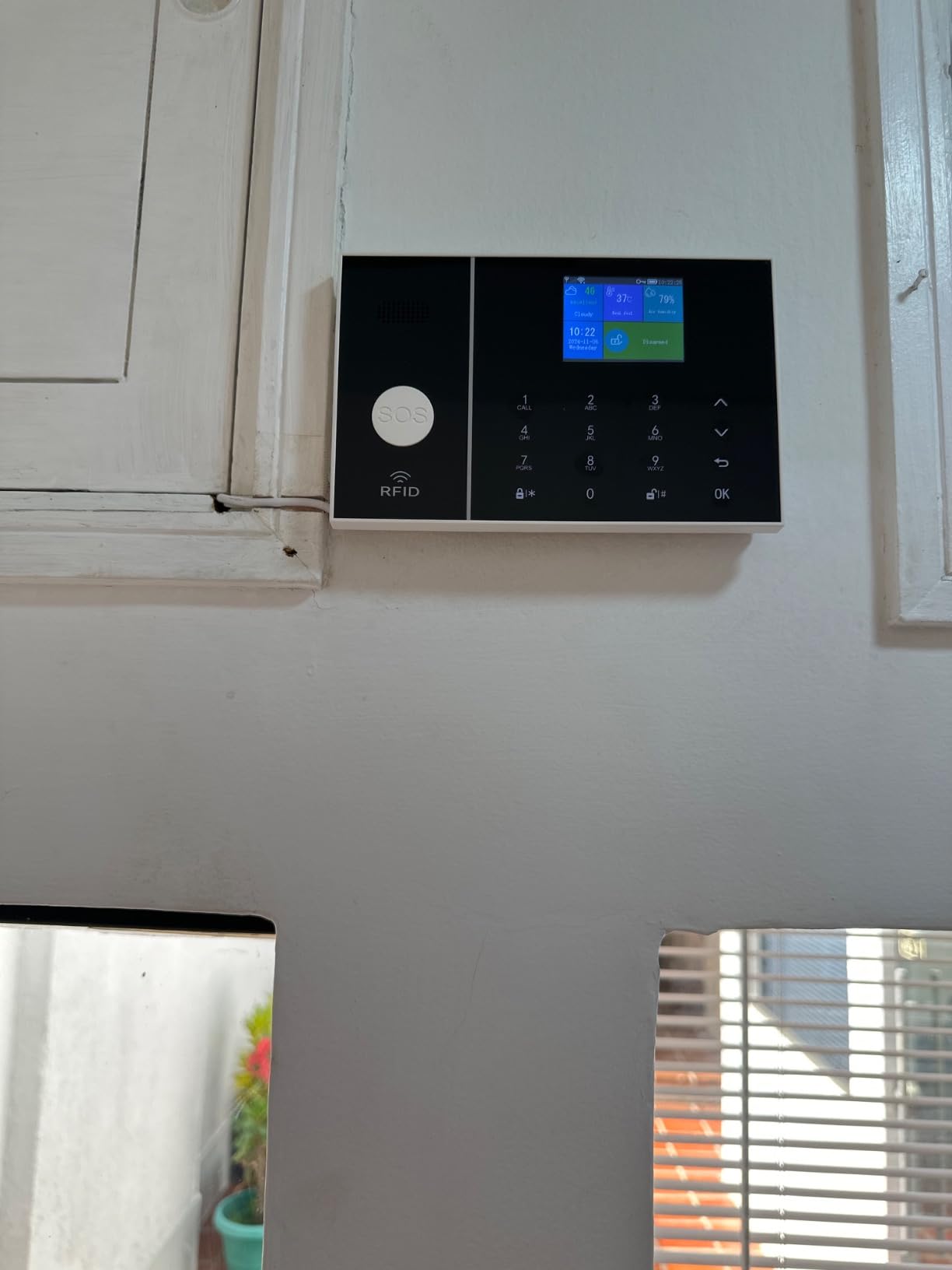
This one earns its place on a single feature: redundant alerting. The panel runs on WiFi and 4G GSM at the same time, and when the alarm trips you get app push, SMS and a voice call, with room to configure five phone numbers and two SMS number groups. For a renter who is not always holding their phone, that is a meaningful upgrade over a push notification.
The panel supports up to 100 controllers, RFID cards and wireless detectors, and it can be programmed with zone types for front door, entrance, emergency, bedroom and window. It runs on the Tuya platform with the Smart Life app and supports Alexa and Google Assistant.
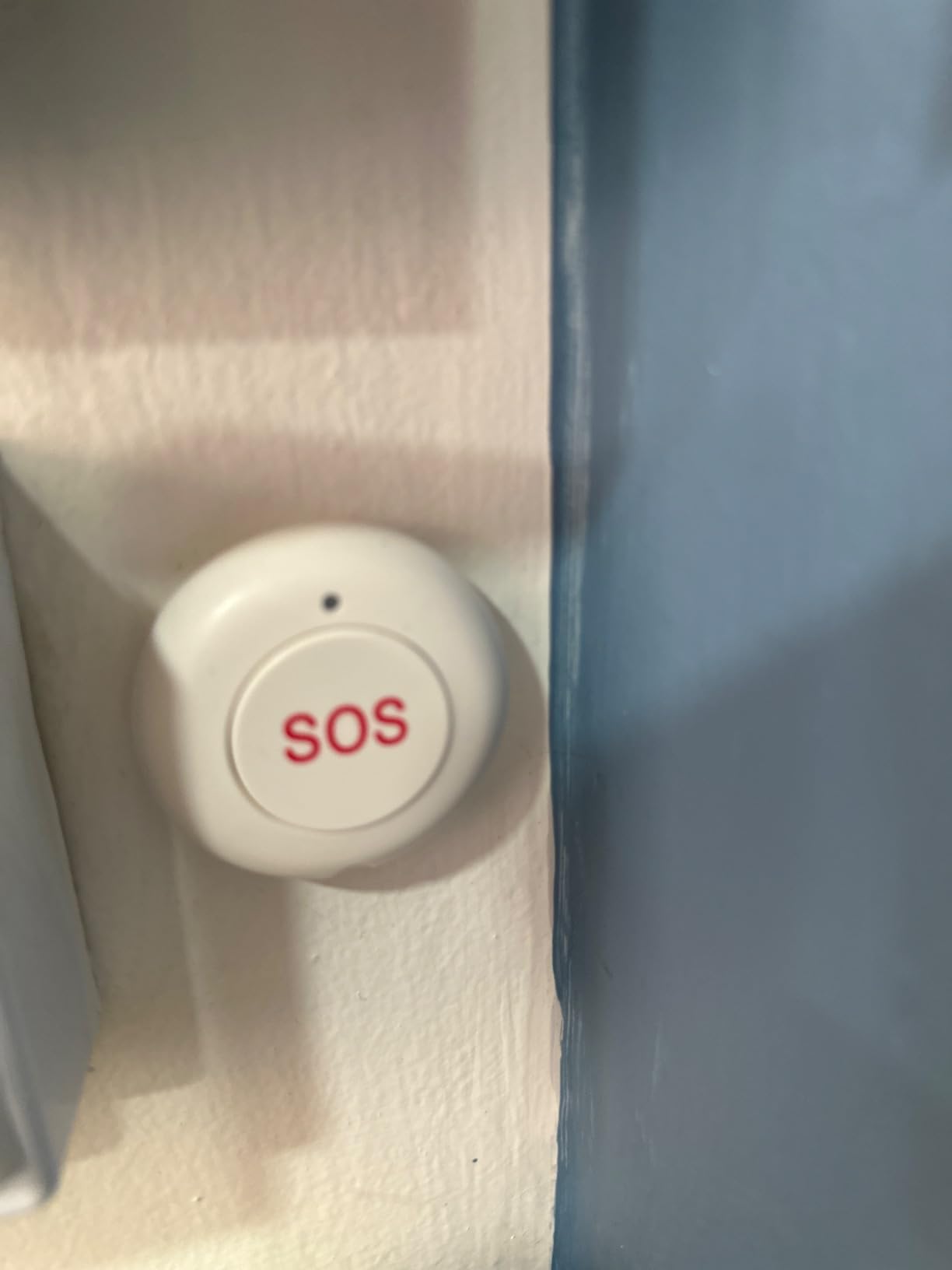
It fits the no-drill constraint, installing without damaging walls or interior decor, and reviewers report people replacing twenty-year-old alarm systems with it successfully.
Two constraints are worth knowing before you commit. The 4G path needs a separately purchased SIM card, and there is no zone-level arming, so the whole system arms and disarms as a single unit rather than in groups.
When this system works for a renter
It suits anyone whose building has unreliable internet, or who travels and wants a second alerting path that does not depend on Wi-Fi being up. It also works for a house or duplex rental where the coverage needs exceed what a small apartment kit can stretch to.
The multi-user controller support and RFID cards make it a reasonable fit for a shared house rental or a small temporary let where more than one person needs access.
Where it falls short for renters
Setup is the weak point. Reviewers describe the Smart Life and Tuya configuration as confusing, with trial-and-error sensor testing needed to get zones behaving. That is a real cost on top of an already long install.
The all-or-nothing arming is a genuine limitation for a multi-room apartment, the panel only mounts on a wall with no stand option, and some buyers report devices failing within a year. The wall-only mounting is also worth weighing against your deposit before buying.
7. Tapo T31 Door Sensor Starter Kit – Best for Matter and Smart Home Compatibility
Tapo Door Sensor Starter KIT, Matter Compatible, 3X Smart Door Window Contact Sensor and 1x Smart Hub with Built-in Chime, Smart Automation, Real-Time Notification, T31 KIT
Tapo H100 hub with built-in chime, 3 T110 contact sensors
Matter certified
Up to 64 devices
Pros
- Matter support across HomeKit
- Alexa
- Google Home and SmartThings
- Hub chime carries across a home
- Sub-G protocol gives long range and battery life
- Compact low-profile adhesive or magnet mounting
- TP-Link support assists with setup
Cons
- Adhesive mounting means new tape to reposition
- No battery percentage indicator
- 90 dB alarm does not cover a whole house
- No keypad included so arming is app-based
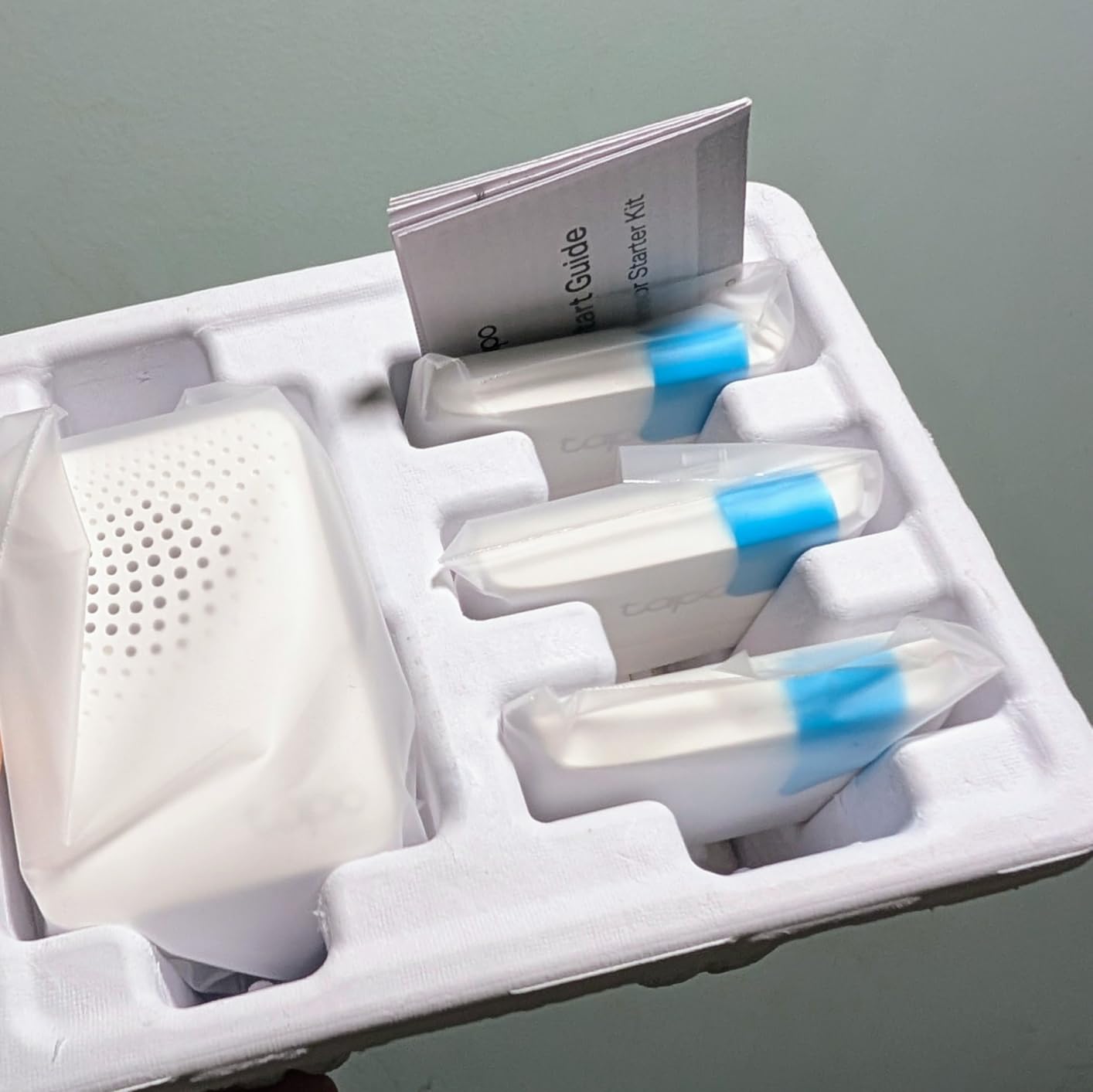
Tapo is the only kit here that is Matter certified, which matters more in 2026 than it used to. The T31 kit works inside Apple Home, Alexa, Google Home and SmartThings without being locked to one of them, so a renter who has already invested in an ecosystem can add door sensors without starting over.
It is also the smallest sensible system in this roundup. Three contact sensors, a hub with a built-in chime, and a customizable 90 dB alarm. The sensors pair over a Sub-G protocol between the sensor and the hub rather than over Wi-Fi, which reviewers credit for the range and for battery life rated up to ten times that of comparable Wi-Fi devices.
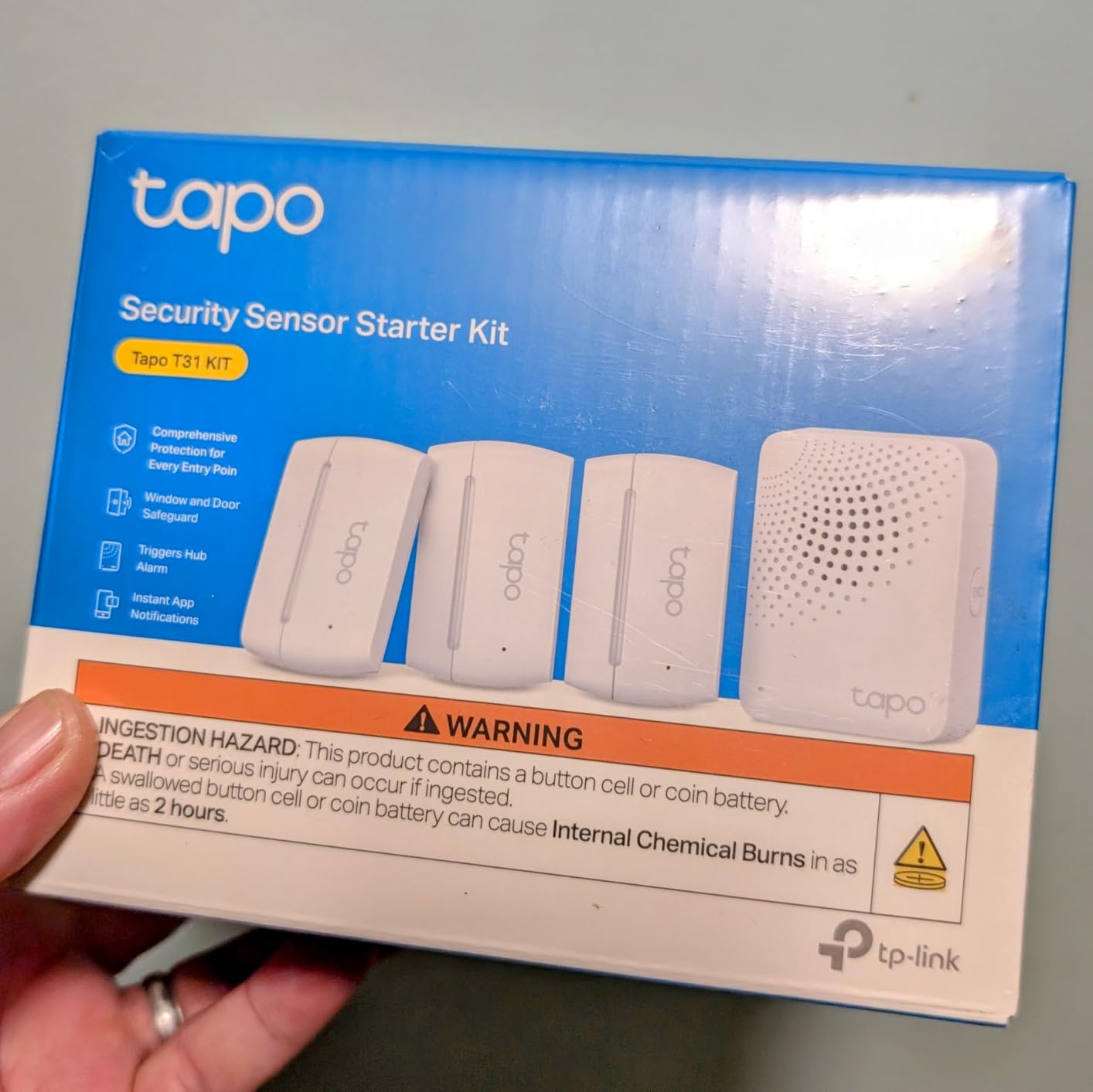
One hub handles up to 64 sensors, switches and buttons, and the sensors sync with Tapo pan and tilt cameras and smart lights for automations. CR2032 batteries are rated at up to two years, and the hub links on 2.4GHz Wi-Fi.
Note that arming happens in the app because no keypad is included. That is a deliberate simplification for a renter, and it also means anyone else in the unit needs your phone.
When this kit works for a renter
It suits a renter who is already deep into Apple Home, Alexa, Google Home or SmartThings and does not want a walled garden. It is also a good fit for a rental where you only need door and window alerts rather than a full alarm, since the hub chime doubles as the notification.
For a short-term rental or a home you will leave for a while, the long battery life and the small adhesive footprint make takedown simple.
Where it falls short for renters
With only three contact sensors, coverage is entry-level, and there is no motion sensor in the box. The 90 dB hub alarm will not cover a large home, and there is no keypad, so arming depends on having your phone.
Repositioning a sensor means fresh tape, the app only gives a low-battery alert rather than a percentage reading, and some buyers report intermittent Wi-Fi dropouts or setup troubleshooting.
8. OSI Alarm System Gen 2 (4G) – Best for Professional Monitoring on Your Terms
OSI Alarm System Gen 2 (4G), 11pc, DIY, Motion & Entry Sensors, Wireless Siren, Remotes, App & Alexa Compatible Self Monitor(No Monthly Fees) or Optional 24/7 Alarm Monitoring
7-inch touchscreen panel, 2 motion sensors, 5 contact sensors, strobe siren
Free self-monitoring
Optional pro monitoring
Pros
- Free self-monitoring with no SIM card or monthly fee
- Large touchscreen with guided setup wizard
- Very loud siren for the category
- Key fobs for fast arming and disarming
- Scales to 160 sensors and multiple user accounts
Cons
- Smart Life app history and tablet display could be better
- Contact sensor batteries need frequent changes
- Touchscreen speaker can sound distorted
- Basic strobe takes two socket spaces
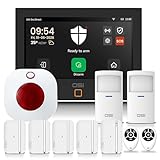
The OSI Gen 2 is the unusual pick here, and the reason is the 7-inch touchscreen control panel. It is closer to a real alarm panel than a plastic hub, and it runs a step-by-step setup wizard that makes configuration far less painful than the Smart Life flows on competing kits.
Self-monitoring through the Smart Life app is free, with no SIM card and no monthly fee. When you want professional monitoring, you can add it on a one-year subscription with no long-term contract, which makes this a workable option for a renter who wants human dispatch only during busy travel months.
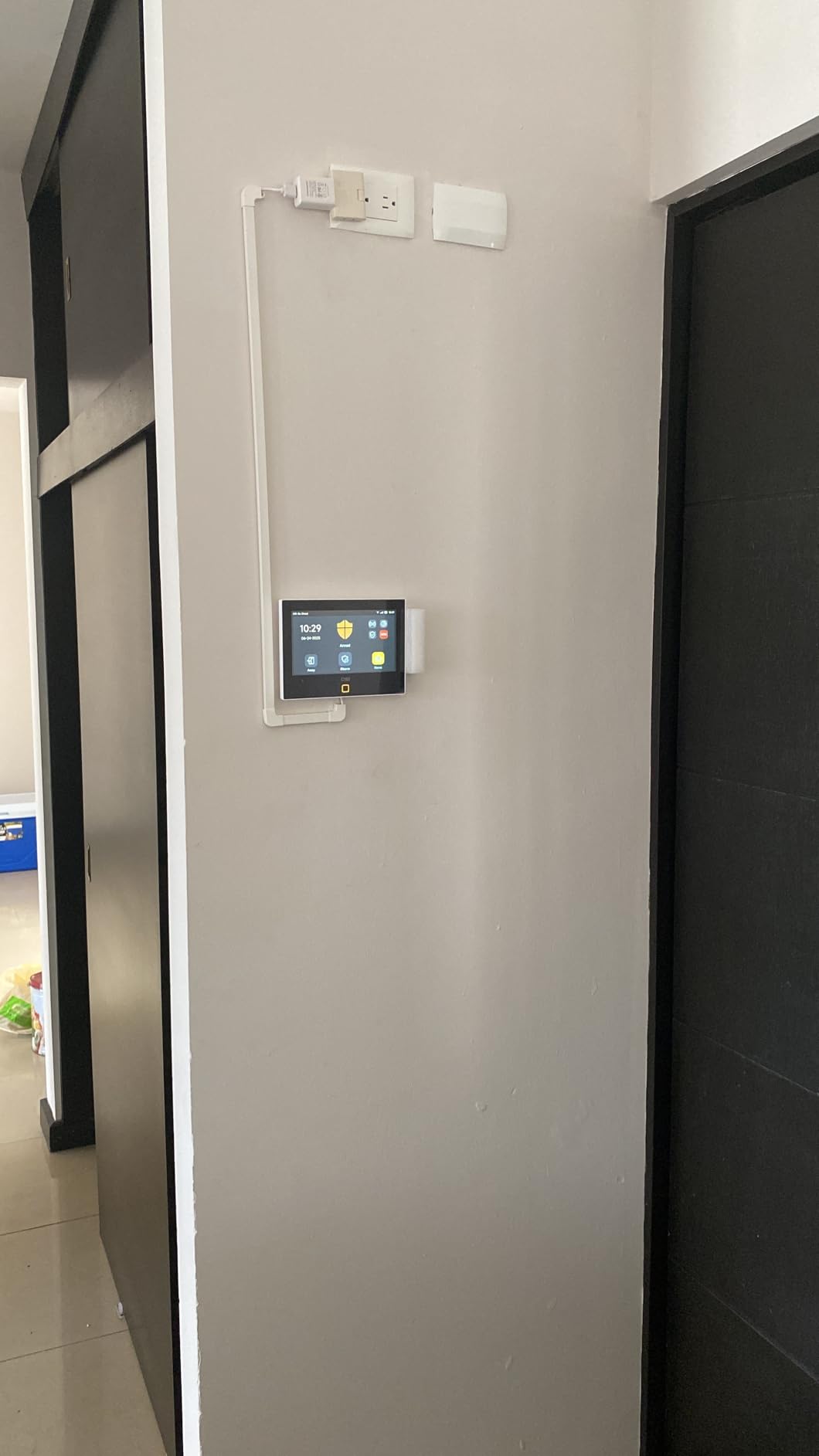
Scale is its other strength. The system handles up to 160 sensors, 6 controllers, 6 doorbells and 6 keypads, with one administrator account and up to 5 limited-access accounts for roommates, guests or a short-term let. The kit includes 2 motion sensors, 5 contact sensors, a wireless strobe siren and 2 remote controllers, and a 24-hour backup battery sits behind the corded power.
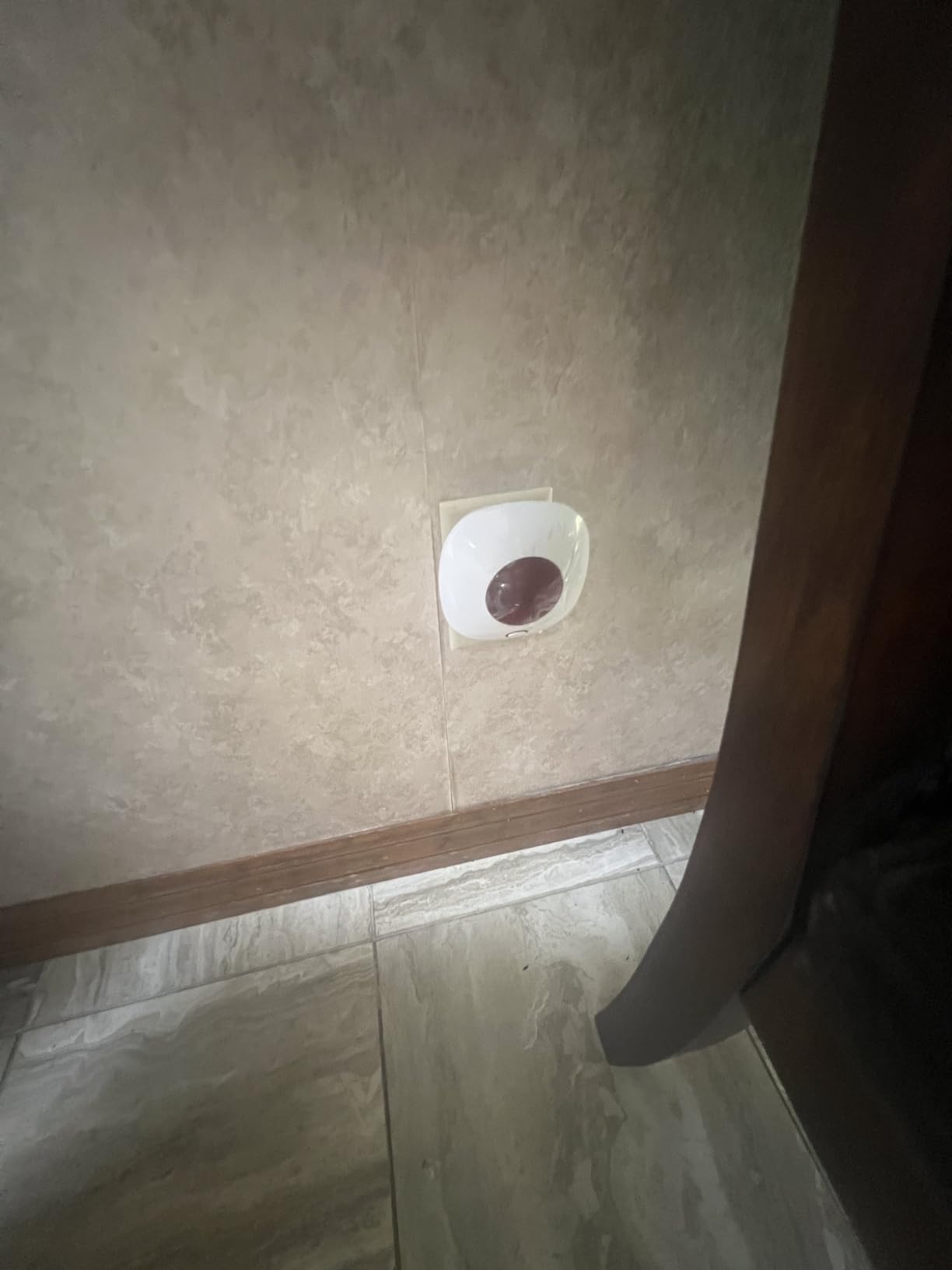
One reviewer, a former professional alarm installer, singled out the siren quality as unusually good for a subscription-free system, and several buyers report replacing ADT or commercial-grade systems with it.
When this system works for a renter
It fits a house rental, a duplex or a large apartment where sensor count outgrows a small kit, and it is the pick for anyone who wants professional monitoring without a multi-year commitment. The multi-user account structure is useful in a shared rental.
It is also the one to consider if you have already tried a budget kit and found the setup process, not the hardware, to be the barrier.
Where it falls short for renters
Contact sensors need frequent battery changes and reviewers report they eventually stop chiming. The Smart Life app history and tablet or iPad display are not polished, and the touchscreen speaker can sound distorted.
The bundled strobe is entry-level and occupies two socket spaces, which is awkward in an older apartment with limited outlets. Changing Wi-Fi settings also requires a factory reset.
9. X-Sense AS05 5-Piece Set – Best for Studios, Dorms and Tight Budgets
X-Sense Smart Home Security System, Wireless Security System 5-Piece Set, Supports Mobile App Alerts, Compatible with Alexa, Includes 1 Base Station, 2 Door Sensors, 1 Motion Sensor, 1 Keypad, AS05
Base station, keypad, 2 door sensors, 1 motion sensor
Adhesive or screw install
No subscription required
Pros
- Lowest entry cost of any complete kit here
- Adhesive install needs no tools
- Home
- Away and Disarm with automatic schedules
- Keypad panic button included
- Sensor batteries rated up to five years
Cons
- 2.4GHz Wi-Fi only
- Small kit leaves gaps in larger floor plans
- Entry-level build and siren volume
- No camera or video component
This is the lowest-cost complete kit in the roundup, and for a studio, a dorm room or a short rental it is enough. A base station, a keypad, two door sensors and a motion sensor covers the core of a small flat.
It installs with adhesive tape or screws and needs no tools. The app handles Home, Away and Disarm modes, and you can schedule automatic arming and disarming so the system arms itself when you leave without thinking about it, which is the single most useful feature for anyone who forgets.
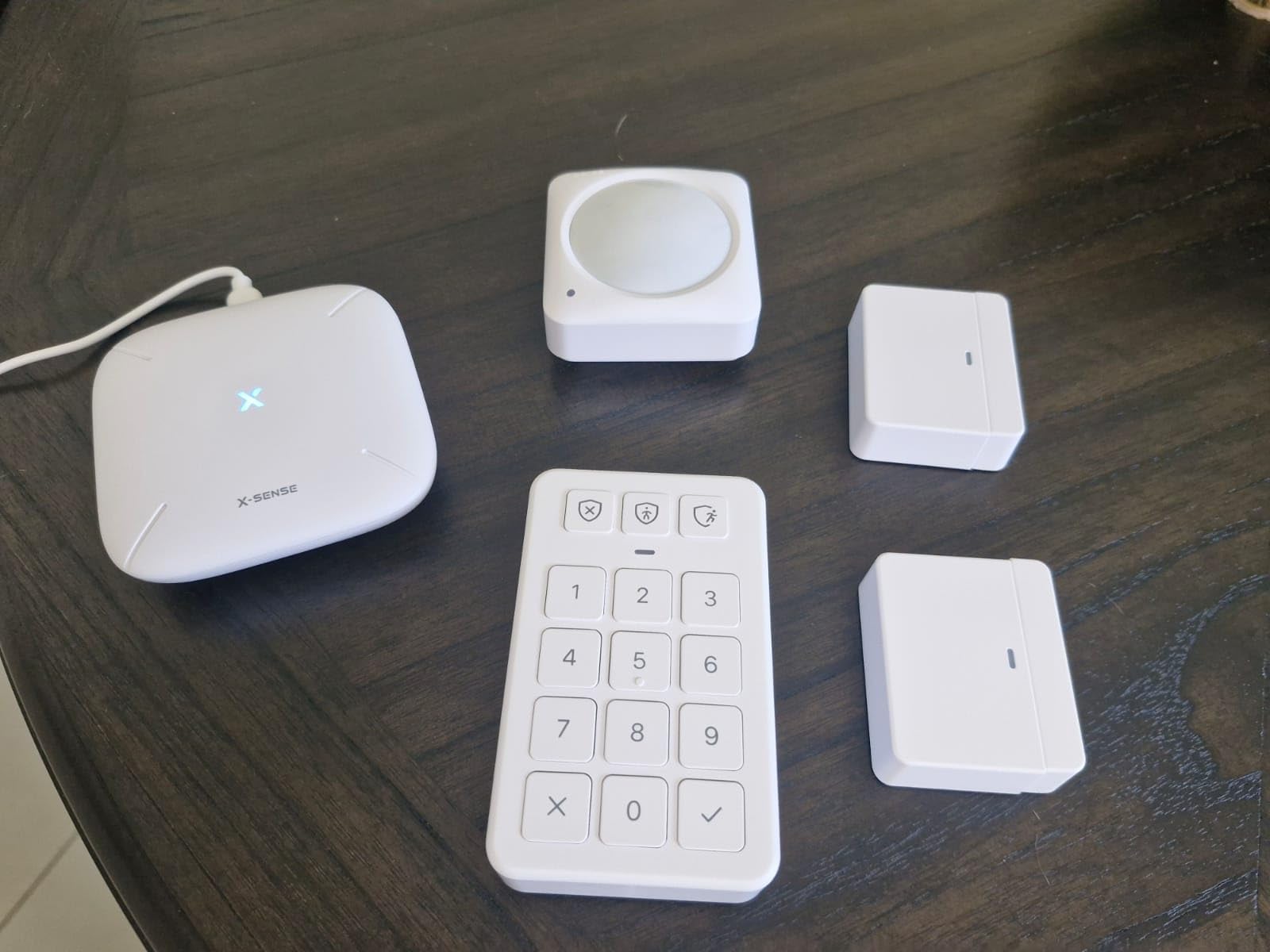
The keypad has a panic button, and the system supports multiple passwords, so you are not handing your full access to a housemate or a guest. Sensor batteries are rated at up to five years, the longest in this list, and Alexa voice control works.
Expansion goes to 6 keypads and 44 additional devices, including water leak sensors and thermo-hygrometers, so a leak sensor is a realistic add-on for a ground-floor flat.
When this kit works for a renter
It suits a studio, a one-bedroom apartment, a dorm or a first apartment where the budget is genuinely tight and the priority is knowing when a door opens. It also works as a secondary layer in a larger home alongside one of the higher-coverage kits.
For anyone who rents temporarily and wants something that peels off cleanly, the small footprint and long battery life are both pluses at move-out.
Where it falls short for renters
Two door sensors and one motion sensor is a small kit, and anything beyond a single entrance will need additions. Build quality and siren volume are both entry-level.
The 2.4GHz-only network requirement applies here as well, and there is no camera or video component if you want visual confirmation. Treat it as a first alarm rather than a complete system.
10. Aqara Camera Protect Kit Y100 – Best for Apple Home and Video Verification
Aqara Camera Protect Kit Y100-4 Piece Wireless Home Security System
G3 camera hub, door and window sensor, motion sensor, vibration sensor
2K pan tilt camera
Zigbee hub and Matter bridge
Pros
- Pre-paired sensors work out of the box
- Clean Apple HomeKit integration without feature loss
- 2K pan tilt video with auto tracking
- Seven days of cloud storage with no subscription
- Hub supports 5GHz Wi-Fi
Cons
- Extended cloud backups and SMS alerts need a subscription
- Some hubs drop off Wi-Fi frequently
- Facial recognition accuracy is inconsistent
- Camera wall mount and USB-C adapter not included
The Aqara kit is the only one here where a camera is central rather than optional. The G3 camera hub captures 2K pan and tilt video with auto tracking, and it doubles as an Aqara Zigbee hub for up to 128 child devices plus a Matter bridge, so the alarm side of your setup can grow well past the three sensors in the box.
Everything arrives pre-paired. The door and window sensor, motion sensor and vibration sensor trigger camera recording directly, and the whole set mounts with no-drill adhesive with 5-year sensor batteries. For a renter, pre-pairing is worth more than it sounds, because it removes the configuration work that trips people up.
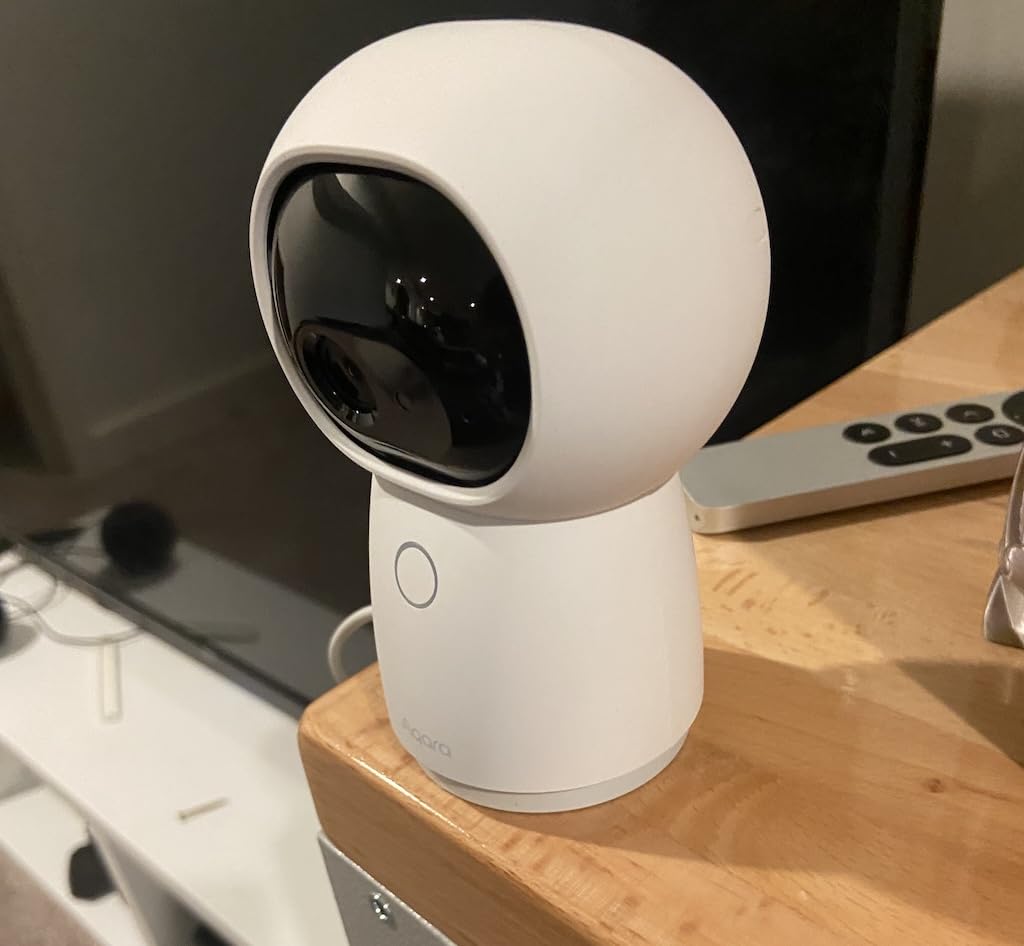
The standout is Apple Home. Reviewers with HomeKit setups call this one of the few kits that keeps cameras and sensors visible in real time in Home without losing functionality, and it also works with Alexa and Google Home. Cloud storage runs up to 7 days with no subscription, with a microSD option for local recording.
Two practical notes. The camera is powered by USB-C and the adapter is not included, and no wall mount is supplied, so plan on a shelf or a stand.
When this kit works for a renter
It suits a renter who wants video confirmation alongside intrusion alerts, and it is the natural pick if your home already runs Apple Home. The vibration sensor is genuinely useful for detecting tampering with a door or window, which matters in a shared building.
It also works for anyone who plans to grow a smart home over time, since the hub carries up to 128 Zigbee devices and bridges to Matter.
Where it falls short for renters
Cloud recording beyond 7 days, extended 90-day backups and SMS or email alerts are all subscription features. Some buyers also report the hub dropping off Wi-Fi frequently, and facial recognition accuracy is inconsistent enough that you should not rely on it alone.
Full functionality is limited to the Aqara Home app, and third-party USB Zigbee dongles are not officially supported. Camera placement in an apartment also raises the privacy questions covered below.
What to Look for in a Home Security System for Renters?
Every system in this guide passes the three non-negotiables: wireless, contract-free and no drilling. Past that point, a few decisions separate the kits. The first one is whether you need professional monitoring at all.
Self-monitoring means your phone is the only thing standing between an alert and a response. It costs nothing, and for many renters in a locked building it is entirely adequate. Professional monitoring means a call centre verifies the alarm and can dispatch police, fire or medical services, which is the option worth paying for if you travel regularly, live alone, or are in a ground-floor unit with accessible windows.
The second decision is coverage. A studio often needs a front door, one motion sensor and a single window. A ground-floor apartment needs every reachable opening, which is where the 10-sensor and 12-sensor kits earn their place. A house or duplex rental has more entry points and fewer restrictions, so the higher-count kits and the OSI panel start to make more sense.
The third is what happens when the internet drops. Most of these systems are Wi-Fi dependent, and an alert that never arrives is worse than no system because it creates false confidence. Four picks handle this differently. The Ring base station includes cellular backup through AT&T. The LWOHSI panel runs WiFi and 4G GSM simultaneously. The OSI Gen 2 has a 24-hour backup battery. Everything else relies on your connection staying up, which is worth considering if your building has known outages.
Check one technical detail before buying any of the budget kits. The tolviviov systems, the X-Sense and the LWOHSI are 2.4GHz-only, so a router broadcasting 5GHz only will not see them. The Aqara hub is the one exception in this roundup, supporting both 2.4GHz and 5GHz.
Finally, consider battery life, because a renter system is a maintenance system. The Tapo sensors are rated at up to two years, X-Sense at up to five years and Aqara at five years. The SimpliSafe and OSI kits draw the most frequent battery complaints.
Can Renters Install a Security System Without Landlord Approval?
Usually yes, as long as you do not alter the property. A wireless kit mounted with adhesive strips and a hub plugged into an existing outlet generally falls outside the modifications a lease prohibits, because nothing is drilled, wired or permanently attached. Legality and permission are two separate questions, and the practical answer depends on your lease rather than on any universal rule.
Read your lease first and look for three things: a clause on alterations or improvements, a clause on fixtures and hardware, and any rule about electronics in common areas. Broad wording such as no improvements without written consent is where renters get caught out, not because they drilled, but because a property manager decided a door sensor counted.
When you write to your landlord, the message is short and specific. State that you are installing a battery-powered wireless alarm with adhesive-mounted sensors, that nothing will be drilled or wired, that it will be fully removed before move-out, and that you can provide photos. Written confirmation in an email costs you nothing and removes almost all the risk. If your building has a doorman or property manager, they are also the people who know the camera rules.
Two changes a renter can usually make without asking are a smart lock swap on an existing deadbolt and a rechargeable or stick-on security light. Both are reversible with a screwdriver, and both leave the hardware in place for the next tenant.
One thing to avoid entirely is any system that needs a technician visit or a hardwired panel. That is a permanent alteration in most landlords’ eyes, and it is a contract you cannot walk away from.
Apartment Camera Rules: What Renters Can and Cannot Mount
Indoor cameras inside your own unit are generally fine. A camera covering your front door from inside is the standard renter setup, and it is the one most people actually want. The problems start the moment a lens points outside your door.
Avoid anything mounted in a hallway, stairwell, lobby or elevator. Most apartment buildings prohibit it in shared spaces, and it is the fastest way to end up on a building-wide notice. If a delivery camera seems unavoidable, place it inside your own door looking out through the gap rather than on the exterior wall, and check whether your building already offers a package room.
Pay attention to sightlines. A camera on your patio or balcony will often capture a neighbour’s window, and in some jurisdictions recording a neighbour’s private space without consent creates problems for you, not them. Angle inward, keep the field of view inside your property line, and use a privacy shutter or disable recording when you are home if your model supports it.
Asking in writing is still the safest route. Most property managers will approve a doorbell camera on a private entry door, and several will approve a front-door interior camera, because neither affects common areas. You are far more likely to get a yes than a no, as long as the request stays inside your own door.
If you want visual coverage in common areas, use the building’s own cameras and the guest access system rather than adding your own. Related reading on camera placement and pet-friendly setups is in our security camera guide.
Who We Skipped and Why
Three names dominate renter search results and none of them belong here. The reason is the same in all three cases, and it is the reason you are reading this guide instead of a listicle that recommends them.
ADT, Vivint and Frontpoint are built around long-term contracts and required professional monitoring tiers. That model assumes a homeowner who is staying. A renter moving in twelve to twenty-four months ends up paying for a system they cannot take with them, or paying an early cancellation fee at move-out, which is exactly the outcome the rest of this guide is built to avoid. ADT’s self-setup route is more renter-friendly than its traditional monitored plans, but the monitoring commitment is still bundled in.
We also left out any kit that needs a professional installer or a hardwired panel, regardless of brand. A drilled panel is the fastest way to lose a security deposit, and no amount of good hardware makes that trade worthwhile.
What we did not do is claim the brands in this guide are universally better. A renter who wants ADT-quality dispatch and does not mind a commitment has a legitimate reason to buy one of them. That is simply not the situation most tenants are in.
What to Do With Your Security System When You Move Out
Nobody in the search results we studied covers this, and it is the part renters actually worry about. The good news is that a no-drill system is designed to come off cleanly, as long as you are deliberate about it.
Photograph every mounting point before you remove anything, with the sensor still in place and then with the wall bare. If the adhesive leaves a mark or a faint residue, a plastic pan scraper and a little isopropyl alcohol lift it without touching the paint.
Remove sensors slowly and in the same orientation you applied them. Pull the adhesive strip rather than twisting the sensor body, and warm the area with a hairdryer for ten seconds if the bond is tight. Adhesive that is ripped off cold leaves more residue than adhesive that is warmed and peeled.
Check the easy-to-miss spots. Door frames take the most stress, but baseboards, window frames and the underside of a shelf are common hiding places. Factory-reset every device before it goes back in the box, so the next tenant is not inheriting your Wi-Fi credentials or your camera history.
Most of these systems transfer to your next place. Re-pair the hub to the new network, re-pair the sensors, and you are running again the same day. Remember that most hubs are 2.4GHz or 5GHz specific, and changing routers is the step that catches people out.
Finally, store sensors in the original box with a bag of the spare adhesive strips. Adhesive strips lose their grip after a year in storage, and the replacement ones you get with the kit are the only ones guaranteed to match.
Frequently Asked Questions
What is the best security system without a monthly fee?
The Ring Alarm 8-Piece Kit, the eufy Security 5-Piece Kit, the tolviviov 12 and 15-piece kits, the Tapo T31 and the X-Sense AS05 all self-monitor through their apps with no subscription. The Aqara Camera Protect Kit Y100 includes 7 days of cloud video without a subscription, and its sensors run on 5-year batteries. Professional monitoring is optional on the Ring, SimpliSafe and OSI systems.
Can renters install home security systems without landlord approval?
Usually yes, if you do not alter the property. Wireless kits with adhesive-mounted sensors and a hub plugged into an existing outlet are generally not treated as alterations. Read your lease for clauses on improvements, fixtures and hardware, then send your landlord a short written note describing an adhesive, battery-powered system that you will remove before move-out.
Is it legal for a renter to install their own security system?
There is no general law against it, so the question is governed by your lease and your building’s rules. The legal risk comes almost entirely from permanent modification, such as drilling, wiring or replacing fixtures. Sensor placement, camera sightlines and whether you may record common areas are governed by your lease and local privacy rules rather than by criminal law.
Do renter security systems require Wi-Fi?
Most of them do for app alerts, but four of our picks have a path when your connection fails. The Ring base station includes cellular backup through ATu0026amp;T, the LWOHSI panel runs WiFi plus 4G GSM, the OSI Gen 2 carries a 24-hour backup battery, and the Aqara hub supports local microSD recording. The rest depend on your router staying online.
Should I put a security camera in my apartment?
Indoor cameras inside your own unit are generally fine, and a camera covering your front door from inside is the standard renter setup. Avoid hallways, stairwells, lobbies and elevators, which most buildings prohibit. Watch your sightlines so you are not recording a neighbour’s window, and get written permission for anything near your entry door.
What security system do burglars hate?
The honest answer is that no system is a guarantee, but visible deterrence works. The loudest sirens in our roundup are the SimpliSafe at 95 dB and the tolviviov 15-piece at 120 dB, and a camera that is plainly visible changes how a property is assessed. Professional monitoring adds a response layer, and smart lighting that makes a home look occupied adds another. In an apartment, noise cuts both ways.
Are ADT or Vivint good options for renters?
Neither is a good fit. Both are built around long-term contracts, required professional monitoring and, in Vivint’s case, professional installation, which is exactly the three things a renter cannot accommodate. ADT’s self-setup route is more flexible than its traditional plans, but the monitoring commitment remains bundled. For portable hardware and no contract, none of the ten systems in our list beats these for a tenant.
The Best Home Security System for Renters in 2026
If you want one recommendation, take the Ring Alarm 8-Piece Kit. It installs without a drill, it has the broadest sensor coverage of the compact kits, its base station keeps reporting during an internet outage, and professional monitoring is optional rather than required.
Choose differently depending on your situation. For a studio or dorm on a tight budget, the X-Sense AS05 covers the basics at the lowest entry cost. For a house or duplex rental, the tolviviov 15-Piece gives you the most entry points covered, and the OSI Gen 2 is the one to look at if you want professional monitoring without a multi-year commitment. For a renter already inside Apple Home, the Aqara Camera Protect Kit Y100 is the smoothest fit.
Whichever you choose, check your lease, photograph every mounting point on move-in day, and keep the hardware in the box when you leave. That is what makes the best home security system for renters genuinely renter-friendly rather than just cheap.